Changing your Wi-Fi network name has never been easier. From web interfaces to mobile support, Verizon has prepared its users with many options for network security. This guide covers the network tools you need to change your Wi-Fi network name on your Verizon FiOS Router.
1 – Change Wi-Fi name via router (192.168.1.1)
To begin, open a browser window to access your FiOS router web interface. FiOS routers can typically be accessed using the following IP address: 192.168.1.1 For authentication help, visit our guide on how to log into a Verizon FiOS router.
How to Log into a Verizon FiOS Router
Log in to your FiOS router
Choose Wireless Settings
Select Basic Security Settings
Change the SSID to reflect your new desired Wi-Fi network name
Save the changes
Some routers have a different menu structure. Your web interface may not match the instructions above. If that’s the case, Verizon has a list of official FiOS routers on their website. Use this list to find your FiOS router manual for further instructions.
2 – Change Wi-Fi name via My FiOS app
Updating the Wi-Fi network name can be done through the My FiOS app. Users can download the mobile app and make critical changes to their network settings at the touch of a button.
Open the My Fios app
Select Internet
Choose your wireless network under My Networks
Select Edit
Set a new Wi-Fi network name
Save the changes
3 – Change Wi-Fi name via My Verizon
You can find a variety of tools within the My Verizon app to make changes to your FiOS network. To change the Wi-Fi network name, you will need to install the My Verizon app.
Log in to your My Verizon account
Select Internet
Choose your wireless network under My Networks
Select Manage
Set a new Wi-Fi network name
Save the changes
4 – Test the Wi-Fi network name change
Congratulations! You should be able to detect your FiOS Wi-Fi with the new network name. Testing is as easy as searching for a wireless network. If you’re unable to find your network under the new name, double-check the new information is entered correctly in both the router settings and wireless device.
For official support, visit the official documentation provided by Verizon on how to change your FiOS network name.
While you’re changing the network name, you may want to take a moment to change your Verizon FiOS WiFi Password, as well.NEXT UP
Call forwarding is the process of directing phone calls from one number to another. Verizon allows its customers to enable call forwarding at no additional charge. Your typical call rates will still apply. This process works for all Verizon customers regardless of your carrier—including Samsung, Apple, LG, Lenovo, and more. Note: International numbers can not
Introducing Howchoo, an enigmatic author whose unique pen name reflects their boundless curiosity and limitless creativity. Mysterious and multifaceted, Howchoo has emerged as a captivating storyteller, leaving readers mesmerized by the uncharted realms they craft with their words.
With an insatiable appetite for knowledge and a love for exploration, Howchoo’s writing transcends conventional genres, blurring the lines between fantasy, science fiction, and the surreal. Their narratives are a kaleidoscope of ideas, weaving together intricate plots, unforgettable characters, and thought-provoking themes that challenge the boundaries of imagination.
If you’re like me and are just starting out on your 3D printing journey, there’s little doubt in my mind that you’re probably frustrated by the Ender 3’s terrible leveling. Doing this all by hand is an epic pain, and even if you’re experienced with the Ender 3, why would you want to risk uneven prints by basically eyeballing things?
There are some pretty radical upgrades you can do to make leveling the Ender 3 V2 essentially automatic, but if you’re just starting out, these are definitely a bit above your pay grade. My preference is to use some fancy g-code to make the Ender 3 assist you in the leveling process and provide some great starting test prints that will help you get the perfect print every time.
1 – Ender 3 V2 calibration testing
Ender 3 V2 calibration testing
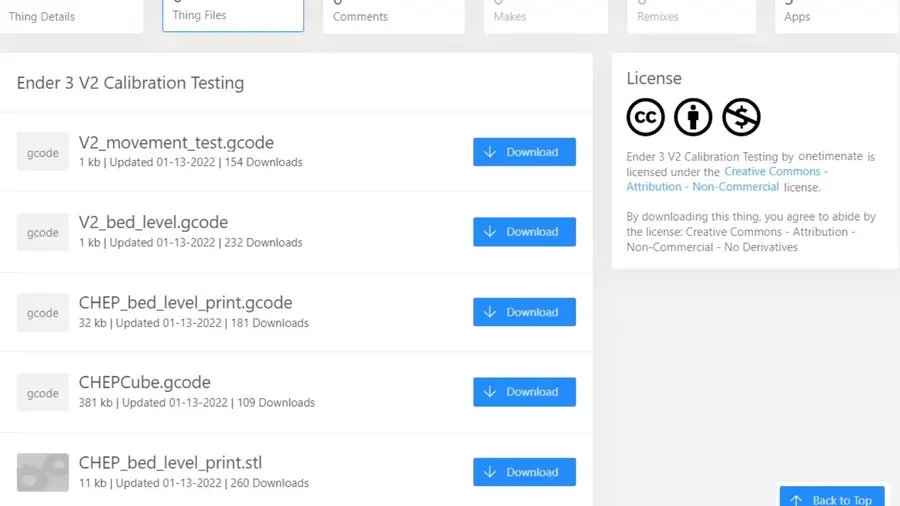
The first step is to head on over to Thingiverse and grab the awesome file package by onetimenate (a remix of an earlier calibration program for the original Ender 3).
Remember, the Ender 3 V2 will not work with all files intended for the original Ender 3 and Ender 3 pro! This package handles everything you need, however, and really ensures that you have your printer calibrated to its peak.
2 – Prepare to calibrate your Ender 3 V2
Prepare to calibrate your Ender 3 V2
Plug in your USB adapter with the micro-SD card (included with your Ender 3 V2) to your PC
Download the four .gcode files directly onto your SD card.
Use your PCs software eject to remove the USB adapter and SD card.
Plug the SD card into your Ender 3 V2
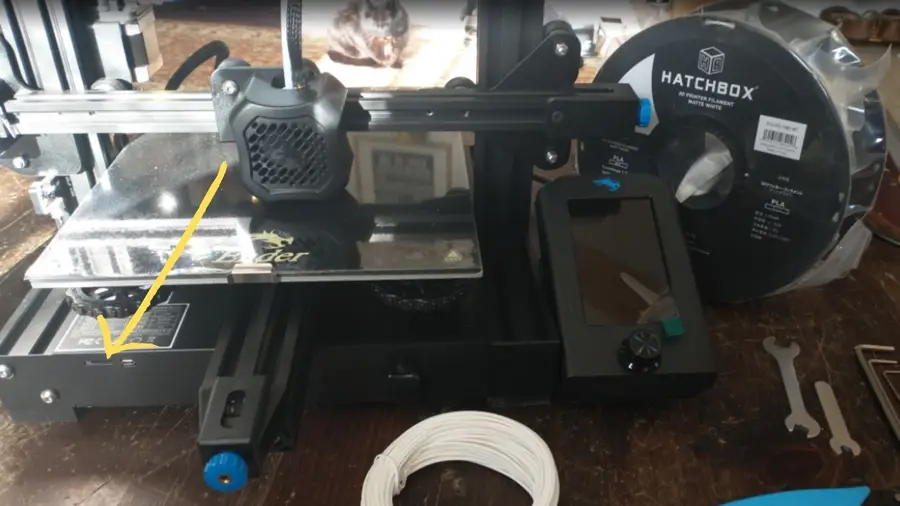
Sometimes, the Ender 3 V2 doesn’t seem to recognize the plugged in card. Wait a moment, remove it, then slot it back in, and it should be fine. My Ender 3 V2 screen momentarily freezes while it reads the SD card. Once the card is working, under the “Print” menu you’ll be able to see all your files.
Note: Don’t put files into subfolders, Ender can’t sort into those.
3 – Test your Ender 3 V2 for movement
Test your Ender 3 V2 for movement
This file tests your Ender 3 V2’s Z-axis, X-axis, and Y-axis to ensure that there are no hangups, grinding issues, or binding when the extruder is moving. It will run your Ender 3 through its paces, but this only takes a few minutes to do its thing.
4 – Level the print bed on the Ender 3 V2
Level the print bed on the Ender 3 V2
This code, when run, will guide you through the process of getting a near-perfect level on your Ender 3 V2’s print bed.
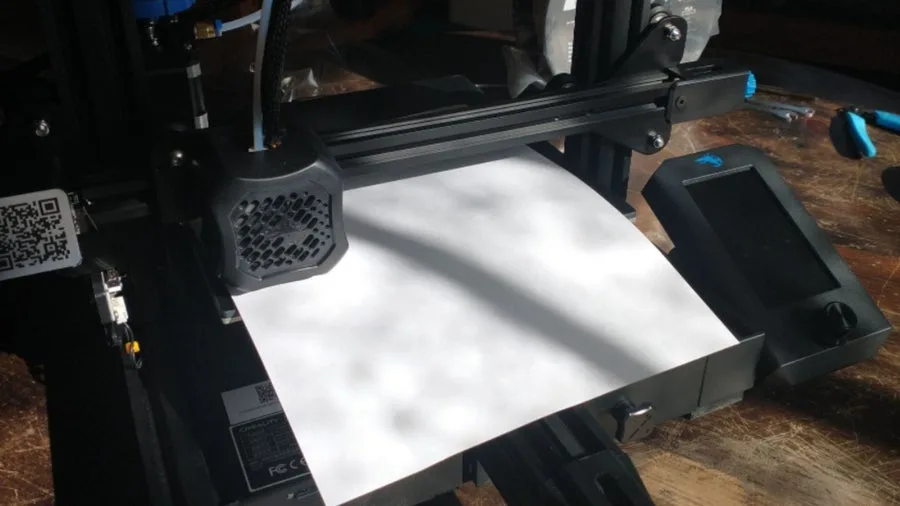
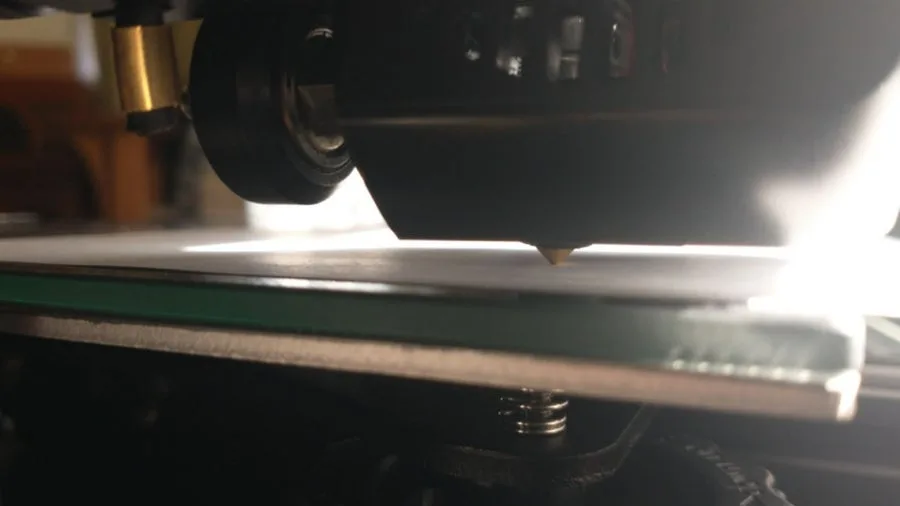
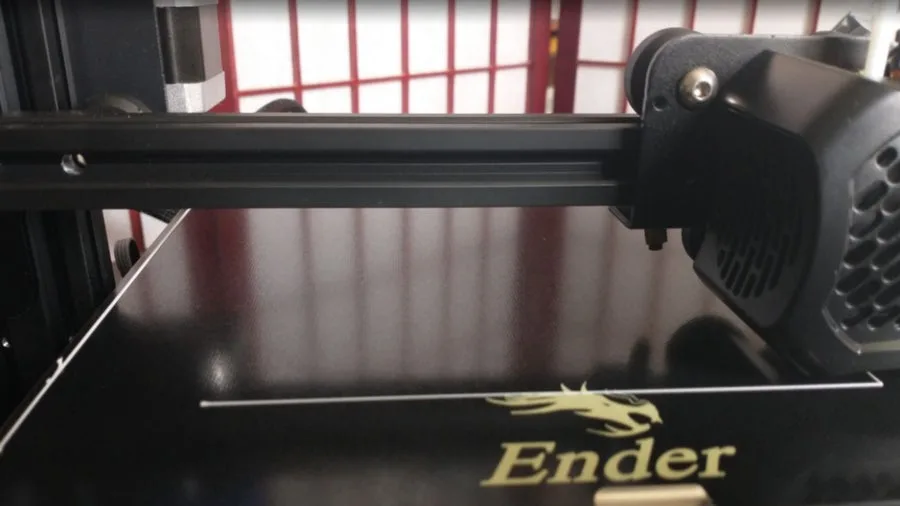
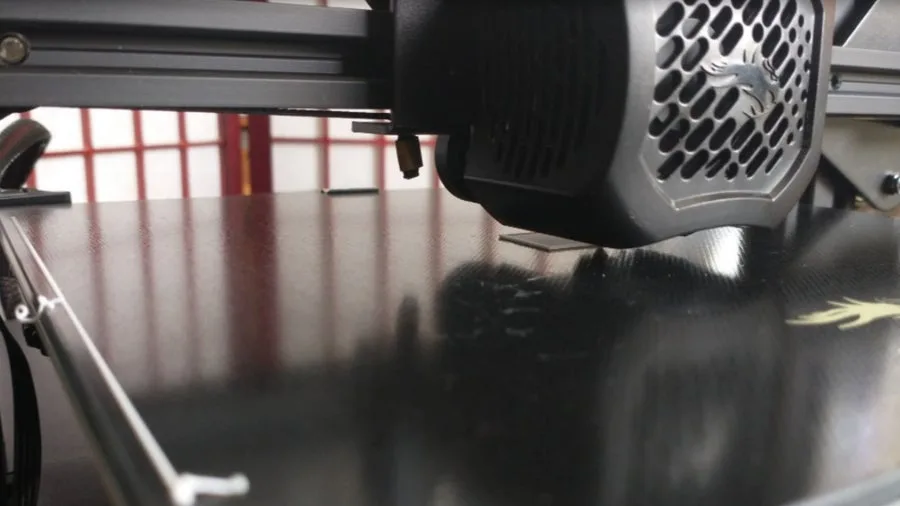
The goal is to be able to slide a piece of ordinary paper beneath the printer’s nozzle and the glass print bed. You want a little bit of resistance when you pull the paper: not a lot of resistance, or too little. You will be aiming to adjust the screws beneath the print bed plate until you are just barely able to feel some drag when you push/pull the sheet of paper through.
Level the print bed on the Ender 3 v2
The code will move the print head to each of the print bed’s four corners, and the center, stopping at each point for you to test. Slide your sheet of paper in, use the adjustment wheels to move the plate up or down as needed (the knobs have arrows with “up” and “down” printed on them to help with this step).
Note: the code will halt the printer head at each test location. Once you have tested and adjusted at a stopping point, press down the Ender’s control knob. That will tell the code that you’re done leveling that point, so it can move onto the next.
Level the print bed on the Ender 3 v2
The code will guide you through this process twice, ensuring that you have the bed level. Don’t be surprised if, when you first adjust all four corners, sliding the paper under the nozzle in the center is impossible. Just slightly adjust all four corners until there’s room to slide the paper into the middle with just a tiny bit of drag.
5 – Preheat your nozzle for PLA
Preheat your nozzle for PLA
Get your Ender 3 V2’s nozzle preheated in preparation for slotting in the PLA line.
From the main menu:
Navigate to and press on “Prepare”
Navigate down to “Preheat PLA” and press
The printer will begin heating up the printer head automatically. The Ender 3 V2 is set for 200 degrees (C) which is the ideal average for most PLA needs.
6 – Prepare your PLA for your Ender 3 V2 print test
Prepare your PLA for your Ender 3 V2 print test
The Ender 3 V2 comes with a small spool of PLA to use for testing purposes and your first few prints. Because of the nature of 3D printing, this will likely last you a while as you play around with the basic prints available to you and get comfortable with your new printer. I do recommend getting more PLA in advance, though, as moving on to more complex prints will go through your small spool with surprising speed.
To prepare your PLA spool, carefully snip the end at an angle. This helps you feed it into the tube that leads to the nozzle head. If your PLA line is bent or kinked, I recommend just snipping off the bent section, as this can cause issues with the print. If it’s a mild bit of bending, you might be able to straighten it out, however.
7 – Hang your PLA on the Ender 3 V2
Hang your PLA on the Ender 3 V2
Now hang your spool on the Ender 3 V2’s hanger. Make sure it’s facing the right way to eliminate awkward bending as the printer draws the PLA into the print nozzle.
8 – Feed in your PLA to the Ender 3 V2
Feed in your PLA to the Ender 3 V2
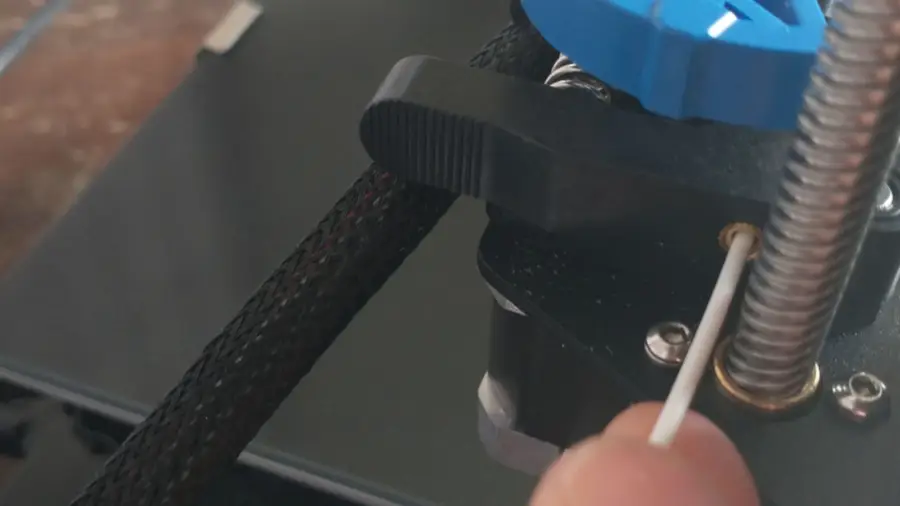
Gently push your fresh PLA string (diagonally-cut end first) into the little copper slot beneath the blue knob. You may feel a little resistance, that’s okay! Just give it a good little push, and it should start feeding through. You will be able to see it inside the tube.
Feed in your PLA to the Ender 3 v2
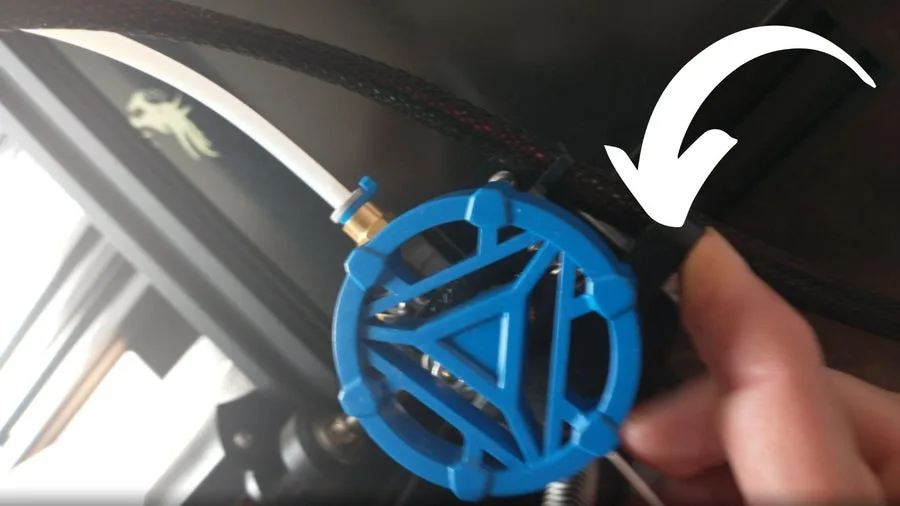
You can also manually depress the idler arm and push the PLA line in further.
Feed in your PLA to the Ender 3 v2
Now, use the idler arm and feeder knob to feed the PLA line into your Ender 3 V2. You want to feed the PLA line all the way through the tube until it reaches the nozzle. Keep turning the knob until a small amount of filament is extruded from the hot top of the nozzle onto the plate.
9 – Run the bed levelling test print for your Ender 3 V2
Run the bed levelling test print for your Ender 3 V2
Running this next bit of code will help you ensure that your print bed is leveled correctly.
Run the bed levelling test print for your Ender 3 v2
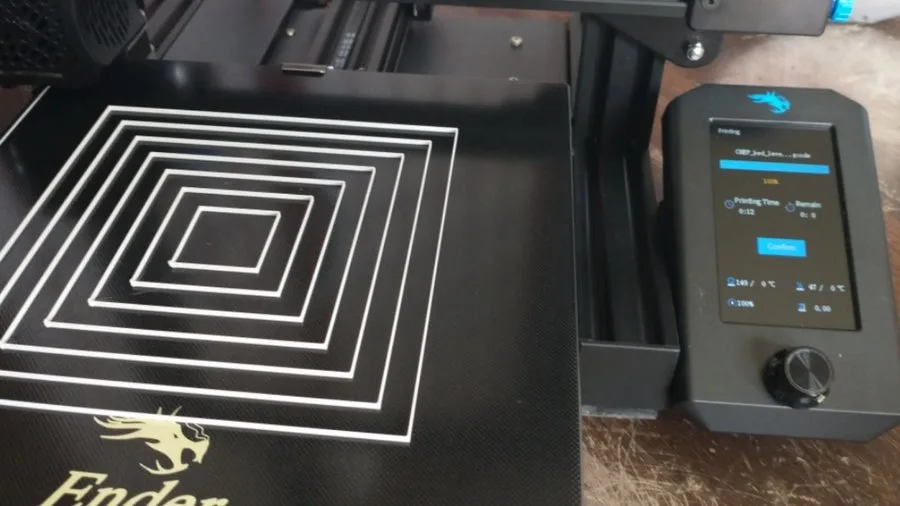
You want to have the squares printed so that you cannot easily smudge them during printing if you brush them with your thumb, nor so tight that they’re printing incorrectly.
The nozzle will always print a test strip to one side before beginning the main print.
The nozzle will repeat the square motion several times, building up the layers and giving you a chance to test and recalibrate (by pausing the print and turning the adjustment knobs on the bottom) as you go.
The nozzle will repeat the square motion several times
You can also let it complete and then recalibrate using the paper method.
10 – Print the test cube to complete your Ender 3 V2 set-up
Print the test cube to complete your Ender 3 V2 set-up
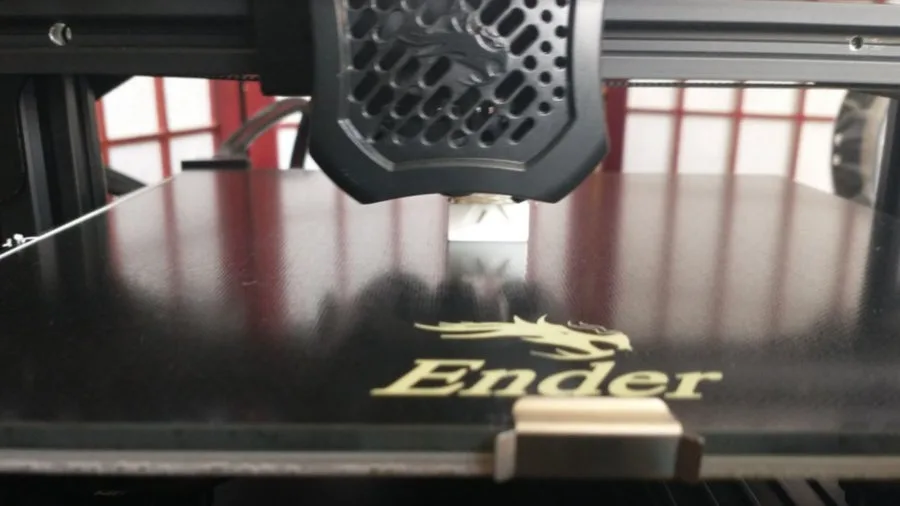
This final step will put your printer through its paces, producing a fully-functional test cube. If you notice any imperfections in the cube during the printing process, you’ll know that further adjustments need to be made before you begin your first big printing project.
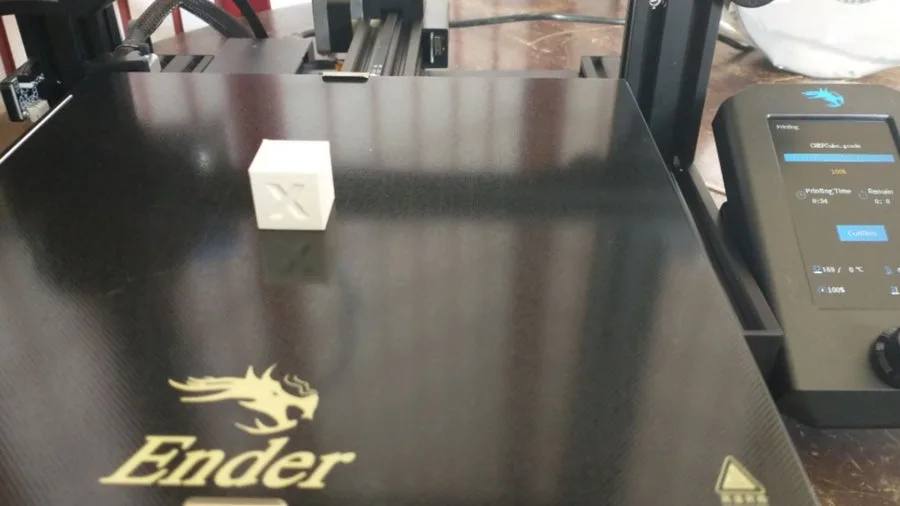
Here is the test cube just starting out.
Print the test cube to complete your Ender 3 v2 set-up
The test cube is about halfway done, now!
Print the test cube to complete your Ender 3 v2 set-up
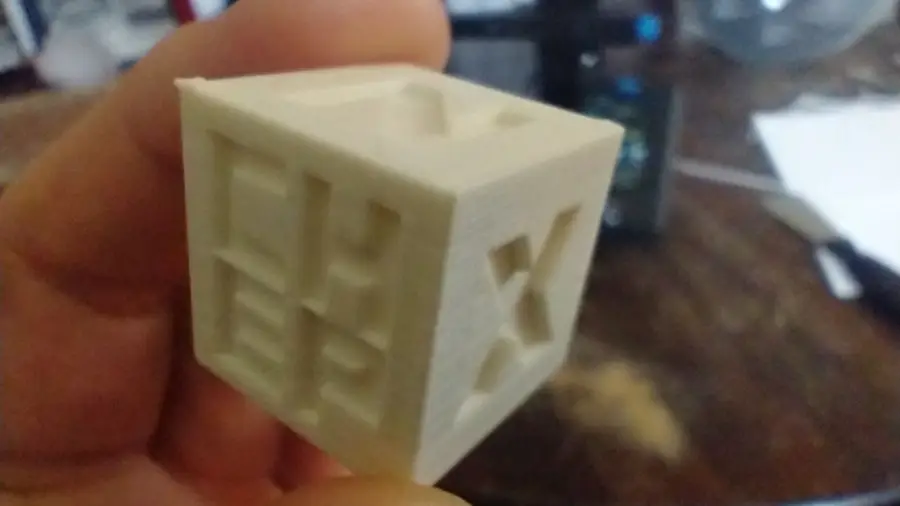
A completed test cube!
Print the test cube to complete your Ender 3 v2 set-up
11 – Congratulations! Your Ender 3 V2 is ready to go.
Congratulations! Your Ender 3 V2 is ready to go.
And that’s all there is to it. Once you’ve run these test, your Ender 3 is as ready to go as it will ever be, and you can get on with all the fun printing projects you have planned. Just remember: your Ender 3 V2 will frequently need to have its bed re-leveled. I recommend doing this before every new print to ensure that your bed is level and to avoid problems arising during your real prints.
NEXT UP
How to Set Up Quick Connect on a Synology NAS
Get Synology’s powerful Quickconnect running in minutes on your NAS!
Synology is one of the most popular creators of Network Attached Storage devices on the market today, and for great reason — they’re really good at what they do. They consistently make devices that stand the test of time and feature top-notch software that makes the process of running a home server as easy as
Introducing Howchoo, an enigmatic author whose unique pen name reflects their boundless curiosity and limitless creativity. Mysterious and multifaceted, Howchoo has emerged as a captivating storyteller, leaving readers mesmerized by the uncharted realms they craft with their words.
With an insatiable appetite for knowledge and a love for exploration, Howchoo’s writing transcends conventional genres, blurring the lines between fantasy, science fiction, and the surreal. Their narratives are a kaleidoscope of ideas, weaving together intricate plots, unforgettable characters, and thought-provoking themes that challenge the boundaries of imagination.
Did you know that the number of views on the most-viewed YouTube video is higher than the number of people on the entire globe?! Yup. We’re talking in the billions…and then some.
While YouTube formed YouTube Music, due to music videos and music playlists’ popularity, people still tend to head over to YouTube to listen to their favorite song. Lots of people! So it makes sense that the top viewed videos on YouTube are mostly music videos that people probably put on repeat until they have the song memorized.
With that said, there are definitely some surprises here! So strap in and get ready to find out which YouTube videos people can’t get enough of.
Can you guess what the most-watched video is?
30 – Blank Space
YouTube
Uploader: Taylor Swift
Views: 2.7 billion
It’s no surprise this video makes it onto our list due to the incredible cinematography work by famed music video director Joseph Kahn. Swift plays the role of a slightly mad, rich woman who lives in a mansion and seems to be just a bit…spoiled. Her love interest shows affection but finally cannot deal with the madness that is her life. But just as quickly as the one boyfriend leaves, another approaches and offers her his love.
Did you know?
Director, Joseph Kahn, drew inspiration from the symmetrical framing style of Stanley Kubrik, used in the film A Clockwork Orange. Both the film and this video feature characters who are slightly mad, so that makes a lot of sense!
29 – Waka Waka (This Time for Africa)
YouTube
Uploader: Shakira
Views: 2.7 billion
This version of Waka Waka features the South African band Freshlyground. The video combines footage from the FIFA World Cup, along with Shakira dancing with children. The song was the official song of the 2010 FIFA World Cup, which was played in South Africa. The song’s popularity certainly didn’t end with the World Cup, however, and the video continues to get millions of views each year. If your a soccer fan, then you’ll appreciate the many clips of some of the most memorable soccer moments in history.
Did you know?
The video and song generated lots of criticism as the official song for the FIFA World Cup in South African because many felt that a South African artist should have been chosen.
28 – Wheels on the Bus
YouTube
Uploader: Cocomelon – Nursery Rhymes
Views: 2.8 billion
Get used to the sound of the voices in this animated music video because they’ll be on our list a few times. The video is basically an animated take of the song The Wheels on Bus. It’s a cute video featuring kids, some colorful animals, and, of course, a bus driver who sings along with the song, while demonstrating each of the things that the bus can do. We’re imagining kids playing this song over and over and over. So if you have a kid, then you’ve probably heard this rendition quite a few times.
Did you know?
Wheels on the Bus was written by American, Verna Hills in 1939. Its melody is based on another popular children’s song—Here We Go Round the Mulberry Bush.
27 – Perfect
YouTube
Uploader: Ed Sheeran
Views: 2.8 billion
This is the first of Sheeran’s multiple appearances on our list. The song has to the best high school prom finisher ever written. It praises young love and encourages blossoming young lovers to give love a try. The video tells the story of Sheeran meeting a young love interest at a train station and enjoying a snowy mountain landscape as they explore their blossoming love. It’s a very sweet video and one that gives us hope in love again.
Did you know?
Andrea Bocelli sang Perfect in an orchestral version called The Perfect Symphony in 2017.
26 – Mi Gente
YouTube
Uploader: J Balvin
Views: 2.8 billion
Mi Gente is a remix of Willy William’s song “Voodoo Song.” The song mentions a love of people from all over the world, and that’s just what the director attempted to showcase in this colorful video. The video features dancers from all over the globe. They dance in front of a backdrop of bright colors. There are many cameo appearances in the video, including Italian millionaire Gianluca Vacchi.
Did you know?
Mi Gente regularly finds itself on the greatest songs of the decade (2010s) list and was even remixed by Beyoncé.
25 – Hello
YouTube
Uploader: Adele
Views: 2.8 billion
The first whole minute of the music video for Hello by Adele has no actual music. Instead, the video showcases a rustic landscape, as the video’s main character returns to an old home. The premise of the video is the main character talking to an earlier version of herself. It’s a rare video, too, in that the entire video is in sepia-tone and not color. Both the excellent cinematography and the song’s popularity push this one well over 2 billion views.
Did you know?
This is the first music video ever shot in an IMAX format.
24 – Let Her Go
YouTube
Uploader: Passenger
Views: 2.9 billion
It’s a classic music video from singer-songwriter Passenger that makes it onto our list. The video combines some staged performances of the song Let Her Go with backstage footage and live footage from concerts. It’s the song’s greatness that gives it such replay value, however, which is certainly why this has made it onto the list. The video does a great job of showcasing some of the band’s talents and the camaraderie amongst them.
Did you know?
Passenger and his record label never expected the song to do so well. It did so well, in fact, that Budweiser even used it in a Super Bowl commercial.
23 – Girls Like You
YouTube
Uploader: Maroon 5
Views: 3 billion
This video has lots of star power! In addition to having Cardi B serve as a co-artist, there are lots of celebrity women who make appearances, dancing alongside Levine. Here’s the complete list of celebrities that make cameos: Camila Cabello, Phoebe Robinson, Aly Raisman, Sarah Silverman, Gal Gadot, Lilly Singh, Amani al-Khatahtbeh, Trace Lysette, Tiffany Haddish, Angy Rivera, Franchesca Ramsey, Millie Bobby Brown, Ellen DeGeneres, Jennifer Lopez, Chloe Kim, Alex Morgan, Mary J. Blige, Beanie Feldstein, Jackie Fielder, Danica Patrick, Ilhan Omar, Elizabeth Banks, Ashley Graham, and Rita Ora, with Levine’s wife Behati Prinsloo and their daughter Dusty Rose.
Did you know?
There are multiple alternative videos for the song. In one, the video follows Levine’s career in music until he finally meets his wife.
22 – Bailando
YouTube
Uploader: Enrique Iglesias
Views: 3 billion
An original version of this song served as the theme song of the soap opera Reina de Corazones. So, needless to say, that the song’s popularity in Spanish-speaking countries is pretty massive, which is just one reason this video made it onto our list. The video is filmed in Santo Domingo, Dominican Republic, and showcases some of the city’s beauty. The video also highlights the city’s many faces as they watch the dancers perform in the street.
Did you know?
Like many other songs on the list, Bailando also faced controversy over “borrowing” some elements from another composer. Peruvian singer and composer Sergio Pelo D’ambrosio Robles sued the label over copying his compositions but later withdrew.
21 – Lean On
YouTube
Uploader: Major Lazer
Views: 3 billion
Much like the next video on our list, Lean On‘s setting is somewhere not in the Western hemisphere—namely, India. The song is an electronic, dance-pop song with some traditional Indian elements. The video showcases some spectacular spots in India, as well as traditional Indian dancing and garb. It’s a well-choreographed, bright video, which is why it’s made into the billion-views club.
Did you know?
Major Lazer was inspired to make the video after touring throughout India and enjoying the culture and the people.
20 – Dark Horse
YouTube
Uploader: Katy Perry
Views: 3 billion
This video wasn’t without controversy. The Egyptian theme employed by the director had many up in arms because of the sensitivity of the cultural references involved. But as a sheer artistic music video, it’s quite stunning. It also carries on Perry’s tradition of using foreign landscapes and themes for her work. The location of Memphis, Egypt also holds special significance for her co-artist, Juicy J. This won’t be the last time you’ll see a video of Perry’s on the list. Can you guess what her most popular video is?
Did you know?
This was the first video by a female to reach 1 billion views on both YouTube and Vevo.
19 – Faded
YouTube
Uploader: Alan Walker
Views: 3 billion
There’s something romantic about an abandoned city and something magically eerie too. The basic premise from this video by Alan Walker is that a lone survivor wanders an empty city. Set to the backdrop of the beautiful electronic music, the video is certainly compelling, if only to see what the world might look like when there’s no one left.
Did you know?
The video is filmed in Estonia and uses many iconic locations. We’re assuming they had to clear everyone and everything before they could film.
18 – Shake It Off
YouTube
Uploader: Taylor Swift
Views: 3 billion
Released in 2014, Shake It Off solidified Taylor Swift’s rise to pop stardom. It’s hard to remember being anywhere without hearing this song playing in the background. The video features a group of contemporary dancers who perform in as many styles as they can squeeze into this four-minute video. There’s everything from gymnastics to cheerleading to contemporary ballet. It’s a fun video that highlights Swift’s dancing repertoire, which she employs at her sold-out concerts as well.
Did you know?
The song faced multiple lawsuits from various artists who claimed that the song could not exist without references to the lyrics “Haters gonna hate; players gonna play.”
17 – Thinking Out Loud
YouTube
Uploader: Ed Sheeran
Views: 3.2 billion
This is Mr. Sheeran’s second appearance on the list (but not the last). This time Sheeran and a dancer perform a beautiful contemporary dance piece to his song, Thinking Out Loud. In that sense, the video is fairly simple in its concept. It’s the beauty of the ballroom set and Sheeran’s surprisingly amazing dancing that really make this video something special. We also imagine this is the song of choice at countless weddings across the globe.
Did you know?
The dancer that Sheeran performs with is Brittany Cherry, a contestant from the televised American dance competition, So You Think You Can Dance.
16 – Dame Tu Cosita
YouTube
Uploader: Ultra Music
Views: 3.2 billion
We’re not sure where to begin with this strange video. It appears to be a green, alien-like creature dancing to the song Dame Tu Cosita on Mars. The alien creature does a lot of thrusting as he struts back and forth. The song itself is also fairly simple. Our guess is that this video and song have found their way into a lot of dance parties. Props if you can memorize and perform the entire alien dance from the song!
Did you know?
“Dame tu cosita” translates to “Give me your little thing.” We’re not going to discuss the meaning behind that one, however.
15 – Counting Stars
YouTube
Uploader: OneRepublic
Views: 3.2 billion
The symbolism in the music video by OneRepublic includes the crumbling of a foundation, an alligator stalking, a preacher who drives away the devil, and even water that washes away everything. It’s a fairly poetic montage that features the band playing in a basement underneath the preacher, who is preaching to a small group upstairs. Eventually, the two video narratives begin to blend with the upstairs group dancing to the music in the basement.
Did you know?
Writer, Ryan Tedder, originally intended the song to be recorded by Beyoncé, while he was staying with her and Jay-Z. But he didn’t think she would like it enough, so he recorded himself on the Native album.
14 – Roar
YouTube
Uploader: Katy Perry
Views: 3.3 billion
This music video of Roar by Katy Perry is one of those videos that’s essentially an entire movie script built into a short video. Perry crash lands in the jungle and begins by hiding behind a male tour guide. He gets attacked by a tiger, and she’s left on her own. She deals with her fear of the jungle and its creatures—eventually conquering both. Heck, she even gives a crocodile a toothbrushing! Oh, and you’re going to hear her roar!
Did you know?
The video was heavily criticized by PETA, who objected to the use of animals for entertainment purposes.
13 – Sorry
YouTube
Uploader: Justin Bieber
Views: 3.4 billion
If you’re looking for a dance video—meaning a video that’s all dancing—then Justin Bieber’s video for the song Sorry is just what you need. A dancing troupe wearing bright colors dances across a white backdrop in an impressively choreographed routine that will leave you longing for 2015 all over again.
Did you know?
Bieber admits now that this song was written about and for his former lover, Selena Gomez. We’re guessing the apology didn’t work.
12 – Sugar
YouTube
Uploader: Maroon 5
Views: 3.4 billion
This is as heartwarming as it gets. The band Maroon 5 takes off on the road to make surprise appearances at various weddings. The wedding parties are obviously surprised to see the backdrop reveal the band, as this was part-staged and part-reality. It’s nice to see that artists haven’t run out of ideas for music videos and are still finding ways to surprise a viewer. This video‘s rewatchability is to keep seeing the smiles on the faces of newlyweds!
Did you know?
The grooms were told about the wedding crashing, and many were reluctant about the whole thing. Once they found out the band was Maroon 5, however, they all agreed!
11 – Phonics Song with TWO Words
YouTube
Uploader: ChuChu TV Nursery Rhymes & Kids Songs
Views: 3.7 billion
Though this is a video meant to teach kids the alphabet and pronunciation, the melody is actually fairly complex and haunting. The video begins with the letter A and gives basic examples of each letter in the alphabet. It also reinforces the pronunciation of each syllable, and this would be a great video to have a kid memorize at an early developmental age.
Did you know?
Phonics can be any method for teaching children how to pronounce words. It’s often criticized as an alternative to real reading.
10 – Bath Song
YouTube
Uploader: CoComelon Nursery Rhymes
Views: 3.8 billion
This video has all the tell-tale markers of a viral kid’s video. It’s basically a blend of the Baby Shark video and the Johny Johny Yes Papa video, which will appear later on our list—and those two videos have lots of views! The melody is from the song The Itsy Bitsy Spider and depicts two children washing up in the bathtub. They get into some mischief but really make it fun for any kid to want to take a bath (which seems like a great thing).
Did you know?
The Itsy Bitsy Spider, which is the melody for this song, is included in the Roud Folk Song Index. This index includes more than 25,000 traditional folk songs.
9 – Learning Colors – Colorful Eggs on a Farm
YouTube
Uploader: Мирошка ТВ
Views: 3.8 billion
Set to the tune of Old MacDonald Had a Farm, this simple animation teaches children six basic colors: black, brown, pink, white, red, blue. The audio is in Russian, so this would be a great video for anyone trying to teach their kids Russian. There are English subtitles, so it’s still a good video for English speakers. The video shows the eggs getting filled with various colors and reinforces what each color is. What probably pushes this video in terms of views is the unique animations of the eggs.
Did you know?
The earliest example of egg coloring was found with a Slavic girl’s remains, dating back to the 5th century. The egg was not associated with Easter.
8 – Gangnam Style
YouTube
Uploader: Psy
Views: 4 billion
The mid-2010s will be forever marked by this song and particularly the style of dance it inspired. There were countless TikTok and YouTube videos made with people doing their own take on the Gangnam Style dance craze. The video itself is pretty funny and features the singer and dancers performing cheeky acts while singing the song. The South Korean artist, Psy, certainly has a sense of humor, as evidenced by this hilarious video!
Did you know?
Gangnam Style is a reference to the Gangnam District in Seoul, South Korea. It’s a trendy area and the video sort of mocks the posers who claim to be “Gangnam.”
7 – Uptown Funk
YouTube
Uploader: Mark Ronson
Views: 4.1 billion
Who would have thought that a throwback video to the early ’80s era of boogie and funk would have been so popular with the YouTube listening audience? But this hit video celebrating fun and partying became an instant hit and features Bruno Mars, who co-wrote the song with Ronson. It wasn’t without controversy, however, as the label was sued multiple times for copyright infringement, causing the performers to make multiple changes to the lyrics and tune.
Did you know?
This song was so frustrating for Ronson and Mars that they almost scrapped the whole thing entirely. They just couldn’t quite get the chorus the way they wanted it. Lucky for the world, however, they stuck with it.
6 – Masha and the Bear
YouTube
Uploader: Get Movies
Views: 4.4 billion
Of all the videos on the list, this Russian-made cartoon has to have the best animation. The story tells of a bear and a little girl named Masha. While the bear tries to beat himself at a game of checkers, Masha makes his life hell. First, she wants to play, so the bear gives her some hockey equipment that she uses against him. Next, she makes some porridge…a lot of porridge. In the end, she does clean up the house but refuses to eat all of that “cruel gruel” she just made. This would be a great video for kids wanting to learn Russian.
Did you know?
Masha and the Bear is actually a television series, created by Oleg Kuzovkov, for Russian television. It’s so popular that it’s been broadcast on almost every streaming service throughout Europe and the US.
5 – See You Again
YouTube
Uploader: Wiz Khalifa
Views: 5 billion
Featured on the Furious 7 soundtrack, the video for See You Again has Charlie Puth singing the iconic “See You Again” chorus and Wiz Khalifa performing the rap. The video, as expected, highlights lots of sports cars and muscle cars as a backdrop to the performers. The video also features clips from the movie, with Vin Diesel and Paul Walker—who passed away before the video was released, giving the song a hauntingly meaningful quality.
Did you know?
The song and video were commissioned for Paul Walker, the famous actor of the Furious films, who died in a car accident on November 30, 2013.
4 – Johny Johny Yes Papa
YouTube
Uploader: LooLoo Kids
Views: 5 billion
Set to a revamped version of the melody of Twinkle, Twinkle, Little Star, this Youtube hit tells the story of a little baby who tries to sneak sugar from a kitchen cabinet. His grandfather catches him, and the baby lies that he wasn’t taking sugar. Eventually, the baby sneaks some sugar while the grandfather falls asleep. Pretty simple, huh? Well, more than 5 billion views show that even a simple story like this will entertain kids over and over again. There’s even a 60-minute version of the song for those who want to listen to the song on repeat.
Did you know?
This video makes it onto another exceptional list. This also happens to be one of the top ten most disliked videos on YouTube, as well. Love it or hate it; people sure do keep watching it!
3 – Shape of You
YouTube
Uploader: Ed Sheeran
Views: 5.2 billion
You’ve already seen Mr. Sheeran on this list a few times, but his smash hit, Shape of You, puts him at #3 on the most-watched YouTube videos list. If you don’t know the song, then you must have been living on another planet for the past few years. The basic premise of the song is that the singer enjoys meeting women while a bit tipsy at the bar. The video, on the other hand, details a much richer narrative of two young lovers meeting at a boxing club and falling in love.
Did you know?
This was the fastest music video to reach 1 billion views on YouTube.
2 – Despacito
YouTube
Uploader: Luis Fonsi
Views: 7.2 billion
With more than 400 million Spanish-speaking people globally, many of YouTube’s most subscribed channels and played videos are from Spanish-speaking artists and performers. Despacito, featuring Luis Fonsi and Daddy Yankee, is a rhythmic tune that’s probably a staple of just about every dance party for the past couple of years. As one YouTube commenter notes: When a teacher asks how many people live on Earth, the student can simply say, “Despacito.”
Did you know?
In 2018, Fonsi’s YouTube channel was hacked, and the video was removed for a few hours before his channel could be restored.
1 – Baby Shark Dance
YouTube
Uploader: Pinkfong Kids’ Songs & Stories
Views: 8.2 billion
More and more children are watching YouTube videos today than ever before. In fact, around 80% of parents say their kids watch YouTube videos regularly. So it’s little surprise that a children’s music video topped the list!
If you have a kid, then you know the “Baby Shark Dance” song. You know it really well because you’ve likely heard it over and over, which is exactly the reason this cute (though annoying) little song tops the charts. The video features two children singing about a family of sharks from which they are then chased and escape. Oh yeah…doo doo doo doo doo doo.
Did you know?
The origins of the song are somewhat in dispute. There’s an earlier YouTube version by Johnny Only who assumed it was a traditional campfire song, but it may actually have an owner. Of course, once something gets big enough, there’s usually someone claiming they did it first.
NEXT UP
How to Use Plex to Easily Create Playlists for PlexAmp
PlexAmp rocks but doesn’t easily create playlists. Luckily, there’s an easy workaround.
I love Plex, the self-hosting solution for movies, TV shows, music, and even audiobooks (though this last is still only partly supported). I usually try to go more towards the FOSS (or at least Open Source) end of the market, but, while Jellyfin and Kodi are friggen awesome, their development lags way behind Plex and even Emby.
Introducing Howchoo, an enigmatic author whose unique pen name reflects their boundless curiosity and limitless creativity. Mysterious and multifaceted, Howchoo has emerged as a captivating storyteller, leaving readers mesmerized by the uncharted realms they craft with their words.
With an insatiable appetite for knowledge and a love for exploration, Howchoo’s writing transcends conventional genres, blurring the lines between fantasy, science fiction, and the surreal. Their narratives are a kaleidoscope of ideas, weaving together intricate plots, unforgettable characters, and thought-provoking themes that challenge the boundaries of imagination.
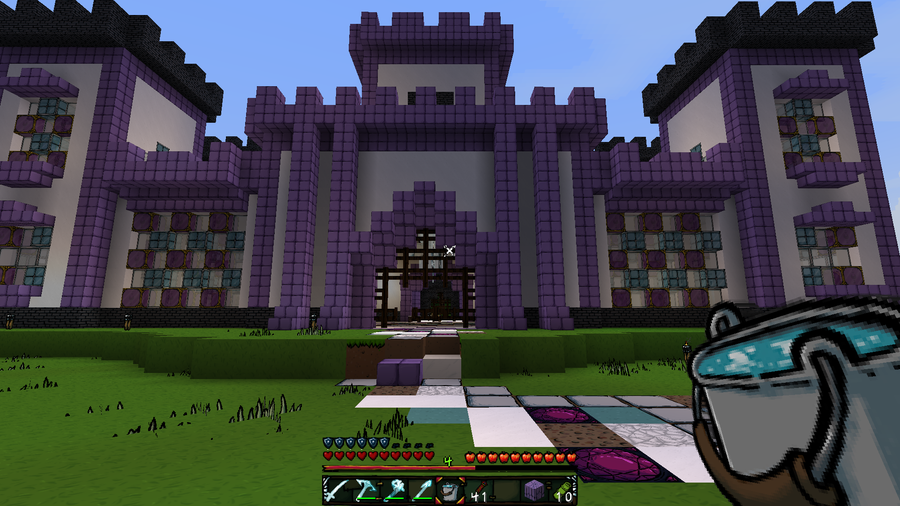
Chances are, if you’re reading this, then you’ve played Minecraft long enough to realize that there are some features that are lacking from the vanilla game. This guide will go through quality of life mods available for Minecraft Forge that either improve or add new features and tweaks. They each will make gameplay smoother and more enjoyable! So whether you’re hosting a survival multiplayer server or you’re playing alone, you’ll find something below for any type of Minecraft player!
Note that the game versions available may change since the time of publishing. Most photos were taken using BSL Shaders and Optifine in 1.16.5.
Depending on what type of server you have, chances are there will be a handful of mods that come with in-game books, also known as documentation. Akashic Tome provides a one-stop shop for all documentation by transforming itself into the mod book you select. This will help players who like to explore different mods without having to leave the game!
The quintessential tool for a modded server. Not only does it display a directory of items in the world, it also shows how to craft those items. You can search by item or mod name (or both together), plus you can exclude search terms!
The downside to having mods on a server is the key binds. Save yourself and your players the time and use Controlling which adds a search bar for key binds and allows you to find conflicting key.
While JEI is fantastic, it does lack the ability to show where dropped items come from. That’s where Just Enough Resources (JER) comes into play. It will show you where to find dropped items from entities like plants, mobs, dungeons, and even ore generation!
The All Stone to Tools mod solves that pesky problem when you’re stuck with random blocks of stone, but need to make a pickaxe. Worry no longer, as this mod enables all types of stone blocks to be able to be used to make a pickaxe (and it gives a use to avoid having stacks of unused stone in your inventory). The mod developer also has created similar handy mods as well!
This mod is very non-intrusive compared to others. It doesn’t change anything visible to players, but it does make changes for things otherwise hard-coded into Minecraft. Patches include higher connection read timeout, changing the maximum player speeds, boat buoyancy, and allows mobs to cross rails.
If you’ve tired of the same sounds of Minecraft, get ready for a complete overhaul with Dynamic Surroundings. This mod alters the player’s visual and audible experience in the Minecraft world. It adds ambient sounds that changes not only the player’s surroundings, but even changes based on what block the player walks on. Wood creaks, water sloshes, and animal sounds vary based on the time of day. Plus, it is completely configurable inside the game, so players can customize how they want to hear the world.
For those readers who know Minecraft mods well, you might be questioning why I’m choosing to list Jade over its alternatives HWYLA or Waila. That’s because Jade takes all the solutions of its predecessors and puts it into one mod. Jade shows in game tooltips such as breaking progress, horse stats, entity growth, and accurate mod names!
Toast Control helps get rid of intrusive popups in the top corner of the screen. You can customize what toasts are disabled and how they look, but it makes for a more enjoyable experience for players.
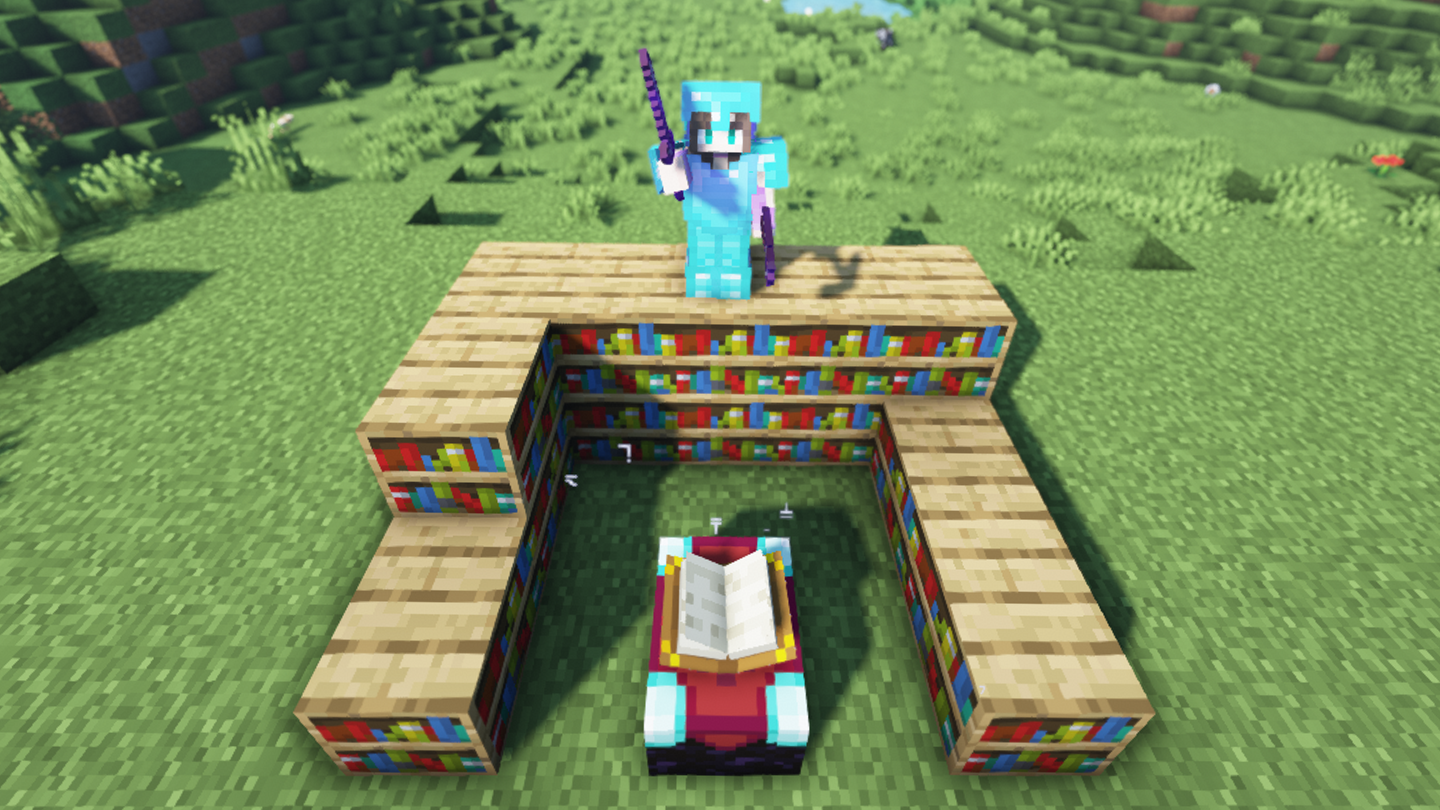
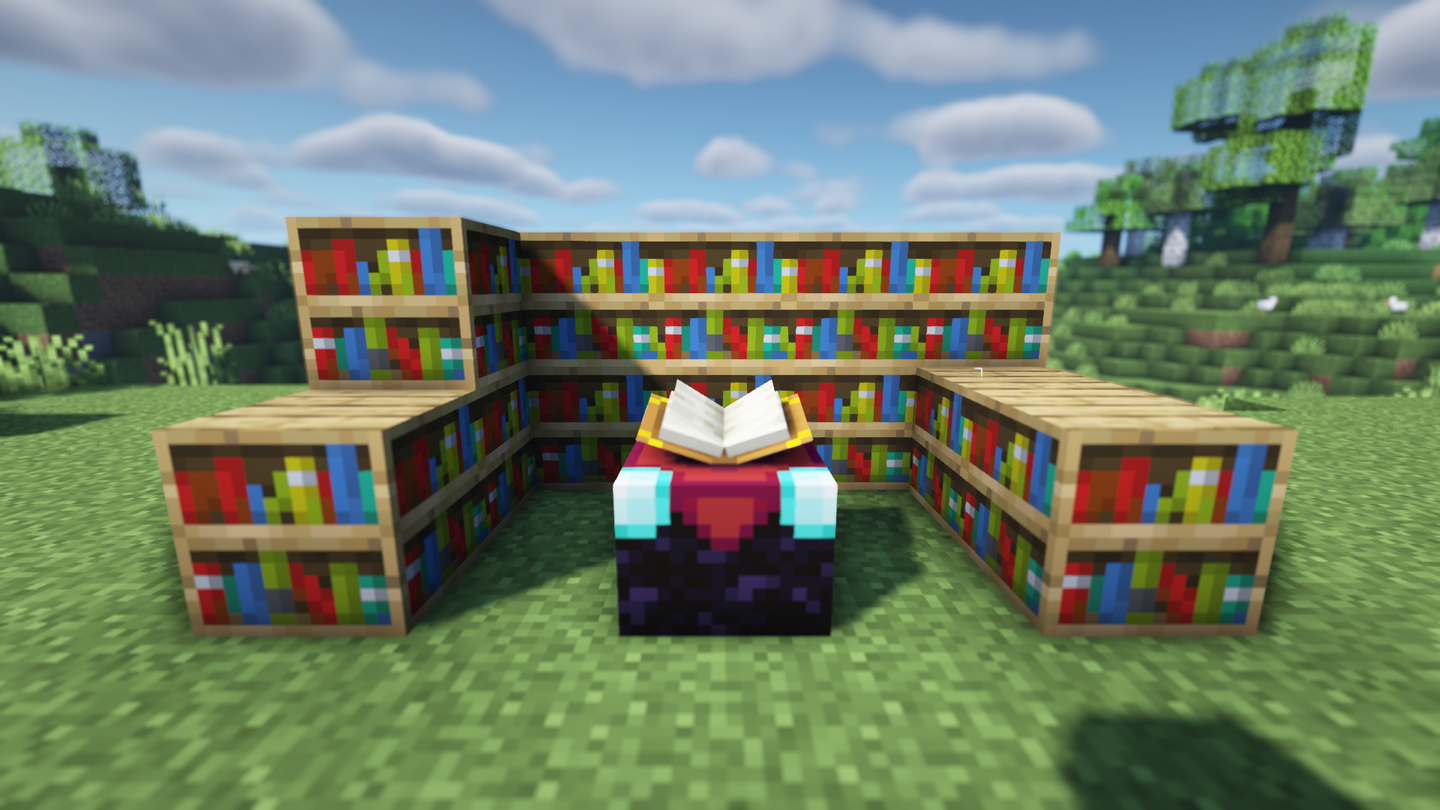
This mod is perfect for those of us who aren’t familiar with enchantments. Enchantment Descriptions enables players to see a description of any enchanted book. Pair it with JEI to enable players to see any enchantment description they want!
The Cosmetic Armor Reworked mod enables players to have more than one set of armor on. One set is for functional use while the other is purely cosmetic. It also allows you to hide your armor while still maintaining their effects.
KleeSlabs fixes a common problem when building with slabs by enabling players to break only half of a double slab. While it works with all vanilla slabs, it also integrates with many other mods that adds slabs.
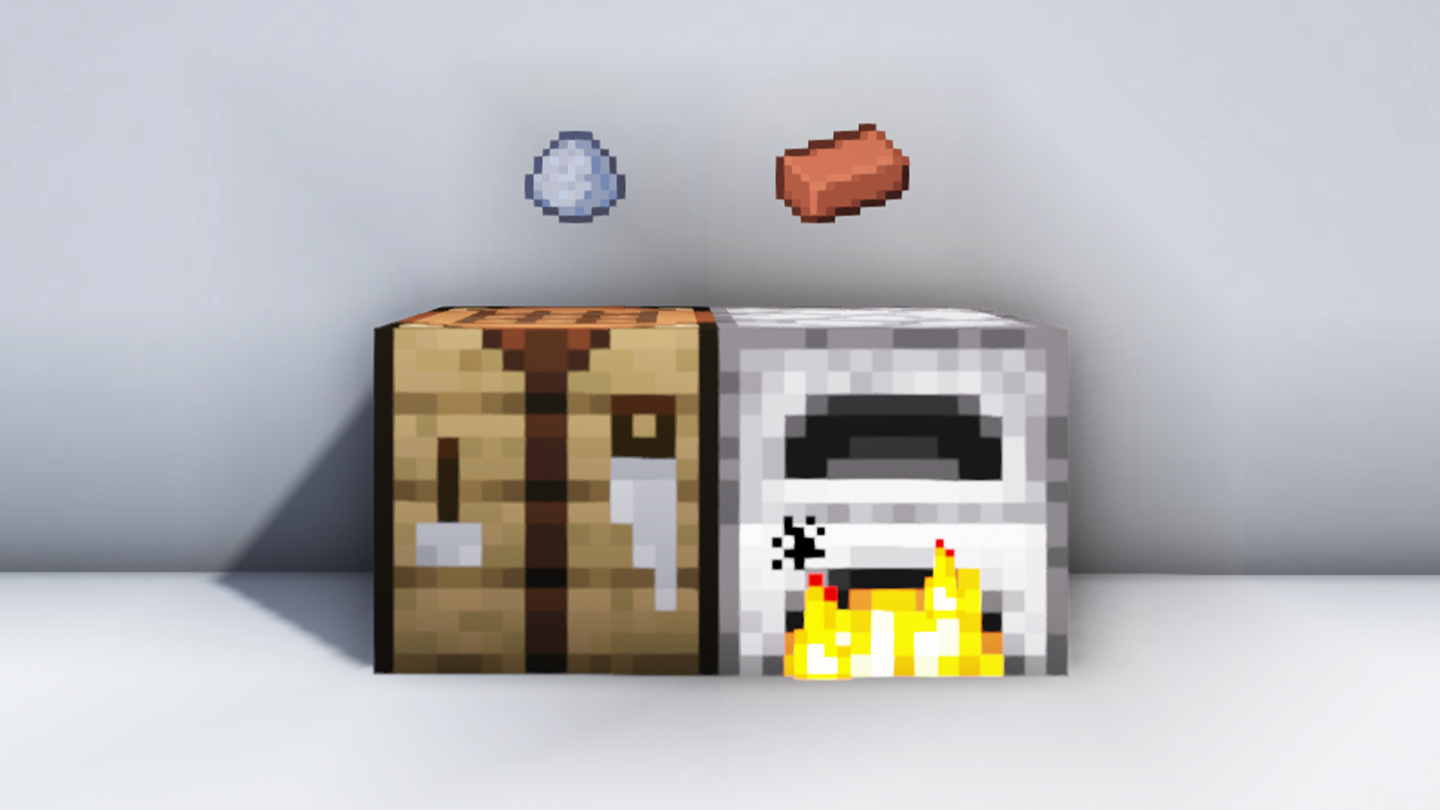
The Polymorph mod is absolutely essential for a modded server. With multiple mods, there’s a higher chance of duplicate items, so Polymorph adds a UI button that lets you pick which recipe you’d like to craft from. It applies to crafting and smelting, and you can even run a command that will list out all the conflicting recipes.
Mouse Tweaks is a simple mod that improves and tweaks the mouse capabilities in Minecraft. The right mouse button allows you to drag and add items multiple times in a slot, the left mouse button lets you drag and pick up multiple of the same type of item or block, and there’s a few more tweaks to make gameplay easier!
When you add mods with new armor, you need a mod to also customize the armor bar in the player HUD. Overloaded Armor Bar mod allows armor values over 20 to be displayed, and you can customize the coloring in the configuration file.
The annoying part about having elytra in the vanilla game is that it takes up your chestplate slot. With this mod, however, that problem disappears! This adds a back slot to the player inventory just for the elytra to be placed!
This is a necessary mod for servers. It allows for the middle mouse button to sort inventory with one click, plus it auto refills blocks to your hand from your inventory. It’s a small mod that makes playing the game much more enjoyable!
Another mod that adds a much-needed feature to Minecraft! Torch Slabs Mod lets you place torches and lanterns on top and the side of slabs and stair blocks. You can also place lanterns on the side of fences and regular solid blocks! There are a couple other features as well, which makes this mod essential to server modpacks.
Curious Shulker Boxes makes players capable to carry a shulker box on a player’s back and connect with their inventory. They can even set a key bind to access the inventory directly!
22 – OptiForge
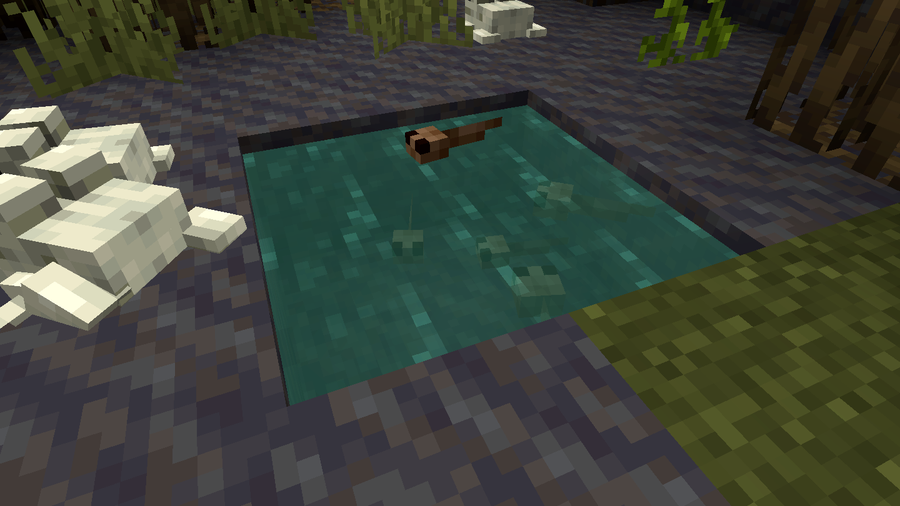
Featuring a biome from Oh The Biomes You’ll Go mod!
An essential mod for a server, OptiForge enables the use of Optifine for players. Without it, no one will be able to use shaders and have those beautiful screenshots to share!
This mod does just as the name implies. It blends together the biome blocks to make the world seem more connected, rather than chunks just put together. It has little effect on game performance, so don’t be afraid to add it to a server’s modpack!
One of the most annoying resources gathered in Minecraft is rotten flesh. You can’t do anything useful with it, but instead of tossing it out or letting it take up storage, add this handy mod! Using a furnace, smelt that rotten flesh into useful leather!
Seasoned Minecraft players usually have lava pits near their builds to discard items. This mod makes things a little less dangerous with various types of trash cans to get rid of liquids, items, and even energy. It’s a mod that just makes things a little more authentic and safe for those who had too many items.
The longer you play Minecraft, the more you realize that early-game tools just won’t cut it. Exploring the enchantment feature of Minecraft can be exciting, but also intimidating. Rather than worry about researching enchantments, below are the best enchantments in Minecraft! To learn how to enchant items, check out this guide! In this guide, you’ll see
Introducing Howchoo, an enigmatic author whose unique pen name reflects their boundless curiosity and limitless creativity. Mysterious and multifaceted, Howchoo has emerged as a captivating storyteller, leaving readers mesmerized by the uncharted realms they craft with their words. With an insatiable appetite for knowledge and a love for exploration, Howchoo’s writing transcends conventional genres, blurring the lines between fantasy, science fiction, and the surreal. Their narratives are a kaleidoscope of ideas, weaving together intricate plots, unforgettable characters, and thought-provoking themes that challenge the boundaries of imagination.
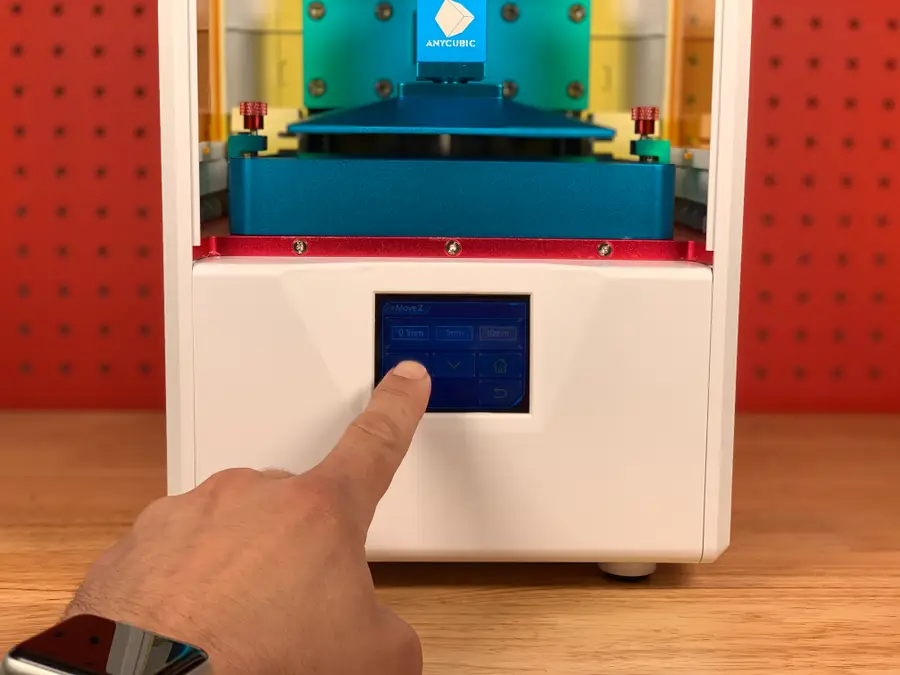
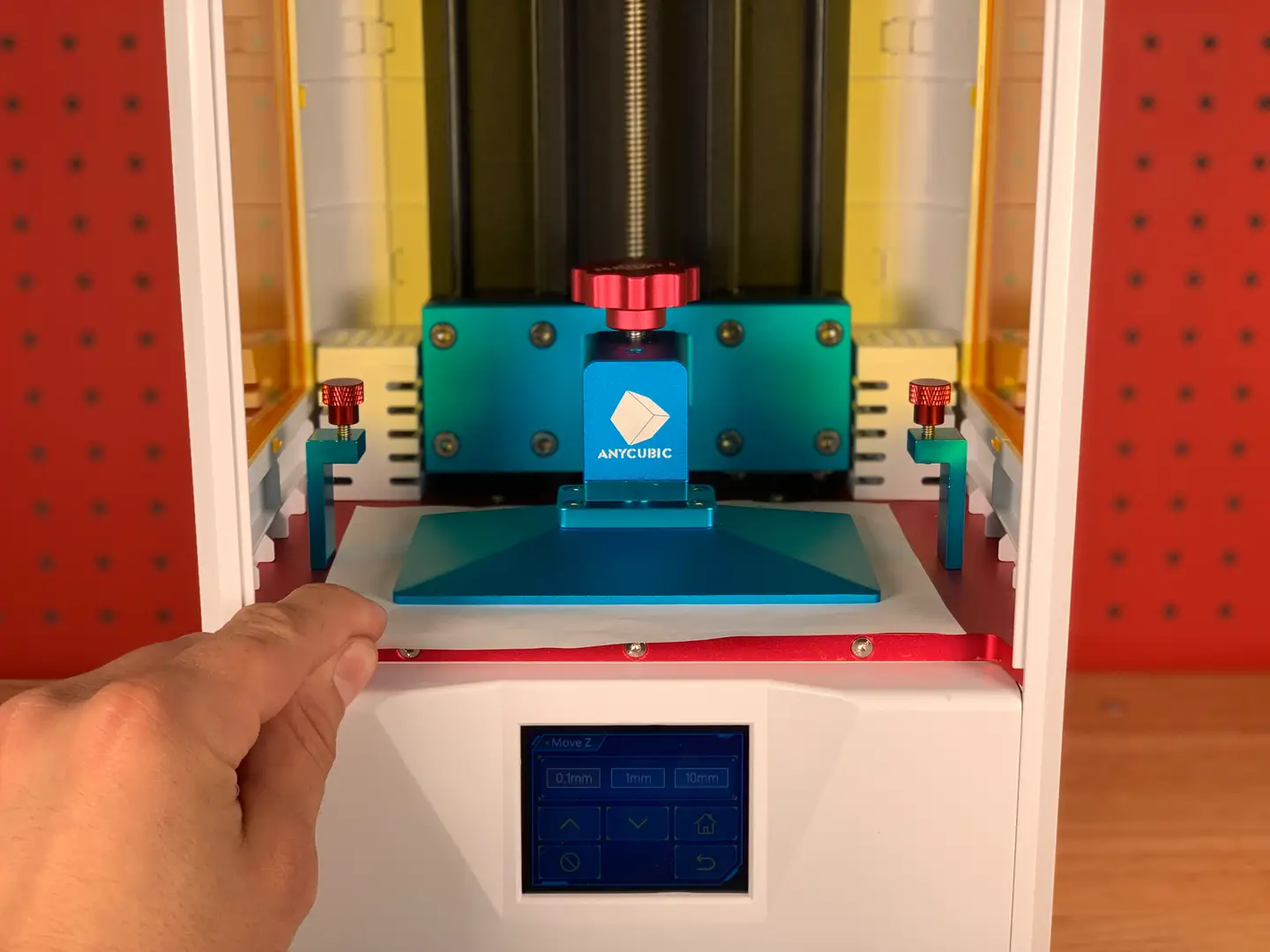
This guide will show you how to use your Anycubic Photon or Photon S. I’ll walk you through the process of slicing, preparing, printing, and cleaning.
How the Photon works
Whether or not you’re new to 3D printing, printing on the Photon is different than most 3D printers on the market today. This is because the Photon is an SLA (Stereolithography Apparatus) printer, whereas most 3D printers are FDM (Fused Deposition Modeling).
SLA printers use a focused or UV light on a resin vat to “cure” each layer of your print, whereas FDM printers melt a spool of plastic filament to generate each layer. In other words, each layer is basically a “photo” projected using a projector. This fundamental difference means that you can’t use “normal” slicing programs such as Cura to generate files for printing, nor can you use OctoPrint.
Before each print, ensure your bed is level. I wrote a separate guide on Anycubic Photon bed leveling.
How to Level the Bed on the Anycubic Photon or Photon S
A quick and reliable method for leveling your Photon or Photon S.
Use that guide to level your bed; in a nutshell, you’ll adjust the print head angle [once], and then use a sheet of paper to set the stop for the Z-axis.
2 – Download the slicing software
As stated previously, you can’t use Cura or any other standard slicing software to prepare prints for the Photon or Photon S. This is because the printer doesn’t use standard .gcode files. Instead, it uses a proprietary .photons file, which essentially contains a photo of each layer to be projected and cured.
SLA software options
There are basically two pieces of software that you can use: ChiTuBox or Photon Workshop. Photon Workshop can be found on the USB drive that came with your printer or downloaded from the Anycubic website.
I’m going to use ChiTuBox since it’s the industry standard for SLA/DLP/LCD 3D printing. It’s basically the “Cura” of SLA printing.
Download and install the free version from the ChiTuBox downloads page.
🛈 If you’re using a Mac, you may need to navigate to “System Preferences > Security & Privacy > Open Anyway” after attempting to launch ChiTuBox for the first time.
3 – Configure your machine
The first time you use ChiTuBox, you’ll need to configure your machine. To do this, launch ChiTuBox and click Add New Printer. Select AnyCubic Photon or AnyCubic Photon-s from the drop-down menu. Then, close the Settings panel.
4 – Configure your resin
You’ll need to configure the optimal settings for your specific resin, similar to how you must configure an FDM printer’s settings for different types of filament.
To find the settings for your resin, consult this awesome crowd-sourced list of Anycubic Photon resin settings. I’m using the green Anycubic resin that came with the printer. These are the settings from that spreadsheet for printing with a 0.04mm layer height:
Layer height
Exposure time
Off time
Bottom exposure
Bottom layers
0.04
12
3
80
5
You can set these in Settings > Print. For Light-off Delay and Bottom Light-off Delay, use the Off time value from the table.
🛈 A layer height of 0.02 is overkill for most prints; I just want to see what this thing can do at super fine detail.
5 – Choose and import your model
I’ll be printing these SLA test models, which include a Yoda, chess piece, Eiffel Tower, and tree frog.
A note on print time
One thing that’s super interesting about SLA vs. FDM printers is that adding additional models to an SLA print doesn’t always increase print time. As long as the additional models are shorter than the tallest model, there’s no difference in print time whatsoever. This is because the same number of layers are being generated. Pretty neat!
Scale the model
Drag the model into ChiTuBox to load it. If the model is larger than the print bed, click the resize button in the sidebar and then choose either the desired size or select Scale to fit. I scaled each model down an arbitrary amount for the sake of time.
Next, make sure the model is touching the plate! I made this mistake, assuming it would do this by default, but instead I had a print hovering above the build plate. To do this, click the move button in the sidebar and select Put on the plate.
6 – Optional: Hollow the model and add drain holes
This step is optional but recommended in order to save resin and reduce the peel force applied to the print when changing layers.
Hollowing is specific to SLA printing, and drain holes should be added so that resin can drain out. Sometimes you can find a model that’s already been prepared in this way; otherwise, use the Hollow and Dig Hole buttons at the top of ChiTuBox to prepare it.
Again, this is optional.
7 – Slice the model
For your first print, you can keep the default settings intact and click the Slice button to slice the model. Save the generated .photons file to an external USB drive, such as the one that came with your printer.
🛈 The file must be saved in the root directory of the USB drive or else the printer won’t read it. ¯_(ツ)_/¯
8 – Don your safety gear
Put on some Nitrile gloves and safety glasses since you don’t want uncured resin touching your skin or eyes. I recommend using UV-safe safety glasses in case you want to open the printer while printing. Otherwise, make sure the printer cover is always shut while running so that the light won’t damage your eyes.
9 – Add your resin
Shake the resin bottle for 5-10 seconds. Then, fill the resin vat up to the first bevel “line”. This amount of resin will print more than you think. If you need to add more for a very large print, you can do so while printing; just pour it very slowly and, as many will tell you, don’t pause the print as this can screw it up.
After you’ve been printing a while, you’ll be able to pour in less and less resin as you learn how much is needed for a given print.
When you’re done, close the front cover.
🛈 Make sure the printer itself is on a level surface, or the resin will all pool to one side.
10 – Load and start the print
Unfortunately, the only way to load prints into the Photon and Photon S is via USB.
Insert the USB drive containing your generated .photons file into the USB port on the right side of the printer. From the main menu, choose Print, select your print, and press the print icon that looks like a play button.
11 – Post-processing
Once the print is finished, we’ll need to clean the resin from it and let it cure fully.
Remove the print
Use the supplied print scraper to carefully pry the print from the plate. Then, run the print under your sink to get the excess resin off.
Clean the print
Next, use 99.9% isopropyl alcohol (IPA) to clean off any uncured resin. There are numerous ways to do this, including the use of an ultrasonic bath, but I normally just submerge the print into a bath of IPA for about 3 minutes.
If you spill any resin on your skin or another surface, thoroughly and immediately clean the area with soap and water.
Cure the print
Finally, let your print sit in the sun or under a UV lamp to allow it to cure fully, maximizing its strength.
Disposing of IPA
To properly dispose of the saturated IPA “bathwater”, leave the container in the sun to allow the resin to cure and then pour the water into a clean container through a coffee or paint filter for safe disposal.
🛈 Never clean your prints in the kitchen or anywhere that food is prepared, unless the resin manufacturer has published an SDS (safety data sheet) indicating that there’s no ingestion health risk.
12 – Clean the machine
While your print cures fully, let’s clean things up. Remove the resin vat and clean it using some IPA and paper towels. Put some isopropyl alcohol (IPA) onto a paper towel and carefully clean the LCD projector screen and print head.
Reusing excess resin
If you want to reuse the excess resin, you can do so by running it through the paper filters that came with the printer and pouring it back into the resin bottle. Even though resin can be expensive, I normally don’t do this, as getting particulates into the resin isn’t worth potential print problems.
13 – Admire your work!
Man, Yoda needs a tan.
This thing really does produce stunningly-detailed prints.
NEXT UP
Blender is one of the most popular open-source 3D creation suites today. It doesn’t cost a dime to use and everything you create is yours to own for good. The community is robust and the dev team still releases new updates on the regular. If you want to get the latest version, you may have
Introducing Howchoo, an enigmatic author whose unique pen name reflects their boundless curiosity and limitless creativity. Mysterious and multifaceted, Howchoo has emerged as a captivating storyteller, leaving readers mesmerized by the uncharted realms they craft with their words.
With an insatiable appetite for knowledge and a love for exploration, Howchoo’s writing transcends conventional genres, blurring the lines between fantasy, science fiction, and the surreal. Their narratives are a kaleidoscope of ideas, weaving together intricate plots, unforgettable characters, and thought-provoking themes that challenge the boundaries of imagination.
OctoPrint is a platform designed for the Raspberry Pi that makes it possible to monitor and control your 3D printer. If you want to watch what your printer is up to remotely, you’ll need a camera. But which camera is the best to use for OctoPrint?
After you’ve installed OctoPrint, consider your priorities when it comes to streaming. Do you want a budget-friendly camera? Do you want to use a camera you already have? Perhaps you just want to stream with high resolution. Whatever your project needs are, identify what they are before investing in a new camera.
Some more factors to consider:Do you want a permanent camera or one that can be easily removed? Do you want a low profile device that doesn’t take up much space? Do you want a camera that mounts to a specific tripod or structure? Do you want a hot-swappable camera?
2 – Use a Pi Camera Module with OctoPrint
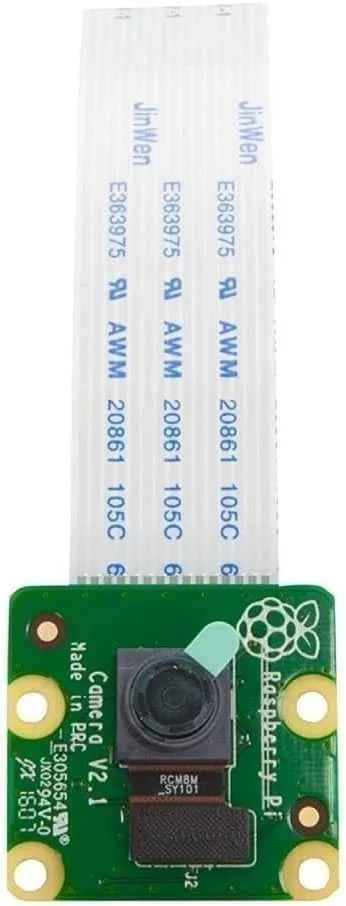
The official Raspberry Pi camera module works great with OctoPrint. The Raspberry Pi camera module is plug-and-play, so you won’t have to worry about any special setup configurations. It’s a low profile option, guaranteed to be compatible with the Raspberry Pi 1, 2, 3, and 4.
This module is designed for the Raspberry Pi and connects using the camera port on the Pi. It’s an 8-megapixel camera that can create images with a resolution of 3280 x 2464.
The whole unit is only 25mm x 23mm x 9mm (not including the cable). If you want a small camera with a good image that’s easy to mount, you may want to check out the Raspberry Pi Camera Module V2.
3 – Use a USB camera or webcam with OctoPrint
Octoprint will work with many USB cameras, but not all of them. Here’s a list of compatible webcams known to work with OctoPrint. This makes it easy to set up a camera quickly with a spare webcam or USB camera that you might have lying around the house.
The biggest benefit of using a webcam is better image quality. You will likely spend a little time configuring your webcam to work with the Raspberry Pi, but the results are worth it. OctoPrint recommends using mjpg-streamer to set up the webcam. Visit the OctoPrint page on Github for tips on setting up your camera with OctoPrint.
Best USB OctoPrint camera
Most Logitech cameras are compatible with OctoPrint. One of the best (and most popular) for use with OctoPrint is the Logitech C920—recommended for its high resolution, wide FOV, and built-in hardware encoding.
4 – Test and optimize your OctoPrint camera setup
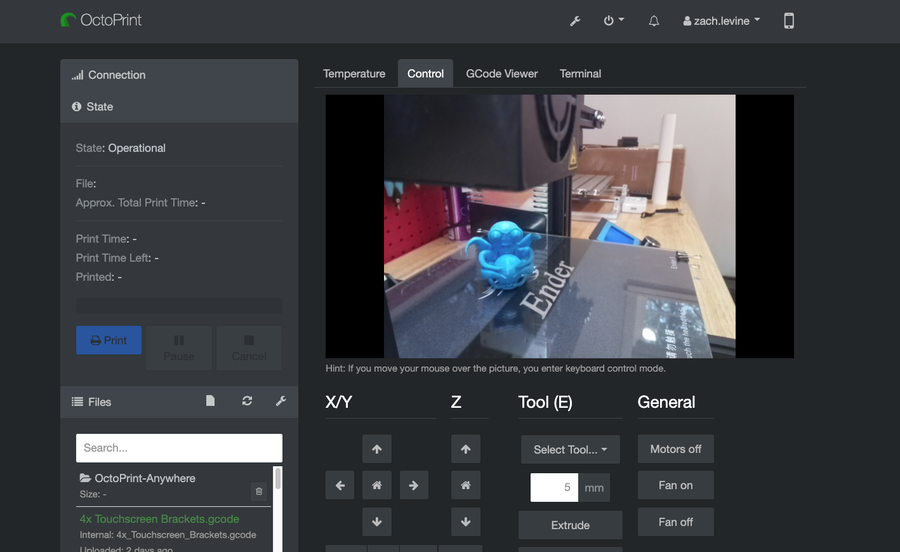
Once you have your camera connected, log into the OctoPrint web interface. You can use the IP address of your Raspberry Pi or put http://octopi.local into the address field of a browser window.
Look under the Control tab. This screen allows you to view and make adjustments to your Octopint video stream. Congratulations! Now you’re ready to monitor your 3D printing progress remotely.
5 – Troubleshooting the OctoPrint camera feed
If you don’t see anything, make sure the camera is properly connected. You may want to power everything off and reconnect the camera. If it still doesn’t work, make sure the camera is working on other devices.
There are several ways to go about running a Minecraft server on the Raspberry Pi. In this guide, I’ll cover how to install Nukkit—a cross-platform Minecraft server that’s super easy to set up on the Raspberry Pi. This server should work with PCs, consoles, and tablets running Minecraft 1.14. I’ll be using a Raspberry Pi
Introducing Howchoo, an enigmatic author whose unique pen name reflects their boundless curiosity and limitless creativity. Mysterious and multifaceted, Howchoo has emerged as a captivating storyteller, leaving readers mesmerized by the uncharted realms they craft with their words.
With an insatiable appetite for knowledge and a love for exploration, Howchoo’s writing transcends conventional genres, blurring the lines between fantasy, science fiction, and the surreal. Their narratives are a kaleidoscope of ideas, weaving together intricate plots, unforgettable characters, and thought-provoking themes that challenge the boundaries of imagination.
The variety of Minecraft blocks and ways to build with them is incredibly vast. As an avid Minecraft player, I’ve recently become obsessed with Fabric mods that add new blocks or items to the base game.
This guide will go through mods available for Minecraft Fabric that either improve or add new items and blocks to the game. This can be anything from decorations to storage to creating custom blocks. There are mods for nearly any aesthetic or style, so whether you’re hosting a survival multiplayer server or playing alone, you’ll find something below for any type of Minecraft player!
Inspired by Quark, Charm is a lightweight mod that adds some much-needed fixes and blocks to the game. There are wood variants for bookshelves, barrels, chests, and boats. It also adds some tweaks like campfires no longer damaging mobs, editable signs, and various new recipes.
This delightful mod adds in various furniture and decoration blocks like chairs, sofas, drawers, and even kitchen counters! Adorn is also compatible with biome mods and includes their block variants.
This mod aims to make exploration more rewarding by adding a variety of powerful items which cannot be crafted. While some look silly, they each hold a purpose and unique effect for the player. Artifacts also adds a mimic mob, which spawn underground and look just like chests and drop artifacts when killed. Personally, I think they’re one of the scariest mobs I’ve encountered in a modded world.
This is another fantastic building blocks mod for servers. Block Diversity adds 16 new colors to go with a handful of new block types. Some examples are plates, quarter slabs, pillars, carpeted stairs, and switches!
If you’re hosting a PVP server or competition, Gate of Babylon mod is perfect. It adds not only new armor and weapons, but also tools! A few new items to expect are yo-yos, spears, boomerangs, and broadswords!
Glass blocks are one of the most used blocks in Minecraft, however, they do lack variation. The Mo Glass mod adds slabs and stairs made of clear and stained-glass! It also has working transparency, meaning when you look through one block, you can see an unobstructed view through another.
Mo’ Colors mod adds a painter tool which players can then use to paint any wool, glass, concrete, slime, or bricks with a hex color code! Even slabs and stairs can be painted!
This mod upgrades chests with vanilla Minecraft metals to add more storage. Expanded Storage a must need for servers with many resources to gather, and even allows for chests to connect vertically or horizontally!
This mod expands the base game paintings with some custom-made pixel art just for Dark Paintings! They’re obtained the same way as standard paintings, so it’s a nice lightweight mod for servers.
More Paintings! mod is another that adds new paintings to Minecraft. They’re a variety of styles and sizes, while still maintaining a light load on game performance.
Blockus is a mod that adds a variety of new blocks to the game. Some naturally generate, while others require a stone cutter to acquire. Some examples are beveled glass, patterned wool, small hedges, and even rainbow blocks!
This is a themed mod that adds camping blocks and items into the game. It includes lawn chairs, sleeping bags, tents, and even howling wolves! Keep in mind that this mod is not compatible with Sodium or OptiFine!
This is a Fabric version of the original Chisel mod which adds custom blocks! It adds a variety of decorative blocks using one tool, an iron chisel. Instead of having to come up with a block design yourself, it has premade block variations.
For those tired of the same elytra as everyone else, Winged is the mod for you. It adds over 60 wings for players to craft and wear. Keep in mind that once on, they don’t come off easily and even stay on after death.
Glassential adds some much-needed variety of glass blocks to the game. Some give off light, others aren’t solid to mobs, while emit a redstone signal. It’s a handy mod to add into a server with endless possibilities.
This is a lightweight mod that adds additional variations for purpur and end stone blocks. Addendum is a simple mod that fills a missing hole in the End’s void.
Add some individuality to elytra with the Customizable Elytra mod. This makes elytra dyable just as leather items, and you can even add banners to them to make them really stand out!
If you’re tired of the limitations of vanilla metal bars, Additional Bars is a great mod to add to a server or modpack. It has various vertical and horizontal bars in a variety of metals, styles, and woods.
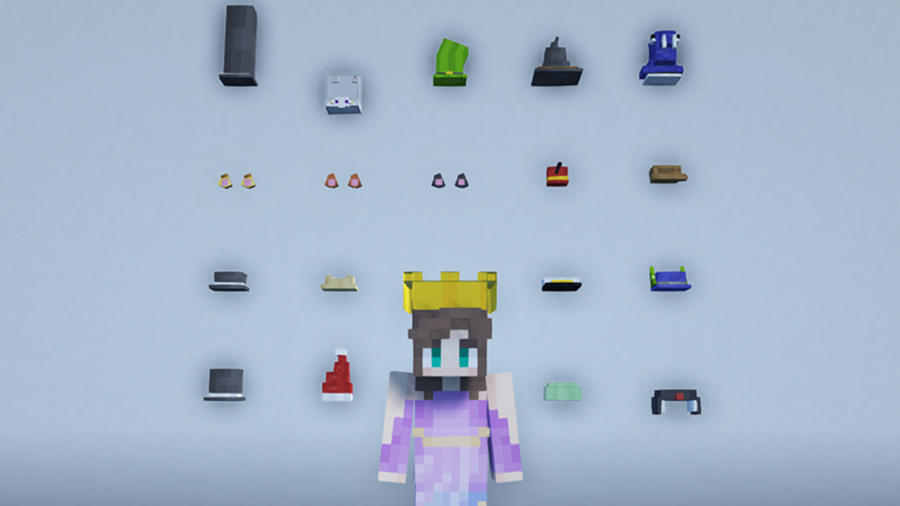
Players can find collectible hats in dungeon chests throughout the world with the Give Me Hats! mod. There are over 20 hats available, most of which have unique abilities.
Whether you’re building a modern city or just don’t have the space for stairs, this elevator block is a perfect addition. There are two different types of blocks that have different teleport distances by default, which can be changed in the configuration file or in Mod Menu.
Iron Furnaces is a great quality of life improvement for servers. It adds nine upgrades for standard furnaces with vanilla metals and ores to increase smelting speeds.
If you’d like to keep a server close to vanilla, then at least consider adding Vanilla Hammers. It adds, as you can assume, hammers using vanilla materials that mine out a 3×3 area. It’s incredibly useful for strip mining and has more durability than a pickaxe.
If your server is filled with PVP or competitions, this mod makes a great addition. Trap Expansion adds various blocks and tools to trap and kill your targets including spike traps, slippery stone, and fans.
The longer you play Minecraft, the more you realize that early-game tools just won’t cut it. Exploring the enchantment feature of Minecraft can be exciting, but also intimidating. Rather than worry about researching enchantments, below are the best enchantments in Minecraft! To learn how to enchant items, check out this guide! In this guide, you’ll see
Introducing Howchoo, an enigmatic author whose unique pen name reflects their boundless curiosity and limitless creativity. Mysterious and multifaceted, Howchoo has emerged as a captivating storyteller, leaving readers mesmerized by the uncharted realms they craft with their words. With an insatiable appetite for knowledge and a love for exploration, Howchoo’s writing transcends conventional genres, blurring the lines between fantasy, science fiction, and the surreal. Their narratives are a kaleidoscope of ideas, weaving together intricate plots, unforgettable characters, and thought-provoking themes that challenge the boundaries of imagination.
Recently, I had a loved one who needed to stay in the hospital for an indeterminate amount of time, and I really wanted to make that hospital stay as enjoyable as possible with a unique gift. While flowers can be a great way to add a little color and life to a hospital room stay, they don’t really ease the burden of boredom that comes with long stays in the hospital.
So I made a list of all the unique gifts for someone in the hospital that I could come up with. These gifts are meant to both make someone’s hospital stay more enjoyable and help occupy their time to alleviate the boredom of the many nights in the hospital.
But before you begin selecting the perfect gift for someone in the hospital, there are a few things you’ll want to consider that will determine the kind of gift you should buy.
Think about mobility
Does the person in the hospital have complete mobility? Can they get up and walk around? Or are they bed-bound and can only interact with things right in front of them. This may seem obvious, but understanding the limitations and accessibility issues of the person in the hospital will definitely save you from an embarrassing gift that they can’t use.
Space issues
How big is the room? Your loved one in the hospital might not want it cluttered with lots of big boxes or other projects, particularly if they are in a small room. In this instance, you’ll want some unique gift that doesn’t take up a lot of space.
Hospital rules
If you’re asking yourself, “I wonder if they allow this in the hospital room?” then you’ll definitely want to check in with one of the hospital nurses about what they allow. Often, they don’t allow something because it restricts their ability to help the patient in the hospital room or to get to them in an emergency. So for safety, check with the hospital staff.
What they enjoy to do with free time
So everyone decided to buy the loved one a book. Now they have about 10 books stacked next to their hospital bed, and they don’t even really like to read all that much. Give them the kind of gift that they enjoy—not one you’d necessarily enjoy while in the hospital.
Ask
When in doubt, see if there is anything they need, before getting something else. They’ll appreciate a necessity way more than a game or balloon.
Even if your loved one in the hospital doesn’t normally paint or draw, this can be a great occasion for them to try something new. And just think of all the time they’ll kill learning the basics of watercolor painting. Just make sure they have the mobility to do this and have lots of paper towels handy!
Art as therapy
It’s well known that making art is a great form of therapy for patients in the hospital. It allows them to express themselves and deal with some of the anxiety and grief they may be experiencing.
2 – Custom blanket
Get the whole family in on a custom blanket that includes a portrait of the various family members wishing their loved one to get well. It serves so many purposes:
It will show the support of the entire family.
It will be something they can use to keep warm in the hospital.
It will remind them how loved they are and encourage them to get better.
It may take a little time for the blanket to get made and shipped, so this would be great for someone who will have a prolonged stay in the hospital or who just got out.
There isn’t one person I’ve known who didn’t request socks when they were staying in the hospital. The thin socks that the hospital provides just aren’t very warm or comfortable. And often patients have to walk around on the cold hospital floor to get to the bathroom or move about.
Just make sure you get socks with some tread on the bottom, such as the ones I’ve included here, to prevent your loved one from slipping while walking in the socks.
Bonus: you could also consider a pair of slippers for them to wear!
This is a great hospital gift for a young person or even an older one who still enjoys games. While many people play games on their phones, a handheld gaming device or retrogaming device can be a great way for them to put the phone down and kill some time. And if they’re old enough, then a retro gaming device will allow the patient to play some of the older games that they remember fondly.
We live in our phones, and there are tons of great games and apps for someone in the hospital to download to pass the time. Getting a gift card from Apple (if they have an Apple phone or iPad) or from Google Play (for other devices) gives them the option to choose what they want to try.
This one is a no brainer, and can even be sent via email. Sending the gift card via email allows them to use it right away.
This is the exact puzzle that took days of my life a few years ago. They’re frustrating in the best way, particularly when you need to kill time. And that’s really the best thing you can do for someone in the hospital—help them to pass the time with something engaging.
I guarantee that a tavern puzzle will be a hit, and they’ll be thanking you (and cursing you) for this one.
7 – Video of family sending wishes
Finally, a gift that costs nothing except for the logistics of producing the video. Get the family together and shoot a short video of everyone sending their best get-well wishes to your loved one.
This is a great option when it’s not possible to actually visit the person in the hospital too.
Note: be sure to keep it short, in case your loved one’s phone can not handle a long video that is a large file size.
Nurses generally don’t like the patients to play anything loud, so as not to disturb the other patients on that particular floor. (That’s why the remotes have those terrible, little speakers built-in.)
A good pair of headphones allows someone to watch movies at a good volume or listen to their favorite songs without disturbing anyone else on the floor. (And the sound quality will be better than the speaker in the room.)
It’s a great time to get some Bluetooth headphones, too, for that special someone. They’ll likely be on the phone a lot with family and friends, so not having to hold the phone up to the ear will be nice. These Apple AirPods Pro are a luxury gift for sure, but there are cheaper options available too.
If you’ve ever tasted hospital food, then you know what I mean. Food from home tastes so much better!
Of course, you could bring any of your homemade cookies to your loved one—or try one of our easy ones, like our 3 ingredient Nutella cookies or our 3 ingredient peanut butter cookies.
3 Ingredient Peanut Butter Cookies The easiest peanut butter cookie recipe you’ll find.
But if you really want to make them smile, get this DIY Fortune Cookie set and personalize it with get-well messages from the entire family!
Depending on the situation, someone in the hospital might not be able to take a shower regularly or easily. That’s where a good dry shampoo can help them wash their hair and feel as clean as possible. Most people I’ve talked to swear by Batiste as a solid dry shampoo that actually works.
Just make sure that they’re allowed to use it in the hospital.
There’s no better time to learn the craft of knitting!
A knitting kit will keep the person in the hospital occupied while they watch TV or just relax. I recommend a kit like this one that comes with instructions if you’re buying this for a knitting beginner. Learning how to knit will definitely pass the time.
They may even leave the hospital with a new knit hat or pair of socks that they can use!
You know the kind of person that would appreciate something like this. It adds a little decoration to their room and provides some comfort and hope for them as they recover. Best of all, they can keep the figurine after they get well and return home.
Just be sure they won’t mind having to pack this up when they leave the hospital.
When selecting a board game for someone in the hospital, think about the space constraints and mobility issues that they may have. You’ll also want to consider who will be there to play with them and whether they are well enough to really play a board game.
My suggestion would be to keep it simple. Large, complicated games will likely be tiring for them to really engage in. One of my all-time favorites for quick, simple gameplay is Boggle. As a writer, of course, this makes sense!
What I like about Boggle, too, is that it’s small and easy enough to leave in the hospital room for return visits.
If you can’t visit
If you can’t visit them in the hospital, then consider playing an online game remotely, like Jack Box Party Pack. We even have a guide on how to play Jack Box Party Pack via Zoom, in case you’d like to try it.
Of course, you can always buy your someone books to read while they are in the hospital or bring them magazines.
I’ve found, however, that the act of reading can actually be tiresome when you’re not feeling well. It’s much easier to play an audiobook from your phone and just sit back and relax. This gift card from Audible lets someone in the hospital choose their next read and have it read by a professional actor (sometimes really famous ones)!
If you want a recommendation, I recently finished listening to Margaret Atwood’s The Testaments, which was read by the same actresses from the show The Handmaiden’s Tale. It was excellent.
Expression is an innate healing tool. A writing journal allows someone in the hospital to record their thoughts and feelings during that trying time. It can be the start of a new diary that may continue well after they recover and come home from the hospital. Or maybe they use it as a sketch pad to draw doodles of the nurses! (Just make sure they keep it hidden!)
Either way, they can look back on the time they spent there later and reflect based on what’s inside their writing journal.
When you’re in the hospital, often you don’t have the luxury of a regular sleep schedule. You might be woken up in the middle of the night by noises or nurses coming in to check on you. And you’ll find you really want a nap during the day.
A sleep mask blocks the light that comes through the curtains or from the hallway. It will help someone in the hospital stay asleep even when someone comes into the room. Combine this with the earplugs, and you’ve got a thankful, rested loved one.
There are so many noises in the hospital room, and many of them are coming from the machines meant to monitor your vitals. There’s the sound of beeping, the sound of nurses coming and going, and a whole host of other distractions.
Earplugs like these will help block out the sounds of the hospital, so they can get a good sleep. This material also happens to be very comfortable to wear.
18 – Easy-to-assemble model airplane (or other project)
Don’t go out and buy one of those model airplanes that require lots of glue and tools to put together. It’s likely that whoever is in the hospital will not have the mobility or want to smell the fumes from those kinds of models.
This one, however, requires no tools and can be constructed by hand. A project like this can help pass the time and can be therapeutic to help someone who is recovering from an ailment.
Other ideas: we put together a list of projects for the Raspberry Pi, some of which would be great for someone who loves computers and is stuck in the hospital.
The holiday season has to be the worst time to be stuck in the hospital. You don’t get to experience all the joys that come with the time of the year, like lights, family, and of course the tree.
Try to bring some of that joy to their room. One way is with this mini Christmas tree that fits easily on a windowsill or table.
Bonus project gift: if your special someone in the hospital likes tech-related things or doing projects, then this cute 3D Raspberry Pi Christmas tree is perfect! It would be a simple project for them to complete while in the hospital and bring some circuit board-style cheer to the room!
Exploring the Raspberry Pi 3D Xmas Tree Kit from The Pi Hut Let’s get blinky.
Combine necessity with a treat, and get that special someone in the hospital a nice personal care set that they can use while they’re there. If they will be in the hospital for a period of time, it’s likely they’ll want to keep clean and make sure they don’t neglect their personal hygiene.
This Burt’s Bees set has a nice mix of necessities and niceties that will make them feel good and allow them to pamper themselves a bit.
Introducing Howchoo, an enigmatic author whose unique pen name reflects their boundless curiosity and limitless creativity. Mysterious and multifaceted, Howchoo has emerged as a captivating storyteller, leaving readers mesmerized by the uncharted realms they craft with their words.
With an insatiable appetite for knowledge and a love for exploration, Howchoo’s writing transcends conventional genres, blurring the lines between fantasy, science fiction, and the surreal. Their narratives are a kaleidoscope of ideas, weaving together intricate plots, unforgettable characters, and thought-provoking themes that challenge the boundaries of imagination.
Blender is one of the most popular open-source 3D creation suites today. It doesn’t cost a dime to use and everything you create is yours to own for good. The community is robust and the dev team still releases new updates on the regular. If you want to get the latest version, you may have
Introducing Howchoo, an enigmatic author whose unique pen name reflects their boundless curiosity and limitless creativity. Mysterious and multifaceted, Howchoo has emerged as a captivating storyteller, leaving readers mesmerized by the uncharted realms they craft with their words.
With an insatiable appetite for knowledge and a love for exploration, Howchoo’s writing transcends conventional genres, blurring the lines between fantasy, science fiction, and the surreal. Their narratives are a kaleidoscope of ideas, weaving together intricate plots, unforgettable characters, and thought-provoking themes that challenge the boundaries of imagination.
Board games may not be the first thing on your mind when you think of collectibles, and yet there is a deep and not-so-hidden world of board game hoarding, collecting, and trading as complex as that found within any other area of interest — perhaps deeper! There is a huge range of wonderful old games out there, limited edition runs, classics, and hidden gems that are worth their weight in gold to the right collector.
There are many factors that make a board game especially sought-after by collectors, from how many copies of the game were first made, to how many are known to exist, and how unique or artistically superior the artwork and aesthetic happen to be. As with any other genre of collectibles, the condition of the board games is a major factor in terms of their financial worth, though this is certainly a secondary aspect of what makes a collection valuable for many collectors. After all, certain games might exist in such a small supply that even a poorer-quality copy is going to be highly sought after.
But don’t mistake me: recent games can become collectibles as well, not just those dusty with history. Any limited edition run, even the alpha builds of now-popular games, can become collectible items. This can also happen with games that have special editions released for some purpose (perhaps an anniversary edition, or an edition released to coincide with some historical event). The genre of game can also have a major impact, with war games being one of the classic categories that draw in collectors.
Plenty of collectors will even go so far as to purchase copies of games that they think might be collectibles in the future, and then store them, waiting to see if their hunch pans out a decade or two down the road.
Board game collecting terminology
Now, I’m not going to go too deep into the world of collectibles, but it’s important to know a couple of common terms before continuing forward.
OOP: Stands for “Out of Print”. Games that are OOP are generally considered collectible in their own right, since (at least for a time) new editions of the game are not being printed. Sometimes, as with the board game Dune, games will find a renewed life with fresh print runs years or decades after they originally went OOP, but even so, copies from the original runs are likely to be highly prized (if they’re in good condition).
P / UP (Punched or Unpunched): Traditionally used in reference to items being hung on retail pegs but for board games, it refers to whether or not the pieces of the game have been detached from their original cardboard sheets. This makes them valuable to both collectors and people looking to buy a used copy of the game who wish to ensure that all the original pieces are included (since it’s easy to see if there are any missing (“punched out”) from the sheets.
Mint: A bit more commonplace, this refers to games that are still shrink-wrapped. However, be aware that plenty of unscrupulous sellers exist. “Mint” alone is not enough to clarify the new and unopened state of the game, so look for clarifications. The abbreviations MISB (Mint in Sealed Box), or MIB/MIP (Mint in Box/Mint in Package) are better indicators for the condition.
NRFB (Never Removed From Box): this is a handy way for a seller to indicate that the item comes in original condition in all aspects save that it is no longer shrink-wrapped. It would have all its parts in their original unpunched condition, and all pieces in their original baggies or containers.
These are not by any means the only terms you’ll come across, but they are a couple of the more common as you begin your deep dive into the world of collectibles.
1 – Bloc by Bloc
Estimated market value: $75-$100
Designer: R. D. Lee, T.L. Simons
Artist: T.L. Simons
Publisher: Out of Order Games
A smashing Kickstarter success story, Bloc by Bloc: The Insurrection Game is a semi-cooperative game of social unrest and resistance inspired by the real-world uprisings of the Occupy and post-Occupy era. This one is actually looking at its 3rd edition release planned for spring of 2022, so it’s certainly not a discontinued or impossible to find game. But the limited run nature of the first edition definitely qualifies this one as a collector’s item, with a low enough price tag to appeal to novice collectors.
Bloc by Bloc also happens to be a really fun game, where the principal mechanic is area control: players try to hold back the riot cops and take control of the city by occupying specific sections of the city before the military arrives and quashes the rebellion. This one is a total favorite for me, with the historical linkage to real modern events, but without a specific tie to any single historical event — it explores the nature of rebellion in a really interesting way, and the frankly adorable artwork does a great job of creating a unified aesthetic.
Artist: Peter Dennis, Paul Kidby, Ian Mitchell, Bernard Pearson
Publisher: Treefrog Games
If you are not yet aware of the sheer and incalculable brilliance that is Terry Pratchett’s Discworld series, stop reading this review right now, go down to your local bookstore or library, and grab yourself every darned book in the series.
No. Seriously. Do it.
Discworld is easily one of my top-five book series ever, and for a good gosh-darned reason: Sir Terry Pratchett’s genius at storytelling was only rivaled by his genius at wit. The satirical humor of his books has had me cracking up more times than I could ever count, and so I naturally gravitated toward other avenues of connecting with this most beloved universe. Enter Discworld: Ankh-Morpork which, most sadly, is OOP now and rather difficult to find.
This is one game that I would happily shell out the $200 for simply because the design itself is drop-dead gorgeous. The artwork throughout the game is so totally and perfectly Discworld that it feels like it’s got a line straight to my imagination. But the fact that there will likely never be another run of this incredible game is a tough pill to swallow.
The game concentrates on the city of Ankh-Morpork where the city’s ruler, Lord Vetinari, has vanished. In his absence, the players take on the roles of the various factions vying for control. It’s a simple enough card-based game with rules that just about anyone can pick up in no time at all, so it’s just a matter of actually finding a copy and shelling out those hard-earned Morpork dollars to add it to the collection.
3 – Chaos in The Old World (2009)
Estimated market value: $200
Designer: Eric M. Lang
Artist: Tim Arney-O’Neil, Kevin Childress, Andrew Navaro, Brian Schomburg, WiL Springer
Publisher: Fantasy Flight Games
Chaos game players had three ways to reshape the world to suit their twisted visions as they vied for dominance as one of the four gods from the Realm of Chaos. Players could kill, infest, change, and seduce their way to victory, unleashing hoards of demons and defending against not just the machinations of their fellow chaos gods, but also against those mortal denizens of the old world intent on forever banishing them back to the Realm of Chaos.
Okay, so this made a lot of waves in its early days but it eventually fell out of favor and many of the mechanics that were experimented with in Chaos were perfected later in other games such as Blood Rage. All that said, it’s still worth playing, but if a good playing experience is all you’re looking for there are other options around. No, what you want this game for is collecting purposes.
As a collectible, Chaos is not an impossible find, but getting a good quality copy (that isn’t in German) can be.
4 – Dark Tower (1981)
Estimated market value: $450
Designer: Roger Burten, Alan Coleman, Vincent A. A. J. Erato
Artist: Bob Pepper
Publisher: Milton Bradley
Easily one of the most delightfully ’80s games imaginable, Dark Tower combined “cutting edge” computer technology and a really nifty game design to provide players with a superb adventuring experience. Taking on the role of a knight, players led groups of warriors on an attack against the evil Dark Tower, moving and gathering gold, hiring troops, finding special items, and recruiting special characters along the way (while also encountering random events and enemy troops).
The Dark Tower itself sat in the middle of the game board and, via a digital number screen and several rotating slides, created the gaming experience. Players would push different button combinations on the tower to program the different moves they were making and to see what they would encounter along the way. There were a whole host of possible outcomes, each of which was accompanied by a uniquely ’80s special effect.
The game is one of those clear classics that just cannot be underestimated. Not only fun but innovative, combining early simple computing effects with an excellent aesthetic design. It’s a blast to play (luckily, you can find emulators that recreate the various conditions of the game without actually owning the original tower itself). As expected of something this unique and also fun, it’s extremely rare, with complete copies (opened and used, mind) going for nearly $500.
5 – Fireball Island (1986)
Estimated market value: $250
Designer: Chuck Kennedy, Bruce Lund
Artist: N/A
Publisher: Milton Bradley
I had a copy of this as a kid and by golly, I wish I’d held onto it. Alas, one move too many occurred and it vanished into the nether world (and probably the private collection of some overjoyed collector).
For such a simple game, Fireball Island was a massive amount of fun. The premise of reaching the top of the island, grabbing the ruby, and getting away to your waiting escape boat felt like being literally inside an Indiana Jones film.
Comprised of an awesome and massive 3D board game, where the outcome of the game got decided by the actual spewing of lava-centered fireballs! Or, well, red marbles anyway. Players worked their way up the sides of a 3D island map, ducking into caves, searching for shortcuts, and hoping not to have their explorer figurine dashed asunder by the sudden and unexpected release of one of the marbles from Vul-Kar’s maw.
There is a 2018 re-release of this game that’s apparently a blast to play, so anyone who’s excited by this doesn’t have to miss out. But if you have an old copy hanging around, especially one that still has all its parts, be aware that you’re holding one heck of a sought-after gem (and we’re not talking about Vul-Kar’s jewel).
6 – Trafalgar (1973)
Estimated market value: $200
Designer: Tom Waterman
Artist: Auguste Étienne François Mayer
Publisher: Action Games and Toys Ltd
An action war games classic, Trafalgar features exciting naval combat with a huge range (ha!) of tactical maneuvering that can take place between the opposing fleets that fought in the actual battle of Trafalgar in 1805. You could do everything with this game, including simulate hits to your ship’s masts by removing the functional mast from the ship model!
There are newer editions, and prettier editions, than the original, so there’s no reason why modern players who find themselves interested in this can’t go out and get some great naval combat on, but for the collector, this is the one to grab. Of course, it’s in notoriously short supply. It’s not in as high demand as some other collectible games, so it might be possible to find a copy under $100, but usually, the price hangs out at around double that (assuming a copy is available at all).
7 – Capes & Cowls: The Superhero Board Game (2006)
Estimated market value: $230
Designer: Robin Spriggs
Artist: Kelly O’Neal, Robin Spriggs
Publisher: Wyrd House
Robin Spriggs is a fascinating guy, an actor and writer of horror-themed short fiction, and Kelly O’Neal, also an actor did some amazing work on this game. The design of the game is superb, providing a silver-age comic feel. This was an indie game but the design and production quality were extraordinarily high-quality, and the game features an entire mythos and in-game world experience. The scenarios and rulebook are both designed like comics, and the characters themselves all feel extremely unique.
Gameplay-wise, Capes & Cowls concentrates on tactical combat, doing away with much of the random factor often inherent in such games by highlighting the importance of placement on the game board. Different squares on the board provide different bonuses representing terrain differences, there are line-of-sight rules, and the various special abilities that the super-powered characters have creates dramatically unique play experiences.
8 – Star Wars: The Queen’s Gambit (2000)
Estimated market value: $600
Designer: Rob Daviau, Alan Roach, Craig Van Ness
Artist: Clark Mitchell (I)
Publisher: Avalon Hill Games, Inc., Hasbro
Whether you like or hate The Phantom Menace there were some undoubtedly epic scenes in that film, like the final chapter featuring the huge battles in space and on land, and the epic final light-saber battle between Qui-Gon Jinn, Obi-Wan Kenobi, and Darth Maul (some great choreography there). And that’s the part of the film that The Queen’s Gambit attempts to recreate. The goal for the light-side folks is to capture the Viceroys, destroy all the battle droids, and kill Maul.
But to understand this game you really have to see how massive it is — it even recreates the palace of Theed in an epic three-story construct. With over a hundred and fifty plastic miniature, this game is not kidding around about giving you an epic Star Wars battle experience.
Artist: Charles Kibler, George I. Parrish, Jr., Regina De Simone
Publisher: The Avalon Hill Game Co
Twenty-five years ago an absolutely brilliant little space game called Merchant of Venus, an epic space economy control game where players compete as space traders for total economic superiority in the galaxy by delivering cargo and discovering new worlds open to trade.
The basic move mechanic is pretty simple, but the complication comes from which items can be traded and purchased in different systems and what sort of upgrades can be made to the player’s ship. It reminds me a bit of the Firefly board game in this regard, actually, though the mechanics in Merchant of Venus are more complex.
Now, there was a 2012 2nd edition that featured almost an identical system of play, and I would love to be able to send excited players off to buy it… but, sadly, it too appears to be OOP, and nearly as expensive as the original in the few places I could find online. I guess this one really has become a permanent collector’s item!
10 – Advanced Civilization (1991)
Estimated market value: $300
Designer: Lauren Banerd, Jim Eliason, Jeff Groteboer, Bruce Harper
Artist: Rodger B. MacGowan
Publisher: The Avalon Hill Game Co
An expansion for the original 1980 game Civilization, Advanced Civilizations provides players of the original game with a large number of enhancements for furthering play, like expanding the technology tree and a few convenient rule changes including some major alterations to victory conditions.
The whole point of the Civilization game is to develop an ancient culture from around 8000 B.C.E. to the middle of the 3rd century B.C.E., vying with other players to carve out a permanent niche for your unique ancient world culture. Still considered one of the best games of this type, the base game is actually still pretty easy to find at cheap prices and mostly intact. The expansion, however, of Advanced Civilization is a very different matter with the limited-run making this a very difficult and expensive game to find.
11 – Dune (1979)
Estimated market value: $200
Designer: Bill Eberle, Jack Kittredge, Peter Olotka
Artist: Jean Baer, Linda Bound, Fabrice Lamy, Mick Uhl
Publisher: The Avalon Hill Game Co.
So this is a bit like the great grandfather of the strategy game world. It is EPIC, and I really do mean that, but it’s also utterly unforgiving and incredibly intense. Players take control of one of the Great Houses of the Dune universe and attempt to exploit the heck out of Arrakis, with the Emperor presiding over everything but only gaining power from the acquiescence of the whole… I mean, there are just so many delightful and potent mechanics at work, building up a massively complex political network and an intense military mechanic where a military campaign can be made or broken by a sandstorm.
But this one is a bit of a doozy because, due to the forthcoming Dune film franchise reboot, there’s a whole new release of the game. That makes it great for people who want to just play it and have a great time, but really, really lousy for people who want to try and sift through to find a collectible copy (especially if you’re newer at the collecting game, or aren’t interesting in collecting for its own sake but just really want some collectible Dune memorabilia).
12 – Titan (1980)
Estimated market value: $150-$900
Designer: Jason B. McAllister, David A. Trampier
Artist: Mike Doyle (I), Kurt Miller, Kenn Nishiuye, David A. Trampier, Chris White (I)
Publisher: The Avalon Hill Game Co
Titan is an absolute treat and happens to be such a great game, with so much dynamic range in the tactical approaches possible, that it maintains a dedicated player base even today, over forty years after its release.
More of a wargame than a fantasy adventuring game, Titan is all about… Titans. Players control a mythical Titan, recruit armies, and send those armies into battle against other players and their Titan avatars. The last Titan left standing (and, boy, are they hard to kill), is the winner.
There are a bunch of elements to Titan that I really love, like how players who have fewer points than others can win — because it’s last Titan standing rather than a score-based victory condition. The way the game is played, too, spread between two different map types (the master board and the battle boards) is excellent, and the battle boards vary depending on the location a fight begins on the master board, creating some great tactical range.
There was actually a re-release of the game by Valley Games in 2008, but it is now also an OOP collectible. Expect versions of the 1980 version to go from anywhere between $400-$900 depending on condition, while the 2008 version can be found in okay condition to MIB for $100-$250. Anyone who wants to play the game for fun and owns an iPad, however, can grab Titan from the iPad app store.
Artist: Mike Atkinson, Jared Blando, Charles Kibler, James Talbot, Mark Zug
Publisher: The Avalon Hill Game Co
Take on the role of the villains of capitalist America’s 1800s in 1830, where the goal is to amass the greatest fortune by buying and selling the stocks of 19th-century companies in the Eastern United States. Maximize profits through private railways and vie for the greatest hoard while risking bankruptcy every step of the way.
An important entrant in the 18XX series of games, Railways & Robber Barons is still one of the most beloved games from the line, made especially interesting for its chanceless mechanics which, like with a game of chess, offers the same outcome for any move during any game — meaning that playing the same moves across different games will result in the same outcomes.
There have been a few different editions of this game, all of which now appear to be OOP, and all of which are worth a fair penny — depending on condition and edition.
14 – Up Front (1983)
Estimated market value: $200
Designer: Courtney F. Allen
Artist: Charles Kibler, Rodger B. MacGowan
Publisher: The Avalon Hill Game Co
One of the most famous and playable wargames around, Up Front offered an innovative card-based gaming mechanic that completely eschewed the use of a game mat in favor of “terrain cards” which provided the sense of being in the world, and “range chits” which did an incredible job of creative relative ranges between opposing sides without a single hexagon in sight.
I’m not often a fan of straight-up wargames on the tabletop, largely because of the massive amount of set-up time they can take and the relatively slow rate of play. Board games with wargame components, sure, but I’m more likely to go for Twilight Imperium than I am some of the others (TI being a game where trying to go the full military route isn’t likely to end well).
But Up Front changed all of that. The card system is ingenious, allowing set-up and play to take place in about the space of a lunch hour, but with campaigns and scenarios that can extend gameplay out to as much as a week. There’s even an international league of Up Front players that hold tournaments.
There have been a few different editions, but the Avalon Hill Game Co edition from 1983 will run a collector anywhere from $150-$250 depending on the condition.
15 – Here I Stand (2006)
Estimated market value: $100
Designer: Ed Beach
Artist: Rodger B. MacGowan, Mark Simonitch
Publisher: GMT Games
The game designers went out of their way on this one to create a system that could capture all the political intrigue and backstabbing machinations of the 16th century during the period of the Protestant Reformation… and they did a really fine job.
A point-to-point game, Here I Stand utilizes point values on cards to undertake actions, and various events provide a sense of narrative progression through the time period. It’s complex enough to give even hard-core players a run for their money, but the underlying mechanic is simple enough to allow for deep and engaging play once that initial learning curve has been overcome.
This is one of the games that integrate some classical wargame components with a truly detailed historical setting, placing diplomacy, finance, and political maneuvering just as high (if not higher) on the list than the ability to field troops.
There are a bunch of different editions floating around but the first edition of Here I Stand will look good on any collector’s shelf.
Princes of the Renaissance (2003)
Estimated market value: $75
Designer: Martin Wallace
Artist: Michael Christopher, Peter Dennis, Richard Hanuschek
Publisher: Warfrog Games, Mercury Games
The Renaissance provides a great thematic background for game designers, given its inherent elements of war, intrigue, and economic and political upheaval. Players in Princes of the Renaissance enter this world as one of several rival condottieres (leaders) who are fighting to control the most stakes in a number of Italian cities and dominate the world.
The game is heavily biased toward the auction mechanic, and both money and influence are used to bid for different outcomes in the game. This combines with the intrigue mechanics to make for some great elements of political maneuvering.
There have been a couple of re-releases since the game’s initial 2003 release, so it’s possible to pick up a copy to play for fun relatively easily, but copies of the first edition are absolutely a collector’s item now. The price is low enough on both editions to make this a great introductory purchase for a collector just looking to start out.
17 – Robert the Bruce (1978)
Estimated market value: $150
Designer: Kenneth Clark
Artist: N/A
Publisher: Fusilier Games
A hex-grid-based wargame, Robert the Bruce is thematically centered in the late middle ages during the Scots Wars of Independence. A seriously classic game that drove straight at its battle-mechanics point, Robert the Bruce offered straightforward rules, quick and deadly combat, and some neat extras along for the ride like “The Fuzileer” an in-box accompanying magazine that provided additional historical information on the period.
It’s not easy to find copies of this little beauty around anymore, and there is no information on how many were produced in the first place. That said, used and even unpunched copies do emerge from time to time, always drifting back and forth between collectors (or at estate sales).
There are better wargames to play from modern designers that feature the same theme, so go elsewhere if you’re looking just for gameplay, but if you love the historical material or are a true collector then this is a good find.
18 – The Longest Day (1979)
Estimated market value: $$200-$400
Designer: Randall C. Reed
Artist: Rodger B. MacGowan, Randall C. Reed
Publisher: The Avalon Hill Game Co
Here is another war game for our list, and an absolutely massive one at that. The Longest Day depicts the first three months of the invasion of Normandy and provides two modes of play: a set of scenarios that are partially intended as primers to the rules and gameplay, and a campaign mode that can literally take months to play.
This is probably one of the largest games and most complex games ever produced by Avalon Hill, and it did a great job of capturing the total feel of the Normandy invasion and the slog that the allies had to grind through. It’s not the rarest of games, but copies in high condition can fetch a really solid price. However, considering that it has over 2,600 game pieces, finding a copy in good condition is probably not the easiest thing.
Risk is one of the first games I played seriously as a kid and easily one of my favorites to this day, providing players with an immensely satisfying strategic war game experience simplified down to the bare basics. I remember being so totally addicted to this one that I’m certain I annoyed the heck out of all my friends with repeated arguments for spending the whole day playing it (while they were more interested in playing Battlefront II).
The game itself didn’t change for this one: the 40th edition of Risk is simply a special collector’s edition release, made intentionally in limited number and accompanied with a certificate of authenticity. You could certainly play with one of these sets, and considering the incredible quality of the redrawn board and the die-cast minis, it would be easy to want to, but for the price of just one of these you could probably buy ten copies of a more basic version.
20 – Case Blue (2007)
Estimated market value: $600
Designer: Dean Essig
Artist: Nicolás Eskubi, Dean Essig
Publisher: The Gamers, Multi-Man Publishing
Wargamers tend to think of this one as one of the big blockbusters of the genre, with enough complexity to be considered almost a simulation game more than a wargame. The content here is seriously massive and the basic rules are… well… complex and equally as massive as the game itself. We’re talking a combined rule book of over 60 pages, over a hundred pages of scenario booklets, and well over 3,000 counters.
The sort of game that gets set up in the basement (I mean… “command center”) and can last players many months, Case Blue takes the Nazi invasion of Russia to a whole new level of intricacy, allowing players to simulate the strategic level of the historical events to an unprecedented degree.
You can find copies of this game floating around, sure, but it was already expensive when released. Grabbing a full copy for anything less than $500 is a total miracle.
21 – Age of Renaissance (1996)
Estimated market value: $100
Designer: Don Greenwood, Jared Scarborough
Artist: Stephen Langmead, Kurt Miller
Publisher: The Avalon Hill Game Co, Descartes Editeur
Age of Renaissance follows the same compelling concept as the Civilization game, with lots of trading, research, and territory control. Players encounter events, leaders, and various reward cards in a deck of cards, and the order of draw determines a massive amount of how the game plays.
One of the main reasons why the game likely never took off in the more mainstream range of play is due to the tracking complexity of the various component elements of gameplay. It’s not as easy a game to pick up and play as Civilization in other words, even if it does run off of some of the same themes.
Despite all that, it does have a dedicated following and there are certainly still plenty of playable copies in circulation. Copies that are in MIB condition, especially if still shrink-wrapped, can fetch a higher price, however, and it seems likely that picking one up now will lead to a real collector’s item in a couple of decades once fewer remaining copies are floating around.
22 – On to Richmond! (1998)
Estimated market value: $250
Designer: Joseph M. Balkoski, Ed Beach
Artist: Charles Kibler, Keith Rocco
Publisher: The Avalon Hill Game Co
An operational war game, On to Richmond! covers the 1862 Peninsular Campaign from the American Civil War. It’s the 6th in the Great Campaigns of the American Civil War series, each of which concentrates on a different important operation from the Civil War.
The game does try to simulate the historical conflict accurately, while still allowing players to make new decisions and tackle the scenarios in innovative ways. This is pretty common with war games, where players are often looking for simulation-level material from real-world conflicts, but the Great Campaigns series overall does a good job of it.
It’s very possible to still find copies of this game that run only around $150, so it’s worthwhile even just for players who are looking for something from the era to play. But it’s also drifting into solid collectibles territory now as well.
23 – Operation Typhoon: The German Assault on Moscow, 1941 (1978)
Yet another war game, this time one simulating a specific action from WWII — the Nazi attempt to take Moscow in 1941. There’s a lot of game to unpack here, and it’s rightly considered a “monster” game due to its sheer physical size, and it also happens to be the first game using this system to include variable unit strength based on size, moral, and fog of war.
This one never seemed to make it into the high-demand arena of some of the other war games from the late 1970s, but that makes it a good buy for collectors who love war games, or for anyone who really just wants to play a war game using this system since relatively intact copies aren’t liable to run out the wallet.
Do note that there’s a 2009 game of the same name floating around as well, and that one is absolutely not the same game (though it’s also OOP, so maybe not a bad purchase either).
A monster wargame, War in Europe is now firmly in the realm of collectibles, unlike a fair few other similar games. This is partly because updated versions exist (many of which are themselves collectibles) and that other games concentrating on the same time period and concept have been designed. Still, this one could absorb players for days at a time as they dived deep into the initial conflict of the Second World War.
Finding the game in really good condition will run a collector around $200, with a mostly unheard of MIB copy possibly going for double that.
25 – Union Pacific (1999)
Estimated market value: $50
Designer: Alan R. Moon
Artist: Franz Vohwinkel
Publisher: AMIGO
I like trains and I’ve written a bit before about why trains are so cool, it’s likely not a surprise to anyone who reads my work that I’m also a fan of a board game centered on trains. There’s also a reason why the later version of this game (which ran essentially the same rules and re-implemented the theme as airlines did little to arouse my attention).
Union Pacific is a very simple money collection game, where players attempt to increase stock market shares in their train company and the winner is the one with the most money at the end of the game.
Decidedly OOP but with plenty of copies still floating around, UP is a great game for someone who likes train-related games and wants to find a copy to play, or for the discerning collector with an eye toward the future when fewer of these little gems are still intact and on the market.
26 – Abtei der wandernden Bücher (1993)
Estimated market value: $1000-$2000
Designer: Thomas Fackler
Artist: Thomas Fackler
Publisher: Thomas Fackler
What a game, boy-howdy! Not an ordinary game by any means, Abtei der wandernden Bücher is a work of brilliant art, designed and personally created by the German visual artist Thomas Fackler. The premise of the game, where the abbot of a monastery hides the pieces of a word throughout many books, and the other players (the monks) have to hunt down the books and figure out the complete word. If they can’t, the player playing the abbot wins the game.
I love the idea of a word game married with a logistics enterprise. The books the players need to read can be blocked by the abbot, or only accessed at specific points in the game day, and there are additional elements that further complicate the game. This is one I’d personally love to own since the art is absolutely incredible, but auctions for it are very rare and the price is no poor man’s entry.
27 – HeroQuest (1989)
Estimated market value: $100-$800
Designer: Stephen Baker
Artist: Gary Chalk, Max Dunbar, Les Edwards
Publisher: Games Workshop Ltd., Milton Bradley
This has to be one of the most elementally classic board games around, taking the Dungeons and Dragons experience and implementing it on the board in a delightfully iconic and fun way. I love RPG games and games that are heavily themed, so this one is an absolute favorite of mine. I also contend that it remains highly playable despite all the modern alternatives, and since I’m also a sucker for nostalgia I think this wins out on some of its more modern and complex inheritors.
Now, this is a good example of a collectible game that can confuse early collectors, largely because there are so many different expansions and the difference between an open and used copy and one that’s MIB is pretty huge in terms of price.
It’s absolutely possible to pick up a copy in relatively good condition with all the parts for around $100, maybe even cheaper if you’re thrifting. An NRFB copy will run somewhere around $250 from what I’ve seen, and a MIB copy could run for double that. Start adding the expansion in and the price will just keep climbing.
28 – Hotel Life (1989)
Estimated market value: $100
Designer: Urs Hostettler, Hermann Wieland
Artist: N/A
Publisher: Fata Morgana Spiele, Schweizer Hotelier-Verein
Hotel Life has become something of a cult game among collectors. It’s a funny game, a surprising game, and a well-crafted game, though, so it makes sense that it would endear itself to players.
In the game, players take on the operation of different hotels, trying to sate the needs of their guests while dealing with increasingly complex interrelationships between those guests and the ever-present danger of a war breaking out someplace and creating cause for the army to billet its troops in your hotel rooms. Players need to maintain amenities and guest satisfaction in several ways.
Wonderfully complex, Hotel Life is a series of extended chain reactions set off by the arrival of new guests and can be a bit of a long play, but it remains a very fun and surprising game as well with both a theme and a quality of gameplay that a really surprisingly wide range of player personality types are sure to enjoy.
29 – Big Boss (1994)
Estimated market value: $200
Designer: Wolfgang Kramer
Artist: Wolfgang Kramer, Franz Vohwinkel
Publisher: KOSMOS
A game of financial oneupmanship, Big Boss is all about investing and building – literally – a corporate dominion. One of the coolest aspects of the game is that, as a player invests more and more into their company, the skyline literally grows upward on the three-dimensional board, making the experience of winning a decidedly visceral one.
Big Boss is really easy to learn and play (players who aren’t as fast with maths as others can use a calculator when the deep game emerges), but the game also unfolds in a very similar way each play-through despite the limited randomization factors built in. Because of that and the fact that it’s hard to pick up a copy with all the pieces for a non-collector price, this one is pretty firmly in the collectibles-only category.
I have seen people do some pretty cool things though, like create their own boards and pieces, so if you’re really excited by the premise and have a 3D printer handy maybe Big Boss isn’t out of your reach.
30 – War of the Ring: Collector’s Edition (2010)
Estimated market value: $1,500
Designer: Roberto Di Meglio, Marco Maggi, Francesco Nepitello
Artist: Paolo Ciurli, John Howe, Matteo Macchi, Fabio Maiorana, Bob Naismith
Publisher: Nexus Editrice
A different take on the classic wargame, War of the Ring offers players the opportunity to take part in the grand and sprawling battlefield challenges presented by the Lord of the Rings canon… and it does this very, very well. War of the Ring is probably one of the best-known fantasy wargames for a reason: it excels at recreating the strategic experience that every Lord of the Rings fan has imagined.
That said, the game itself can be picked up for around $100 and is still in print (and the $100 is pretty good considering the literally massive size of the game). Here we are considering the special Collector’s Edition of the game, which ups the presentation and quality of the game to a really lovely artistic level.
Really this just highlights how the artificial scarcity of something works: you don’t need this edition to have blast playing War of the Ring so it only makes sense to keep an eye out for this if you are a massive collector who just totally loves Lord of the Rings. Otherwise, go pick it up from your local gaming store and make the store’s owner very happy with their daily sales goals.
NEXT UP
The 30 Best Card Games of All Time
Old classics and new giants collide in this list of 30 of the best card games!
I grew up playing games like Cribbage with my dad. Despite a dive into D&D in his 20s, he never really went deep with the variety of board games that would eventually become such a passion for me, but his love of the classics was strong. My Mom, too, loved card games, and I have
Introducing Howchoo, an enigmatic author whose unique pen name reflects their boundless curiosity and limitless creativity. Mysterious and multifaceted, Howchoo has emerged as a captivating storyteller, leaving readers mesmerized by the uncharted realms they craft with their words.
With an insatiable appetite for knowledge and a love for exploration, Howchoo’s writing transcends conventional genres, blurring the lines between fantasy, science fiction, and the surreal. Their narratives are a kaleidoscope of ideas, weaving together intricate plots, unforgettable characters, and thought-provoking themes that challenge the boundaries of imagination.