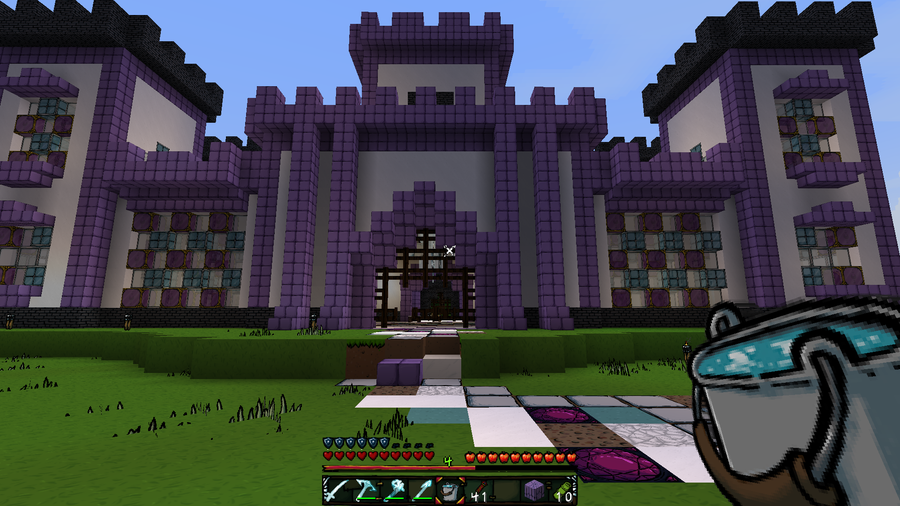
In the base game, Minecraft encourages players to farm and become self-sustaining. However, it can get quite boring to keep planting the same crops over and over again. That’s where this list of Forge farming or food mods come in!
This guide will go through mods available for Minecraft Forge that adds either new crops, food, or farming mechanics to Minecraft. While most add a multitude of new culinary treats, there is one mod below that lets you create your own custom food items. If you’re craving a challenge, then read below for a mod that rewards you for having a diverse diet! So whether you’re hosting a survival multiplayer server or you’re playing alone, you’ll find a mod that opens up your world even more!
Note that the game versions available may change since the time of publishing. Most photos were taken using BSL Shaders and Optifine in 1.16.5.
By default, hunger and saturation is hidden, but with AppleSkin that changes. The main features of this mod are the addition of food value information to tooltips and visualization of saturation, hunger, and exhaustion on the player HUD.
If you’d like to add more farming to the world but don’t want to include a multi-file mod (see below), then try Croptopia. This mod adds over 200 new food items, plus plantable crops and trees. Paired with the Patchouli mod, a multiplayer server can also have a recipe book for their culinary adventures!
Unlike the mod above, this one is hefty and in many parts. However, not all add-ons are required, so you can customize how many food mods you want to add to the server. I do recommend it because of how much variety of food items and crops there are!
Have you ever needed a resource but just didn’t want to have to go mining for it? That’s where Mystical Agriculture comes in. Now you can just grow resources with crops! This mod adds a bunch of resource crops, tools, armor, and fun blocks to add a unique mechanic to Minecraft. There’s even Mystical Agradditions which adds a tier of crops and integrates with Tinkers’ Construct!
Whether you want to create a medieval market within a city or simply make finding farming staples easier, this mod is a perfect addition. It adds a market block that allows you to buy seeds, saplings, and other farming related items! It also adds a feeding trough, a chicken nest, and fertilizer to let you live out your farming lifestyle with ease.
If you’re a farmer who prefers the vanilla game experience, but also crave slight variety, then Farmer’s Delight is for you. This mod expands on Minecraft’s farming and food items with the addition of more meals, a way to improve soil, and even some decoration blocks!
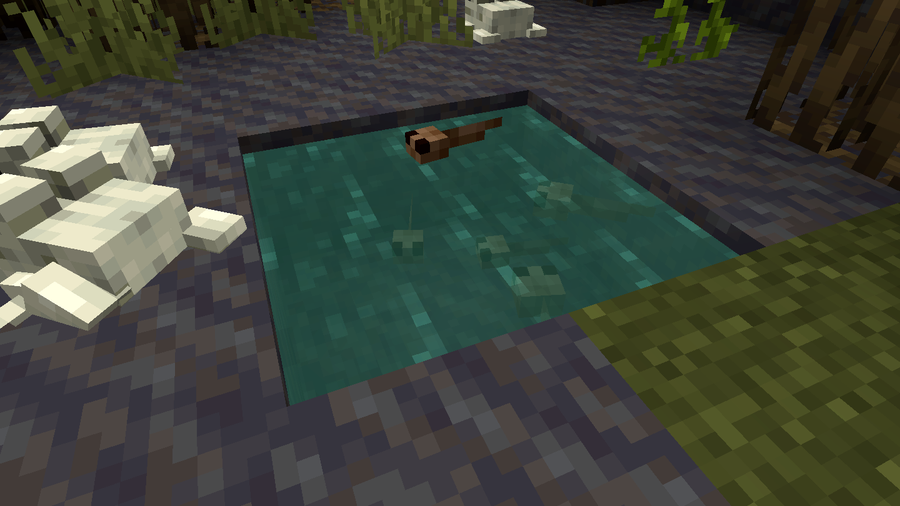
Even with the aquatic update, Minecraft’s oceans and lakes still seem empty. This mod not only adds in over 30 new fish, but better tools with which to fish them with! Certain fish will spawn in specific biomes, and you can upgrade your basic fishing rod to have a better chance to catch them. There’s even more trash and loot you can end up hooking!
Rather than punish players for failing to have a diverse diet in game, this mod rewards them for it! It keeps track of how many unique foods the player has eaten and, after certain milestones, rewards them by permanently increasing their maximum health. It even has a custom config, so players start with a specific number of hearts. In fact, everything is customizable, so you can create unique gameplay for yourself or a multiplayer server!
This is the perfect mod for culinary artists in Minecraft. While other food mods add in pre-designed food items, Culinary Construct lets you create any sandwich or bowl item you can think of. You want a burrito bowl from Bubbakoo’s? This mod lets you create it!
Just like in Stardew Valley or Terraria, you can now go fishing in lava! With three new fish available, take your upgraded fishing rod and find fish, junk, or even treasure. Be wary of the combustive cod and searing swordfish, however, as they both are dangerous.
The longer you play Minecraft, the more you realize that early-game tools just won’t cut it. Exploring the enchantment feature of Minecraft can be exciting, but also intimidating. Rather than worry about researching enchantments, below are the best enchantments in Minecraft! To learn how to enchant items, check out this guide! In this guide, you’ll see
Introducing Howchoo, an enigmatic author whose unique pen name reflects their boundless curiosity and limitless creativity. Mysterious and multifaceted, Howchoo has emerged as a captivating storyteller, leaving readers mesmerized by the uncharted realms they craft with their words. With an insatiable appetite for knowledge and a love for exploration, Howchoo’s writing transcends conventional genres, blurring the lines between fantasy, science fiction, and the surreal. Their narratives are a kaleidoscope of ideas, weaving together intricate plots, unforgettable characters, and thought-provoking themes that challenge the boundaries of imagination.
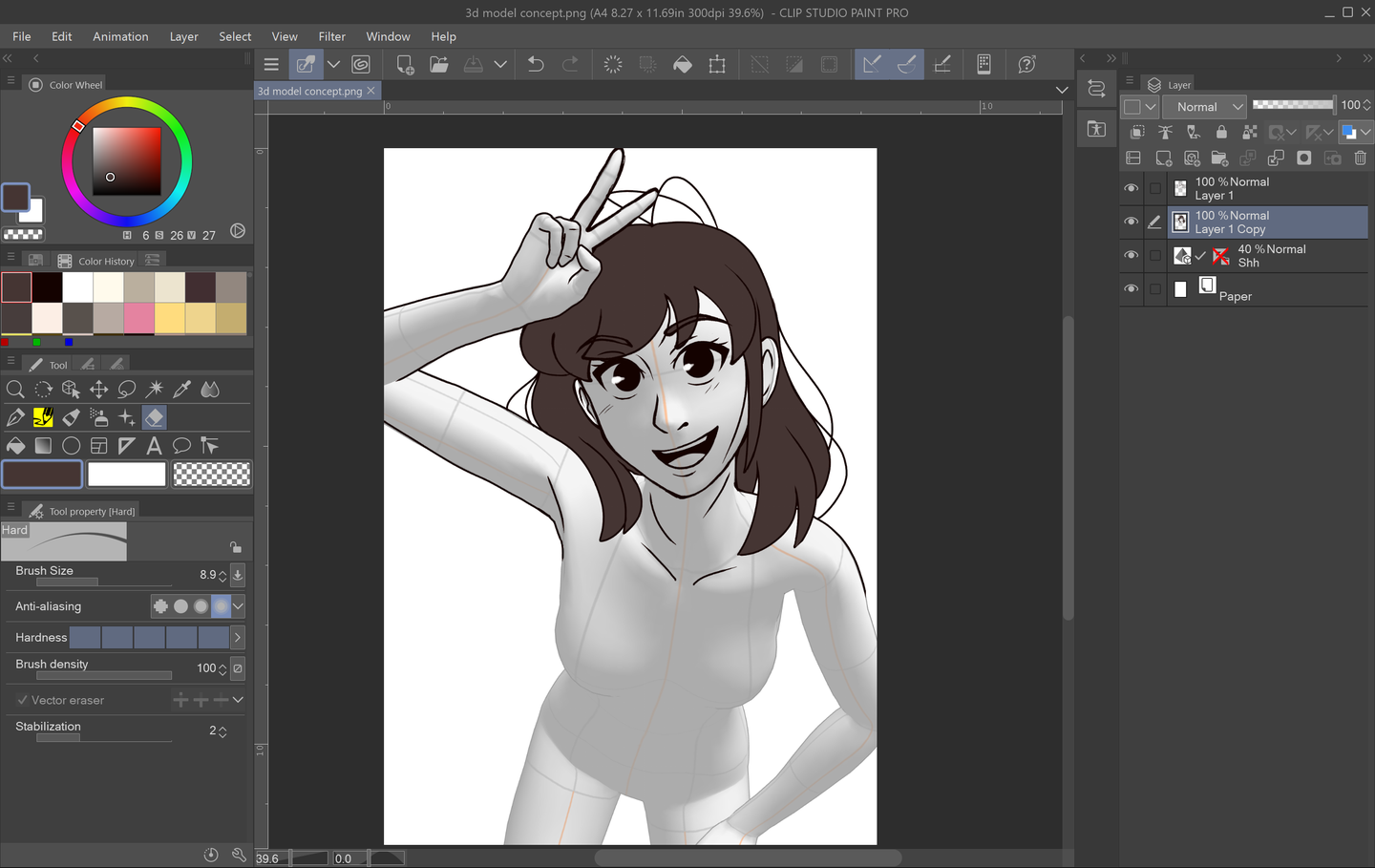
Have you ever struggled with dynamic poses or trying to find a precise reference photo? Having good references is an important part of the prep process when it comes to drawing. Traditionally, many art classes have students practice figure and anatomy drawing by studying a real life model in class. Thankfully, now, there are other ways to gain access to models and poses through digital software! Clip Studio Paint’s 3D models and 3D Modeler Asset is one of those options and is genuinely a great and customizable tool. This guide will show you how to import and manipulate 3D models in CSP so that you, too, can get just the right pose for your character!
1 – Choose and Import Your Model
First, you need to import your model. To do this, you will need to open up the Materials tab. If you don’t already have a shortcut for this, then you can go to Window > Material > 3D Materials. Once you have the Materials tab popped out, you can select from a variety of options from scenes to objects and people!
For human 3D models, click the 3D drop down menu in the Materials tab and select Body Type. CSP already comes with two types of models to choose from, both having male and female counterparts.
To import your desired model, simply drag and drop it on to the canvas.
If you want a further variety of models to choose from, you can download more via Clip Studio Paint Assets!
From there, you can browse a wide selection of user-made models and assets. Although some assets and models may require payment, there are also tons of free ones as well! If you would like to know how to access CSP Assets and download materials, then check out this tutorial. This tutorial uses downloading brushes as an example, but it’s the same process for all CSP Asset materials, so have fun browsing!
Downloading and Adding Assets in Clip Studio Paint
2 – Adjust Perspective, Placement, and Size
After you import your model, two smaller toolbars will appear on your screen above and below your model. The smaller one above your model with the blue icons adjusts the “camera” or how your model will be viewed on the canvas.
With the icons on this toolbar, you can adjust the size, angle, and perspective of your model.
You also have access to a cheat sheet via the Angle Presets menu, which is located in the Tool Properties tab on the left-hand side. If you don’t want to spend too much time fiddling with your model, you can select a preset angle from this drop down menu.
At the bottom of the Tool Properties for 3D modeling, there is a small drop down next to Display Settings for Editing. I highly recommend selecting the Fast setting from this drop down before start posing your model. This setting effectively helps Clip Studio Paint run a little smoother while you’re finagling your model and moving it around.
3 – Pose Your Model
Now, it’s time to pose your model! This process may take a bit of time learning and getting used to, but once you do, you can get some really dynamic poses from adjusting your model.
You can start with clicking on a large portion of your model and grabbing the blue dots where major joints would be. When it comes to limbs and individual appendages, you can then drag the motion lines that encircle the selected part to change the angle on them. The motion grid around the selected body part indicates the range of motion for that particular piece. For example, you can twist the model’s hand around on this circular grid to face the model’s palm upwards.
While you’re posing your model, you might want to keep a portion of the body still. To do this, you will need to lock specific joints. This is where the bottom toolbar comes into play. On this toolbar, you can flip your model, return it to its standard position, lock joints, and play with body proportions. In this example, you can lock the joints by selecting each body part you want to remain still and clicking the dandelion-looking icon on the bottom toolbar.
While I highly recommend playing with the model’s pose and creating one from scratch to get a better understanding of this tool, you can also import preset poses as well. To do this, go back to the 3D drop down menu in your Materials tab and select Pose. From there, you can scroll through a list of presets that automatically come with Clip Studio Paint. After you find a pose you like, drag and drop that pose on to the model on your canvas.
You can also do the same process with hands! This is probably my favorite cheat when it comes to the 3D modeler. There are hand pose presets in CSP that you can drag and drop on to the individual hands of your model. So useful!
4 – Touch Ups and Fine Tuning
If you want to get into the real nitty gritty of your pose, then check out the 3D Drawing Figure Sub Tool. You can pop this menu out by either clicking the wrench at the bottom of the Tool Properties menu on the left or by click the people icon on the far right of the bottom toolbar.
In this menu, you can adjust the individual fingers of your character, how open or closed the hands are, the muscle mass, height, and body weight of your model, and even the light source! Be sure to experiment in this menu. If you’re ever stuck trying to get the pose of your model just right, you might be able to make some smaller adjustments via this menu.
5 – Finalize Settings and Draw!
Once your model is all posed and ready, you can start drawing over it! However, you can’t change the opacity of the model’s layer while CSP is still set to Fast. To fix this, simply go back to the bottom of the 3D Model Properties menu and set Display Settings for Editing back to Normal. Afterwards, click out of that menu, and adjust the model layer’s opacity to your preferred settings. Now, you can create a new sketch layer over your fully posed model and begin sketching!
Adobe Illustrator has a few tools available that allow users to remove the background from their work. This process makes it possible to create artwork with transparent areas anywhere they want. In guide this, I’ll go over the easiest ways to do this, as there are more complex processes don’t always apply to general use
Introducing Howchoo, an enigmatic author whose unique pen name reflects their boundless curiosity and limitless creativity. Mysterious and multifaceted, Howchoo has emerged as a captivating storyteller, leaving readers mesmerized by the uncharted realms they craft with their words.
With an insatiable appetite for knowledge and a love for exploration, Howchoo’s writing transcends conventional genres, blurring the lines between fantasy, science fiction, and the surreal. Their narratives are a kaleidoscope of ideas, weaving together intricate plots, unforgettable characters, and thought-provoking themes that challenge the boundaries of imagination.
In our yearning for meaning, our enduring quest for connection, we humans often turn to architecture for our release, placing into the buildings around us all our emotional turmoil, hopes, dreams, and beliefs. A temple or a skyscraper can be seen as a reflection of our innermost desires, a monument to our capacity for connection, and our vast imaginations have allowed us to construct works of architecture so complex and awe-inspiring that they serve as art as much, or more, as they serve a functional purpose.
The power of the human imagination is incredible. The great philosopher and historian Yuval Noah Harari wrote, in his book Sapiens, “There are no gods, no nations, no money and no human rights, except in our collective imagination.” The power of human imagination allows us to spend entire generations dedicated to projects that serve some unified purpose, spending our energies and attention in acts of dedication that are glorious and outstanding.
Of all our building efforts, it is perhaps through our various religious feelings that some of the grandest and most gorgeous have come into being. Architectural works that have stood the test of centuries and will stand the test of many more, works that remind all who look upon them (regardless of religion) that our capacity for the construction of grace and beauty at least matches our capacity for dissonance or destruction.
Cathedral, churches, monasteries, temples: what’s the difference?
Churches are places of worship in the Christian religion, with the earliest types of church being “house churches,” which were simple gathering spaces in homes.
Cathedrals are a type of church that contains the “cathedra”, which is Latin for “seat”, of a Christian bishop.
Monasteries are private religious communities designed to provide a spiritual living environment for those who live there. Not Christian in origin, many belief systems incorporate monastic traditions.
Temple is a generic term for a building reserved for spiritual rituals. It may be superseded by a term preferred by a specific religion, such as “church” or “mosque”.
1 – Megiddo Church
Two fish lying side by side, one of the earliest Christian symbols used. Pinterest
Established: 3rd century CE
Location: Legio near Tel Megiddo, Israel
Can I visit?: To some degree. An official archaeological park is planned but not yet built.
In 2005 prisoners in Isreal made a startling discovery. In the ancient city Megiddo, purported site of the biblical Armageddon, and a location that has seen three thousand years of violent conflict, directly underneath one of the country’s maximum-security prisons, is the remains of what might potentially be the oldest Christian church yet discovered in the Holy Land.
A time of persecution
Megiddo Church. Pinterest
In its earliest days, Christianity was heavily and severely persecuted by Rome, and those who wished to practice were forced to do so in secret. Such was apparently the case with this church, which featured an inscribed table that likely served as an altar, and an incredible mosaic on the floor that was apparently constructed using the funds of a Roman officer named Gaianus who donated his money to the cause (many soldiers were secretly Christian).
The mosaic is gorgeous and, instead of a cross, is rendered with two fish lying side by side, one of the earliest Christian symbols used.
2 – Etchmiadzin Cathedral
“The focal point of Armenians everywhere.” Pinterest
Established: 301-313 CE
Location: Etchmiadzin, Armenia
Can I visit?: Absolutely! It’s a massive tourist center, a UNESCO site, and a point of pilgrimage for Christians.
The mother church of the Armenian Apostolic Church, Etchmiadzin Cathedral was the first cathedral built in ancient Armenia and has been considered as the oldest cathedral in the world. Following the adoption of Christianity, the cathedral was built by Gregory the Illuminator, Armenia’s patron saint.
Called “the focal point of Armenians everywhere,” the cathedral has held massive cultural as well as religious importance for the Armenian people. Considering that the Armenian people were one of the first nations to adopt Christianity as the official state religion (the Roman Empire didn’t convert until Constantine’s baptism in 337), it makes sense that some of the oldest churches would be found there.
A deeper and more ancient background
Etchmiadzin Cathedral Pinterest
As far back as Christianity goes for Etchmiadzin, the roots of worship go deeper, and the Etchmiadzin Cathedral actually rests on the ruins of a temple to the goddess Artemis. In fact, the Etchmiadzin Cathedral has been partially destroyed many times in its history, so the current version rests upon a deep sedimentary layer of historical significance.
3 – Hagia Sophia
Hagia Sophia remains the single greatest example of Byzantine architecture in existence. Pinterest
Established: 537 CE
Location: Istanbul, Turkey
Can I visit?: Yes, it’s open as both a mosque and a tourist center, at least for the time being.
Officially known as the Hagia Sophia Holy Grand Mosque, the Hagia Sophia was originally built as the patriarchal cathedral for Constantinople, the capital of the Byzantine Empire. After the Fall of Constantinople in 1453, the cathedral was converted into a mosque by the Ottoman Empire after the initial sack of the historical site by Ottoman forces. Though it enjoyed a brief period as a museum under the secular Turkish Republic, it was controversially re-declared as a mosque quite recently in 2020.
An artistic treasure
Hagia Sophia. Pinterest
Hagia Sophia remains the single greatest example of Byzantine architecture in existence and the complex mathematics required to ensure that the cathedral dome is supported. Using four pendentives (triangular segments of a sphere), the great dome was constructed over the square main building, making it one of the most impressive architectural works of the era.
4 – Basilica of San Lorenzo
For three hundred years, the Basilica served as the official cathedral for all of Florence. Pinterest
Established: 364 CE
Location: Florence
Can I visit?: Absolutely!
The Basilica of San Lorenzo was originally constructed outside of Florence, but was slowly swallowed up by the city’s expansion. For three hundred years, the Basilica served as the official cathedral for all of Florence, and during its reconstruction in the 1500s, it saw the influence of some of the most important architects and artists of the age.
Medici and Michelangelo
Basilica of San Lorenzo. Pinterest
The powerful Medici family, a financial and political dynasty that swayed the course of events in Europe for centuries, claimed the Basilica of San Lorenzo as their parish church. In the early 1500s, Pope Leo X commissioned the brilliant artist Michelangelo to design the interior and exterior façades. While the interior was constructed, the exterior design remained unbuilt, with only a wooden model remaining.
5 – Santa Maria in Trastevere
The first sanctuary in this location was built in 221 by Pope Callixtus I. Pinterest
Established: 221 CE
Location: Rome, Italy
Can I visit?: Yes! It’s a major attraction.
The first sanctuary in this location was built in 221 by Pope Callixtus I, right around the same time that the Roman Emperor Elagabalus was being marked for assassination due to sex scandals and his worship of the Syrian sun god Elagabal. It’s easy to forget how many religions were coexisting in Rome during this period in history!
A site of modern joy
Santa Maria in Trastevere. Pinterest
In 2014, the wedding of Prince Amedeo of Belgium, Archduke of Austria-Este to Elisabetta Rosboch von Wolkenstein took place in Santa Maria in Trastevere in a lavish ceremony that followed a Christian tradition where the wedding should take place in the bride’s hometown.
6 – Cathedral of Trier
The oldest church in Germany, the Cathedral of Trier looks like something from a fairytale. Pinterest
Established: 340 CE
Location: Trier, Germany
Can I visit?: Yes! It’s a major attraction.
The oldest church in Germany, the Cathedral of Trier looks like something from a fairytale. Said to have been originally commissioned by Emperor Constantine the Great on the site of a palace dedicated to his mother, Saint Helen. Though it was sacked and destroyed twice, first by the Franks and later by the Vikings, the cathedral was rebuilt grander than ever, and now holds some of the most important relics of Christiandom.
The relics of the Cathedral of Trier
Cathedral of Trier. Pinterest
Of the relics preserved within the Cathedral of Trier, the Seamless Robe of Jesus and one of the Holy Nails that were used in the crucifixion itself. The robe was supposedly worn by Jesus shortly before or maybe even during his crucifixion, and legend has it that Saint Helena discovered it and bequeathed it to the city of Trier. Another relic is the skull of Saint Helena herself!
7 – St. Peter’s Basilica
Built over a small shrine believed to be the final burial place of the Apostle St. Peter. Pinterest
Established: 333 CE
Location: Vatican City
Can I visit?: Yes! It’s a major attraction.
St. Peter’s Basilica is the largest church in the world by interior measure, at almost 6 total acres, and is considered to be one of the most important holy sites in all of Christianity. The original design for the cathedral was commissioned by Emperor Constantine the Great. Eventually, the church fell into disrepair and was rebuilt in the 1500s. Now, it stands as the largest building in Vatican City and a prominent feature of the Rome skyline.
St. Perter’s is more than just a name
St. Peter’s Basilica. Pinterest
Built over a small shrine believed to be the final burial place of the Apostle St. Peter. His tomb was smashed by Arab invaders during the 9th century, but tradition has retained the importance of this location and a number of other Popes have been interred nearby.
8 – Little Hagia Sophia
An important relic of Byzantine architecture, the church was commissioned in the 6th century. Pinterest
Established: 536 CE
Location: Istanbul, Turkey
Can I visit?: Yes! It’s a major attraction.
An important relic of Byzantine architecture, the church was commissioned in the 6th century by Emperor Justinian and existed as one of the most important centers in Istanbul for centuries, protecting those fleeing from religious persecution, and existing as a monument to Christian worship. In the 16th century, after the Ottoman Empire conquered Constantinople, the church was converted into a mosque and its internal designs were reconfigured to match the Islamic aesthetic, resulting in the destruction of all of the original interior edifice with its marble mosaics.
A dramatic beginning
Little Hagia Sophia. Pinterest
Legend says that Justinian was accused of plotting to overthrow his uncle, Emperor Justin I, and was sentenced to death. However, before this occurred, the Saints Sergius and Bacchus appeared before the emperor and convinced him of his nephew’s innocence. In gratitude, Justinian promised to build a temple in their honor upon ascending to the throne.
9 – Church of the Nativity
In the Christian canon, the church rests over the grotto where Jesus was born. Pinterest
Established: 325 CE
Location: Bethlehem, Palestine
Can I visit?: Yes.
Built during the reign of Constantine the Great, the original basilica was destroyed in the mid-6th century and rebuilt in the Justinian period a few years later. Incredibly, much of the original architecture remains intact from this second building and has been faithfully restored and preserved throughout the centuries.
Ancient origins
Church of the Nativity. Pinterest
In the Christian canon, the church rests over the grotto where Jesus was born. Constantine was attempting to build Christian monuments that connected to the life of Jesus, leading to the first basilica’s construction. However, modern scholarship suggests that a cult to the Roman mythic figure Adonis (formerly the Sumerian god Tammuz) originally claimed the grotto and that it was only later taken over by Christian worshippers.
10 – Dura-Europos Church
The Dura-Europos church is the oldest Christian house church yet discovered. Pinterest
Established: 233-256
Location: Syria
Can I visit?: Sadly, no, but the art found there is preserved at Yale University!
In the earliest days of Christianity, people gathered in “house churches” which were simply private residencies, many converted on the interior to provide dedicated services. This allowed people to gather in safety, since Christianity, and many other cults active during the period, were illegal in the Roman Empire.
The Dura-Europos church is the oldest Christian house church yet discovered. Located in the former fortified city of Dura-Europos in Syria, the site was unearthed in the early part of the 20th century and is remarkable for containing the oldest surviving Christian paintings! These include frescos of Adam and Eve, David and Goliath, but the true treasures are the paintings of “The Good Shepherd,” the “Healing of the paralytic,” and “Christ and Peter walking on the Water,” which are probably the earliest depictions of Jesus Christ to exist.
The cost of conflict
Dura-Europos Church. Pinterest
Between 2011-2015 the terrorist group “ISIS” embarked on a propaganda campaign to recapture their idea of “Islamic history”, which included the destruction of many ancient historical sites and artifacts, including the Dura-Europos church. The structure was heavily damaged, and a nearby ancient synagogue was destroyed. ISIS profited from sales of the artifacts it pillaged, selling them to support its flagging terrorist activities.
Luckily, the frescos from the Dura-Europos church had already been safely removed and ensconced in the Yale University art collection, where they can still be enjoyed today.
11 – Temple of Augustus and Livia
One of the oldest and most impressive religious buildings from ancient times. Canva
Established: 1st Century CE
Location: Vienne, France
Can I visit?: Yes! It’s quite central to the city and remains a major draw for tourism.
One of the oldest and most impressive religious buildings from ancient times, the Temple of Augustus and Livia was dedicated to the deified Roman Imperial couple. A large section of the rear part of the original temple remains intact today, though the rest is a meticulous reconstruction that took almost three decades to complete. Once the seat of political and religious power for the area, it remains central to Vienne, and at night it takes on an otherworldly glow provided by ground lights placed to show off its magnificence.
Preserved by Christianity, restored by revolution
Temple of Augustus and Livia. Pinterest
Sometime during the 5th century CE, the temple was converted into a church, from then on known as the Sainte-Marie-la-Vieille or Notre-Dame-de-la-Vie. The destruction of some parts of the temple followed, as did the addition of interior walls. This led to the accidental preservation of the rest of the original temple structure.
Then, following the French Revolution, the site was secularized, and between 1853 and 1870 was restored to its original glory. Legend has it that Thomas Jefferson passed through during his visit to France in 1784 and fell in love with the style, later ensuring that it would become a foundation for the design of the United States Capitol.
12 – Debre Sina
The State of Eritrea in Eastern Africa boasts one of the oldest monasteries in the world. Pinterest
Established: 4th century CE
Location: Anseba, Eritrea
Can I visit?: Yes, though reaching it is difficult due to poor road conditions. Yearly pilgrimages are a major facet of the region.
The State of Eritrea in Eastern Africa boasts one of the oldest monasteries in the world, dating to the 3rd century CE. Every June, thousands of Christians from the Eritrean Orthodox tradition travel to the remote location in the highlands east of the town of Elabered to camp for a night, sing, chant, and celebrate the Virgin Mary who, legend has it, has a special connection to the area.
A retreat for Saint Mary
Debre Sina. Pinterest
An ancient legend says that Saint Mary, fleeing King Herod of Judea, with her child Jesus in hand, stayed in the caves of Debre Sina for forty days before moving on and that the big rock there was touched by the hand of God afterward, making it a sacred space. Other legends surrounding the rock claim that Saint Mary appeared there in a vision to a group of shepherd girls, and the modern church is built adjacent to this site.
13 – Abu Mena Basilica and Complex
First excavated in 1905, this site is the purported burial ground of Menas of Alexandria. Pinterest
Established: 3rd Century CE
Location: Alexandria, Egypt
Can I visit?: Yes, but for how long? Since it’s on the danger list, there might not be much left of this ancient ruin. A visitor on the World Heritage Site describes it as a bit disappointing considering how deeply in disrepair it is and offers the following advice: “Pro-tip: you don’t have to drive THROUGH the new church area to reach this, and in fact, you don’t want to due to police checkpoints. There is a small paved road turning off right just before the first checkpoint that leads to the old church”.
First excavated in 1905, this site is the purported burial ground of Menas of Alexandria (or Menas of Egypt), a Roman soldier who was martyred for refusing to give up his Christian faith. Though little remains standing today, the base of the buildings are still intact, and archaeologists have uncovered signs of numerous buildings, including a Roman bath, the main basilica church, a smaller church dedicated to Menas’ remains, and several extended living complexes. The site is on the World Heritage Danger list due to poor governmental handling, but plans are in the works to surround the ruins with a protective membrane that will keep them safe from climate and agricultural changes.
Holy ground
Abu Mena Basilica and Complex. Pinterest
According to the tales, a shepherd who later found the site of this burial discovered that the dust of the ground and the nearby water both offered healing for those who were sick and wounded. When word of his ability to heal people spread, Constantine the Great sent his sick daughter there to be healed. She found the body of Menas and, afterward, Constantine ordered that a church be built on the site.
14 – Jubail Church
One of the world’s oldest historical monuments. Pinterest
Established: 4th century CE
Location: Al-Jubail, Saudi Arabia
Can I visit?: No legal entry is permitted, even for scientific study.
Imagine being on a picnic and discovering one of the world’s oldest historical monuments? That’s what happened in 1986 when picnic-goers in Suadi Arabia discovered the ruins of the church near the city of Jubail while getting a truck tire free from a sandbank.
Will the desert be victorious?
Jubail Church. Pinterest
Since its discovery the government of Saudi Arabia has done little in the way of protecting the ruins, providing only a meager (and easily penetrated, according to some online commentators) wire fence, which only went up after continued vandalism put the ruins at serious risk. Tourists are not allowed to visit, either, but more interesting is that the government has barred access to archaeologists who would be interested in studying the ruins.
15 – Cathedral of Saint Domnius
The cathedral was originally built as a mausoleum for the Roman Emperor Diocletian. Canva
Established: 3rd century CE
Location: Split, Croatia
Can I visit?: Yes! It’s a popular location for visiting tourists.
The oldest Catholic cathedral and second oldest cathedral used by any Christian denomination, Saint Domnius in Croatia is a wonder of the ages. Built near the end of the 3rd century, the original building remains intact today, serving function with very little alteration save for the addition of a late bell tower and some minor restructuring in the 17th century. A number of valuable relics and Christian artistic works reside there today.
Turnabout is fair play
Cathedral of Saint Domnius. Pinterest
The cathedral was originally built as a mausoleum for the Roman Emperor Diocletian. Diocletian heavily persecuted Christians during his reign. Saint Domnius was the Bishop of Salona and was beheaded in those same persecutions. It seems somehow fitting that the cathedral dedicated to his name should be built on the resting place of the Emperor who had him killed.
Introducing Howchoo, an enigmatic author whose unique pen name reflects their boundless curiosity and limitless creativity. Mysterious and multifaceted, Howchoo has emerged as a captivating storyteller, leaving readers mesmerized by the uncharted realms they craft with their words.
With an insatiable appetite for knowledge and a love for exploration, Howchoo’s writing transcends conventional genres, blurring the lines between fantasy, science fiction, and the surreal. Their narratives are a kaleidoscope of ideas, weaving together intricate plots, unforgettable characters, and thought-provoking themes that challenge the boundaries of imagination.
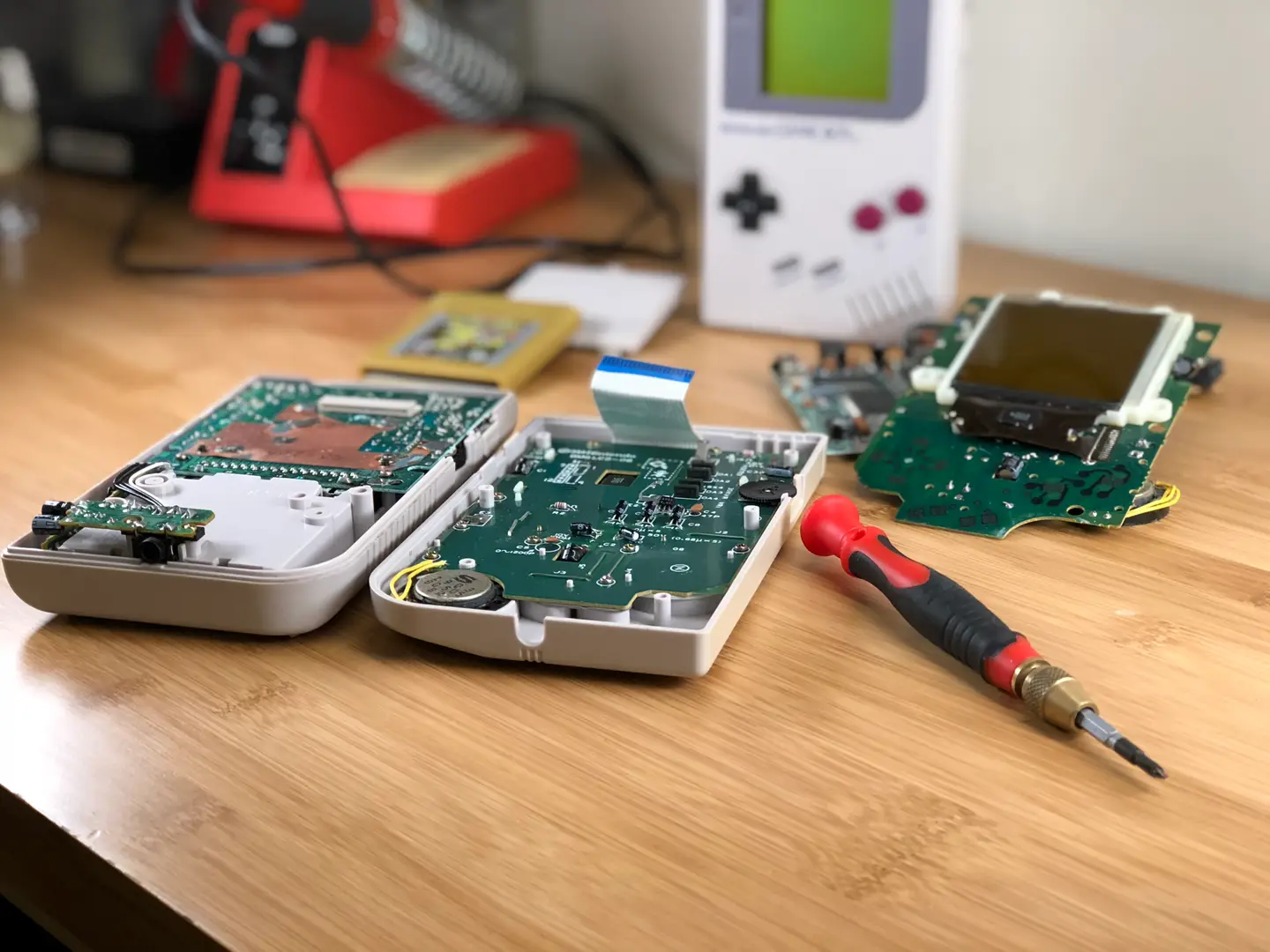
Game Boys are awesome! But they’ve been around for so long, it’s no surprise to find they have a thriving mod community.
Have you always wanted a purple Gameboy? Maybe you’re tired of sitting under a lamp just to play Tetris. Whatever the case, there’s nothing holding you back from creating the ultimate Game Boy experience you’ve dreamt of since 1989.
This guide lists the most common Game Boy mods available today. I’m ready if you’re ready—now let’s get started.
1 – Custom Game Boy shell
Game Boys can be upgraded with an amazing variety of custom shells. In 2018, you don’t have to look hard to find third party vendors selling Game Boy shells. Most of them are aftermarket shells, created with the modern modding community in mind.
However, it is possible to locate original hardware. Auction websites and used gaming stores sell old devices and individual Game Boy components. This is great for restoration projects or those who just prefer original hardware. If you want to learn more about customizing your shell, visit our Game Boy shell replacement guide.
How to replace an original Game Boy shell In this guide, I’ll be updating a back-lit Game Boy with a yellow Play It Loud shell.
2 – Custom Game Boy buttons
Another common mod you’ll find in the community is custom buttons. Upgrade your Game Boy with brand new controls! They work just like the old ones, but you can choose a different color if you like.
Third party vendors sell many custom color buttons to match the wide array of replacement shells. Replacing the buttons is just as easy as replacing the shell with half the work! Just open up the Game Boy, remove the front motherboard, and swap out the buttons. While you have that Game Boy open, it’s a great time to fix any button sticking issues—visit our guide to learn how to fix sticky Game Boy buttons.
How to Fix Sticky Game Boy Buttons You can’t play anything like this. Let’s fix it!
3 – Game Boy backlight mod
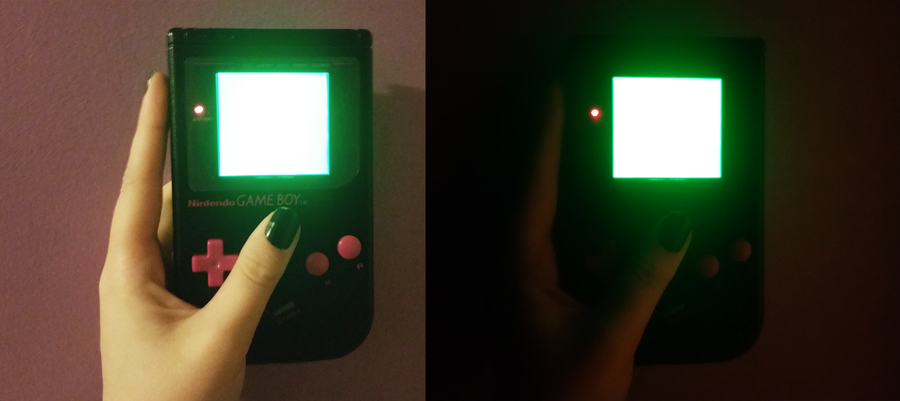
Finding an old Game Boy is awesome. Wasting time to find a lamp to sit under is not. That’s why we have the Game Boy backlight mod! After almost 30 years, you can finally install a working light to play your original Game Boy in the dark.
This mod is a little bit involved and could potentially ruin the original screen. You may want to avoid using any sentimental hardware. But if you think you’re ready, so do we. Head over to our Game Boy backlight mod guide to get started!
Backlighting an original Game Boy screen has a direct impact on pixel contrast. Rotating the polarizing film can cause the pixels to invert—some modders do this intentionally. For an ideal display, the pixels need to be inverted twice.
The modding community tackles this issue by means of bivert chip mods. The installation of these chips inverts the signal information for dark and light pixels. This small difference improves the contrast and visibility on the screen. As a side effect from this mod, the contrast wheel now works backwards.
Customizing the bezel on a Game Boy can add an incredible touch to your modding project. The original screen bezels were made of plastic. But you can find a wide variety online, including high quality bezels made of glass.
The original Game Boy was released with a gray bezel. But you’ll find a rainbow of options online—including custom printed graphics. Your only limit is your imagination when it comes to custom bezel replacement.
6 – Increase Game Boy screen size
Game Boy screens are more than necessary, they’re iconic. But there comes a time in every modders like when you realize that maybe it would be pretty cool to install that 3″ aftermarket screen. Just for funsies, right?
Or maybe you’ve bricked your original Game Boy screen in a failed attempt to install a backlight. Repurpose old components and create your very own “frankenboy”. Add a custom after market screen and throw it in a custom shell while you’re at it. There’s nothing wrong with taking advantage of modern day upgrades.
7 – Game Boy bass boost mod
Original Game Boy audio is so classic, fans have created genres of music based on it. Chiptunes are built on the fundamental sounds created by the Nintendo Game Boy. But what if you wanted to bring out the best of these sounds?
If you’re into high quality audio, this mod is for you. This mod upgrades your Game Boy to let more power through the sound system. Amplify those bass tones and bring out the best audio in your Game Boy. Ready to get started? Check out our Game Boy bass boost guide here.
You’ve put so much work into setting up RetroPie or EmulationStation. You load it up with legally obtained ROMs only to find that custom theme you installed—you remember, the one from my RetroPie themes guide—has a big blank spot for box art! The Best RetroPie Themes (And How to Install Them)You deserve some personal flair! RetroPie: Build Your
Introducing Howchoo, an enigmatic author whose unique pen name reflects their boundless curiosity and limitless creativity. Mysterious and multifaceted, Howchoo has emerged as a captivating storyteller, leaving readers mesmerized by the uncharted realms they craft with their words.
With an insatiable appetite for knowledge and a love for exploration, Howchoo’s writing transcends conventional genres, blurring the lines between fantasy, science fiction, and the surreal. Their narratives are a kaleidoscope of ideas, weaving together intricate plots, unforgettable characters, and thought-provoking themes that challenge the boundaries of imagination.
I don’t know why I didn’t think of this sooner, but replacing the milk/cream with buttermilk in homemade frosting is seriously amazing. It’s not obviously tangy. It just balances out the extreme sweetness that is American Buttercream so well. Looks really cute with sprinkles on top too!
This frosting would go great on top of our super easy banana chocolate chip muffins!
1 – Directions
Beat softened butter and powdered sugar together for a few minutes until light and fluffy. Add vanilla and buttermilk and continue beating for another minute.
Pipe or frost cupcakes, add sprinkles if desired, and serve.
🛈 This recipe made enough for 48 mini homemade funfetti cupcakes.
NEXT UP
HeaterMeter: Control your Grill Using a Raspberry Pi!
With summer right around the corner, it’s time to fire up the grill! But who will watch the grill while you’re beating the heat? This year, kick things up a notch with your own Raspberry Pi-powered HeaterMeter. Don’t just throw a BBQ, be a part of it. HeaterMeter lets you keep a close eye on
Introducing Howchoo, an enigmatic author whose unique pen name reflects their boundless curiosity and limitless creativity. Mysterious and multifaceted, Howchoo has emerged as a captivating storyteller, leaving readers mesmerized by the uncharted realms they craft with their words.
With an insatiable appetite for knowledge and a love for exploration, Howchoo’s writing transcends conventional genres, blurring the lines between fantasy, science fiction, and the surreal. Their narratives are a kaleidoscope of ideas, weaving together intricate plots, unforgettable characters, and thought-provoking themes that challenge the boundaries of imagination.
Note this is a PG-style list, which includes no nudity or violence.
Making this list of the most unbelievable things caught by a Google street view camera has taught us one thing. Namely, that traveling these street view images is like traveling through a record of a particular time. That record is sometimes hilarious, sometimes beautiful, sometimes heartwarming, but always human.
After noticing many fake street view images posing as real when researching this article, we’ve done our due diligence to make sure that each image is from a real Google Street View image.
So sit back and enjoy these moments in time captured by the Google crew.
What is Google Street View?
Launched in 2007, Google Street View is a dedicated effort by Google Maps and Google Earth to provide a panoramic view of the streets, walkways, paths, and waterways worldwide. Google uses special cameras attached to vehicles and even drones to capture shots that live as moments in time.
1 – Jumpsuit golfclub fighting
Location: Oscarsborg Fortress, Norway
What can we even say about this one?! While it’s likely staged for Google’s benefit, our question is why? It appears to be two people in red jumpsuits doing battle on the ground of Oscarsborg Fortress in Norway. What is this style of fighting, you ask? Who knows! And why are they fighting? There are so many questions regarding this one. We couldn’t find any answers in our research, so please feel free to comment below if you know the story behind this shot.
2 – Pigeon folk
Location: Tamagawa Aqueduct, Japan
This one is haunting. We’re hoping this one was staged for the benefit of the Google Street View crew; otherwise, we’re seriously concerned about the folks living near the Tamagawa Aqueduct in Japan. One question we have is: where did they all get the pigeon masks? Was there a pigeon-mask-making party at some point?
3 – Scarecrows in a field
Location: Kainuu, Finland
The Google Street View crew captured this incredible art display by artist Reijo Kela. The piece is called “The Silent People,” and many feel the piece is a response to WWI. The clothing on the figures is changed twice per year.
4 – Diagon Alley (Harry Potter)
Location: Warner Bros. Studio, London, England
Fans of the Harry Potter series will be happy to find out that they can actually take a virtual stroll down the famous Diagon Alley from the books. Google was given private access to capture the magic of the most famous street in the wizarding world. Who knows what you might find there? Legend has it that Lord Voldemort is hiding in one of the windows.
5 – Scuba warriors
Location: Bergen, Norway
Ever wonder what you do with too much time on your hands? Ask these two guys who waited around in lawn chairs, dressed in scuba-gear, for the Google Street View vehicle to drive by. If you look at the map view, you’ll notice that they get up out of their chairs and begin to chase the vehicle with their rakes.
6 – Penny-farthing on the back of a Toyota
Location: British Colombia
Okay…so maybe this one isn’t immediately stunning, but when you think about both the rarity of the penny-farthing and the fact that it’s been mounted to the back of the Toyota here, you begin to wonder about this one. Whoever rides this hipster bicycle actually transports it to different places to ride for sport or show.
What is a penny-farthing?
A penny-farthing is an old-style bicycle, popular in the late 19th-century, that utilizes a big front wheel for a fast, comfortable ride. And, yes, people still ride them—mostly for novelty reasons.
7 – Sunrise on Mt. Fuji
Location: Mt. Fuji, Japan
Not all of the images need to be scary or funny! This one happens to be breathtakingly beautiful. Google did its due diligence to follow the trail that leads up Mt. Fuji to capture this incredible shot of a sunrise. It makes me think that it’s probably not such a bad job to take Google Street View images if you get to explore some locations such as this. This one goes out to anyone who’s ever dreamed of seeing the sunrise on Mt. Fuji—like me!
8 – The parrot holds court
Location: Lancaster, Pennsylvania
What’s the funniest caption you can think of for this parrot on the back of the pickup? Please let us know in the comments below.
Here’s ours: “I pay rent to live in the back of this truck. Joe, here, tells me I’m not too much of a birden.”
You can probably do better.
9 – Woman laying in the back of a car in Russia
We’ve got a theory about this one, and it’s not as sinister as you think. But it does involve robots. The man driving the car is actually a robot named “Henry.” Henry has a chip that controls his mechanics and allows him to drive important clients across the Russian countryside. That chip was dislodged somehow and fell in the back seat. The woman is simply looking for it in the back.
See? It’s not sinister at all!
This image was pulled from the popular free-to-play game GeoGuessr, which asks players to determine a location when dropped randomly in Google Street View.
10 – Goats…lots of goats
Location: Dakar, Africa
This is the largest gathering of goats we’ve ever seen. Goats are valuable livestock in many parts of the world, providing dairy, fiber for clothing, and meat. So it’s not unusual to find them en masse in places like Dakar or other parts of the world. They look quite content there by the side road, taking in the sunshine and nice weather!
11 – Portland cockatoo man
Location: Portland, Oregon
This might be the most Portland Google Street View image you could imagine. A man is out for a casual stroll with his pet cockatoo. We’ve never seen anything like it before, but then again, we’ve never lived in Portland. We’re thinking that the Google Street View vehicle should spend a little more time there.
12 – Kids selling lemonade
Location: New York City, New York
We need to have at least one heartwarming image captured by Google Street View on the list, and this one takes the cake. Remember the days when kids would sell lemonade on the street to earn a little extra cash? It’s a sweet image of what might become a by-gone tradition in the US. We hope they earned some sweet cash this summer with which to have fun!
13 – Pittsburgh performance piece
Location: Pittsburgh, Pennsylvania
When Google announces that its vehicles will be coming around, people find new and innovative ways to respond. Like this performance piece choreographed by artist Ben Kingsley in Pittsburgh. Kingsley worked with the Google team to create various scenes throughout the city that would be captured by the cameras.
14 – Man walking his dog in Norway
Location: Vestland, Norway
If we were dogs, this is the guy we’d want to be our owner. He must be the kind of guy who brings his dog everywhere—the movies, opera, and fashion shows. We love this photo. This dog looks so content to be relaxing in the Norwegian sunshine on the way to the park.
15 – Nagoro “Scarecrow” village
Location: Nagaro Village, Japan
Artist Tsukimi Ayano has found a hauntingly beautiful way to repopulate her home village of Nagaro. In this street view image, we can see Ayano’s “scarecrows,” which are meant to represent all of her neighbors who have either moved away from her village of 30 people or died. She repopulates the village and creates a haunting portrait of the plight of many villages, where children favor life in the city and leave.
16 – Crossing the road in Russia
Location: Yuzhno-Sakhalinsk, Russia
It’s hard to say what’s happening here. We have a theory; however, that might not be the first thing you’d think. We suspect that the woman being held up while crossing the street was actually doing some sort of interpretative dance routine, and angry commuters decided to remove her from the middle of the highway. Disagree? (I don’t blame you.) What’s your take on this one?
17 – William Tell in Connecticut
Location: Wallingford, Connecticut
We’re seriously hoping that no one was harmed in this photo. A man appears to be shooting an arrow at a can placed on another man’s head. Please do not try anything like this the next time Google is in your neighborhood. A simple smile and a wave would be nice.
18 – Bear fishing in lake
Location: Kurile Lake, Russia
Ever since Google started using drones to capture views of out-of-the-way places like here at Kurile Lake, we’ve been seeing more wildlife appearing in the photos. This is a stunning portrait of a bear having a fish snack and enjoying the water.
19 – Toilet-papered house
Location: Font du Lac, Wisconsin
We didn’t think that toilet-papering a house was still something that kids did! We thought that, by now, kids would have found more innovative ways to prank a grumpy neighbor. It looks like we were wrong! And Google’s camera proves it. Whoever’s house this is, we’re sorry! Cleanup will be a pain.
20 – Fire in Arkansas
Location: Sherwood, Arkansas
No one was harmed by this fire. Firefighters put out the fire.
Still, it’s scary to see an entire house engulfed in flames in the suburbs of Arkansas. Google street view caught the firefighters rushing to the scene as they drove by. We’re glad that everyone involved was okay, though the house did suffer major damages.
21 – Japanese wedding march
Location: Shimogamo-Jinja Shrine in Kyoto, Japan.
A rare look at a traditional Japanese wedding march occurring near the Shimogamo-Jinja Shrine in Kyoto. We love the beautiful Japanese gate or torii in the background and the parasol that keeps the happy couple cool. Such wonderful moments captured by Google for our benefit.
22 – Street view of street view car
Location: Salta Province, Argentina
What do you get when a street view camera captures another street view camera? That’s right! Confirmation that Google is everywhere. And likely some kind of implosion of the universe. We love the camaraderie of these two vehicles, and we’d love to imagine them giving each other a high-five as they continue capturing the city’s streets.
23 – Dabbing man
Location: Victoria, Australia
Remember dabbing? What’s that? You’re saying that you don’t want to remember dabbing? We’re sorry. We’d love to forget that dabbing was a thing too. But when many of the street images were taken, dabbing was in full swing. This bicyclist, for sure, dabbed his way to fame.
24 – Mysterious white van
Location: Belfast, Ireland
This one is a little eerie. Every year for 5 years, Google captured a white utility van outside of this corner of Belfast. It wasn’t the same van each year, and Google went past on different days. It left us wondering what’s been wrong with “Stevie’s” fruit store on the corner? Bad plumbing? Electrical issues?
Whatever it was, the latest Google image shows that the store closed—and the white van is finally gone. Spooky.
25 – Cherry blossoms in Japan
Location: Maruyama Park in Kyoto, Japan
Another image included for its breathtaking beauty is this lit cherry blossom tree in Kyoto—the city famous for its cherry blossoms. Every year, the city holds the largest cherry blossom festival in the world. We recommend taking a stroll through the entire park using Google street view. The park is simply stunning.
26 – Shovel guitar man
Location: Marseilles, Illinois
We’re not sure what we love more about this image: the man playing the guitar with his shovel; or, his coworker looking on. This one definitely has the feel of a spur-of-the-moment decision by the construction worker with the shovel. His coworker, however, simply stares at his friend in a look that’s part-horror, part-awe.
27 – Downhill grass skiing
Location: Mont Blanc, France
Is it a skier skiing on the grass? You bet. A Google trekker caught this image of a downhill skier riding the green slopes of Mont Blanc. It’s a stunning image; though, the more we look at the image, the dizzier we become.
28 – Horse-drawn carriage on highway
Location: London, England
You’d never get away with holding up traffic like this in New York or Los Angeles. In fact, you’d likely be taking a risk with your life if you tried. But this couple did not mind doing it outside of London. Their ride seems less romantic, given all of the traffic surrounding them. But…hey…that’s just us!
29 – Rockaway Park seagull
Location: Queens, New York
Google street view captured this enormous seagull mid-flight, as it descended to return to (what we can only imagine is his) lunch. It’s one of the coolest images caught by Google street view—both because of the seagull and because it captures the Queens area of New York known as Rockaway quite well.
30 – Landscape painter
Location: The Flower Walk at Kensington Park, London
It’s a portrait of a painter, painting the beauty of Kensington Park’s area known as The Flower Walk. We love this image-within-an-image (as do the onlookers). One of our favorite things about making this article is seeing the way people live in the streets and parks of their lives. Here’s one way.
31 – Dog caught eating bagels
Location: Houston, Texas
This one kind of breaks our heart. It also makes us smile. You can see the guilty look of this dog as he steps away from his found bagel-meal. He looks like he’s probably a sweet dog, and, because we don’t see any leash, might be a homeless dog. We wish him many good bagel dinners in the future and a warm home soon.
32 – Canadian horse brunch
Location: British Colombia, Canada
Would you join this nice-looking horse for a cup of tea and maybe a biscuit outside on a nice day? We would consider it. We’re not sure how the flamingoes figure into the scene, however, particularly as this location is in Canada. The things people will do when they hear about Google driving through their neighborhoods!
Imagine you’re taking a trip through some of the lovely farm-regions of France. The sun is shining. You’re admiring the classical architecture of the homes and barns. But…wait…what’s that? Yup. It’s a factory in the distance releasing plumes of smoke into the air—the same air that holds the water for the crops. Alas! Nothing gold can stay…
34 – Happy kids
Location: Brazil
We love random bursts of pure joy directed at the world! And these kids certainly know how to make their mark in our hearts. As the Google street view car goes by, the kids do exactly what you’d imagine kids would do. They jump up and down for joy, saying, “Hey! Hello! Olá!”
35 – Mongolian man taking bathroom break on side of the road
No judgment! We’ve all been there before. And try to imagine having to drive a truck for countless hours across this desert. The last thing he would have expected is to be capture on camera by a Google Street View vehicle passing him. Lucky for us, we’re left with this funny and oddly-lovely landscape shot.
36 – Lightning in Romania
Location: Romania
This is the only Google street view image of lightning that we could find! And it’s a really good one. We’re actually surprised that we haven’t come across more storms on the street view camera. It must be because the Google cars stay home when the weather gets bad. Lightning storms are common in Romania due to its unique landscape and climate.
37 – Destroyed FedEx truck
Location: Missouri
We can’t confirm the veracity of this story, but apparently, the truck driver went underneath a bridge that was too low for his truck. This poor guy has a lot of explaining to do, we’d imagine. Still, we feel bad for him—particularly if this was his first time on that route.
38 – Futuristic jogging outfits
Location: Ireland
This looks like something out of an old science-fiction film based on how we imagine spacesuits would look. These are the most intense jogging suits we’ve ever seen! We imagine the purpose is to lock in the body heat, but we seriously worry about the safety of these outfits. And can you imagine what it’s like to take these on and off!
If you just need to search and find a single word or multiple words in Google Docs, press ⌘ + F. If you want to find and replace words in your Google Doc, then we’ll show you how to do that too! 1 – Press cmd + F To find a word (or words) in
Introducing Howchoo, an enigmatic author whose unique pen name reflects their boundless curiosity and limitless creativity. Mysterious and multifaceted, Howchoo has emerged as a captivating storyteller, leaving readers mesmerized by the uncharted realms they craft with their words.
With an insatiable appetite for knowledge and a love for exploration, Howchoo’s writing transcends conventional genres, blurring the lines between fantasy, science fiction, and the surreal. Their narratives are a kaleidoscope of ideas, weaving together intricate plots, unforgettable characters, and thought-provoking themes that challenge the boundaries of imagination.
I’ve been a gamer for most of my life, starting with simple games on my old Macintosh 128K, diving deep with the classics of my GameBoy and N64 collections, and then surfing up the years with XBOX and my growing collection of PC titles.
During these years, one thing has stuck out for me above all others: that the best games are those with a killer score. The most unforgettable games in my memory are the ones with music that stirred my soul. Whether somber or uplifting, a great video game soundtrack ties a game together and produces in the player a sense of what J.R.R. Tolkien might have termed “enchantment”, where the player is so totally immersed that they experience the game as a child might experience a story being told: totally brimming with life.
This list isn’t exhaustive by any means, but contains a wide-ranging collection of my personal favorites from the world of video game soundtracks, as well as hitting at least one title from every decade starting in the 1980s through to 2021.
1 – System Shock 2 (1999)
System Shock 2 blew all other games of its era right out of the water, combing all the hallmarks of a shooter with the deeper story and character progression of an RPG. But the psychological component, most of all, drew the player in. A sense of forbidding dread permeated the world of System Shock, with techno-terror spelled out loud and clear in every facet of its theme.
Composed by: Eric Brosius, Ramin Djawadi, Josh Randall
Eric Brosius, Ramin Djawadi, Josh Randall created an incredible score that brought the world to life and immersed the player deeply in the twisting corridors of the story. They took their inspiration from the best cyberpunk and techno-noir thrillers of the day, blending all that great 1990s cyberpunk grit with the tension of a powerhouse thriller.
2 – Rimworld (2018)
Games like Rimworld need to run a careful balance with their music. The premise is colony-building, so in many ways, it’s an often relaxing game that can go a fair amount of time between action sequences (depending on the difficulty level). The score needs to fit the theme, needs to be interesting enough to keep the player engaged, but can’t be so interesting that it distracts the player from the actual act of playing.
A pure flight down nostalgia lane, the StarFox classic soundtrack is a mind-blowing exploration of simple synth glory. There was something delightful about all the poorly translated Japanese text, too, that seemed like a bit of a hallmark of its era (exemplified by the title text).
“The Lylat system…..The planet group which take a position in almost center of the vast galaxy. All the creatures in here were living in blessed environment as envy as other around stars, and enjoying the current of the comfortably times… Before he came into existence…” —CD front cover
Composed by: Hajime Hirasawa
Hajime Hirasawa’s unforgettable soundtrack was released a year after the game, in 1994, and quickly found its way into the CD Walkmans of every StarFox fan. The earliest tracks on the list, arranged by Norimasa “Kisho” Yamanaka, are some of my all-time favorites.
4 – The Legend of Zelda: A Link to the Past (1991)
A SNES title that took the gaming world of 1991 by total storm, The Legend of Zelda: A Link to the Past was one of the greats. This is the Zelda game that introduced the Hyrule castle, “Zelda’s Lullaby,” and so many other now-classic elements of the saga.
Doom is the shooter that started the shooter genre, the game that all other games were forced to measure themselves against. The subject of massive fandoms and Congressional hearings, Doom gave players a non-stop thrill ride through hell and back (literally). For action video games, just like with movies of the same genre, music is absolutely key to their success or failure.
Doom’s brilliant score, composed by Robert Prince, gave the game its vast tension and explosive action a centerpiece that connected all the other elements together and made the whole far greater than the sum of its parts.
6 – DUNE II (1992)
Dune II is a classic example of the best that ’90s video games could produce, a wonderful mix of subtle mechanics, vibrant use of the source IP, and a gorgeous soundtrack that could keep players endlessly engaged. Honestly, just thinking about that soundtrack makes me want to load up my old discs and start playing again.
Composed by: Frank Klepacki and Dwight Okahara
We all know that the best soundtrack for DUNE is the one by Toto from the 1984 David Lynch film, but a close second is a stunningly brilliant soundtrack from the 1992 game Dune II. This makes sense since Dune II was based on the 1984 film! Composed by Frank Klepacki and Dwight Okahara, the soundtrack worked well within the limitations of the technology available at the time to build an 8-bit track of elegant quality and emotional structure.
7 – FTL: Faster Than Light (2012)
FTL: Faster Than Light is a rouge-like game where players take on command of a spaceship and her crew, on a desperate mission to save the Federation from the Rebel scourge! It’s actually one of my favorites, for its clever design, brilliant repeatability, and the way it can suck a player in for hours on hours.
Quake took on Doom’s mantle of the top-dog shooter and went even further, giving players a dark and gritty dive through the gothic underbelly of the Quake-verse to stop the shadowy enemy attempting to extinguish humankind. This game was a total blast to play, quite literally at times, and the soundtrack covered it all in a glorious melange of ambient deliciousness.
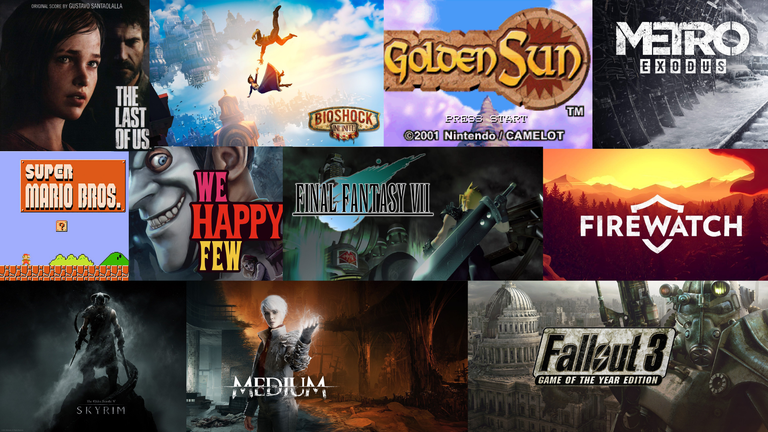
The Last of Us came out in 2013 but still manages to be one of the most awe-inspiring games around, though its PlayStation exclusivity has limited a wide range of gamers from accessing it. Still, when the game came out it created the kind of waves normally associated with a cult film, and it quickly managed to gain a true cult following devoted to it for its epic and sprawling storyline, its gritty and realistic character arcs, and enough emotion-packed moments to make even hard-hearted action gamers break down in tears within the first twenty minutes.
A huge part of the reason why The Last of Us worked so well, in my opinion, was that the total concept design worked flawlessly to create a single immersive post-apocalyptic experience that hinged on emotionality.
Composed by: Gustavo Santaolalla
This emotional range was constantly maintained and driven by the incredible soundtrack, composed by Argentinian musician Gustavo Santaolalla (whose work previously won him Academy Awards for Brokeback Mountain and Babel). It’s a somber tour de force that permeates the whole playing experience of The Last of Us, sinking the player beneath the dark surface of the narrative atmosphere and leaving them there to sink or swim.
10 – Firewatch (2016)
Firewatch lit my fire for indie games. I discovered it right after finishing Beyond: Two Souls and I was in desperate need of a game that could offer me a little bit of that immersive story experience I so craved. The game trailer made me chuckle but also bore the overtones of a vast and chilling mystery, and I found myself instantly hooked and willing to buy-in.
What followed surprised me, thrilled me, and kept me up at night – unraveling the mystery at the heart of the forest proved a harrowing and excellent experience, and kept me on the edge of my seat with all its twists and turns.
Composed by: Chris Remo
The melancholic guitar motif underpinning the score has to be one of my all-time favorites. Subtle enough to not pull my attention away as I played, dissonant enough to unsettle me, and immersive enough to anchor me to the world. Chris Remo really hit the nail on the head with this one, and Firewatch owes a lot of its success to the way his soundtrack ties the whole experience together.
11 – The Sims (2000)
Players of The Sims will forever remember the vibrant lives of their sim creations. This was one of the first games that I remember getting completely lost in; you could spend whole lifetimes in your little world, redeveloping, fine-tuning the home for your sim family.
Composed by: Jerry Martin and Marc Russo
Unlike with the later Sims games, most of the music in The Sims was not created by big-name musicians, and the bulk of the music was provided by Jerry Martin and Marc Russo (who now tours with the Doobie Brothers). A few of the tracks featured lyrics in simlish, but most were instrumental numbers perfect for hours spent in building mode getting everything just right.
12 – Golden Sun (2001)
Golden Sun stole my heart and about two months of my life as I feverishly played through its epic story on my old GameBoy Advance, desperately trying new tricks to defeat the bosses or find my way through a twisting maze of whirlpools while lost at sea. There were so many things this little game did well, from its cracking-good aesthetic to its compelling storyline, to the way each character felt so totally realized.
Composed by: Motoi Sakuraba
There was just so much to do, so many amazing environments to explore, so many awe-inspiring powers to gain. But one of the things I remember best about it was how keenly the soundtrack worked for each location, or how seriously epic a battle felt when a killer new action track kicked on. I felt like I could explore forever to the ambient electro-synth orchestra, and the magnificent prologue music still makes me as excited as it did all those years ago.
13 – Metro: Exodus (2019)
Metro: Exodus stole my heart in a way that no shooter since Halo managed to do. I had tried the earlier Exodus games but, while I dug the story, the horror gameplay didn’t work so well for me. Exodus made the gameplay changes that I needed to enjoy play, but it also kicked up the storytelling to a wild new level, sucking me into the post-apocalyptic world of Artyom so completely that I hardly looked up from my computer for a week.
This bouncy and iconic theme song underscored one of my very first video game experiences and is forever etched into my memory, accompanied by the little “bloops” of all the Goombas and hidden boxes filled with mushrooms and coins. I played Super Mario Bros. for hours on a used NES that my parents grudgingly allowed me to get.
Composed by: Koji Kondo
One of the most amazing aspects of this game’s score is likely lost on modern gamers, but Koji Kondo delivered a dynamic score at a time when such a thing was utterly groundbreaking. Going underwater, or sliding to the underground level changed the music, and the music, therefore, stopped being just a backdrop to the game but an integral part of it. This one deserves recognition for being catchy as heck, but it deserves a place in the hall of fame for its unique place in the history of video game scores.
15 – Halo: Combat Evolved (2001)
Halo quickly became one of the most iconic and groundbreaking games in history, introducing players not just to Master Chief, the enigmatic hero of the series, but to the whole incredible scope of the Halo universe as well, which would go on to spawn many sequel games, book series, and even a short-form live-action series.
Composed by: Martin O’Donnell and Michael Salvatori
Digital recording equipment, synths, and a range of instrumentation went into the creation of Halo’s score, including live performances by the Chicago Symphony and the Chicago Lyric Opera Orchestra. I absolutely love it when video games choose to use real orchestral pieces for their scores, and I think Halo, as an action game, really set itself up well with the powerful swelling themes that made the action feel like just one piece of a much larger experience.
16 – We Happy Few (2018)
In a twisted alternate version of the 1960s, the city of Wellington Wells is crumbling literally and figuratively as the overuse of a mood-stabilizing drug, Happy, claims the morality and sanity of its population. A great and terrible secret, three unique character perspectives, and a wonderfully perverse aesthetic all combined in We Happy Few for an unforgettable gameplay experience.
Composed by: Nicolas Marquis
Nicolas Marquis created the perfect score for a 1960s alternate reality, with lots of classic synth vibes that made me think of The Prisoner or the early James Bond films, mixed with a bit of Star Trek’s more zany episodes. At times, part hellish elevator music, at others a writhing symphony of dissonance, and at still others a grooving jazzy dance-piece totally perfect as a contrast to the dark themes of the game.
17 – Final Fantasy 7 (1997)
The Final Fantasy series is one of the largest and most monumental works in the RPG genre, and Final Fantasy VII is widely considered to be one of the best in the already fantastic series. With the sheer scope of the game, with its storyline spanning a brilliant landscape and an emotional arc that changed lives, Final Fantasy VII required a score that could capture the sheer range of the story being told.
Composed by: Nobuo Uematsu
Nobuo Uematsu proved up to this task, constructing a symphonic experience as rich and evocative as any orchestral classic, and where other elements of the game design like the graphical elements, have grown steadily dated over the years, the music remains as compelling as the story was genius.
18 – Horizon Zero Dawn (2017)
Horizon Zero Dawn caught my attention when it first came out, but it took me a while to actually purchase the game… and boy am I glad I did. The world is so expansive and vibrant that you feel totally transported, and listening to Aloy’s footsteps as you cross the vast open landscape, backed by the tremendous tribal-synth scoring of the soundtrack, is very nearly a full meditative experience. And, since there is a total of more than four hours of the combined soundtrack, there’s never a point where the majesty begins to fade.
Composed by: Joris de Man, The Flight, Jonathan Williams, Julie Elven, and Niels Van der Leest.
The brilliant soundtrack for Horizon was composed by Joris de Man, with additional work done by The Flight, Jonathan Williams, and Niels Van der Leest, with awesome vocals by Julie Elven. Lucas van Tol, Horizon’s music supervisor, really wanted to highlight the individual instruments of the score rather than going for what he called a “blockbuster sound” that so many modern games tended toward.
This concentration on an intimate sound was explored deeply within the game’s “tribal” styled music, where the composers worked hard to stay away from treading into waters occupied by real-world ethnic musical styles. Instead, they worked hard to imagine how modern instruments might be played by people in the far future who would have no knowledge of how they were meant to be played, and used this thematic overtone to help further deepen the game experience.
19 – Elder Scrolls III (2002)
The first fully open-world game that I ever played was The Elder Scrolls III: Morrowind and to this day it remains one of my all-time favorite gaming experiences. Don’t get me wrong, I also loved Oblivion and Skyrim, and poured hundreds of hours into both, but the world of Morrowind felt so totally alien, and immersed me in that sense of adventure so totally, that all future titles paled in comparison.
Everything from cities made out of giant mushrooms, to the scuttling Stilt Striders that would carry you across the world, to that moment barely twenty minutes into the game when a wizard mysteriously falls from the sky clutching a dubious “Scroll of Icarian Flight” and dies, SPLAT, in front of you on the road — Morrowind proved to be unexpected, silly, dark, and brilliant.
Composed by: Jeremy Soule
Jeremy Soule’s work on the Morrowind soundtrack certainly played a massive part in my enjoyment of the game, especially the Morrowind title song, later known as “Nerevar Rising,” which I still find myself randomly humming to myself to this day. It was just a grand little piece of music, and it fitted the strange and mysterious island of Morrowind to a T.
20 – Silent Hill 2 (2001)
Silent Hill 2 is often heralded by fans as the best in the series and for a good gosh-darned reason. This psychological horror masterpiece offered players a chance to experience the full gamut of human emotion in a tension-filled roller-coaster that never once let up. It was shocking, provoking, and delightfully unearthly in its approach, never once leaning into the cheap-thrill side of the horror genre that so many other games tend toward, but instead playing with the melancholic, the weird, and the unsettling nature of sorrow.
The Medium is a modern psychological wonderland ride, delving into the depths of human fear, loss, and heartache to find something totally splendid and unique. I cannot stress enough how viscerally potent the storyline of The Medium is, how totally it captivates; it really is like being immersed inside a Zdzisław Beksiński painting… and, because of the incredible score, not being sure you ever want to come out again.
Composed by: Akira Yamaoka and Arkadiusz Reikowski, with Mary E. McGlynn
Akira Yamaoka and Arkadiusz Reikowski took their already impressive artistic abilities to a whole new level with this one. This soundtrack has all the melancholic power of the Silent Hill games, but it goes farther, coalescing into an updated sound that drives constantly at the sense of oppressive terror The Medium aims to instill. With the included talents of amazing vocals of Mary E. McGlynn in a number of of the special tracks, this is one soundtrack that could easily be the accompaniment to a major motion picture.
22 – Mass Effect 2 (2010)
Few games have come close to topping the Mass Effect series for sheer breadth, character depth, and gorgeous emotional range. Mass Effect 2 made a particular impact on fans, improving on the mechanics of its predecessor while also deepening the storyline, taking players on a wonderful journey that they would never be able to forget.
Until BioShock Infinite came along, I hadn’t bothered much with the BioShock series. I’d long before run out my interest with limited horror games, which just couldn’t hold my interest compared to more interactive story-based RPGs. But BioShock Infinite offered an incredible combination of the two that I did see again until Metro: Exodus came out. There were just so many perfect moments in this game as the story developed and the mystery at the heart of the game slowly lay bone-bare before me…
Composed by: Garry Schyman and Jim Bonney
Garry Schyman and Jim Bonney created an amazing score to tie the game together, delivering an aural tapestry that wove the central themes of the story into a sweeping soundtrack. One of the most brilliant aspects of the musical component for Bioshock Infinite was how the inclusion of old-timey renditions of modern songs was subtly worked in, not merely for effect but as intentional foreshadowing, an absolutely brilliant move.
24 – Castlevania: Symphony of the Night (1997)
The Castlevania series is one of the most delightfully twisted, dark, and thrilling in the video game canon, and Symphony of the Night was one of the best. When the PS1 came along, gaming changed forever; Sony gave developers the hardware and the support they needed to produce the kind of games that truly broke the game/art barrier. In the case of Symphony of the Night, the story may have been excellent, but it was the score that will be forever remembered as a masterpiece.
There is only one time where I can recall being so moved by a soundtrack that I instantly had to go out and buy the game… and Journey was it. I could not believe how brilliantly the game managed to play with my emotions, considering how simple the overall gameplay was. But as time went on, my experience of walking and gliding through the vast desert world of Journey became increasingly intense… and then exploded into an emotional overload that haunts me to this day.
Pokemon is one of the most universally recognized games, with a cult following in the millions, a score of TV series and films, and a massive host of video games that continue to delight players young and old. But there are few of these games as iconic as the classic Pokemon Red and Blue for Gameboy, the games which started it all and exploded the Pokemon craze across the globe.
Composed by: Junichi Masuda
I played these games religiously, loading hours and hours of my youthful time into the creation of the perfect team, fending off Team Rocket, and working to be the best Pokemon trainer in the land. I also loved the soundtrack, a majestic 8-bit piece that still sounds to me like complete and total comfort — the warm safety of all things good about my childhood. It’s one of my favorite soundtracks ever, and my love of it is shared by millions worldwide.
27 – Halo 2 (2004)
If Halo: CE redefined what the shooter genre of video games could be, Halo 2 refined it and polished it to a shine. Halo 2 remains, easily, the best video game of the Halo saga, with an unparalleled space opera storyline that broke the conceptual mold for games of its era and action mechanics that had to be seen to be believed.
Composed by: Martin O’Donnell and his partner Michael Salvatori
But where would Halo 2 be without its awe-inspiring soundtrack? The brilliance is evident immediately in Mjolnir Mix, where the classic Halo refrain and superb strings section received a killer electric guitar and vibrating synth upgrade, a layer crescendo of sound that builds upon itself to elicit a feeling of otherworldly heroism that fairly makes your heart stop. Darn fine stuff.
28 – Elder Scrolls V: Skyrim (2011)
“Fus Ro Dah!” Skyrim took the world by storm when it first released in 2011, forever altering the landscape of gamer expectations about what any game, but especially an “open-world” game should be. With 14.5 square miles of immersive explorable world brimming with hidden questlines and epic storytelling, Skyrim offered players hundreds of hours of potential playing time (and that’s not even considering the incredible content provided by the modding community).
Composed by: Jeremy Soule
Jeremy Soule put the score for Skyrim together with his own hands, laying recordings of real instrumental tracks atop one another to provide an orchestral experience that enriches the game beyond measure. I don’t think that Skyrim would have been anywhere near as popular if not for the incredible music that helped players connect emotionally to the game world’s rich and vivid internal mythology. It’s no wonder that Soule’s signed copies of the score flew off the shelves for months after the game’s release!
29 – Fallout 3 (2008)
The first Fallout game I ever played and the one that stole my heart forever. All the successor games paled in comparison (though the original Fallout 1 & 2 proved to be wonderful when I went back for them). There were so many great moments playing this game, and the storyline was so totally compelling. In the later Fallout games, the main story often ended up feeling somewhat superfluous to the rest of the game, but in Fallout 3 it always seemed to come through organically as you explored the vast open world.
I cannot tell you enough how totally transformational this game was for me, musically as well as in terms of what I came to expect from games since. The soundtrack offered me a taste of music I had rarely if ever, listened to before, and I found myself falling in love with these classics in a way that might never have otherwise occurred.
Likewise, the delightful ambient soundtrack, composed by Inon Zur, offered a wonderful layering effect under and between my radio tracks as well and managed to be an interactive part of the playing experience, rather than a loopy experience that would have detracted from the immersion. It remains some of my favorite and most memorable video game music of all time, offering all the swelling power of an orchestra, and all the energy of a tidal wave.
30 – Beyond: Two Souls (2013)
In case you were wondering, Beyond: Two Souls is one of my all-time favorite games and I will forever feel ruined for all other gaming ventures by its incredible storyline, its breathtaking script, and the literally award-winning performances of Elliot Page and William Defoe. It’s one of those brilliant pieces of artistic video game design that challenged the player to experience the medium in a different way, to think about choices differently, and to take a more visceral role in the experience of embodying a virtual character than most other games even consider.
It also “scored high” because of the incredible soundtrack produced by no other than Hans Zimmer and composed by composition icons Normand Corbeil and, after Corbeil’s untimely passing, the incomparable Lorne Balfe. The work that this team did on the music for Beyond: Two Souls is utterly supreme and remains to this day some of my absolute favorite video game scoring to listen to. Every piece feels so completely perfect for the emotional range of the game, immersing the player in a layer of sound that feels more like pure emotion and music. A sheer joy to listen to and engage with, and the game wouldn’t be the same without it.
The longer you play Minecraft, the more you realize that early-game tools just won’t cut it. Exploring the enchantment feature of Minecraft can be exciting, but also intimidating. Rather than worry about researching enchantments, below are the best enchantments in Minecraft! To learn how to enchant items, check out this guide! In this guide, you’ll see
Introducing Howchoo, an enigmatic author whose unique pen name reflects their boundless curiosity and limitless creativity. Mysterious and multifaceted, Howchoo has emerged as a captivating storyteller, leaving readers mesmerized by the uncharted realms they craft with their words.
With an insatiable appetite for knowledge and a love for exploration, Howchoo’s writing transcends conventional genres, blurring the lines between fantasy, science fiction, and the surreal. Their narratives are a kaleidoscope of ideas, weaving together intricate plots, unforgettable characters, and thought-provoking themes that challenge the boundaries of imagination.
Finding the right microcontroller for your project is critical for not just budgetary reasons but also performance. Different boards come with their own unique specs and support a different variety of hardware. When it comes to choosing the Raspberry Pi Pico or an Arduino Nano, there are a few things you should know before adding any chips to your cart. For the sake of this article, we’ll be comparing the Pico to the Nano Every edition as it’s the most comparable in price and size.
There are many things to consider when selecting a microcontroller and most of the needs will vary from project to project. Here are a few common factors to consider:
What sensors and/or modules do you need to control?
What physical size should the microcontroller be?
How much storage is necessary for the project code?
How much processing speed is required?
What is a microcontroller?
Microcontrollers are small circuit boards used to control components like servos. They typically have a processor capable of running extremely light applications rather than full operating systems. These are useful for things like operating multiple Servos at once where an SBC would be overkill.
If you’re looking to learn more about the general differences between the larger Rasberry Pi models and Arduino, then check out our general Raspberry Pi versus Arduino comparison.
1 – What is the Pico?
The Raspberry Pi Pico is the first official microcontroller board from the Raspberry Pi Foundation. It has a small footprint and a total of 20 GPIO pins (although the board does not come with headers pre-soldered). It has 16 PWM channels and uses the new RP2040 processor, capable of reaching speeds as fast as 133 MHz.
Spec
Pico
Microcontroller
RP2040
Size
21mm × 51mm
Processing Speed
133 MHz
Memory
264KB
Power Input
1.8V–5.5V
Connectors
2x UART, 2x SPI, 2xI2C, 16x PWM, 3x Analog
Price
$4
What’s it good for?
The Pico is ideal for projects that require controlling things like servos, sensors, and more. Its small form factor and low price point of $4 make it a notable board with the processing power of the RP2040 microcontroller. A few example projects include:
LED Matrix controller – The Pico can drive devices like LED matrixes.
Robotic-arm driver – The Pico is capable of driving multiple servos, optimal for things like controlling robotic arms.
To learn more about the Raspberry Pi Pico, see our introductory guide!
Raspberry Pi Pico: Everything You Need to Know to Get Started Small board, massive potential!
2 – What is an Arduino Nano Every?
Arduino is a company that produces several lines of microcontroller boards. The Arduino Nano Every is the physically smallest and cheapest Arduino board currently offered, making it the most comparable to the Raspberry Pi Pico. That said, it’s notably different spec-wise and comes at a higher price point.
Spec
Arduino Nano Every
Microcontroller
ATMega4809
Size
45mm x 18mm
Processing Speed
20MHz
Memory
48KB
Power Input
5V – 21V
Connectors
1x UART, 1x SPI, 1xI2C, 5x PWM, 8x Analog
Price
$10
What’s it good for?
This board is a touch smaller than the Pico and is great for portable projects and wearables. It has fewer PMW channels than the Pico but is capable of using up to 8 analog inputs. This board is really just as versatile as the Pico, here are a few example projects you can make with the Nano Every:
Wearable Projects– This board is easily battery powered making it ideal for projects intended to be worn (think LEDs and cosplay effects).
Robotic controller – Like the Pico, the Nano Every is capable of driving multiple servos at a time, great for building custom robotics.
The Raspberry Pi Foundation maintains a positive relationship with companies like Arduino and even provided them full access to the RP2040 chip before its release. The Arduino team has plans in the works already for an RP2040-based Arduino board meaning you can have your Pico and eat it, too. Read more about this new development on the official Arduino blog.
4 – Analyze your project needs
Determine what your project goals are before purchasing a board you don’t need (pr just start a pile of boards like us—we promise you’ll find some cool Pi projects on Howchoo to use it with).
It’s important to break down exactly what your project’s hardware and software demands entail. Here are a few things to consider when taking research notes.
How much power will the project peripherals require?
What type of connections will any project sensors and modules require?
How many connectors will be required for the project?
How much storage space is necessary for the project code?
These are just a few questions to help you get started when comparing boards. Both the Pico and Arduino boards offer a valuable assortment of features and it’s up to you to determine which board is a home run for your project needs.
5 – Pico vs Arduino
When it comes down to cost, the Pico is a winner. For $4, you get a 133MHz microcontroller with 16 PWM channels. That said, the Arduino Nano Every has a slightly smaller footprint and provides more analog input options. The Nano Every also accepts higher voltages than the Pico, maxing out at 21V.
Spec
Pico
Arduino Nano Every
Microcontroller
RP2040
ATMega4809
Size
21mm × 51mm
45mm x 18mm
Processing Speed
133 MHz
20MHz
Memory
264KB
48KB
Power Input
1.8V–5.5V
5V – 21V
Connectors
2x UART, 2x SPI, 2xI2C, 16x PWM, 3x Analog
1x UART, 1x SPI, 1xI2C, 5x PWM, 8x Analog
Price
$4
$10
Overall the boards are comparable but notably distinct. If you want something with more processing power and PWM channels, check out the Pico. If you need something physically smaller or if processing speed isn’t a priority, the Arduino Nano Every is a capable candidate.
At the moment, we’re leaning towards the Pico for our projects to push the new board to its limits and see what it can really do. But that’s no reason to shy away from the Arduino Nano Every. Assess your project needs and take a close look at both of these boards to figure out which one is best for you.
There are several ways to go about running a Minecraft server on the Raspberry Pi. In this guide, I’ll cover how to install Nukkit—a cross-platform Minecraft server that’s super easy to set up on the Raspberry Pi. This server should work with PCs, consoles, and tablets running Minecraft 1.14. I’ll be using a Raspberry Pi
Introducing Howchoo, an enigmatic author whose unique pen name reflects their boundless curiosity and limitless creativity. Mysterious and multifaceted, Howchoo has emerged as a captivating storyteller, leaving readers mesmerized by the uncharted realms they craft with their words.
With an insatiable appetite for knowledge and a love for exploration, Howchoo’s writing transcends conventional genres, blurring the lines between fantasy, science fiction, and the surreal. Their narratives are a kaleidoscope of ideas, weaving together intricate plots, unforgettable characters, and thought-provoking themes that challenge the boundaries of imagination.
In this short guide, I’ll teach you how to level your Anycubic Photon or Photon S bed, or build plate, in order to get the perfect first layer and reduce print errors. Using this bed-leveling method, I haven’t needed to relevel my Photon even after multiple resin changes. This is an important part of Anycubic Photon and Photon S printing.
Anycubic Photon/Photon S Full Print Guide: Your First Print
Your end-to-end guide to printing on the Photon and Photon S.
Despite the Photon being an SLA printer, this process will seem familiar to you if you’ve ever printed on an FDM printer.
1 – Raise the print plate
Power on your printer and manually raise the print plate via the menu. For my Photon S, this is done by navigating to Tools > Move Z.
Raise the print plate above the resin vat.
2 – Remove the resin vat
Loosen the two resin vat thumb screws, slide the vat out, and set it aside.
3 – Set the print plate angle
The print plate is mounted to a ball head that allows its angle to be adjusted. Use the included hex key to slightly loosen the bolt on the top of the print head.
🛈 This step should only need to be done once; once the angle is set, leveling can be done without loosening the print head.
4 – Lower the print plate
Place a piece of paper on the print LCD screen and carefully lower the print plate until there is slight friction when pulling the paper. Adjust the print plate in increments of 0.1mm to carefully sandwich the paper until there’s just a small amount of friction.
If you loosened the print plate to set its angle, make sure there’s even spacing on all four corners of the plate, square the plate to the front or back of the machine, and then tighten the bolt to store the angle.
🛈 Be careful not to smash the print plate into the delicate LCD screen. Adjust it in 0.1mm increments when you get close.
5 – Set the new Z-origin
When you’re finished, navigate to Tools > Z=0 to store the new Z-origin.
6 – Reinstall the resin vat
Use the menu system to raise the print plate and reinstall the resin vat.
You’re all finished! Using this Photon bed leveling method, you shouldn’t need to relevel for several prints.
NEXT UP
Blender is one of the most popular open-source 3D creation suites today. It doesn’t cost a dime to use and everything you create is yours to own for good. The community is robust and the dev team still releases new updates on the regular. If you want to get the latest version, you may have
Introducing Howchoo, an enigmatic author whose unique pen name reflects their boundless curiosity and limitless creativity. Mysterious and multifaceted, Howchoo has emerged as a captivating storyteller, leaving readers mesmerized by the uncharted realms they craft with their words.
With an insatiable appetite for knowledge and a love for exploration, Howchoo’s writing transcends conventional genres, blurring the lines between fantasy, science fiction, and the surreal. Their narratives are a kaleidoscope of ideas, weaving together intricate plots, unforgettable characters, and thought-provoking themes that challenge the boundaries of imagination.
Anycubic’s Kobra Go is the latest in their Kobra series of FDM 3D printers. This is Anycubic’s answer to Creality’s Ender 3 line of FDM kit printers. Aimed at the DIY crowd, these printers come unassembled and need a fair bit of time to piece together, though everything required to get them running is included in the box.
The Ender 3 has reigned supreme in the world of DIY kit printers, but Anycubic is giving the old workhorse a run for its money, specifically due to its focus on automatic levelling. In the case of the Kobra go, you get 25-point automatic levelling, which is an extremely handy feature, as anyone who’s struggled with the Ender 3’s manual 4-point levelling can tell you. Read our full review of the Anycubic Kobra Go here.
Anycubic’s Kobra Go 3D Printer Hands-On Review A detailed review on the Anycubic Kobra Go DIY 3D printer
1 – Unboxing your Anycubic Kobra Go
Unboxing your Anycubic Go
The Kobra Go comes well packaged in a secure box, and it’s undeniably a pretty printer. Anycubic has a gift for classy design choices, and the Kobra Go is no exception.
2 – Familiarize yourself with the components of your new Anycubic Kobra Go
Familiarize yourself with the components of your new Anycubic Kobra Go
Before starting, save yourself some trouble and carefully organize all the various pieces. Make sure you have everything! In the kit I received, some of the screws were mislabeled, but I was still able to easily complete the build process. By making sure that everything was in place beforehand, it kept me from worrying when I reached the point where the instructions and my on-hand components differed!
3 – Install the Z-axis profiles
Install the Z-axis profiles
Spring washer x 4 (#26)
M5x25 screws x2 (#23)
M5x45 x2 (#25)
Don’t forget to put the washers on the screw before tightening them!
4 – Screwing in the Z-axis profiles
Screwing in the Z-axis profiles
The profiles are simple enough to install, but watch out for the wires beneath the left profile when you’re putting in the screw. One screw is very close to the wires, and though they’re well insulated, you still don’t want to risk damaging them.
5 – Admire your Z-axis profiles
Admire your Z-axis profiles
Mmm, that’s a nice profile. Both flat edges will be facing the front of the printer.
6 – Installing the Z-axis motor kit
Installing the Z-axis motor kit
Collect the Z-axis motor kit items.
The motor
M4x15 screws x2 (#20)
7 – Attach the Z-axis motor kit
Attach the Z-axis motor kit
It fits in easily behind the profile, just line it up and screw it in.
8 – Prepare the Z-axis screw
Prepare the Z-axis screw
Get out the screw and the anti-backlash nut.
9 – Attach the anti-backlash nut
Attach the anti-backlash nut
You want to make sure that the anti-backlash nut is fully compressed before putting it on the screw. This requires a fair bit of finger strength! Depress the top of the nut into the main part of the nut’s body, then slot onto the screw. When it’s on, the top of the nut will remain slightly more depressed than it could be when off the screw, even after you stop squeezing it.
10 – Tighten the screw coupling and attach the screw
The Z-axis screw is ready to go!
You’ll slot the opposite end of the screw from the anti-backlash nut into the coupling of the motor. Loosen the locking screw, press the driver screw down into position, then tighten the top locking screw again to make sure that the driver screw is held in place.
Tighten the screw coupling
11 – Prepare the XE axis kit
Prepare the XE axis kit
Spring washer 2 x3 (#27)
M4x16 x5 screw (#21)
The kit doesn’t separate out the parts quite as well as I would have liked, and the instructions were a bit complicated (solely due to organization and readability). For this section, you’ll be using just three of the #21 screws.
12 – Attach the XE axis to the X-axis profile bar
Attach the XE axis to the X-axis profile bar
Attaching is easy, just thread the washer onto the screws and attach. Two screws for the XE-axis kit and one screw for the Z-axis passive block.
13 – Install the Z-axis passive block
Install the Z-axis passive block
One screw gets the passive block into position. The two large rollers should be on the outside of the strut.
14 – Install the synchronous belt
Install the synchronous belt
The belt slots into the strut, teeth down, so that it can interface with the gear.
15 – Install the Kobra Go print head
Install the print head
You’ll take the printer head and slide it onto the strut from the end nearest the passive block. The runners will sit atop the belt that you just placed into the strut’s groove, holding it in place.
Slide the print head onto the profile bar, so that the runners sit atop the belt.
16 – Install the X-axis tensioner
Install the X-axis tensioner
The tensioner came assembled, so disassemble and lay at the ready.
17 – Thread the belt into the X-axis tensioner
Thread the belt into the X-axis tensioner
Take the gear and slot the belt into it so that the belt’s teeth interface with the gear.
18 – Clip the belt onto the print head
Clip the belt onto the print head
Stretch the belt out and slide the ends with the brass crimps into the metal slots.
19 – Bolt down the X-axis tensioner cover
Once the belt is clipped in, attach the casing for the tensioner using the screws.
M4x16 screw x2
Bolt down the X-axis tensioner cover
20 – Install the X-axis component
Install the X-axis component
Now that the whole x-axis arm is complete, you can slide it onto the struts. It won’t go down very far at first.
21 – Align the anti-backlash nut
Align the anti-backlash nut
You must make sure that the anti-backlash nut is in place. It has two “wings” on either side, and one of these will fit into a slotted groove on the X-axis strut.
22 – Install the photoelectric switch baffle
Install the photoelectric switch baffle
M3x8 x2 screws (#18)
Using the provided screws, connect the metal baffle so that the long end faces down.
23 – Install the top beam
Install the top beam
This part is pretty easy, though you may have to press apart (or together) the struts with a small amount of manual force to get the top beam to slot into place. The beam is plastic, not metal like with the Ender 3, but it’s heavy-duty plastic and I don’t find that it’s a compromise that bothers me overall.
M5x16 x4 (#24)
24 – Install the screen kit
Install the screen kit
The screen kit installs easily into the front of the printer, and you can connect the cable immediately. Having the screen already screwed down might make adjusting the levelling knobs a little difficult later on, but not terribly so, especially if you have smaller hands.
25 – Install the X-axis photoelectric switch
Install the X-axis photoelectric switch
This is the switch that tells the printer when the x-axis arm hits its lowest point. Before screwing it into place, you’ll absolutely need to connect the cable. This makes it a little finicky, as aligning the cable through the slot in the cover, connecting the plastic bits, and screwing it down all felt a little difficult. An unwary person might accidentally snap the plastic lock on the bottom, too.
Just take your time, be careful, and it will go smoothly.
The wiring needs to be installed first
26 – Connect the wires
Double check the voltage setting!
None of the wires have corresponding markers, which is extremely weird, but it’s also not that hard to figure out which ones go where just based on the size of the cable connector heads and the lengths of the cables themselves. Don’t try pulling any cables longer than they already are, and you’ll be fine.
27 – Install the filament holder
Install the filament holder
The filament holder screws right into the top beam, easy as pie.
28 – Check the X-axis horizontal calibration
Check the X-axis horizontal calibration
Now, this part was not well described in the instruction manual, though I could see that the manual designer meant well by including this. Basically, you use the included toolkit box to make sure that the x-axis arm is level, and you ensure the level by loosening and tightening certain screws and bolts.
Note that the bolts don’t have a maximum “tight” position! They move between loose and tight, depending on the position of a little dot bored into the bolt’s metal. If the dot is facing toward the nearest strut, it’s in its tightest state. If the little dot is facing away, it’s in its loosest state. Play with it, and it will quickly make sense just by feel.
I really wish, for the sake of less-experienced enthusiasts, that this whole section was clearer, as it provides a bit of a stumbling block for anyone not used to DIY kit printers.
29 – Connect the Teflon tubing
Connect the Teflon tubing
There are two Teflon tubes. The long one attached to the printer head, and a short one that comes with the kit. Unclip the blue fastener already attached to the filament injector, then slide in the long Teflon tube’s end. Re-clip the blue fastener in place to hold it together.
On the other side of the printer, press in the short length of Teflon tubing—this acts as a feeder for the filament as it is brought into the injector component.
30 – Tie cabling
Tie cabling so it’s out of the way
Tie down the excess cables, but make sure to leave some room on either end—this cable should not be too tight anywhere, and this tie is just to keep it out of the way.
31 – Grease the screw
Grease the screw
Lubricating the driver screw will ensure that the printer runs more smoothly.
32 – Adjust the print head for wobble
Adjust the screw until the print head no longer wobbles.
The print head will likely have a little wobble at first, so just use the included wrench to adjust the eccentric nut until the wobble goes away.
33 – Level the print bed
The bolts turn between a “tight” and “loose” state.
Press on the print bed with your hand. If you feel a wobble, you need to adjust the two eccentric nuts beneath the build plate. Remember, these don’t have a “maximum” tight state, but oscillate between loose and tight. Go slowly, and you’ll quickly figure out what feels right.
Leveling the Kobra Go is relatively easy, as its auto-leveling function does much of the work for you, but if you fail to run this step you’ll find your prints coming out pretty wonky.
But, otherwise, your new printer is ready to go!
The Kobra Go is easy enough to put together, though perhaps slightly more complex than the Ender 3 v2 kit printer. Especially for those following the stock directions, and for those without prior experience putting together a DIY kit printer, this would be a big project.
What makes this a powerful contender to Creality’s Ender 3 v2 is the automatic levelling procedure that the Kobra series offers. Aligning the Kobra beforehand is a bit of a pain, but once it’s ready, the auto-levelling feature makes it absurdly easy to get your print bed ready for projects.
Who is the Kobra Go for?
You want the Kobra Go if you’re experienced at putting together kit printers and want something that’s easy to assemble for your skill level, that also provides automatic levelling and produces high-quality prints. The Kobra Go would be a reasonable choice for beginners new to the world of 3D printing, as long as they have a lot of patience, the end result (a kit 3D printer with automatic levelling) is definitely worth it.
NEXT UP
How to Set Up Quick Connect on a Synology NAS
Get Synology’s powerful Quickconnect running in minutes on your NAS!
Synology is one of the most popular creators of Network Attached Storage devices on the market today, and for great reason — they’re really good at what they do. They consistently make devices that stand the test of time and feature top-notch software that makes the process of running a home server as easy as
Introducing Howchoo, an enigmatic author whose unique pen name reflects their boundless curiosity and limitless creativity. Mysterious and multifaceted, Howchoo has emerged as a captivating storyteller, leaving readers mesmerized by the uncharted realms they craft with their words.
With an insatiable appetite for knowledge and a love for exploration, Howchoo’s writing transcends conventional genres, blurring the lines between fantasy, science fiction, and the surreal. Their narratives are a kaleidoscope of ideas, weaving together intricate plots, unforgettable characters, and thought-provoking themes that challenge the boundaries of imagination.