Home Interests Gaming

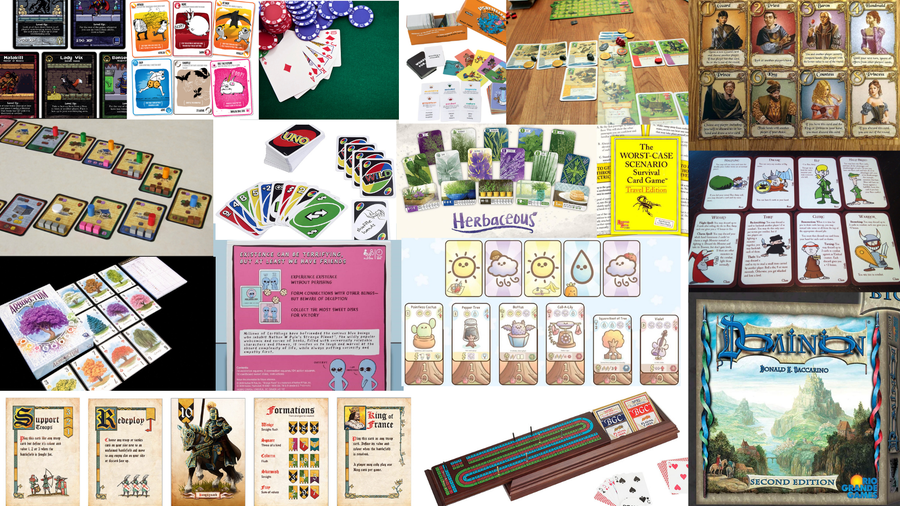
The 30 Best Card Games of All Time

Old classics and new giants collide in this list of 30 of the best card games!
howchoo   (467)
September 29, 2023
75 minutes

Share

Interests
Posted in these interests:
boardgames • 2 guides
READY PLAYER 1
gaming • 85 guides

I grew up playing games like Cribbage with my dad. Despite a dive into D&D in his 20s, he never really went deep with the variety of board games that would eventually become such a passion for me, but his love of the classics was strong. My Mom, too, loved card games, and I have plenty of fond memories of playing cards with both my parents.

What I love most about card games is the complexity made possible in such an elegant form, so as a gamer I mostly tend toward themed card-management games, where players take on the management of various resources on the path to victory. But every once and a while I love tapping into the classic nostalgia of my youth for a card game that never grows old.

As a geeky guy, card games have long infused my psyche through the media I’ve explored. Heck, even the crew of the starship U.S.S Enterprise played Poker! If it’s still around in Star Trek’s 24th century, it’s gotta be good, right?

Well, I’ve assembled a list that includes a few classics like Poker, as well as some childhood favorites (Uno, anyone?). But I’ve also gone to some lengths to “build a deck” of hot options for those of you who want to go even farther with what card games have to offer. A couple of these do use boards, but even then the true game is taking place in the decks, not with the pieces on the board. I think that even old hats at the card game scene might find something new here to tickle their fancy.

30 – Sweet Existence: A Strange Planet Card Game

I absolutely adore the Strange Planet becoming by Nathan W. Pyle, and I own a number of the comic book collections. They’re so wonderful, strange, and always delightfully poignant, that I don’t think anyone could help but love them. The game takes the comic characters and their weird-life experiences and gamifies it in an extremely simple way, allowing players to experience the cartoon in a new way.

This one’s for fans of the comics

I can’t say I recommend this for people who are not already fans of the comic because of how simple the game is (the game isn’t scaled very well for difficulty and the outcome is heavily dependent on chance), but since the comics are all unique to the game it makes for a really fun gift for someone who loves Strange Planet and wants to own another delightful little piece of that world.

29 – The Worst-Case Scenario Survival Card Game: Travel Edition (2002)

The first time that I encountered this one, I was on a trip with my sister to Joshua Tree Park in California, and we spent a couple of late nights in our cabin playing through the trivia cards and sometimes arguing about which of us knew more than the other.

What play looks like

Trivia games are always fun, but those that don’t rely upon having a digital device out are really swell in my book. The Worst-Case Scenario Survival Card Game: Travel Edition is actually intended as an expansion to the board game of the same name, but provides an extremely simple trivia game all on its own.

Hardly a “game” really, it’s a fun way to pass the time, and I could see it being especially useful for a situation like a long car ride, where playing a more traditional game could be difficult.

28 – No Thanks!

No Thanks is really simple, with just a deck of cards and a pile of chips. The cards of the deck have numbers on them ranging from 3 to 35. On a player’s turn, the top card of the deck is turned over, and if they don’t want it they put a chip on it. Then the players continue around until someone does take the card.

What play looks like

Since the goal of the game is to get the lowest score at the end of the game, the strategies involved can be quite complex, but the basic premise and rules are so delightfully simple that literally anyone can jump in and start playing right away. For a pure card game without a theme, this really is the tops in my opinion, because it manages to capture a lot of fast and fun decisions with a fair amount of decision-making and depth — all for a game that takes ten minutes to play.

27 – Arboretum

This is a game about planting trees and maintaining the best possible path through your garden for visiting sightseers. Comprised of an 80-card deck featuring ten different color suits of eight cards each. I’m a bit of an aesthetic fan, so it’s the artwork the really makes it for me, turning this into a visually gorgeous card experience, with the colors literally bursting to life as the game expands. There’s a lot of potential card strategy here, making it a good choice for anyone who loves learning a new mechanically demanding game.

What play looks like

The goal is to create paths by linking suits of cards in descending order. In many ways, this is highly reminiscent of more traditional card games, so if you’re one of those players who really love classic card games, this is a perfect option due to its familiar concepts and play style.

26 – Storyteller’s Card Game (2020)

This game was developed hand-in-hand with childhood literacy experts, with the goal of making vocabulary memorization fun for kids. It accomplishes this wonderfully, providing a deck of 500 cards that are a mix of descriptive word cards and story prompt cards that, together, allow players to create simple stories (with great cartoon artwork on the reverse side of the word cards that helps to provide a visual aid for understanding the word).

What play looks like

Yes, it’s a game for kids, but what it does it does really, really well. The game is played more or less the same as Apples to Apples. After a story card is drawn by the “storyteller,” the other players all take turns submitting a card that they think has a word that best fits the story. Then the storyteller picks the card they think matches the story the best, and the player who played that card gets to keep the card (and, at five cards, wins the game!)

Because the word cards have a full description of the meaning of the word, the words that that word can pair with, and a cartoon graphic of the word in action, this game really helps provide the tools for expanding basic vocabulary quickly, with a gamified option that’s simple to learn.

Note: some of the cards are “funny” in a very modern cartoonish way and therefore lack a certain reverence that parents might wish to impart. It’s best to go through and pull out ones like “teacher’s sweaty armpits” lest the kids pick up on bad habits. For the most part, however, the game is a great way to help kids learn their vocab!

25 – Battle of Golems: The Algorithmic Card Game

So, I don’t speak or read Russian Cyrillic, which is sadly the only version of the game I’ve been able to find, but even so, this one astounded me. Computer programming is such an important part of the world today that it really does need to become part of the basic education for kids, and finding ways to make that learning process both fun and analog can be quite difficult. I’m not a proponent of education paradigms that just drop kids in front of a screen all day, but how else are they suppose to learn something like programming?

What play looks like

Enter Battle of Golems, where the goal is to take ten rounds to program a magical golem with special commands and send it off to fight another player’s golem in the arena. It’s a cute game premise, and I’d actually say that it’s great for teaching the fundamentals of programming to people of any age, not just kids. I’m just hoping that they release an English version soon because so far I’ve just taped my own words over the Cyrillic on the cards.

24 – Battle Line

Battle Line is a radical little game designed by a gaming company that normally creates dense wargames. Their foray into the world of card games, however, has been a massive success. Players vie to control one of several “flags” on the table (which can be anything from the included red pawns to pennies).

What play looks like

Players put down one to three cards and compare them, trying to beat each other based on the number printed on the card. Cards in different combinations, cards of the same color, and cards of the highest possible total number are all potential ways to defeat the opponent. There are also a few “tactics” cards that can further add strategic depth to the play.

I love this game for its simplicity and ease of play — anyone can learn it in short order, and the combinations are easy to look up in the rules. Since the ultimate goal of the game is just to get more flags than your opponent, it all comes down to trying to play the right cards in the right order to beat your opponent — while trying to guess what cards they’re going to put down next.

23 – Bohnanza

Boy, have I “bean” waiting to show you this one! Bohnanza is a real classic of the card game genre, all about planting, harvesting, and trading… beans.

What play looks like

Two to seven players work their way through a deck of bean cards and bean field cards. Growing different beans, in different groups, awards players with increasing amounts of “gold” or points with which they win the game

Setting up the game is really easy, and understanding the principles of play is easy — just plant beans by playing them from your hand, trade beans that you flip over with other players, and harvest collections of cards. The strategies of the game can be varied and the game allows for a lot of maneuvering between players, especially during the trade phase, which opens up a whole realm of replay value and tactical decision-making to what is otherwise a relatively simple system.

There are some fun expansions for this game, too, which add new mechanics that expand the strategic possibilities.

22 – Bridge

Bridge is an old classic card game, and one of the more intense competitive team-based card games around. It’s not an easy game to learn, but the learning curve to actually playing well is even steeper still.

What play looks like

Bridge is, in a sense, less about reading the cards and more about reading your partner in the game: it’s a social card game that relies on players being highly focused and aware — and woe to the player who “zones out” and misses a cue!

Players all play cards one at a time, and the player who plays the highest-ranking card will win. There are a number of key phrases that the players then use to bid, and, depending on which cards a player puts on the board, the player’s companion will be clued in on what to play next. In this way, it’s all about making sure that you’re playing cards that are helpful to your team-mate, will simultaneously outbidding the competing duo.

21 – Uno

Ah, Uno. I remember all of my friends having a deck of Uno hanging around when I was a kid, and for good reason. It’s extremely simple and makes for a great party game (with up to ten players supported).

What play looks like

The whole goal of the game is to get rid of all the cards in your hand, making it sort of a fun upside-down approach to gaming (where collecting more cards is frequently the sought-after goal).

Uno takes almost no effort to learn, making it great for even really young kids (and might be a great way of helping young kids learn the basics of math and critical thinking). It plays pretty swiftly, too, so there’s enough time to grab a fresh slice of pizza in between rounds.

20 – Exploding Kittens

Exploding KittensHave you ever read Matthew Inman’s hilarious comic The Oatmeal? If not, you really need to. You may only be familiar with his work through his more lewd and crude work (farting cats and the like) but his long-form comics have often been some of the most memorable, moving, and emotionally stirring pieces I’ve ever encountered (to say nothing of frequently hilarious).

What play looks like

In Exploding Kittens, players are essentially just playing Russian Roulette, drawing cards until someone draws the exploding kitten card and loses the game. The complications all come in the form of using abilities on cards that you draw to rearrange the deck and avoid the exploding kitten… while passing on the likelihood of your opponents drawing it instead! Since this game takes about fifteen minutes to play at its longest, it’s a great game for those with short time (or just short attention spans).

19 – Caylus Magna Carta

Caylus Magna Carta draws from the same themes and systems as the earlier Caylus board game but forgoes the board in favor of relying on cards and counter pieces alone. This makes the game way more portable, and the updated rules of this version make for a more streamlined and exciting play as well. For lovers of strategy and resource management, Caylus Magna Carta is really the tops, and I also cannot recommend it enough for those who like to travel with a board game handy, since its portability-to-complexity ratio trumps just about anything else I know.

What play looks like

In this game of prestige and management, players take on the role of many master architects who have been tasked with building up Caylus castle and town. There are different resources to manage, not just coin, and a huge number of buildings and systems in place to add depth and complexity. Over the course of the game, the players literally build up the town around the castle, moving back and forth taking turns to complete more objectives than others.

18 – Imperial Settlers

I’m one of those nerds who gets totally addicted to civilization-building games and seeing that style of game, which is so often found in the PC-gaming world, placed onto the tabletop is always a treat.

What play looks like

In Imperial Settlers, players take on the role of a faction that will vie against other factions for dominance of a wild frontier! The game does technically have a board component, but the whole mechanical aspect of the game is handled by the cards, with the aid of different counters. There’s a lot of great resource management in the game, providing a lot of replay value through complexity.

Each player has their own deck and a common deck, and the main focus of the game are those cards that comprise the faction deck. The different civilizations all have their own special cards and abilities, creating widely different play styles. The game plays with up to four players, and it actually works really well with its solo version, which isn’t always the case with board games.

17 – Cinelinx: A Card Game For People Who Love Movies (2014)

Trivia games are always so-so for me, and I’ve never been a fan of shows like Jeopardy, but I am a huge film nerd. What caught my eye with Cinelinx, though, wasn’t that it was just yet another film trivia game, but that it actually had a really cool game mechanic component that elevated it way above its peers.

What play looks like

In Cinelinx, players are actually linking cards together on the table, connecting them based on a number of factors (such as if two actors appeared in the same film, or if two films were made in the same year). It means that even players with less film knowledge can have fun and that those with a hoard of random cinema trivia in their brains can really get it out (finally, so it stops haunting their dreams!).

I don’t often see trivia games that have such a cool component to them, so this one landed a surefire spot in my collection, to be pulled out whenever I have friends over for a movie marathon party.

16 – Love Letter

Attempting to woo the Princess and win her hand in marriage is not an easy task, especially when she’s locked herself in the palace and is only accepting correspondence through her servants. Only the best love letters will stand a chance of showing her that you have what it takes to be her husband and sit by her side. The catch? You’re by no means the only person sending letters to the princess.

I was extremely surprised to learn that this little game is a grand total of eighteen cards. For a game that has as few cards as this, the game is incredibly fun and is easily something you’ll want to play again as soon as you finish your first game.

What play looks like

Each player starts with just one card. When they play a card, they activate the ability on that card, and players go through a round playing cards one at a time like this. Each time a player wins a round, they get marked by a little cube, and the players with the most cubes at the end wins (representing the number of love letters that made it to the princess).

It’s a really cool concept, and just one in a line of similar games by the same company, all of which come together to form a thematic experience of love and intrigue!

15 – Poker

I’ll admit that I’ve never been a big player of Poker, but I did like watching the crew of Star Trek: The Next Generation play it from time to time on the show, so it did manage to get at least a little way into my subconscious. Anyway, it’s one of those classic card games that offer a ton of variations and can end up getting pretty intense (even if all you’re playing for are chips or hose chores).

What play looks like

Basic Poker comes in a couple of flavors, Stud and Draw.

In Stud, players are dealt five cards, and then assess the strength of their hand and wager chips based on that strength. The player who bids the most chips wins (with players matching each other’s bets). Finally, the two remaining players will compare hands and the best hand wins the pot.

In Draw Poker, the players are dealt five cards. A betting round follows, after which players who remain may attempt to improve their hands by trading up to three cards between their hand and the deck (players with an Ace may trade in all four of their other cards).

The betting rounds are:

  • Raise (where a player may increase the wager),
  • Fold (where the player(s) who don’t think they have a chance of winning may lay down their cards and avoid losing more chips.
  • Call (where, after the stakes have been raised, a player decides to match the amount wagered by the player who just raised)
  • Check (where, if nobody has increased the wager, a player may pass on his option to bet, effectively skipping their turn)

Because these basic rules are so simple, it makes a great pick-up game with nothing but a deck of normal playing cards.

14 – Boss Monster

What happens when you cross classic 8-bit video games with card-game nerds? Boss Monster, that’s what! Boss Monster takes the 8-bit aesthetic and runs with it, with the object being to create the best side-scrolling dungeon of them all.

What play looks like

Players try to create the best dungeon, lure in adventurers, and then destroy them, using hoards of monsters (including the boss). This game is so much fun that I once played it halfway through the night with friends before even realizing that the sun had set.

Boss Monster is all about trying to lure in adventurers faster than your opponent boss monsters (players), while also trying to defeat those adventurers before they can get far enough through your dungeon to attack your boss monster. Each turn, players build a room to their dungeon, trying to balance attractiveness with deadliness to find just the right mix to lure adventurers without being overrun by those mighty heroes to whom all dungeons are but playthings!

13 – San Juan

San Juan is all about role-selection and tableaux building, where players take on a role that allows them to construct different types of buildings (which all have different effects, including directly affecting the gameplay itself).

What play looks like

In San Juan, roles are shifted between rounds, and each role is vital for different reasons, allowing players to handle different aspects of their construction empire. Set up for the game is extremely simple, and the game plays really swiftly and easily — though there are also some great expansions that build on the basic mechanics to add additional complexity and variability to the system.

I really like how easy this one is to learn, while still managing to feel like a really complex city-building experience. Finding a mechanic set that allows for this sense of depth and this ease of play isn’t easy, and San Juan does it really, really well.

12 – Plantopia: The Card Game (2020)

This strange and adorable game was kickstarted with almost 180,000 dollars so clearly, it hooked people from the very beginning. It calls itself a “gardening game” but what it most reminds me of is Pokemon (without the combat aspect).

What play looks like

Players are rival gardeners who must synergize their plant combinations, as well as utilize weather cards and rival gardens to get their plants to grow (and evolve — hence the Pokemon similarity). It also has a quirky Japanese-cartoon aesthetic which I love.

The game is based on the webcomic Life of a Potato which is very zany and fun. I like several elements about the game, from the cute artwork to the mild competitive aspect, to the cool interconnect ways that players can make their gardens succeed.

11 – Sentinels of the Multiverse

Cooperative games are literally my favorite (you can read my list of the best co-op board games here), and it’s really exciting to see a co-op card game out that manages to pack in so many options in such a straightforward way. The thing I love about this even more than its co-op component is the delightful artwork that it features, which captures a stylized comic book experience and feels really well-linked by theme. I’d happily read a comic book series featuring these characters.

The 30 Best Cooperative Board Games Ever Made
Co-op board games for every play-style preference and age!

What play looks like

Players take on the role of different heroes fighting against villains within different environments. The villains and environments are connected in interesting ways, too, and can come up in different combinations, meaning that fighting a villain in one location can be harder or easier than fighting them elsewhere. This mechanic adds a ton of tactical and replay depth.

The whole aesthetic of the game is really lovely, actually, with high-quality components that show a lot of care on the part of the designers. Since it’s easy to learn and play, too, this game is massively accessible, meaning that it can be played by game novices and kids without any hassle. The only catch is that it plays best with four players, even though it does work for as few as one or as many as five, so this really is a game to play if you’re having a couple of friends over for dinner.

10 – 7 Wonders

7 Wonders is an awesome civilization-building game utilizing cards. Players work through different ages of their civilization, represented by three different piles of cards, and players take turns playing through each of the three decks until their unique civilization is complete. It’s a remarkably simple game that manages to create a hugely fun experience with very few components.

What play looks like

One of the coolest aspects of the game is how it can scale for the number of players in the game (from 3-7) by removing specific cards from the deck. This makes it a fun party game with a lot of variation, as well as a great intimate family game with a great historical aesthetic.

Players try to build the best city and defend it, between ages, through military conflicts, so for a very small footprint this game offers a lot of value. It does have a bit of a learning curve, but once the rules have been internalized play is swift and fun.

9 – Spades

One of the easiest card games there is, Spades, is also extremely popular, played by people around the world, and beloved by parents who want to start teaching their kids a simple card game. Developed in the 1930s as a fast-paced alternative to popular games like Bridge, Spades is extremely simple to learn and easy to play and is playable by groups of two to five (but played best with four).

What play looks like

The goal of the game is to get more tricks, or hands, than other players which is pretty standard for basic card games, but, in Spades, as befits the name, spades always trump the cards of any other suit.

In its standard 4-player incarnation, Spades is a team-based game, with players across from each other working together just like in Bridge. Since it’s so much easier to learn and play than with Bridge, however, the game tends to be more popular with players looking for a casual gaming session.

8 – Haiku Warrior

An entire roleplaying game told through haiku! This one is a blast for me (after all, I’m a huge fan of this poetic form, I even wrote my own collection of haiku a while back), so I naturally needed to grab a copy. Plus, I love some good RPG fun.

What play looks like

Haiku Warrior is delightfully silly, pitting players against the Order of the One Extra Syllable who are sowing discord throughout the land. Players select a hero and then spend coin earned during the game to add gear before venturing off on various quests (determined by quest cards).

Characters don’t interact directly in the game but instead fight various haiku monsters on their way through the quest decks, meaning that the game can technically even be played solo. The “winner” is the player who defeated the most Haiku monsters and collected the most souls during play. Simple, silly, and totally a blast.

7 – Magic: The Gathering

Magic: The Gathering has been called one of the most potentially complex games in existence and manages to be a great social experience at the same time, all while being incredibly simple to learn. Since there are well over 20,000 cards in existence, there are massive possibilities for new decks, and since the game is based around trading cards with other players, the aspect of trading can, itself, become an addicting aspect to the game.

What play looks like

The basics of the game are very simple: players have Land cards that generate “mana”. Mana is used to play other cards, with all cards having different numbers and combinations of mana costs. Creature cards are the most common variety of cards after lands and are put into play in front of the player to provide various offensive and defensive aspects.

Players win the game by dealing damage to the other player, which is accomplished by finding ways through or around the creatures their opponent has in play. Since there is a huge range of possible tactical choices, from the basic ones inherent in the primary mechanics of the game to those created by the effects printed on certain cards, there’s a massive potential in Magic for replay, even when using just the same deck over and over again.

6 – Munchkin

The ultimate game of silly backstabbery, where the goal is to trick your friends and triumph over their ruination! Thanks to the sheer hilariousness of the game this competitive aspect is rendered fun, and especially so for groups of at least four players (when all of the rules and back-stabbing can be taken advantage of fully).

What play looks like

The game is a satirical RPG based on cliches of the RPG genre and geekdom in general. Players start as a “generic” character and gain cards to upgrade their gear, race, and class during play. Monster cards are drawn from one deck and can be fought to increase a character’s level and gain new gear — and there are a whole host of ways to use items and abilities to stab your friends in the back and rush on to take the lead.

Some of my most memorable moments with this game involve having to team up one minute to take down an extremely powerful monster, and having to defend myself wildly from a clever onslaught by my erstwhile partner the next!

5 – Herbaceous

Herbaceous fast became one of my favorite light card games, in part because of how simple it is, as well as because of the gorgeous artwork on the cards in the deck. The premise is wonderfully simple, too, with each of the players taking on the role of a competing gardener trying to create the best herb garden of them all. It has some hilarious components, too, like nicking stuff from the community garden to plant at home.

What play looks like

The mechanics are simple, with the goal being to collect a number of the same herb cards, with points being awarded at the end of the game depending on what combinations of cards have been collected. It’s a great game for kids, too, because it only takes about fifteen minutes to play, and teaches some fun math fundamentals as part of the tactical process.

There are some cool expansions for the base game, too, which add additional cards and complexity, making it a great option for a game with replay value.

4 – Race for the Galaxy

Race for the Galaxy is a really wonderful game in the same mechanics arena as San Juan — you’re trying to build a grand space empire, represented by building tableaux on the table out of cards from the deck.

What play looks like

One of the coolest aspects of this game is that it does away with some of the external counters found in games of this type and pulls in the whole complexity of the economics aspect through the cards themselves — that’s right, the money used in the game is actually just the cards themselves. This means that managing the cards in your hand becomes extremely important, adding a massive layer of complexity to the possibilities of play, but all without adding complexity to the actual pieces in play.

Notoriously difficult to learn and with a somewhat opaque instruction guide, the game is actually pretty simple to learn — I’d just recommend searching out one of the many overview videos available on the net rather than trying to make a go of it on the rulebook alone.

3 – Mythotopia

Deck-building games are seriously awesome, and Mythotopia takes that mechanic and applies it to a seriously delightful medieval fantasy aesthetic that I found totally delightful. The basic premise of the game is to build up a unique deck of cards during play, finding your optimal strategy as you go.

Now, Mythotopia is a board-game based card game, so it’s a bit less portable than others on this list, but it is functionally a card game first and a board game second: the strategy is all about building the right deck to combat your opponents and gain as my victory points as possible. There’s also a resource management component, which is something I love seeing in a game.

What play looks like

Each player takes on the role of a competing medieval fantasy nation, with everything from massive army battles, to infrastructure construction, to heavy-handed tactical considerations. Sometimes, the best way forward in this game is actually to retreat, too, which adds a lot of strategic complexity on its own. Despite all that complexity, the game is pretty streamlined and easy to play, and players are unlikely to find their hands getting bogged down with unnecessary cards.

2 – Board Game: Cribbage

Ah… Cribbage, one of the old classics. My dad loved this game, so I’ve been playing it for a really long time. Though I’m most familiar with the two-player variety, it can be played with up to four players, providing a range of options for groups of friends.

What play looks like

Players look through their hands and decide what to keep and what to put into the crib, then draw more cards. The point of the game is to win points based on different card combinations, and these points are then translated into slots moved around the cribbage board by the player’s little colored peg.

In a sense, the game is really two games played at the same time, with the pegging round concentrating on moving the pegs forward based on different point combinations. Then the counting round enters, with players using both the cards in their hand and (for the dealer of the round) the crib, to try and get points to move their peg further around the board.

With four players, the play becomes team-based, with the players sitting across from one another working together.

1 – Dominion

One of my favorites, Dominion is a great deck-building game where players take on the task of vying for dominion of a kingdom. It’s a seminal game for the deck-building genre and is darn near addicting in its levels of fun. During the COVID-19 pandemic, my friends and I played this game weekly online, and I credit it with helping to keep all of us sane.

What play looks like

Players take turns playing action cards, buying cards from the main spread in the center of the table, cleaning up by putting everything into their personal discard pile, and then drawing new cards from their personal deck. What’s so fun about this mechanic is that even with the same cards in play to choose from, vastly different strategies can emerge depending on which cards a player decides to actually buy and put into their own deck.

There are a bunch of expansions for Dominion, and a great online version that I recommend everyone check out to get a feel for how the game functions. The only downside I’ve ever found to Dominion is its limit to four players, which is difficult for anything but small dinners with friends, but in terms of which game is my favorite of all time, this one comes pretty darn near to the top of the list.

NEXT UP

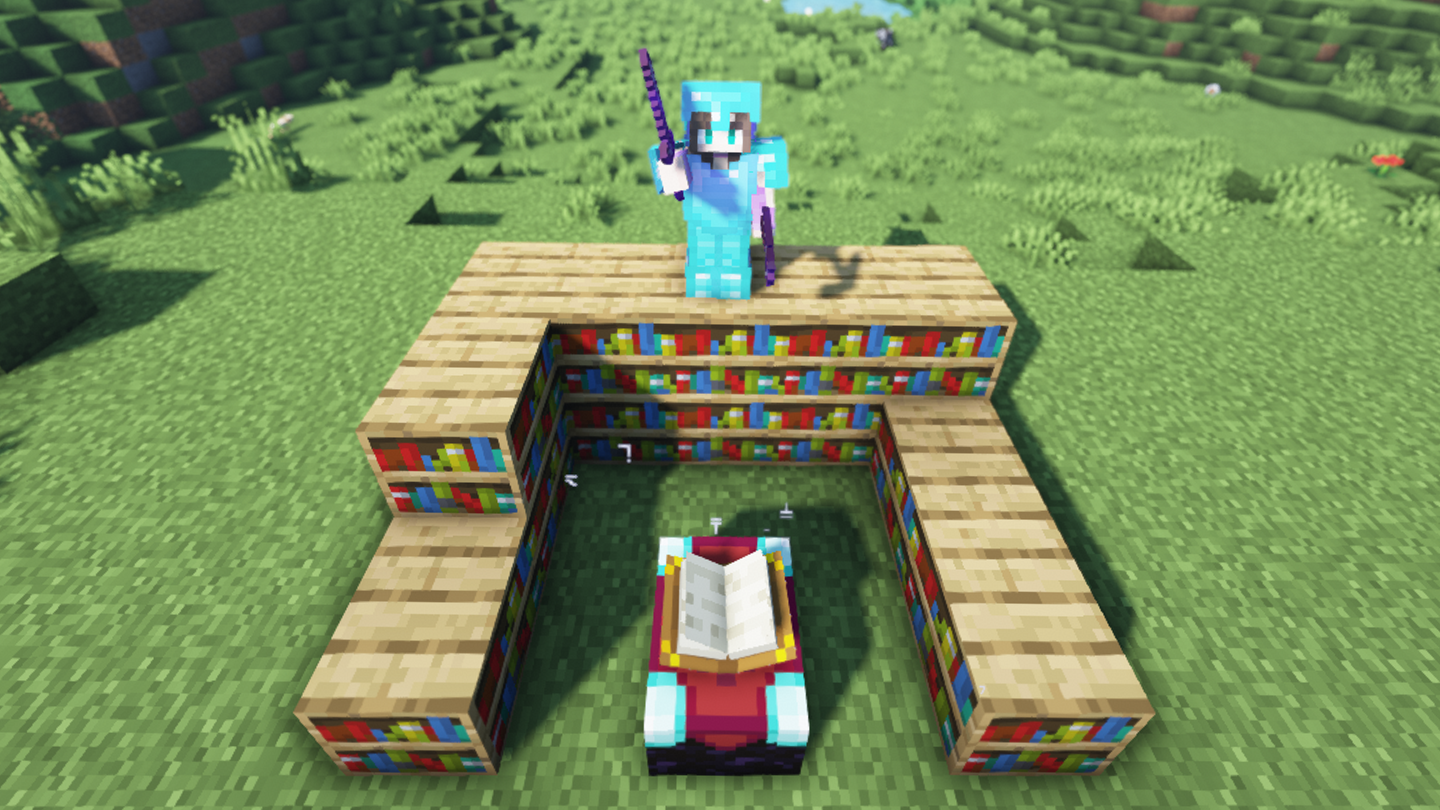
Top 10 Enchantments in Minecraft

howchoo   (467)
March 25, 2024

The longer you play Minecraft, the more you realize that early-game tools just won’t cut it. Exploring the enchantment feature of Minecraft can be exciting, but also intimidating. Rather than worry about researching enchantments, below are the best enchantments in Minecraft! To learn how to enchant items, check out this guide! In this guide, you’ll see

Continue Reading

howchoo

 467 guides

Introducing Howchoo, an enigmatic author whose unique pen name reflects their boundless curiosity and limitless creativity. Mysterious and multifaceted, Howchoo has emerged as a captivating storyteller, leaving readers mesmerized by the uncharted realms they craft with their words. With an insatiable appetite for knowledge and a love for exploration, Howchoo’s writing transcends conventional genres, blurring the lines between fantasy, science fiction, and the surreal. Their narratives are a kaleidoscope of ideas, weaving together intricate plots, unforgettable characters, and thought-provoking themes that challenge the boundaries of imagination.

Home Interests OctoPrint

How to Set Up and Use OctoPrint on the Creality Ender 3

Control your Ender 3 remotely.
howchoo (467)
September 29, 2023
17 minutes

Share

You’ll Need 7
What you’ll need
Interests
Series
Howchoo is reader-supported. As an Amazon Associate, we may earn a small affiliate commission at no cost to you when you buy through our links.
Posted in these interests:
3dprinting • 36 guides
ender3 • 19 guides
octoprint • 10 guides
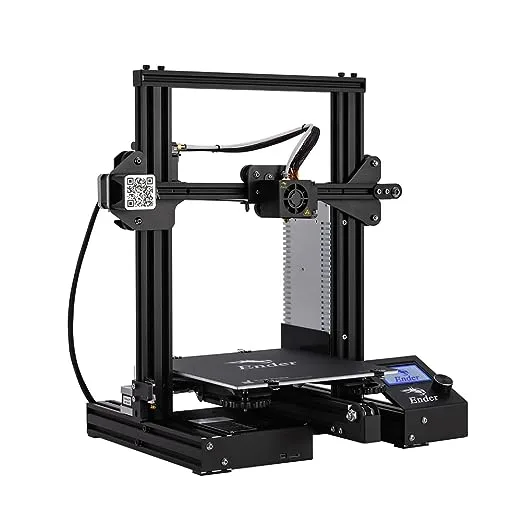
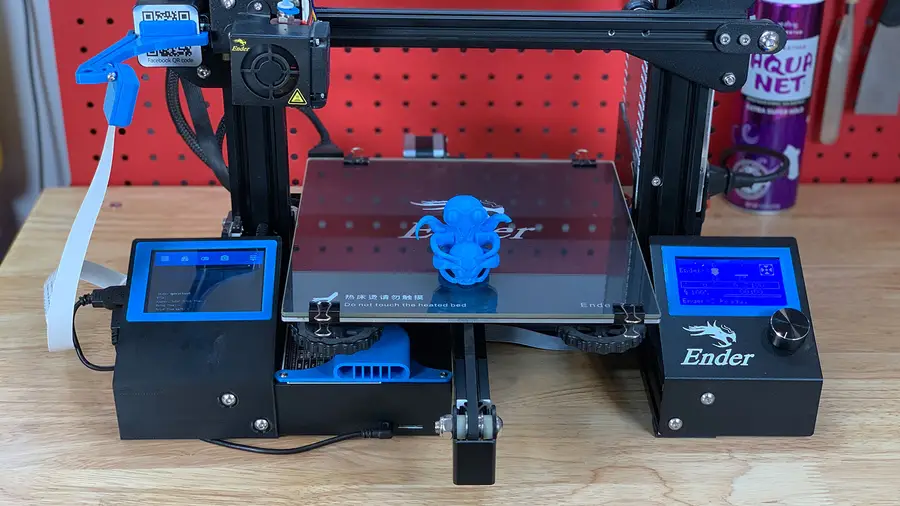
The Creality Ender 3 is amazing. The only thing that could make it more amazing is modding it so that you can control it remotely. Well, now you can. This guide will show you everything you need to know about using OctoPrint (AKA OctoPi) with your Ender 3 or Ender 3 Pro, enabling you to start and view prints as well as view a whole host of data about your printer. Have the newer Ender 3 V2? Check out our complete Ender 3 V2 OctoPrint guide instead!
How to Set Up and Use OctoPrint on the Creality Ender 3 V2 Remotely control your Ender 3 V2 with OctoPrint.
Let’s get started!

1 – Ender 3 OctoPrint settings

While you’re setting up OctoPrint, use the following settings for your Ender 3:

Printer settings

Form factor: Rectangular
Origin: Lower Left
Heated Bed: Yes (checked)
Heated Chamber: No (unchecked)
Width: 220mm
Depth: 220mm
Height: 250mm
Axes: Default**
Custom Bounding Box: No (unchecked)
Nozzle Diameter: 0.4mm
Number of Extruders: 1

Connection settings

Serial Port: /dev/ttyUSB0
Baudrate: AUTO
🛈 You’ll need to connect your Pi to the Ender 3 via USB before you can change the Connection Settings.
You’ll want to print a few components to mount everything to your Pi. Some of these are optional—for example, you don’t have to mount the Pi to your printer (you can keep it separate). Anyways, I recommend printing all of these for a cleaner, more organized setup.

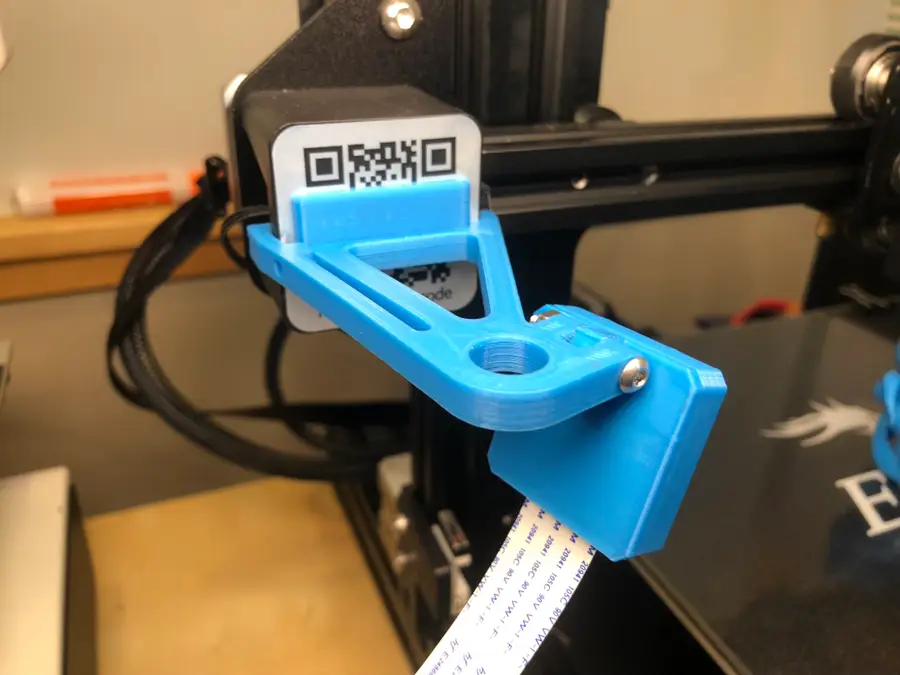
Ender 3 camera mount

This component mounts your Raspberry Pi’s camera to the Z-axis stepper motor. This will give you a nice view of your extruder and print. First, print this bracket/arm. If you’re using the Raspberry Pi camera v1, also print the included camera holder. If you’re using the Pi camera v2, I recommend printing this camera holder instead, as it’s much easier to work with.

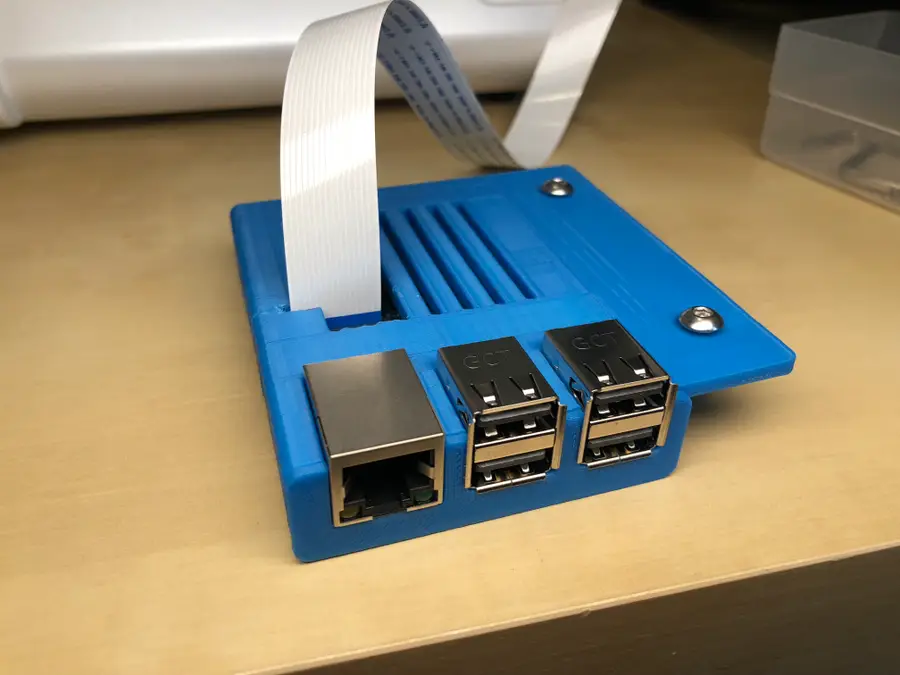
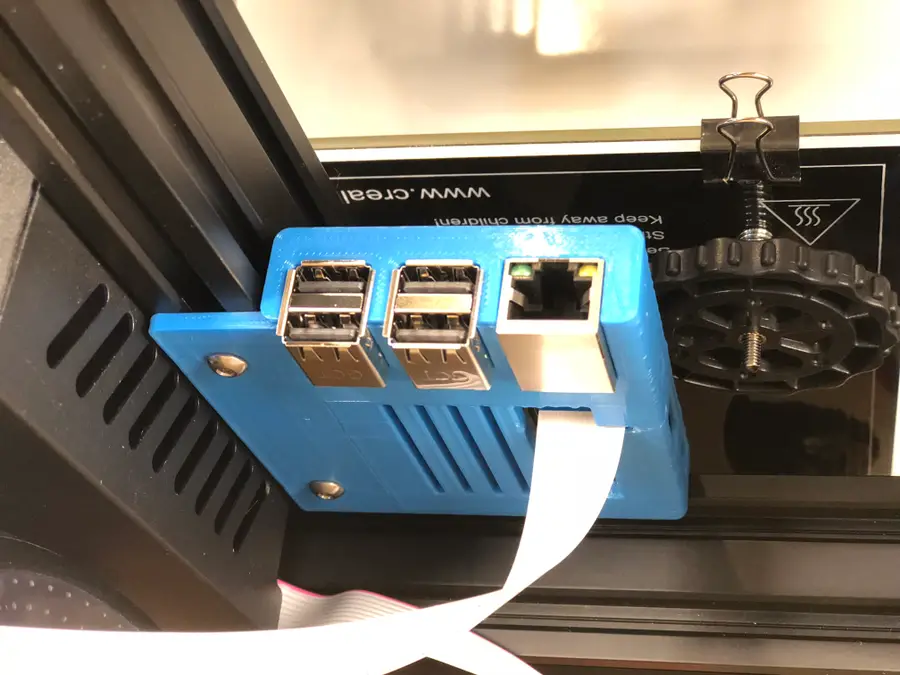
Ender 3 Raspberry Pi enclosure

This component mounts the Raspberry Pi itself to the Ender 3’s extruded aluminum rails and can also be found on Thingiverse. There are two versions: one for the Raspberry Pi 3, and one for the Raspberry Pi 4. I’m using a Raspberry Pi 3 for OctoPrint, but the 4 will work fine too. If you decide to use a Raspberry Pi 4 for OctoPrint, I recommend adding a Raspberry Pi 4 fan to the case since things can get a bit hot.
how to add fan to raspberry pi 4
How to Add a Fan to the Raspberry Pi 4 for Proper Cooling (You Need One) It’s getting hot in here, a fan will cool your Pi.

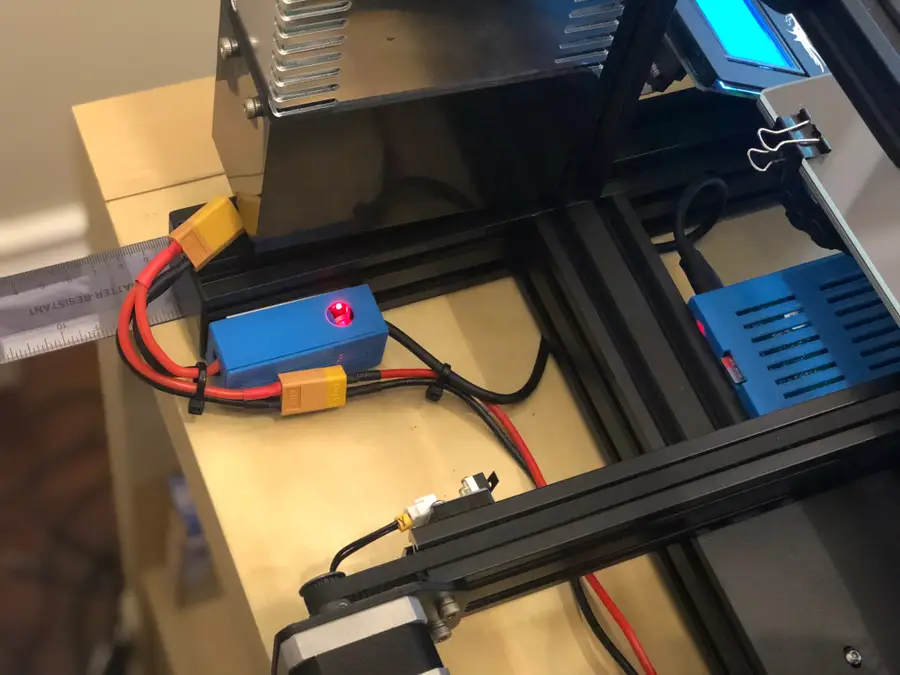
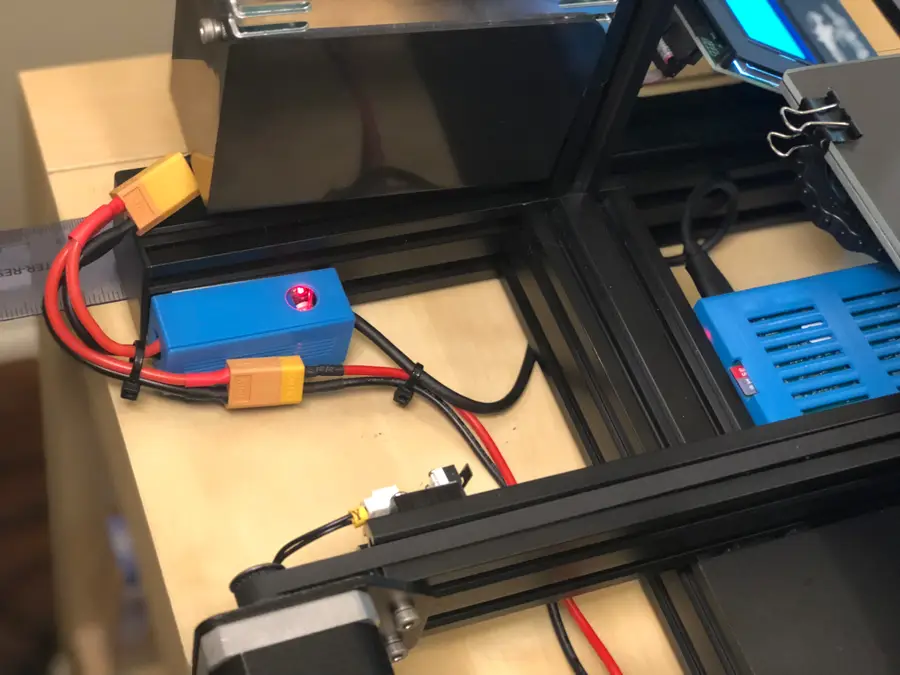
Buck converter enclosure

If you plan on powering your Pi directly from the Ender 3, be sure to print out the included LM2596S buck converter enclosure as well. Later on, I’ll show you how to connect your Pi to your Ender 3’s power supply.
Animated GIF - Find & Share on GIPHY

3 – Mount the Raspberry Pi camera

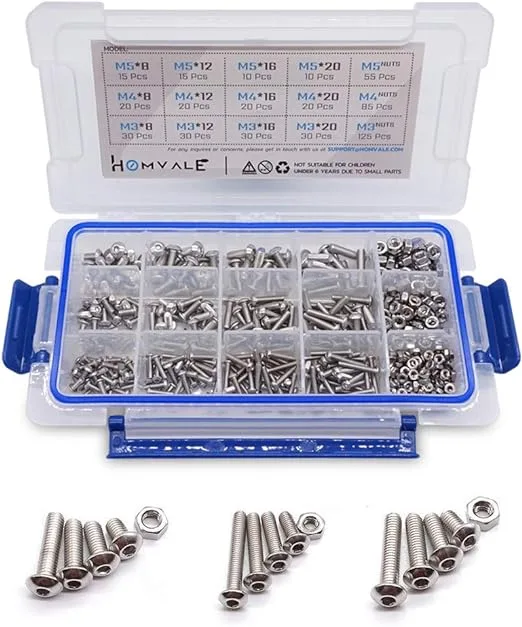
Use an M3 x 20mm bolt and nut to connect the two pieces of the Pi mount. Then, connect the Raspberry Pi ribbon cable to the camera, click the camera into place and slide the camera cover back on.

Ender 3 Raspberry Pi camera cable length

To mount the camera, you’ll need to use this Pi camera extension ribbon cable since the cable that came with your camera isn’t long enough. I’ve found the 610mm cable works perfectly. It’s a tight fit. Be patient so that you don’t break your camera. 🙂 You might need to file some edges down. If you have no camera feed later, check and make sure the tiny connector that presses onto the camera itself hasn’t come loose. It’s also possible to use other OctoPrint cameras and webcams rather than the official Raspberry Pi camera, though you’ll need a different mount to do this.
How to Choose the Best Camera for OctoPrint (including USB) Keep an eye on your prints!
🛈 Before mounting everything to your printer, I recommend testing your connections in place. It’s easier to troubleshoot things without needing to connect and disconnect your mounts.

4 – Put the Pi into its case

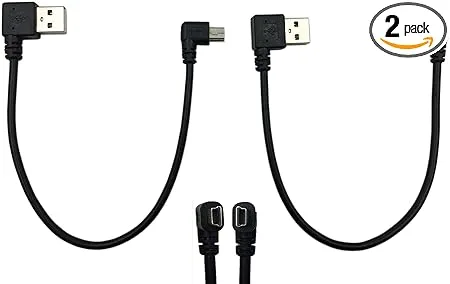
The 3D-printed Raspberry Pi case is comprised of two pieces: a port faceplate and the case itself. Attach the faceplate first. The case I linked to above is a bit of a tight fit and doesn’t have a slot for the camera cable (as I learned while writing this guide). If you don’t want to print a different one, simply cut a small slot above the camera port, slide the Pi into its case, and then attach the camera cable. Finally, connect your Pi to your Ender 3’s USB port using a short Mini-USB cable.

5 – Mount the Raspberry Pi

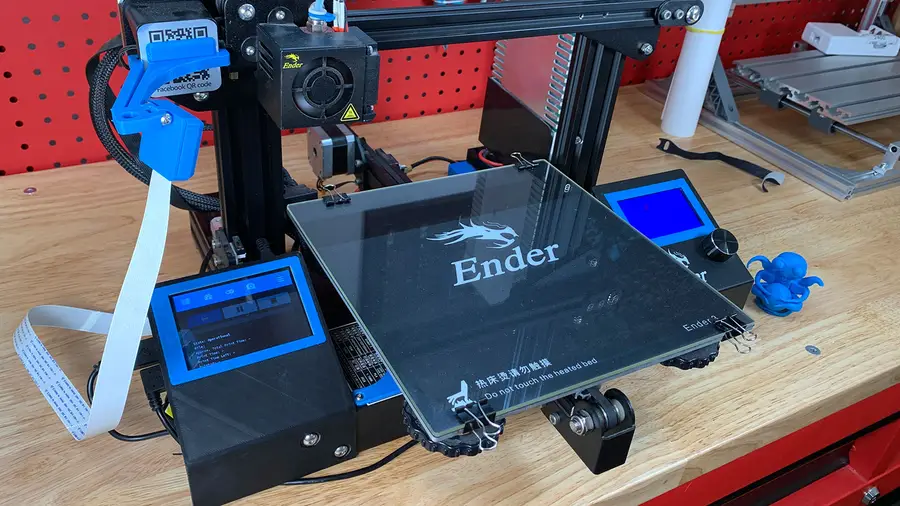
I chose to mount my Pi in the opening in the empty cavity directly beneath the bed. To do this, use two M4 x 8mm bolts and two M4 aluminum channel “T-nuts”. I reused two extra T-nuts that came with the printer. Attach the bolts and nuts to the Pi case first (with the nuts facing up) and then slide the nut end of the bolts into the bottom piece of extruded aluminum. Finally, tighten the two screws from beneath. Route the camera cable under the bottom of your printer, between the printer and your table. The printer’s rubber feet will allow it some freedom of movement.
🛈 You’ll need to tilt your printer back or move it to the edge of your desk to reach and tighten the bolts.

6 – Power the Pi from the Ender 3

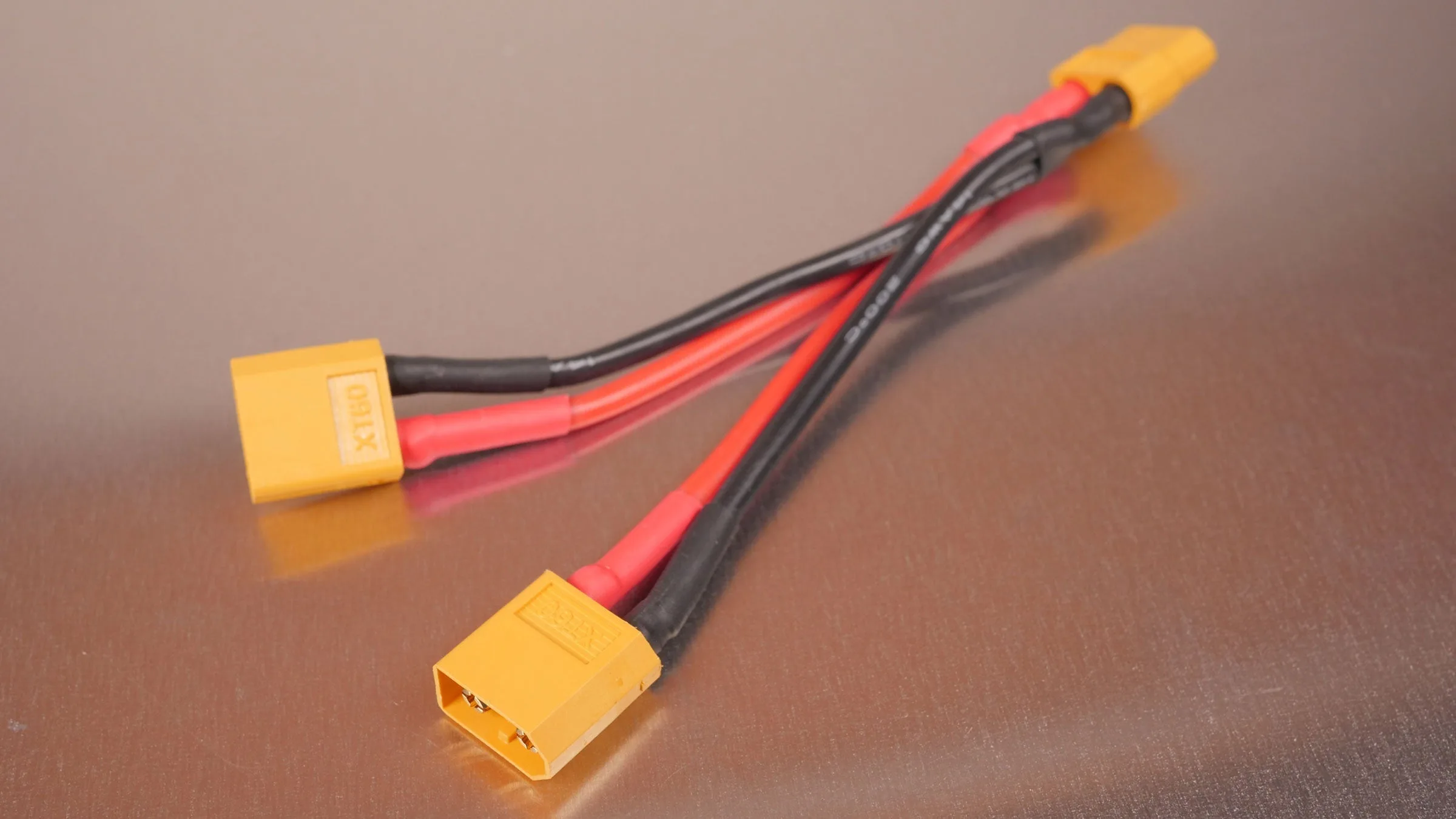
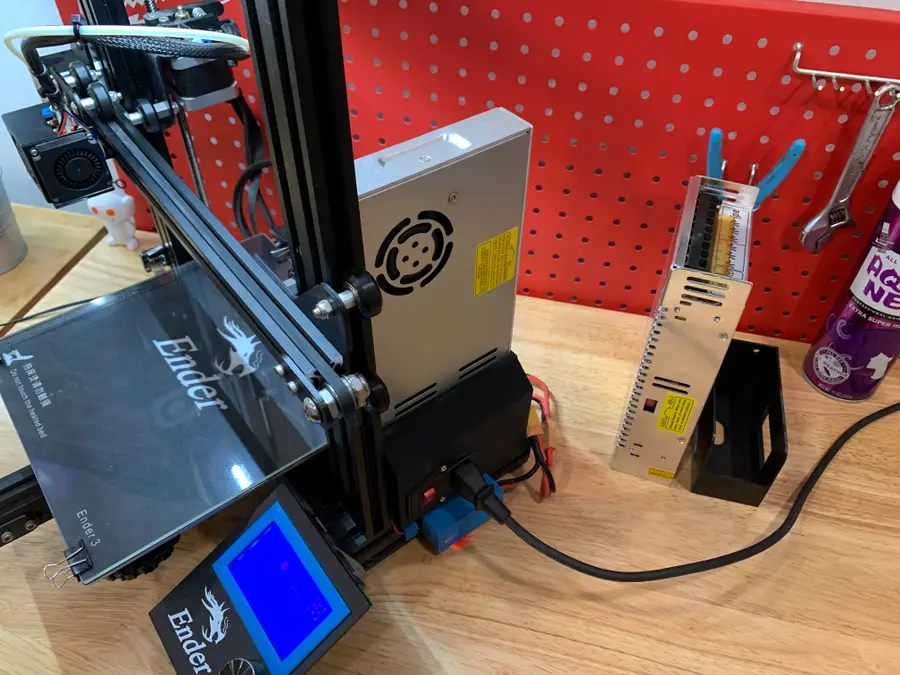
If you’d like, you can power your Raspberry Pi directly from your 3D printer’s power supply! This can be done easily by tapping into the cable coming out of the back of the Ender 3 using a Y-splitter, then reducing the voltage to 5V with a buck converter. I wrote a separate guide to show you how to power the Raspberry Pi using the 3D printer PSU if you’re interested. This step is optional: if you just want to plug your Pi into the wall, that’s ok too. If you already completed that guide, now is a good time to mount your buck converter enclosure to the back of your Ender 3 using foam tape.

7 – Focus the Pi camera

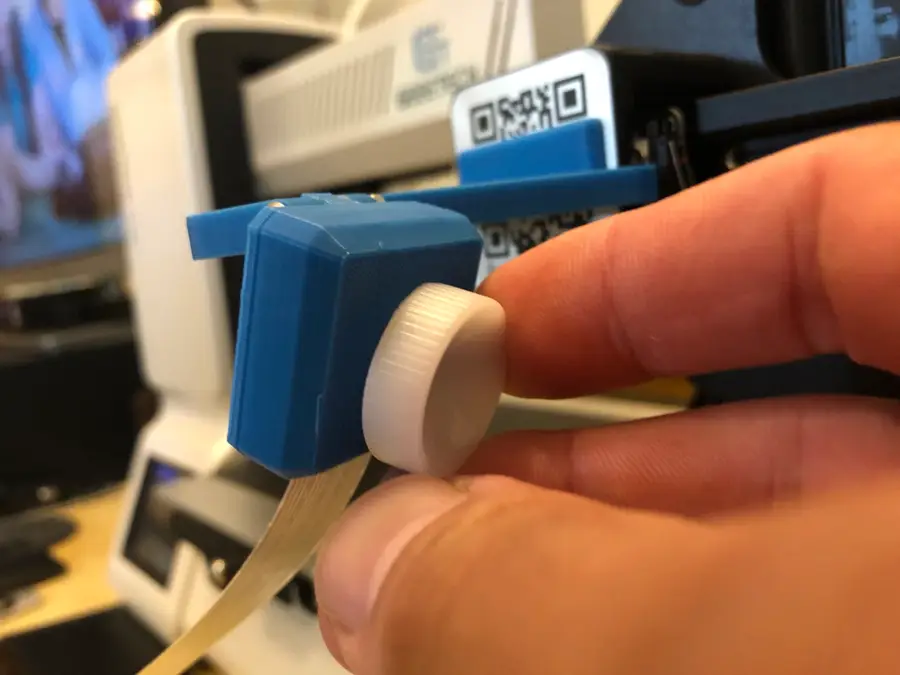
View the camera feed in the OctoPrint/OctoPi interface. Center the bed and place a small object in the middle of it. Then, use the small white wheel that came with your camera to turn the lens of the Pi camera, thus focusing it. Turn it just a tiny amount at a time (maybe 1/16 of a turn) and check the feed periodically until it’s nice and focused!

8 – Final setup!

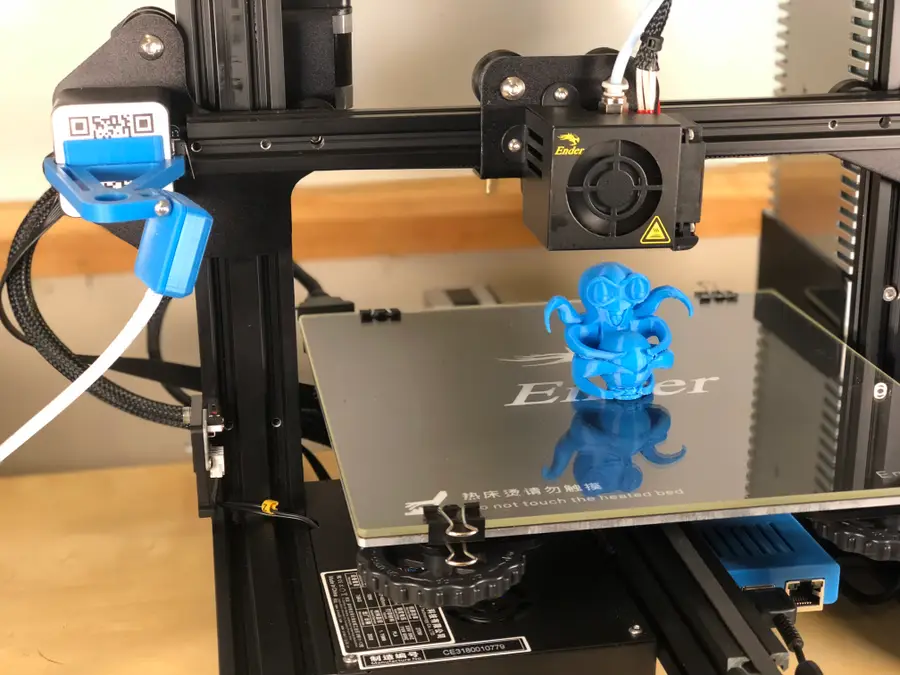
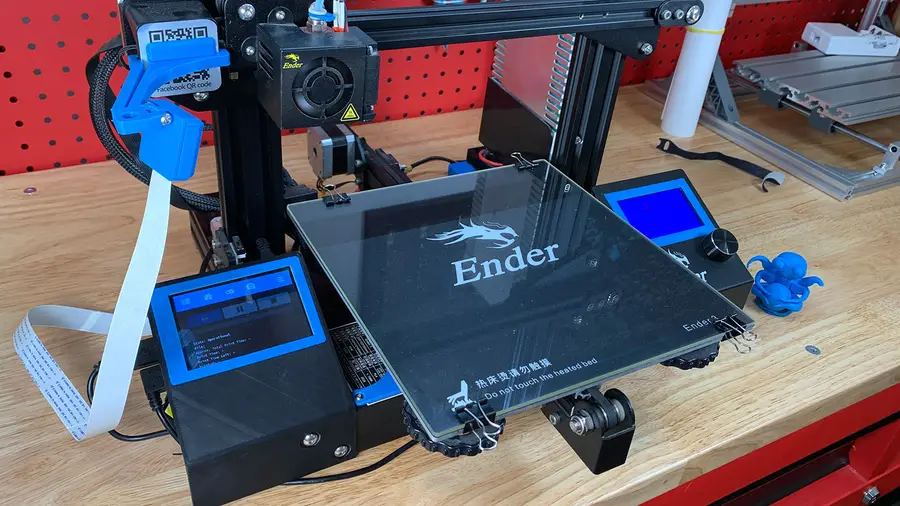
This photo shows everything fully mounted and running. You’re all done! Be sure to check out my full OctoPrint guide if you’re still fine-tuning your OctoPrint setup. I also wrote a guide on adding an OctoPrint touchscreen to the Ender 3 if you’d like to check it out!
How to Add an OctoPrint Touchscreen to Your Ender 3 An inexpensive upgrade to make your Ender 3 even better!
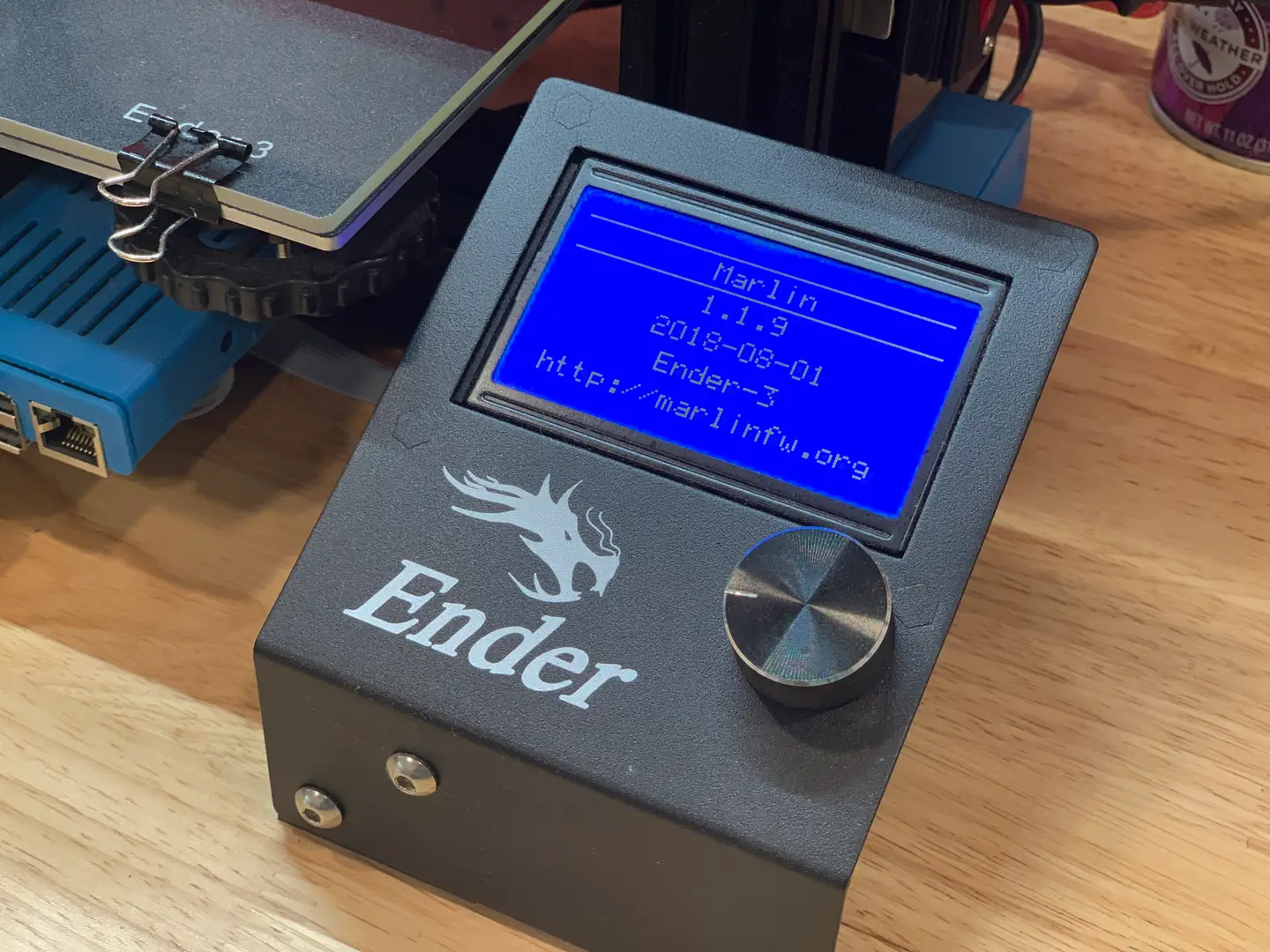
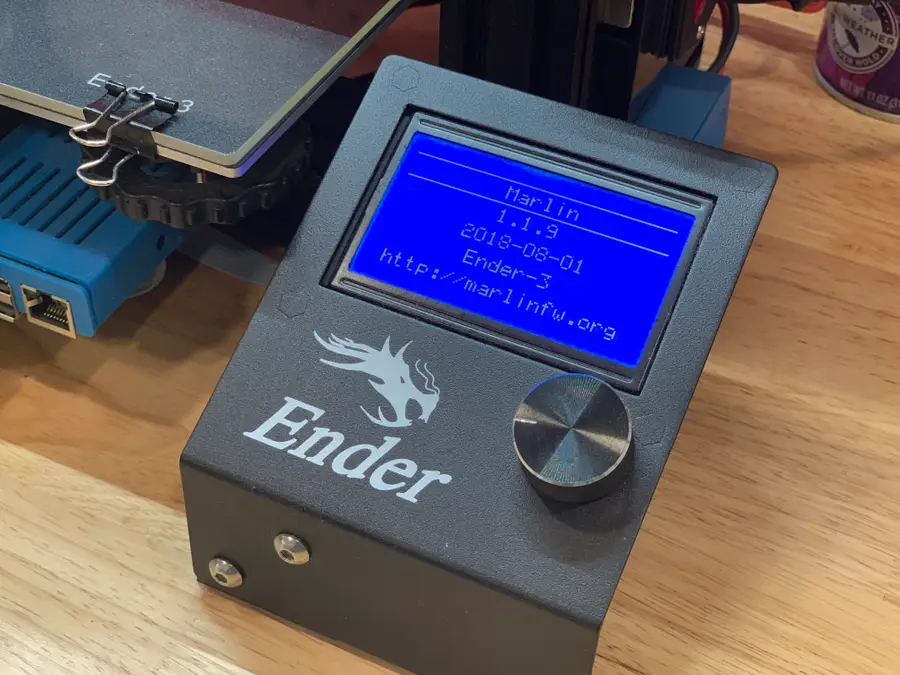
Now that you’ve gotten OctoPrint up and running, I highly recommend updating your Ender 3’s firmware. Why? The newer versions of Marlin add thermal runaway protection, which helps to prevent 3D printer fires. Also, be sure to check out my full Ender 3 upgrades and mods guide!
The Best Creality Ender 3 (and Pro) Upgrades and Mods (2022) Improve your overall printing experience—and quality.
Ender 3: How to Install a Bootloader and Update Marlin Firmware Update your 3D printer’s firmware and add thermal runaway protection.
NEXT UP

How to Update Blender

Get the latest Blender has to offer.
howchoo (467)
November 24, 2023
Blender is one of the most popular open-source 3D creation suites today. It doesn’t cost a dime to use and everything you create is yours to own for good. The community is robust and the dev team still releases new updates on the regular. If you want to get the latest version, you may have
Continue Reading

howchoo

 467 guides
Introducing Howchoo, an enigmatic author whose unique pen name reflects their boundless curiosity and limitless creativity. Mysterious and multifaceted, Howchoo has emerged as a captivating storyteller, leaving readers mesmerized by the uncharted realms they craft with their words. With an insatiable appetite for knowledge and a love for exploration, Howchoo’s writing transcends conventional genres, blurring the lines between fantasy, science fiction, and the surreal. Their narratives are a kaleidoscope of ideas, weaving together intricate plots, unforgettable characters, and thought-provoking themes that challenge the boundaries of imagination.
Home Interests Food

30 Discontinued Snacks That You Forgot You Were Missing

These 30 snacks were definitely in your cupboards in the ’80s, ’90s, and ’00s!
howchoo   (467)
September 29, 2023
43 minutes

Share

Interests
Posted in these interests:
food • 7 guides
nostalgia • 7 guides
popculture • 14 guides

My best friend and I took a trip down memory lane recently. It was her daughter’s 13th birthday, so we grabbed iced coffees and went shopping. As we strolled the isles of 90s businesses that disappeared, we were reminded of a simpler time when cellphones were big enough that they came with their own suitcases, and we played house with our Cabbage Patch Dolls and Pound Puppies, caught lightning bugs, and ate discontinued snacks like Fruit Roll-Ups and Ring Pops.

In thinking of those simple childhood memories, our time shopping was filled with nostalgia and giggles as we realized many of our favorite toys are still available for purchase. Before I knew it, we were reminiscing about our favorite foods and discontinued snacks growing up, our favorite candies. This got me thinking, what of our favorite childhood drinks and snacks are still available? Which ones have been discontinued, never to be tasted again?

Here is a list of 30 of the most memorable but discontinued treats I can remember from growing up. They span from the ’80s to the ’00s and are sure to make you as nostalgic as we were.

1 – Watermelon Laffy Taffy with seeds

Pinterest

This sticky, stretchy watermelon-flavored Laffy Taffy had a crunchy surprise scattered throughout: candy watermelon seeds! They were a favorite treat of mine growing up, and when given a chance to pick a treat at the gas station, these large Laffy Taffys were my go-to. The crunchy seeds added a unique texture to the soft and sugary taffy, but these sweet-treats were discontinued in the late ’90s or early ’00s.

While Wonka still produces watermelon flavored taffy, they no longer have the seeds they once did. People loved them so much that there are still ongoing petitions to bring them back, though these petitions have been consistent throughout the years and have never been successful.

2 – Flinstones Push-Up pops

Pinterest

These Push-Up pops were huge during the ’90s, while Push-Ups were already produced by Nestle, everyone knew the Flinstone’s Push-Up Pops were the best. This method of rebranding didn’t change the taste of Push-Ups at all, but it didn’t change public opinion that these Push-Up Pops were elite.

If you are still a super fan of Flinstone Push-Up Pops, check out this Push-Up Pops magnet.

Flavors
  • Yabba Dabba Doo- Orange
  • Bedrock Berry
  • Lime Rock Lime

3 – Squeezit

Pinterest

These fruit drinks were the perfect drink for any kid’s lunch box or pool party from the ’80s to the ’00s. The soft, plastic bottle the juice came in was squeezable, hence the name “Squeezeit,” allowing you to squeeze the juice out instead of sipping from a straw. In 2001, the product was discontinued. While it has reemerged briefly since then in 2011, it remains discontinued.

Main flavors

While these are the main, popular flavors, other flavors were made from 100% fruit juice like the ones pictured. There was even a “mystery” flavor.

  • Grumpy Grape (my personal favorite)
  • Smart Arty Orange
  • Chucklin’ Cherry
  • Berry B. Wild
  • Rockin’ Red Puncher
  • Mean Green Puncher
  • Silly Billy Strawberry
  • Troppi Tropical Punch

4 – Creme Savers

Pinterest

Bags of these were always laying around my house. Whenever a sweet-tooth hit, I knew one of these was swimming around inside my mother’s purse. Creme Savers were made in the late ’90s and were later discontinued in 2011.

However, if you still crave this fruity candy you can buy other versions of it such as Campino Yogurt Fruit Candies. They aren’t made by the original company, Nabisco, but the flavor is very similar.

Main flavors

These are the main, core flavors, but there were other flavors including some sugar-free versions of the following flavors.

  • Strawberries & Creme (the most popular)
  • Orange & Creme
  • Butter Toffee & Creme
  • Raspberry & Creme
  • Chocolate & Caramel (my personal favorite)

5 – Surge

Pinterest

Surge soda is a citrus-flavored soda that came out in the US in the late ’90s. Anybody who was anybody drank Surge soda, and today the soda still has a cult-like following.

The soda, made by Coca-Cola, was the center of a lot of controversies in terms of some supposed health effects and though it was discontinued in the early ’00s, you can buy it today on Amazon and eBay if you are willing to pay a hefty price for a small amount of soda.

6 – Trix Yogurt

Pinterest

Trix yogurt was just the thing we needed in the ’00s to make yogurt fun to eat. Most of them came in two flavors and bright, exciting colors. It was discontinued in 2013, but It must have been popular because there is a petition to bring the multi-colored yogurt back to the masses.

Apparently, however, there are some special stores places you can buy Trix Yogurt from.

Main flavors
  • Strawberry Banana Bash
  • Cotton Candy
  • Triple Cherry
  • Raspberry Rainbow
  • Strawberry Punch
  • Very Berry
  • Berry Bolt

7 – Altoids Sours

In the early ’00s, Altoids came out with Altoids Sours and, though they really did nothing to freshen breath, they were absolutely delicious and addictive. I know I am not alone when I say that there were several occasions where I ate an entire tin until my tongue went tingly and numb.

If you could get past the initial sourness, they became sweet and tangy. Despite their popularity, they were discontinued in 2010 and never made a comeback. If you look hard enough, you can purchase them on eBay, sometimes Amazon, and other candy stores that specialize in discontinued candies.

Flavors
  • Mango (My personal favorite)
  • Apple
  • Raspberry
  • Tangerine (The most popular)
  • Lime

8 – Milkfuls

Pinterest

These toffee-like candies had a “milky filling” inside their hard shell, and they were extremely popular. Milkfuls were the kind of candy you savor. It was an unspoken rule not to bite into them but instead to let their hard-candy shell dissolve until you reached the milky center, which tasted a lot like marshmallows and cream.

While they were discontinued in the US, they still sell them in other countries. The candies were created by a German company and are still sold in Germany and on Amazon as Vollmilch Brocken. Some are unsure if the candies are the same as the classic Milkfuls, but they are the same candies made by the same company, Storck.

9 – Oreo Cakesters

Pinterest

These fan favorites were all the cookies n’ cream goodness that comes with an Oreo with a more cake-like texture and flavor. Two sweet Oreo cookie cakes and Oreo cream filling made for a delicious snack that came out in 2007. They were discontinued in 2012, leaving most consumers baffled.

If you remember this commercial, then you remember how good they were!

Main flavors
  • Regular Cakesters
  • Double Stuf Cakesters
  • Golden Cakesters
  • Chocolate Creme
  • Mini Cakesters

10 – Pizzarias

Pinterest

In 1991, Keebler launched these pizza-flavored chips that, much like Surge, developed a massive cult following. They were covered in a delicious pizza flavoring that, though there have been many pizza-flavored chips made since, cannot be rivaled.

Discontinued in the late ’90s, Pizzarias left behind many disappointed consumers who loved the chips. They were so popular that there are even Pizzarias t-shirts.

11 – Swoops

Pinterest

Swoops, made by Hershey’s, came out in the early ’00s and became a must-have afternoon snack for kids and adults alike. I’m pretty sure my dad stole these chocolaty chips from me at least a handful of times. Easily a snack worth fighting over, these chips, which didn’t actually include a chip and were purely made of chocolate and other ingredients, came in lunch-sized sets of 6 in each package.

They were discontinued in 2006, for the most part, because they were misleading. Many people were confused by the shape and marketing because they believed there would be a salty chip inside the delicious chocolate.

Main flavors

Though these were the main flavors, there were other limited, special-edition flavors such as Strawberries & Creme.

  • Reese Swoops (The most popular)
  • Hershey’s Milk Chocolate
  • Almond Joy
  • White Chocolate Reese
  • York Peppermint Patty

12 – Fruitopia

Pinterest

I know I am not the only one who had this with my lunch every chance I got. It was often out of stock in my junior high’s vending machine, and even came in bigger juice containers for the whole family to enjoy. Coca-Cola came out with Fruitopia in the early ’90s but didn’t make it in the US past the early ’00s.

While Fruitopia can apparently be bought in other countries, in the US the closest you might get are fruity Minute Maid drinks.

Main flavors
  • Strawberry Passion Awareness
  • Kiwiberry Ruckus
  • Fruit Integration
  • Blueberry Watermelon Wisdom
  • Beachside Blast Fruit
  • Tangerine Wavelength
  • Orange Undercurrent
  • Raspberry Psychic Lemonade

13 – Oreo O’s

Pinterest

Oreo O’s were the best cereal of the late ’90s and early ’00s. There I said it. I remember the sound of my brother slurping up milk, and click of his spoon against the bowl and he shoveled up this cereal in big spoonfuls. Made by Kraft, these crunchy Oreo-flavored O’s were delicious, adding milk only made them better. Oreos + Cereal + Milk = cookies and cream cereal. Sounds good, right?

While the recipe changed in the early ’00s, and they were then discontinued in 2007, they actually made a comeback. You can go to the store right now and buy them. This is not a drill. If you want to avoid the store, try buying Oreo O’s on Amazon!

Remember this commercial from 1998?

14 – SqueezePops

Pinterest

Squeezing food and drinks was apparently a big thing in the ’80s, ’90s, and early ’00s. These were no exception. I can remember vividly the unique cherry flavor of a cherry Hubba Bubba SqueezePop and how sticky my fingers would get after eating them. They were discontinued in the 00’s and haven’t made a comeback, but there are petitions to bring them back.

Flavors
  • Watermelon
  • Cherry
  • Blue Raspberry

15 – Sparkle Cherry Laffy Taffy

Pinterest

Sparkle Cherry Laffy Taffys were glorious and are sorely missed. These huge, sprinkle-filled taffy were extra stretchy and came with a surprise crunch in the form of sprinkles. I used to use mine as a fairy wand in the ’90s while running around in my jelly shoes.

Did you know you can still purchase Sparkel Cherry Laffy Taffys on Amazon and some other specialty candy stores?

16 – Munch ’ems

Pinterest

If you ever ate these crackers, you know they had a special type of crunch unique to chips. Keebler marketed them as a type of chip and cracker hybrid, and they really delivered. While Munch ’ems were delicious, crunchy snacks that were very popular in the late ’90s, the sales weren’t correlating that popularity.

In the early ’00s, they were discontinued, and

Main flavors
  • Cheddar Munch ’ems
  • Ranch Munch ’ems (My personal favorite)
  • Sour Cream And Onion Munch ’ems
  • Chill Cheese Keebler Munch ’ems
  • Nacho Munch ’ems
  • Mesquite BBQ Munch ’ems
  • Salsa Munch ’ems
  • Southwest Chili Munch ’ems
  • Southwest Salsa Munch ’ems
  • Reduced-Fat Sour Cream And Onion Munch ’ems
  • Reduced Sodium Munch ’ems

Watch this blast from the past:

17 – Kudos

Pinterest

In the late ’80s, these candy-flavored Granola bars came out and made breakfast fun again. Part candy, part granola with a big sugary hit, these were the perfect snack to fit in your purse or lunch box. I used to eat these on the bus on my way to school. Kudos granola bars, made by Mars, were discontinued in the late 2010s.

Flavors
  • M&M
  • Chocolate Chip
  • Snickers
  • Peanut Butter

18 – Tiny Size Chiclets

Pinterest

These tiny, colorful chiclets were the most fun way to eat handfuls of fruity gum. They had a crunchy outer coating and came in all the colors of the rainbow. What’s not to love?

Did you know they came out in the early 1900s in the flavor peppermint? Though the companies changed over the years, and the gum evolved, the gum remained tiny and wonderful. In 2016, the tiny gum was discontinued by the original brand. Though the gum was discontinued, you can buy huge bags of Chiclets and reminisce on simpler times.

19 – Guacamole Doritos

Pinterest

For a small, brilliant, blip between 2003 and 2006, these guacamole flavored chips ruled the chip world. They were disappointingly discontinued to everyone’s surprise. Guacamole flavoring + Chips = flavor explosion.

Currently, you can buy a version of them on Amazon, but the reviews are extremely cautious, so I did not include them here. Turns out, they are sadly not the real thing.

20 – Pop Tarts Snak-Stix

Pinterest

I’m not really sure what the appeal of Pop-Tarts Snak-Stix was, but they were definitely popular and found a special place in the cupboards of kids everywhere in the early ’00s. The Kit-Kat of Pop-Tarts, these Pop-Tarts broke into sticks that were great for snacking in the back of the classroom when your math teacher wasn’t looking.

They only lasted on the market for about a year, because they were really just Pop-Tarts in stick form, but they had their 15 minutes of fame.

Flavors
  • Cookie and Creme
  • Frosted Berry
  • Frosted Double Chocolate
  • Frosted Caramel Chocolate

21 – Philadelphia Snack Bars

Twitter

In the ’00s, these were a snack favorite. These snack bars were like little portable cheesecakes that were somehow acceptable for breakfast, which is pretty much why there were so beloved. They were delicious—pure snack-sized magic. Like many snacks on this list, there is currently an active petition to bring them back.

Main flavors

These main flavors don’t include some of the Snack Bites and specialty flavors that came out, such as Turtle or Marble Brownie.

  • Classic
  • Strawberry (The most popular)
  • Chocolate Chip (My personal favorite)
  • White Chocolate Raspberry

For a little extra nostalgia, take a peek at this classic ’00s commercial:

22 – Pepsi Twist

Pinterest

Pepsi Twist. I can literally smell Pepsi Twist as I write these words– that bright, sweet, citrusy cola spray when I first cracked open the can. Originally, Pepsi Twist came to the US in the early ’00s and found itself in vending machines everywhere. This and a bag of Gardettos was the ultimate combination.

While Pepsi Twist was temporarily discontinued in the early ’00s, it was introduced only a couple of years later. Luckily, you can still buy Pepsi Twist today, and it’s just as tasty as it always was.

23 – DunkAroos

Pinterest

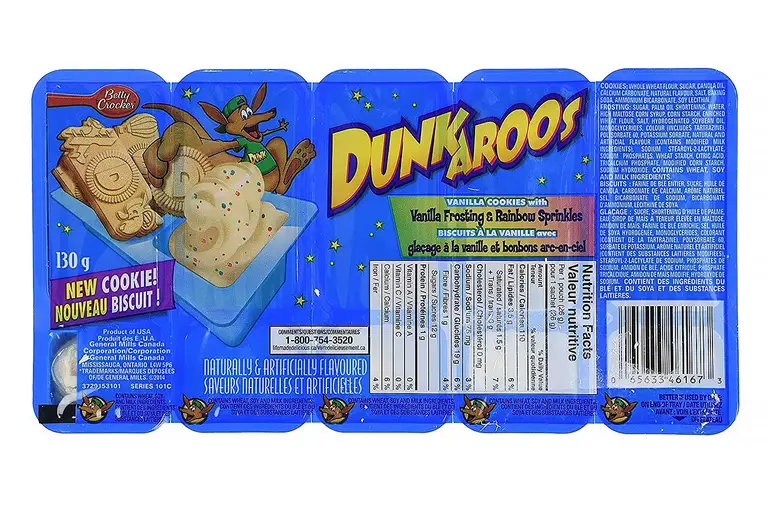
In the late ’80s early ’90s, DunkAroos took the world by storm. Everyone who has ever had DunkAroo dip, knows the creamy, sugary deliciousness is like no other. I remember begging for these in the grocery store. Originally, Dunkaroos came in the shape of Sydney the Kangaroo and came with chocolate or vanilla frosting (it didn’t yet come with sprinkles as we know it today). However, it had other shapes and even many other frosting flavors as the product become more popular.

DunkAroos were sadly discontinued in the US temporarily between 2012 and 2016. Lucky for us, though the product has changed and evolved, it is still available today due to petitioning by consumers. You can buy DunkAroos on Amazon as well as many of your local grocery stores.

Main Flavors

  • Vanilla
  • Chocolate
  • Rainbow (The most popular)
  • Cinnamon
  • Chocolate chip
  • Peanut butter

24 – Bubble Beeper

Twitter

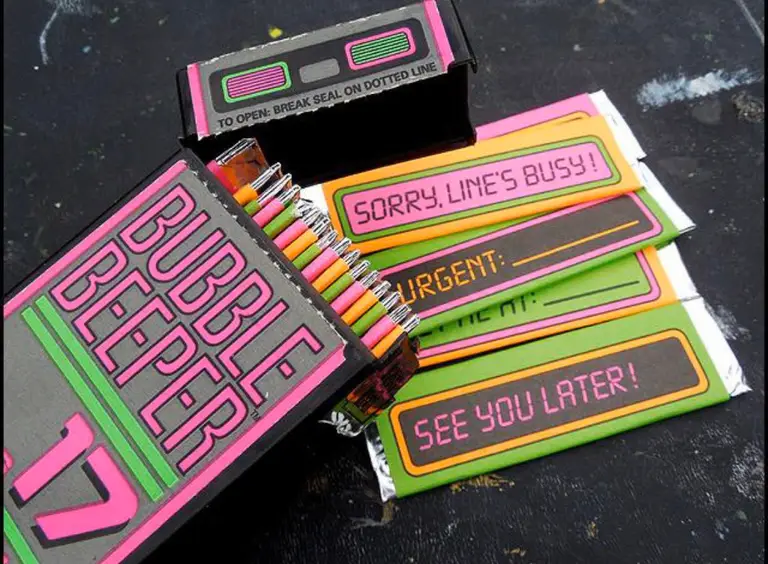
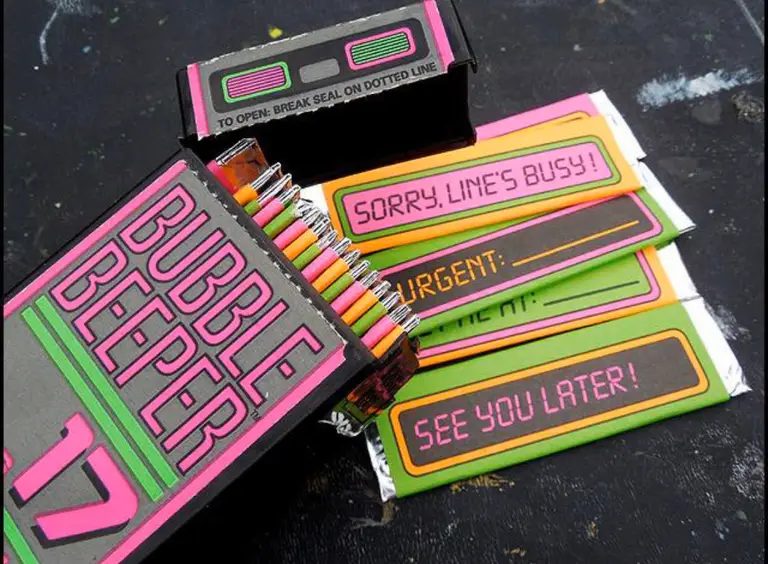
They were part chewing gum, part cute accessory. I thought I was so cool riding my bike with my bubble beeper gum in my pocket. Bubble beeper gum, like the technology of the beeper itself, was sadly short-lived in the ’90s. Each stick of Bubble Beeper gum came with a different message inside its plastic beeper case. While it tended to disintegrate too quickly, it was soft, sweet, fruity, and smelled delicious.

25 – Sprinkle Spangles

Pinterest

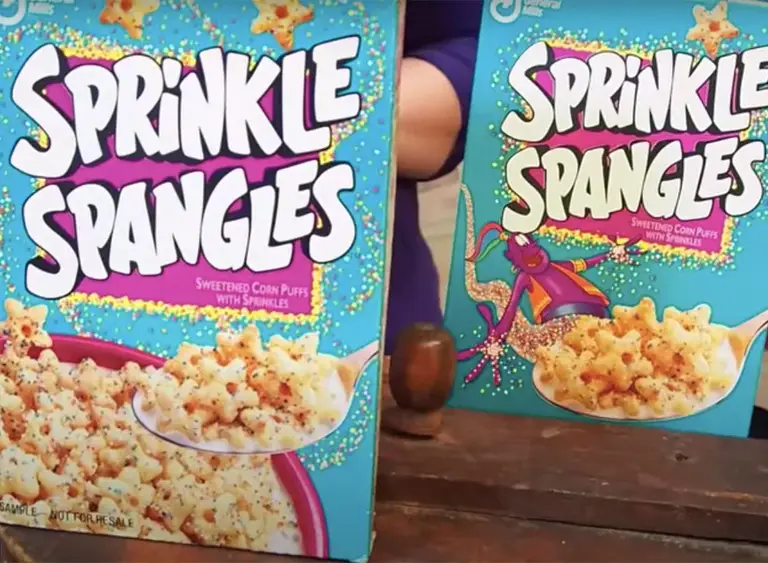
From the early ’90s to the late ’90s, this delicious cereal by General Mills was a huge hit. They were sweet, colorful, full of sprinkles, and star-shaped. Sprinkles in cereal, how can it go wrong, right? Personally, I was a huge fan. With just the right amount of cereal crunch, they were the perfect cereal for an over-sized bowl of cereal late at night in front of the TV.

Though they were discontinued in the late ’90s, you can still find memorabilia online. If you were a super enthusiast, there are even Sprinkle Spangles t-shirts on Amazon.

26 – SnackWell’s

Pinterest

These delicious cakes, which came out in the early ’90s, were one of my favorite chocolate snacks to add to my lunch box. If you liked chocolate and cake and cookies, you liked these rich little snack cakes. Being part cookie, part cake, tons of chocolate, and fat-free, they really had it all. SnackWell’s was later sold from Nabisco to Nature foods.

Somewhere during this process, it’s rumored the recipes of many SnackWell’s snacks were changed, which was a major complaint by many consumers. The recipe’s biggest change was the switch from corn syrup to sugar within the recipe, so there has been a somewhat major change; however, I am just happy they are still around!

While the snacks are more accessible in Canada, they are still available for purchase in the US. Did you know that you can still buy SnackWell’s Devil’s Food cookie cakes on Amazon and many other locations and grocery stores?

27 – Waffle Crisp

Pinterest

Growing up, I loved Waffle Crisp. The sweet, syrupy flavor it gave the milk is what made it, and I think the signature maple syrup flavor that Waffle Crisp was known for is why it was so popular and survived for so long. It came out in 1996, making its way into cupboards everywhere, but the recipe was changed in 2013 to “Waffle Crunch.” After this change, the product couldn’t survive the brand change and was later discontinued in 2018.

Post, lucky for all of us, recently relaunched the product in bulk bags as of 2021. Get some right this minute! You know you want to!

28 – Hubba Bubba

Pinterest

In the late ’80s, Hubba Bubba Brand, who makes the tastiest gum of all time, came out and quickly became a must-have for kids of all ages. Did you know Hubba Bubba was actually discontinued before making its way into the 1990s? Thank goodness it did make a comeback in the early ’00s because it was such a major part of my childhood, and it is hard to imagine what my childhood would have been like without chewing the classic Hubba Bubba gum while playing on my GameBoy Advance.

If it’s been a while since you’ve had Hubba Bubba Bubble Tape, let your senses take you way back and get yourself some Hubba Bubba.

29 – Ice Breakers Liquid Ice

Pinterest

If you never popped one of these into your mouth only to feel like an ice-breathing dragon, you really missed out. Inside their gelly-like shell was a mighty, minty liquid. I was addicted to these extremely strong but tiny mints. They might be the strongest mints I can ever remember tasting, but they are somewhat similar to the strength of Breath Strips.

They came out in the late ’00s but were discontinued not much later.

Main flavors

These main flavors do disclude the Center Ice flavors, such as Raspberry Peppermint and Raspberry Lemonade.

  • Cool Mint (The most popular)
  • Cinnamon
  • Spearmint
  • Alpine Smash

30 – Pillsbury Waffle Sticks

Pinterest

Pillsbury Waffle Sticks were the best breakfast to eat on the bus or while catching up on homework in the morning. They took a bit of the messiness out of eating waffles. No knife. No fork. Easy to dip syrup. What’s not to love, right? Unfortunately, in 2007, they were discontinued along with several other Pillsbury products that were made for kids or geared towards kids. This was hugely controversial at the time because many people lost their jobs due to that discontinuation.

Remember that cute Pillsbury Waffle Sticks commercial?

31 – What are your favorite nostalgic snacks?

Do you remember any of the above snacks or drinks? Tell us about your favorite nostalgic snacks below!

NEXT UP

HeaterMeter: Control your Grill Using a Raspberry Pi!

Fire up the summer with a new Pi project.
howchoo   (467)
November 28, 2023

With summer right around the corner, it’s time to fire up the grill! But who will watch the grill while you’re beating the heat? This year, kick things up a notch with your own Raspberry Pi-powered HeaterMeter. Don’t just throw a BBQ, be a part of it. HeaterMeter lets you keep a close eye on

Continue Reading

howchoo

 467 guides

Introducing Howchoo, an enigmatic author whose unique pen name reflects their boundless curiosity and limitless creativity. Mysterious and multifaceted, Howchoo has emerged as a captivating storyteller, leaving readers mesmerized by the uncharted realms they craft with their words. With an insatiable appetite for knowledge and a love for exploration, Howchoo’s writing transcends conventional genres, blurring the lines between fantasy, science fiction, and the surreal. Their narratives are a kaleidoscope of ideas, weaving together intricate plots, unforgettable characters, and thought-provoking themes that challenge the boundaries of imagination.

Home Interests Guides

Here’s How to Configure Your Router to Use WPA2: A Quick Guide

Add extra layer of security to your Wi-Fi network by configuring your router to WPA2!
howchoo   (467)
September 29, 2023
19 minutes

Share

Interests
Posted in these interests:

guides • 10 guides

WPA2 is commonly used as an extra security measure for routers. It keeps your internet access safe from attacks that can come through your router and infect the devices that are connected. It’s not the latest technology when it comes to router security, but it is one of the most reliable.

If you want to add some extra security to your Wi-Fi network, configuring WPA2 to your router is a great way to do so. However, it can seem complicated to set it up, that’s why we are here to help you out.

1 – What is WPA2?

As we have introduced, WPA2 is a security protocol that can be used on routers to better protect them from malicious attacks. WPA stands for Wi-Fi Protected Access, and it is the second version of WPA.

As of now, there are 3 versions of WPA. There is the original WPA, WPA2, and WPA3. Even though WPA3 is the newest security technology, many people still prefer WPA2 as it is more widely available and still really tough to crack.

WPA3 is still really new and the creators of WPA3 are still working on it. There aren’t nearly as many devices that are compatible with WPA3 as there are with WPA2.

WPA replaced WEP in 2003. WEP was the older version of the security measure, but it was much easier to crack and get through. People were experiencing security problems even when they had the WEP measure, so WPA was created.

2 – How to Configure Your Router for WPA2

Configuring your router for WPA2 is a straightforward and simple process. You just need to make sure that your router is compatible with WPA2, but with how old WPA2 is, it shouldn’t be a problem at all.

To check if your router is compatible with WPA2, head over to your computer or mobile device. Any of these devices that can connect to your Wi-Fi can find out what kind of security it is compatible with. If you have a SmartTV, you might even be able to find the information there as well.

On your computer, you will want to head over to the Wi-Fi settings. This can be done by searching “Wi-Fi settings” or “network and internet settings,” if you have Windows 10 or 11. If you have a Mac, press the option key and the Wi-Fi icon to be presented with the information.

The next step for a Windows computer is to select the Wi-Fi properties. From there, you will see a line of text that says security type. The text afterward will show what kind of security protocol your router is compatible with.

On an Android phone, go to your settings and select Wi-Fi. You will want to open the details section and you should see a spot that says the security configuration.

It is important to note that every Android phone can have a slightly different layout and that the security information might be in a different place amongst the Wi-Fi settings.

It is recommended that when finding what kind of security your router is compatible with through your phone, look up the specific information for your phone model.

When you are at the point where you see what kind of security your router is compatible with, take note of what the information says. To configure your router to WPA2, it needs to say WPA/WPA2 or something similar. On a computer, you might see WPA2-personal.

If this information says WPA3 because you have brand new technology that has this feature, you still might be able to configure WPA2.

This is because these pieces of technology sometimes can switch what kind of WPA can be used, allowing you to use either WPA3 or WPA2 depending on what works best for your technology.

Accessing the Router Settings

Now that you know that your router can be configured to WPA2, it is time to access the router settings to set it all up. There are several different ways that you can access the settings of your router.

First, if you haven’t changed the credentials of your router, you can use the default login. This default login can be located at the back of your router. It will include a username, password, and a general default gateway.

If you did change the credentials of your router, use those. However, if you can’t remember what you changed them to, you can reset the router and log in with the default login.

However, you will have to configure the router from scratch.

Some routers will have a QR code located on the box. This makes it super easy to log in as you just have to scan the QR code to access the settings.

Finally, more and more routers recently have been coming with their own app. If you have this app, all you have to do is log in and access the settings from there.

On the back of the router, there will also be an IP address listed. This is usually located right around the default login information of the router.

Enter this IP address into your internet browser to be sent to the place where you will change the network settings of your router.

However, if your router has a specific app that it comes with, you probably won’t need to do this step. Simply follow what your app tells you to do.

Each router might have a login screen that looks a little bit different. Follow the steps given to you by your specific router.

Changing the Network Settings

Now that you have accessed your router’s settings, you can now go in and change them. Look for “wireless settings” or “network settings”

Then click on wireless security. This is where you want to be to set up and configure WPA2. Now that you have clicked on the security page, you will be brought to a page that has a lot of information. Don’t get overwhelmed when you first view this page. It is still a simple process.

Find a line that says security. Next to it might be a drop-down box or some other method of inputting information, depending on the specific router page.

Let’s say that you see a drop-down box for the sake of an easy explanation. Click on the drop-down box and you will see an option that includes WPA2-personal.

Your router might also include some other options that you can choose from, but make sure to choose the WPA2 option. Click on this option and you will see the box be selected with the WPA2 option.

There might be a location further down on the page that also gives you the drop-down box to choose a security option.

Also, choose the WPA2-personal option for this box as well. Sometimes, you might be prompted to choose an encryption algorithm. Select AES from the drop-down menu.

To save your changes, you will be prompted to re-enter the password for your router. You’ll then want to reboot the router to make sure it is now working with the new security system.

Once your router is properly configured with WPA2, you might have to reconnect your devices to the router with the new WPA2 password. This is to make sure that all the connected devices are protected as well.

That’s It!

Once you have completed all of those steps, you have successfully configured your router to WPA2. Now you have extra security for both your router and all of your devices.

There are no downsides to having a security protocol set up with your router. Instead, you get all the great benefits that come from having extra security.

3 – How Can I Have More Security?

Still worried that you and your internet-connected devices aren’t as protected as you want them to, even after configuring them to WPA2? Well, you are in luck. You can still add extra security to your devices and even your router.

The best way to add extra security is to add a VPN. Not only are VPNs great for accessing shows that are being streamed in other countries and getting around locked websites, but they also add extra security to your device.

A VPN will essentially hide your device’s location from other devices and other servers. It adds a layer of invisibility to your device that can prevent viruses and other attacks from accessing your device.

On some router access pages, there will be a section to add a VPN along with the security protocol. This adds extra security to your router as a whole.

4 – Final Thoughts

Configuring your router to WPA2 is so much easier than some people may think. It doesn’t take too much time and it isn’t too difficult to complete. Many times, you just have to follow what your specific router’s page tells you to do.

From there, you are promised so much extra security so you can access the internet on your devices with peace in your mind.

NEXT UP

How to Change the Windows 11 Start Menu and Button

howchoo   (467)
December 13, 2023

As with every update, Microsoft has changed Windows 11 to look different than its predecessors, and while the update looks modern and clean there are some interesting changes. Arguably the most jarring of all the changes is the one made to the Windows 11 Start Menu, which looks completely different. Instead of a clean, easy-to-navigate

Continue Reading

howchoo

 467 guides

Introducing Howchoo, an enigmatic author whose unique pen name reflects their boundless curiosity and limitless creativity. Mysterious and multifaceted, Howchoo has emerged as a captivating storyteller, leaving readers mesmerized by the uncharted realms they craft with their words. With an insatiable appetite for knowledge and a love for exploration, Howchoo’s writing transcends conventional genres, blurring the lines between fantasy, science fiction, and the surreal. Their narratives are a kaleidoscope of ideas, weaving together intricate plots, unforgettable characters, and thought-provoking themes that challenge the boundaries of imagination.

<!–
–> <!–

Discuss

–> <!–
–> <!–
–> <!–
–>
Home Interests Minecraft

Best Technology Mods for Minecraft (Fabric)

Fabric mods that let players create tools or machines within Minecraft!
howchoo   (467)
September 28, 2023
10 minutes

Share

<!–
–> <!–

Discuss

–> <!–
–> <!–
–> <!–
–>
Interests
Posted in these interests:

READY PLAYER 1
gaming • 85 guides <!– –>
Minecraft is an epic sandbox video game developed by Swedish game developer Mojang Studios.
minecraft • 66 guides <!– –>
minecraftfabric • 8 guides <!– –>

Most likely, any mod you could want or dream of for Minecraft has already been developed, which is where this guide comes in! As an avid Minecraft player, I’ve recently become obsessed with Fabric Minecraft mods and expanding my technological skills.

This guide will go through the best technology mods available for Minecraft Fabric that let players create tools or machines within Minecraft. While some add simple building tools, others let you build usable computers or automated machinery! So whether you’re hosting a survival multiplayer server or you’re playing alone, you’ll find a mod that opens up your world even more!

If you’re interested in more mods for Minecraft, check out the Minecraft Forge interest!

Note that the game versions available may change since the time of publishing. Most photos were taken using BSL Shaders and Optifine in 1.16.5.

1 – Tech Reborn

CurseForge

By moduss50

Game Versions: 1.12, 1.14, 1.15, 1.16, 1.17

This is a standalone tech mod that includes tools and machines players can use throughout the world. They can process materials, gather resources, and progress through challenging but rewarding achievements from the mod itself.

2 – Industrial Revolution

CurseForge

By GabrielHOIv

Game Versions: 1.16, 1.17

The main goal of Industrial Revolution is to allow players to build standard processing machines, like the chopper, farmer, pump, and mining rig. Currently, the mod is in early development, so expect lots of new machines in the future.

3 – Wooden Hoppers

By haykam

Game Version: 1.16

Hoppers are a useful block for a wide range of needs, but they can be costly when needed in the beginning of a playthrough. Wooden Hoppers add the wooden variation of hoppers so that players can get farms or automation going, at the cost of a cooldown and lower storage capacity.

4 – Astromine

CurseForge

By bolkor_

Game Version: 1.16

For the sci-fi lovers, Astromine is a mod that adds futuristic technology to Minecraft. It even has a space dimension and spacesuit to go exploring with!

5 – Linkart

By bolkor_

Game Versions: 1.15, 1.16

One of the most annoying parts about carts in Minecraft are how difficult it can be to transport multiple carts along a rail. Linkart allows carts to be connected together to create a locomotive-like chain of carts, thus making it easier to transport items, mobs, or villagers!

6 – Iron Jetpacks

By shedaniel

Game Versions: 1.15, 1.16

One of the best type of mods out there, are the ones that let you create custom items. While Iron Jetpacks includes pre-designed jetpacks, it also allows for players or server administrators to configure custom ones! The directions are easy to follow and explain everything you might need to know about designing a jetpack for the mod. I highly recommend this for those who want a unique gameplay or just like tinkering with mods!

7 – Golden Hoppers

By haykam

Game Version: 1.16

I normally try to avoid adding in mods nearly identical, but Golden Hoppers does something so useful that I just had to. This mod adds in golden hoppers which are filterable. That’s right. No more fighting with hoppers to filter the correct item, this mod just lets it happen!

8 – Lifts

By D4rkness_King

Game Versions: 1.16, 1.17

While building a base on top of a mountain comes with beautiful views, it also comes with vertical travel challenges. Whether you’re trying to get livestock to a new home or just don’t want to jump, Lifts turns adjacent blocks into moveable elevators.

Watch this video for a preview of what the mod can do:

9 – Mechanical Tech

CurseForge

By Eng1N33R

Game Version: 1.16

In worlds that mimic medieval or fantasy themes, technology may not seem to fit. Mechanical Tech adds technology based upon mechanical power, such as, water wheels, windmills, and manual cranking. It’s meant to be as close to vanilla Minecraft as possible, so it can still fit in with more primitive playstyles.

10 – TIS-3D

CurseForge

By Sangar_

Game Versions: 1.14, 1.15, 1.16, 1.17

This is a unique Minecraft mod because it’s heavily inspired by another video game called TIS-100. Using programmable modules, players can create multi-block computers to execute anything they can dream of. Automate redstone, create music, or just make a silly machine!

NEXT UP

Top 10 Enchantments in Minecraft

howchoo   (467)
March 25, 2024

The longer you play Minecraft, the more you realize that early-game tools just won’t cut it. Exploring the enchantment feature of Minecraft can be exciting, but also intimidating. Rather than worry about researching enchantments, below are the best enchantments in Minecraft! To learn how to enchant items, check out this guide! In this guide, you’ll see

Continue Reading

howchoo

 467 guides

Introducing Howchoo, an enigmatic author whose unique pen name reflects their boundless curiosity and limitless creativity. Mysterious and multifaceted, Howchoo has emerged as a captivating storyteller, leaving readers mesmerized by the uncharted realms they craft with their words. With an insatiable appetite for knowledge and a love for exploration, Howchoo’s writing transcends conventional genres, blurring the lines between fantasy, science fiction, and the surreal. Their narratives are a kaleidoscope of ideas, weaving together intricate plots, unforgettable characters, and thought-provoking themes that challenge the boundaries of imagination.

<!–
–> <!–

Discuss

–> <!–
–> <!–
–> <!–
–>
Home Interests Minecraft

Best World Generation Mods for Minecraft (Fabric)

Fabric mods that improve the base game’s biomes or adds in new ones!
howchoo   (467)
September 28, 2023
16 minutes

Share

<!–
–> <!–

Discuss

–> <!–
–> <!–
–> <!–
–>
Interests
Posted in these interests:
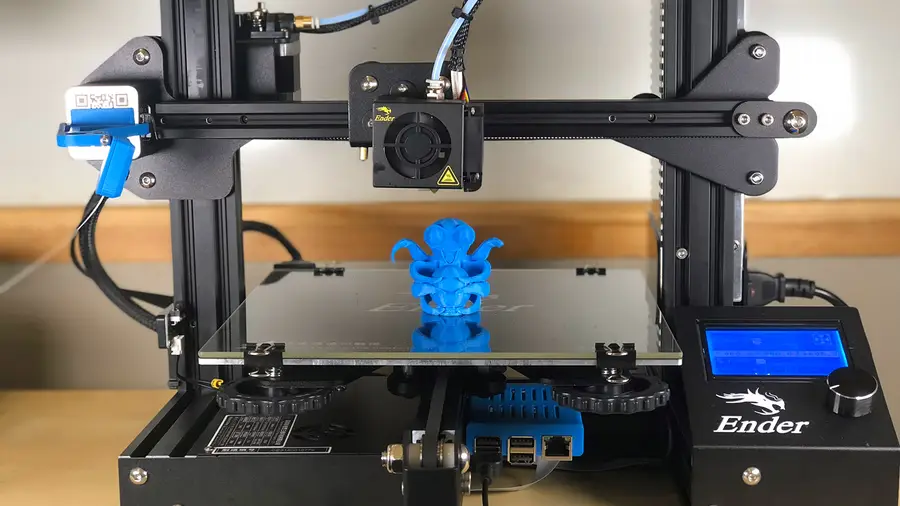
READY PLAYER 1
gaming • 85 guides <!– –>
Minecraft is an epic sandbox video game developed by Swedish game developer Mojang Studios.
minecraft • 66 guides <!– –>
minecraftfabric • 8 guides <!– –>

The variety of mods available for Minecraft is just as vast as the worlds within the game itself. Most likely, any mod you could want or dream of has already been developed. As an avid Minecraft player, I’ve recently become obsessed with Fabric Minecraft mods and expanding the world of Minecraft, literally.

This guide will go through mods available for Minecraft Fabric that either improve the base game’s biomes or adds in new ones! If you’ve ever wanted to roam and explore new environments or dive deep into a cave, below you’ll find a mod for either. So whether you’re hosting a survival multiplayer server or you’re playing alone, you’ll find a mod that opens up your world even more!

If you’re interested in more mods for Minecraft, check out the Minecraft Forge interest!

Note that the game versions available may change since the time of publishing. Most photos were taken using BSL Shaders and Optifine in 1.16.5.

1 – Nature’s Compass

By Chaosyr

Game Versions: 1.12, 1.14, 1.15, 1.16, 1.17

A perfect welcome gift for players! Nature’s Compass is an item that allows players to search for a biome’s location in the world. It automatically will list biomes added from mods, so all you need to worry about is the travel time!

2 – BetterNether

By paulevs

Game Versions: 1.12, 1.15, 1.16, 1.17

The BetterNether mod fills up the boring world that is the Nether dimension. It adds a bunch of new blocks, items, and structures. It’s also compatible with a handful of other mods, even ones that add other Nether biomes!

3 – Repurposed Structures

By telepathicgrunt

Game Versions: 1.16, 1.17

This mod takes vanilla Minecraft structures and makes them better! By adding biome variants or just new versions of structures, each building feels like it belongs in the world instead of standing out. It’s perfect for any servers that wants the players to explore.

4 – Oh the Biomes You’ll Go

By AOCAWOL

Game Version: 1.16

This is my new favorite biome mod to add to a survival world. It adds over 80 biomes that each are unique. They’re not just for the Overworld either! Oh the Biomes You’ll Go adds new biomes to discover in both the Nether and End! It comes with over 40 trees, 28 wood types, and 200 new blocks and items. It’s a great mod if you’re tired of seeing the same places over and over again.

5 – YUNG’s Better Mineshafts

CurseForge

By YUNGNICKYOUNG

Game Versions: 1.15, 1.16, 1.17

If you’re bored with Minecraft’s standard mineshafts, then download this mod to your world. It expands mineshafts with tunnels, loot, abandoned workstations, and more! There are nine biome variants, including a rare mushroom mineshaft.

6 – YUNG’s Better Caves

CurseForge

By YUNGNICKYOUNG

Game Version: 1.16

Much like the Better Mineshafts mod above, this one overhauls cave systems. It adds in lava caverns, underground lakes and rivers, flooded caverns and more! It’s perfect for those wanting more exploration in caves!

7 – Stoneholm, Underground Villages

By TheGrimsey

Game Versions: 1.16, 1.17

With this mod, you’ll discover underground settlements of villagers that are filled with loot and resources to gain. Each village has multiple rooms and floors, with abandoned sections for players to explore.

8 – Mo’ Structures

By ffrannny

Game Versions: 1.15, 1.16, 1.17

If you’ve ever felt like the Minecraft world felt a little empty, then add Mo’ Structures to your modpack. It generates new structures throughout the world, like towers and dungeons. Each structure is meant to implement an RPG element, which occurs when players find a secret chest or books with lore inside them.

9 – River Redux

CurseForge

By SuperCoder79

Game Versions: 1.15, 1.16, 1.17

Minecraft rivers really o lack variety and proper generation. River Redux fixes that by improving generation and adding four new biome variations. This is a smaller generation mod that makes a big impact on the world’s atmosphere.

10 – Traverse

By ProspectorDev

Game Versions: 1.14, 1.15, 1.16

Traverse aims to not overshadow the vanilla Minecraft biomes, but add biomes that blend in as if they were there all along. Biomes include are autumnal woods, lush swamp, desert shrubland, wooded island, and more!

11 – The Aether Reborn

CurseForge

By ImmortalDevs

Game Versions: 1.16, 1.17

This mod is a remake of an older dimension mod of a similar name. It features The Aether, a dimension located in the sky filled with floating islands. It adds new ores, structures, creatures, and dungeons to create for a risky yet rewarding adventure!

12 – Mining Dimensions

By kwpugh

Game Versions: 1.16, 1.17

If the server you’re running is quite large in members, I recommended getting the Mining Dimensions mod. It’ll help from having players cross each other in caves or caverns. This mod adds four mining dimensions for players to use for hunting mobs and mining.

13 – Lakeside

By Juicebus

Game Versions: 1.15, 1.16, 1.17

Much like the River Redux mod, this mod overhauls lakes and ponds that are naturally generated in the world. It adds four new lake variations and works with modded biomes too!

14 – Promenade

By Hugman_76

Game Versions: 1.16, 1.17

This is a smaller biome mod, as it only adds in seven new biomes to the world. Still, Promenade’s biomes are beautiful and it even comes with a new duck mob!

15 – DimensionalDoors

By DimensionalDevelopment

Game Versions: 1.12, 1.17

This mod adds exactly what it sounds like. There are seven included doors that lead to various areas, dungeons, and unique player dimensional pockets to build whatever they want! It also includes a rift feature which is created when a door has been destroyed and can grow in size over time. DimensionalDoors is mod that is deceptively in depth!

16 – Smoother Bedrock

By haykam

Game Versions: 1.16, 1.17

Smoother Bedrock is a simple mod, not does one thing: smooths out bedrock. This will help prevent weird caverns or pockets of bedrock within the world!

17 – Cinderscapes

By wtoll1

Game Versions: 1.16

Cinderscapes is a biome mod that as six new biomes for the Nether. They look similar to vanilla biomes, so they won’t feel too out of place in the world.

18 – Ecotones

By SuperCoder79

Game Versions: 1.16, 1.17

While biomes generated in the base game of Minecraft are beautiful, they lack a certain realistic chaos in their flora. Ecotones changes that by overhauling the designs of trees, shrubs, and even rocks to be unique to each biome. It has over 70 distinct biomes with 218 variants of flora.

19 – EnvironmentZ

CurseForge

By Globox_Z

Game Versions: 1.16, 1.17

If you’ve ever played survival games before, you’ll recognize the main component of this mod. EnvironmentZ adds environment temperatures to your world. Spend too much time in the snowy mountains, and you risk freezing to death.

20 – Fabric Seasons

CurseForge

By D4rkness_King

Game Versions: 1.16, 1.17

This is another mod that greatly improves the realism of Minecraft. Fabric Seasons adds the four seasons to Minecraft that includes seasonal colormaps for foliage and grass and extend weather functions in biomes depending on season.

NEXT UP

Top 10 Enchantments in Minecraft

howchoo   (467)
March 25, 2024

The longer you play Minecraft, the more you realize that early-game tools just won’t cut it. Exploring the enchantment feature of Minecraft can be exciting, but also intimidating. Rather than worry about researching enchantments, below are the best enchantments in Minecraft! To learn how to enchant items, check out this guide! In this guide, you’ll see

Continue Reading

howchoo

 467 guides

Introducing Howchoo, an enigmatic author whose unique pen name reflects their boundless curiosity and limitless creativity. Mysterious and multifaceted, Howchoo has emerged as a captivating storyteller, leaving readers mesmerized by the uncharted realms they craft with their words. With an insatiable appetite for knowledge and a love for exploration, Howchoo’s writing transcends conventional genres, blurring the lines between fantasy, science fiction, and the surreal. Their narratives are a kaleidoscope of ideas, weaving together intricate plots, unforgettable characters, and thought-provoking themes that challenge the boundaries of imagination.

Home Interests Password Managers

1Password vs NordPass: Who Wins Might Surprise You!

We put the two password managers side by side for you!
howchoo   (467)
September 28, 2023
18 minutes

Share

You’ll Need 2

What you’ll need
Interests
1Password x 1
NordPass x 1
Howchoo is reader-supported. As an Amazon Associate, we may earn a small affiliate commission at no cost to you when you buy through our links.
Posted in these interests:
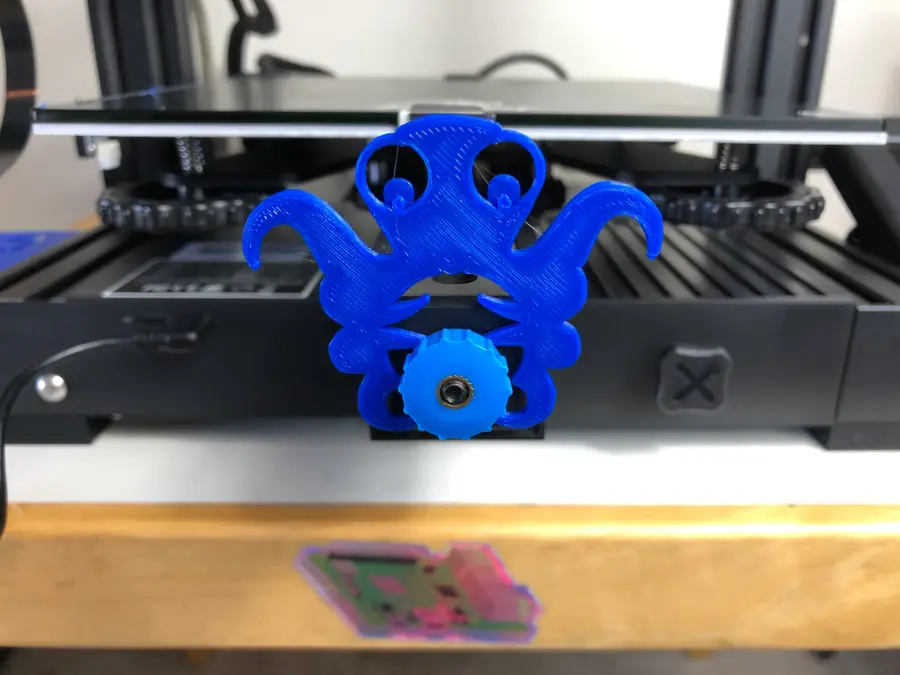
passwordmanagers • 1 guides
security • 6 guides

You might be thinking: 1Password versus NordPass? It’s no contest! 1Password is huge, while NordPass is tiny! Well, it turns out we thought the same thing too. But when we reviewed each in all the major password manager categories, we discovered that it wasn’t the blow-out we would have imagined.

We’ve tested each individually

We’ve been using 1Password as our team password manager at Howchoo for quite a while now. We’ve even written a comprehensive review of 1Password that we recommend you check out supplementally to this head-to-head review. So we have quite a grasp on what 1Password is capable of.

1Password Review: Our New Favorite Password Manager
Intuitive. Secure. A great option for families and small businesses.

We also recently started using NordVPN, which is a phenomenal VPN, and thought we’d give its password manager, NordPass, a shot.

So you can be sure we’ve tried each and understand exactly what each password manager is capable of!

1 – Ease of use

It’s a little uncanny just how similar 1Password and NordPass are in terms of both their user interfaces and methods of use. Here’s a head-to-head comparison GIF of each so you can see what I mean:

NordPass’s Method of Use

1Password’s Method of Use

1Password and NordPass are both extremely user-friendly, while not sacrificing security for easy auto-filling.

As you can see each password manager makes you first unlock the password manager to use its autofill feature, which prevents certain kinds of robots from accessing your accounts.

Both 1Password and NordPass use a vault system that allows you put your saved passwords in various vaults that you can set as private or shared. They also allow you to access your saved credit cards, personal information, and other login info from the application on your desktop.

In fact, both 1Password and NordPass are so similar in design and UI that we suspect NordPass may have taken some cues from 1Password in their design. Given how intuitive the overall UI is for 1Password, that really wasn’t a bad idea at all!

Winner: Draw

How could anyone choose a winner when you can hardly tell the difference between 1Password and NordPass’s applications? We certainly can’t. You’ll have to check another category when deciding which you want to use—that’s for sure!

2 – Security

Encryption

Both 1Password and NordPass use 256-bit encryption with one major difference. While 1Password uses the industry-standard AES 256-bit encryption, NordPass uses the new XChaCha20 256-bit encryption. This is a newly developed method of encrypting data that could stand the test of time if the AES method becomes crackable in the near future (as it’s showing signs of becoming).

Total Encrption / Zero-knowledge architecture

They both mean the same thing—namely, that your encrypted data is unavailable to anyone but you. Even the password managers themselves do not have your encrypted password data.

NordPass and 1Password both offer this for their users in a completely identical way.

Security Checks

And both NordPass and 1Password run security checks periodically to make sure your passwords weren’t involved in any security breaches and that you’re as secure as you can be. This feature is only available on the paid version of NordPass.

Winner: NordPass (by a small margin)

How can that be? Well…each password manager offers identical security features with NordPass offering a more advanced encryption method.

3 – Password sharing

1Password

Both 1Password and NordPass allow users to share passwords in encrypted vaults with their group plans. What this means is that you will no longer have to send the username and passwords in an email or text, which is very dangerous, but can store the username and password in an encrypted vault.

Whenever someone needs to use a shared password, they will simply access the encrypted vault and get the login info.

Here’s what it looks like at 1Password:

And at NordPass:

Cloudwards.net

Winner: draw

1Password and NordPass are identical in the way they allow you to share passwords.

4 – Device and browser compatibility

Testsigma
OS/browser1PasswordNordPass
Windows
MacOS
Linux
ChomeOS
Command Line
iOS
Android
Chrome
Firefox
Safari
Edge
Brave
Opera
Chromium

Winner: 1Password

Each offers support for most of the major operating systems and browsers with 1Password slightly edging out NordPass by offering support for ChromeOS, Chromium, and Command Line. So unless you use those often, there might be little here that changes your mind either way.

5 – Extra features

1Password

Here’s where 1Password jumps ahead of NordPass. 1Password definitely offers more goodies with their plans than NordPass at the moment—and some of those goodies might be worth a lot.

Data storage

1Passwords offers every account 1 GB (5 GB for Business accounts) of data storage. This means that you can securely store files you want to keep safe like passports, driver’s licenses, wills, etc.

NordPass does not offer this.

Identity storage

Both NordPass and 1Password offer the ability to store and autofill your identity information online.

Travel Mode

This one sets 1Password apart. With 1Password you can turn on “Travel Mode,” which allows you to essentially remove ALL of your stored password-data on your device. This means that a border agent who takes your computer, for instance, will not be able to access any of your accounts or personal information.

NordPass does not offer this.

iCloud and Dropbox sync

Only 1Password offers the ability to sync with iCloud and Dropbox.

Unlock with your Apple watch

You can only activate 1Password with an Apple watch at the moment. NordPass does not offer this capability.

How to Unlock 1Password With Your Apple Watch

Winner: 1Password

We think that having secure data storage is pretty valuable. And, given that every 1Password account comes with this, it could be the deciding factor for anyone trying to decide between the two.

6 – Price

Free Version (Winner: NordPass)

Only NordPass offers a free personal version to use that they claim will always remain free.

NordPass’s Free Version

  • Only can have 1 device active
  • Can’t share passwords
  • Can store unlimited passwords and credit cards

Individual Paid Version (Winner: NordPass)

NordPass offers more options to pay for their premium paid service, such as month-to-month ($4.99/mo), annual ($1.99/mo), and 2-year up-front ($1.49/mo).

1Password offers only the annual billing plan at a rate of $2.99/mo.

Both plans offer the same things, except that NordPass only allows you to be actively using the password manager on 6 devices at the same time. But, honestly, we have a hard time imagining an individual using more than 6 devices at the same time with a password manager. So NordPass gets the nod here.

Family Version (Winner: NordPass)

Again, both plans are identical. Both 1Password and NordPass allow up to 5 family members to share the family account and share passwords. They both offer the same features for families, as well.

NordPass’s family plan price is $3.99/mo., billed annually. 1Password’s family plan price is $4.99/mo., billed annually.

Teams/Small Businesses (Winner: 1Password)

We trust 1Password as a small team at Howchoo, and they do offer up-front flexible pricing that’s hassle-free. With NordPass, you have to request a custom quote for your business before you can have any idea of what the cost will be.

1Password for teams currently costs $3.99/mo per user, while their business plan (with unlimited users) runs $7.99/mo. and offers free family accounts.

Discounts (Winner: NordPass)

Only NordPass seems to offer any kind of discount. They currently have a student discount of 10% off when you sign up with your student email address.

Overall Price Winner: NordPass

Except for teams and small businesses, just in terms of price, NordPass is certainly a better deal and even offers a free version, which 1Password does not.

7 – Overall winner

Drumroll please…

And the winner is…

NordPass

How can that be?, you ask.

Well…unless you’re needing the secure data storage we mention above or are using a password manager for a team/business, then we recommend you give NordPass a shot. In all the major categories, NordPass and 1Password offer the same things, with NordPass edging out 1Password in terms of security.

NordPass has a free version that most individuals users will find is enough without having to upgrade, and their paid plans are less expensive across the board.

NEXT UP

How to Send and Receive Encrypted Messages Using GPG

Another tale of Alice and Bob.
howchoo   (467)
November 22, 2023

GPG (GnuPG) is a free and complete implementation of PGP (pretty good privacy). It is a tool used for encrypting, decrypting, and signing messages (or many forms of data). In this guide, we’ll cover the steps to send and receive secure messages using GPG. For this guide, we’ll assume you want to exchange messages with your good

Continue Reading

howchoo

 467 guides

Introducing Howchoo, an enigmatic author whose unique pen name reflects their boundless curiosity and limitless creativity. Mysterious and multifaceted, Howchoo has emerged as a captivating storyteller, leaving readers mesmerized by the uncharted realms they craft with their words. With an insatiable appetite for knowledge and a love for exploration, Howchoo’s writing transcends conventional genres, blurring the lines between fantasy, science fiction, and the surreal. Their narratives are a kaleidoscope of ideas, weaving together intricate plots, unforgettable characters, and thought-provoking themes that challenge the boundaries of imagination.

Home Interests Game Boy

Rare Game Boys Your Collection is (Probably) Missing

Super rare and super awesome!
howchoo   (467)
September 28, 2023
17 minutes

Share

Interests
Posted in these interests:
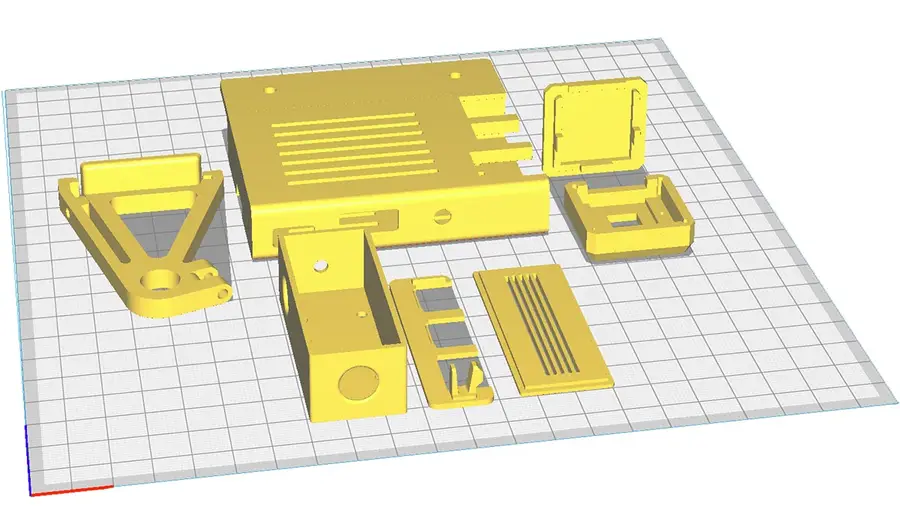
gameboy • 8 guides
news • 3 guides
nintendo • 13 guides
retrogaming • 29 guides

The Nintendo Game Boy is one my favorite retro hand-helds. They came in a surprising number of variations, some of which are very hard to get ahold of.

Today we’re looking at the rarest Game Boys out there. These are less than typical finds that make every Game Boy collector drool.

Note: This list isn’t sorted by rarity. There’s a lot we don’t know about some variations due to a lack of information. For example, a surprising number of promotional editions have surfaced over the years. While Nintendo has verified their existence, they have yet to provide official release numbers. Regardless, I am saving the best for last.

1 – Play it loud!

In March of 1995, Nintendo released the Play It Loud series. These were Game Boys with new, colorful shells. They came in red, blue, green, yellow, black, clear, and white.

The Play It Loud models have a dark gray bezel with matching dark gray buttons. Most of them have black logo and button text. The black and clear edition both have red logo/button text. There exists a rare version of the clear shell that features black text. The rarest Play It Loud edition is the white one, which can go for a few hundred online.

2 – V Drink

Console Variations

In the late 90’s, Nintendo began licensing Game Boy rights to third party companies. These companies would release custom Game Boy editions as promotional prizes, often branding them with the company logo. The V Drink Game Boy edition was released in an unknown but limited quantity. The release was isolated to Australia.

3 – Planet Hollywood

Coleka

In 1995, a new deal was announced between Planet Hollywood and Nintendo. Planet Hollywood began selling custom Game Boys with the company logo printed on the shell. They were available in Planet Hollywood gift shops for a limited time. They are reported to be a European exclusive release. If you find one for sale online, they’re usually priced in the $200 range.

4 – Bee Ind

Console Variations

This Game Boy is another promotional item. It features a small design in the bottom left corner. It comes only in the usual off white color. The image is reported to be the logo of a company called Bee Ind.

5 – Iveco Truck

 Console Variations

For a gaming experience that’s built Ford tough, you need the Iveco Truck edition. It was released in America as part of a contest. It features the Ford logo surrounded by “Iveco Truck”. The image is printed on the original off white Game Boy.

6 – FIAT

 Console Variations

This edition was made to be won in a contest. It appears to be a black Play It Loud Game Boy, evident by the dark gray bezel/buttons and red logo/button text. The bottom left corner displays the FIAT logo in white. It’s reported that 100 of these were released.

7 – Electronic Boutique

Console Variations

The Electronic boutique edition is another promotional item. It features the Electronic Boutique logo on what appears to be a typical red Play It Loud shell. This edition was only available in EB stores. The package, which had a really cool design, also came with Killer Instinct.

8 – Lustucru

Console Variations

Lusticru is a French company that specializes in making pasta. Like many European businesses in the 90s, they decided to release a promotional Game Boy. The official number released is uncertain, but some estimate around 50 units exist. One thing is for sure, they are few and far between in online auctions.

9 – Body Glove

Console Variations

This edition was released by the water-based apparel company known as Body Glove. The release was a European exclusive. It looks like a normal, black Play It Loud device. But this version features a yellow Body Glove logo in the center with the words “Limited Edition” in the bottom left.

10 – JAL

Console Variations

This is the JAL edition. JAL stands for Japanese Airlines. It’s unknown exactly how many are in circulation. They feature the JAL logo on the mid-right section of an off white shell. The serial number on these editions always begins with JAL. These Game Boys are very hard to find online.

11 – Pink Heart

Console Variations

This is a really special edition. It’s the only Game Boy shell to be released in this shade of pink. There is no logo text or button text. It appears to use the original bezel and button color scheme. There is a large, red heart in the center of the Game Boy.

This Game Boy was released as a prize for a European game show. One user on Reddit claims to have one won by his mother on a show called “Ant and Dec’s Saturday Night Takeaway”. She reportedly won the Game Boy after calling in to share a Valentine’s themed poem on the show. In the thread, the user provided some of the only pictures you can find of this edition. It’s unknown how many were released.

12 – Wario

Console Variations

The Wario edition is another super rare find. It features your favorite baddie Wario on a solid black Game Boy. There is no logo or button text. The unit comes with the original bezel and button colors. This edition was a winnable prize on a UK TV show known as “Ghost Train Show”.

13 – Manchester United

Console Variations

This rare Game Boy was made for the English Football club known as Manchester United. The Game Boy appears to be a red Play It Loud edition with Manchester United graphics. It says “Manchester United Football Club” across the front. A Manchester United seal is placed in the center of the Game Boy with a logo in the bottom left.

14 – Toyota

Console Variations

This Game Boy was released as a prize for Toyota. Contest winners would receive the custom Toyota Game Boy unit. It looks just like an original Game Boy. The only change is a small Toyota logo on the front. It’s estimated there are around 100 of these in circulation.

15 – Milka

Console Variations

Milka is a German chocolate company. The Milka Game Boy edition features the Milka cow logo on the front of the shell. It was part of a sweepstakes promotion created just for Milka in the ’90s. It’s unknown how many of them were made. Some estimates put the mark around 50 possible units.

16 – Altus Newing

Console Variations

The Altus Newing edition is a really neat find. This Game Boy was released on the already rare white Play It Loud edition. It features the Altus Newing logo across the front in a striking blue print. I really like the look of these Game Boys. These variants were released in Japan and are said to have been prizes for a contest in the 90s.

17 – Comboy

Console Variations

This Game Boy variant has a really interesting history. Back when the Game Boy was released, there was unresolved tension between South Korea and Japan. Japanese products weren’t easily sold in South Korea. In an effort to circumvent these restrictions, Nintendo licensed the Game Boy for production under Hyundai. The Comboy, as it became known, looks almost exactly like a regular Game Boy. It features the Hyundai logo with the word “Comboy” on the front.

18 – Kirby Pinball

eBay

This is by far the rarest Game Boy edition. It’s known as the pink Kirby Pinball edition. It comes with a deep pink shell and features lineart of Kirby on the front. It was part of a mail-in sweepstakes promotion for a company in the UK called The Jacob’s Bakery Limited.

Only 25 units were created.

One recently appeared on ebay with a Buy It Now price of over $18,000. If you’re looking to complete your Game Boy collection, now is the time. This one still has its link port cover.

NEXT UP

RetroPie scrapers: what they are and how to use them

Wait, which game is this?
howchoo   (467)
September 29, 2023

You’ve put so much work into setting up RetroPie or EmulationStation. You load it up with legally obtained ROMs only to find that custom theme you installed—you remember, the one from my RetroPie themes guide—has a big blank spot for box art! The Best RetroPie Themes (And How to Install Them)You deserve some personal flair! RetroPie: Build Your

Continue Reading

howchoo

 467 guides

Introducing Howchoo, an enigmatic author whose unique pen name reflects their boundless curiosity and limitless creativity. Mysterious and multifaceted, Howchoo has emerged as a captivating storyteller, leaving readers mesmerized by the uncharted realms they craft with their words. With an insatiable appetite for knowledge and a love for exploration, Howchoo’s writing transcends conventional genres, blurring the lines between fantasy, science fiction, and the surreal. Their narratives are a kaleidoscope of ideas, weaving together intricate plots, unforgettable characters, and thought-provoking themes that challenge the boundaries of imagination.

Home Interests DIY

How to Make Chamomile Simple Syrup

When chamomile meets delicious.
howchoo   (467)
September 28, 2023
6 minutes

Share

You’ll Need 10

What you’ll need
Interests
1
Lemon
1 tablespoon
Chamomile Flowers
1 cup
Sugar
1 cup
Water
Howchoo is reader-supported. As an Amazon Associate, we may earn a small affiliate commission at no cost to you when you buy through our links.
Posted in these interests:
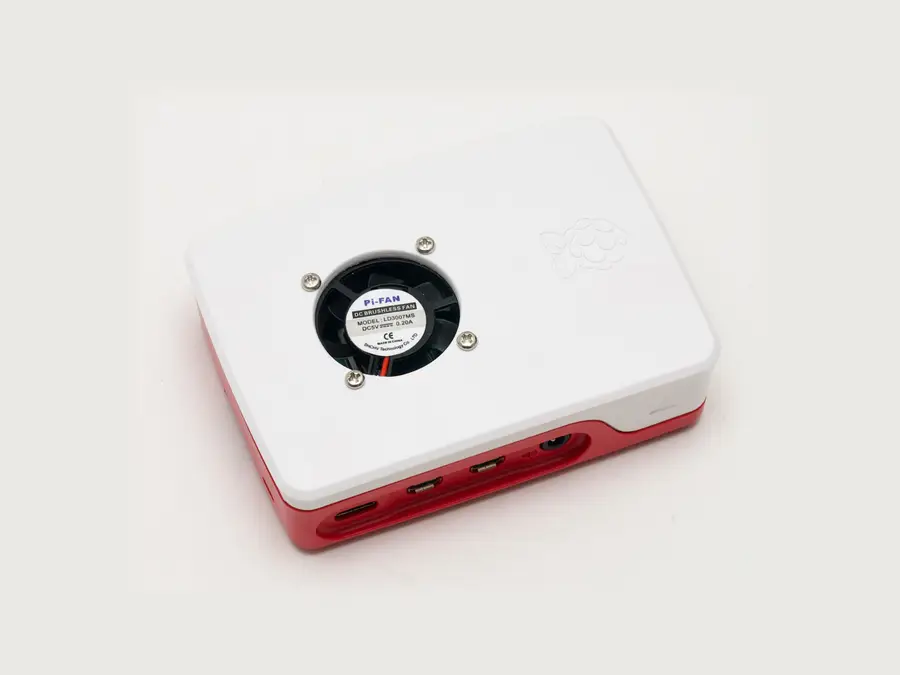
DIY

diy • 17 guides
food • 7 guides

For thousands of years, chamomile has been used to calm anxiety and settle sour stomachs, but recently that we’ve started broadening our chamomile horizons to simple syrup.

Certainly one of the more obscure sides of simple syrup recipes, learning how to make chamomile simple syrup is a great way to add some floral flavors to your favorite cocktails (like a Tom Collins or a Gin Fizz).

What makes this particular recipe is even tastier is the use of fresh lemon peels.

Now, grab your vegetable peeler, your sugar, and let’s learn how to make chamomile simple syrup.

What to learn how to make something really delicious? Check out my recipe for blackberry simple syrup.

1 – How to choose your chamomile flowers

Like our rose water simple syrup guide, you can use freshly grown chamomile flowers, or you can use dried flowers.

If you’re using dried flowers, try to buy organic. For example, while chamomile leaves are widely sold to be used for home growth, it’s important to make sure they’re actually safe for consumption.

Check and research everything that’s listed on the packs you’re buying. A quick search with a reputable source will help you determine whether your flowers are safe or not.

Otherwise, buying organic is always a good route to take.

Once you have your flowers, you’ll be ready to make your syrup.

2 – Add your ingredients to your sauce pan

Carefully use your vegetable peeler to peel the skin of 1 lemon. Drop the peels into your sauce pot.

Measure out 2 tbsp of chamomile flowers and add them to your lemon peel.

Measure out 1 cup of sugar and add them to your pot.

Finally, add 1 cup of water to the pan.

3 – Heat your chamomile, sugar, lemon peel, and water

Place your pot over medium-high heat.

Stirring occasionally to help your sugar dissolve, bring your syrup to a boil. Once your sugar has dissolved, turn off your stove, and remove your pot from the burner. Allow it to cool for 10 minutes.

4 – Strain your simple syrup

Once your pot has cooled, pour your syrup through a strainer and into your mason jar (or any airtight container).

Now that you known how to make chamomile simple syrup, it will keep in the fridge for up 4 weeks, which gives you enough time to enjoy a beverage (or two). Whether you’re pouring this syrup into a cup of tea or your favorite cocktail or a combination of the two (try a little of your simple syrup in a glass of whiskey, with a dash of honey, and your favorite sleepy tea) and enjoy!

Pro tip: Clean up your sauce pot before your sugar evaporates and crystalizes to the side of your cookware. Nothing is worse than scraping off sugar.

NEXT UP

HeaterMeter: Control your Grill Using a Raspberry Pi!

Fire up the summer with a new Pi project.
howchoo   (467)
November 28, 2023

With summer right around the corner, it’s time to fire up the grill! But who will watch the grill while you’re beating the heat? This year, kick things up a notch with your own Raspberry Pi-powered HeaterMeter. Don’t just throw a BBQ, be a part of it. HeaterMeter lets you keep a close eye on

Continue Reading

howchoo

 467 guides

Introducing Howchoo, an enigmatic author whose unique pen name reflects their boundless curiosity and limitless creativity. Mysterious and multifaceted, Howchoo has emerged as a captivating storyteller, leaving readers mesmerized by the uncharted realms they craft with their words. With an insatiable appetite for knowledge and a love for exploration, Howchoo’s writing transcends conventional genres, blurring the lines between fantasy, science fiction, and the surreal. Their narratives are a kaleidoscope of ideas, weaving together intricate plots, unforgettable characters, and thought-provoking themes that challenge the boundaries of imagination.

Home Interests MacOS

How To Connect Your AirPods With a Keyboard Shortcut in MacOS

Automate the task that you probably do 10 times per day!
howchoo   (467)
September 28, 2023
11 minutes

Share

You’ll Need 1

What you’ll need
Interests
Howchoo is reader-supported. As an Amazon Associate, we may earn a small affiliate commission at no cost to you when you buy through our links.
Posted in these interests:
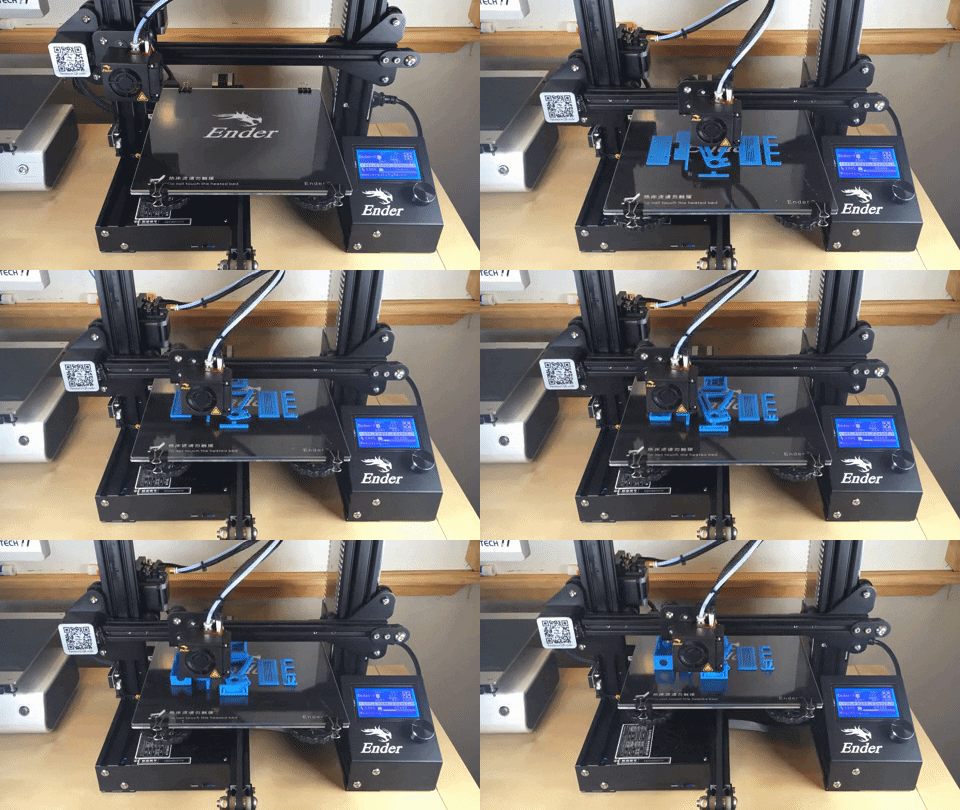
 
apple • 18 guides
macos • 20 guides
Note: This guide does not work on MacOS 11 Big Sur. Look out for an updated guide coming soon.
According to xkcd, if you can shave 5 seconds off of this task each time you perform it, it is worth spending about 12 hours to automate the task (over the course of 5 years):

XKCD

We’re big fans of automation and time-saving at howchoo! We’ve made shortcut guides in the past, such as showing you how to auto-hide your dock in MacOS and setting up a Mac mail search box shortcut.

And here’s another great one! If you follow this guide closely, it only takes 10 minutes to automate connecting your Airpods with a keyboard shortcut in macOS!

1 – Copy the following script

activate application "SystemUIServer"
tell application "System Events"
  tell process "SystemUIServer"
    -- Working CONNECT Script.  Goes through the following:
    -- Clicks on Bluetooth Menu (OSX Top Menu Bar)
    --    => Clicks on SX-991 Item
    --      => Clicks on Connect Item
    set btMenu to (menu bar item 1 of menu bar 1 whose description contains "bluetooth")
    tell btMenu
      click
      tell (menu item "{{ The name of your airpods here }}" of menu 1)
        click
        if exists menu item "Connect" of menu 1 then
          click menu item "Connect" of menu 1
          return "Connecting..."
        else
          click btMenu -- Close main BT drop down if Connect wasn't present
          return "Connect menu was not found, are you already connected?"
        end if
      end tell
    end tell
  end tell
end tell

Thanks @erebusbat for this applescript!

2 – Open Script Editor

Open Script Editor.

It lives in /Application/Utilities/, but just use spotlight (cmd + space).

Click New Document to get a blank editor.

3 – Paste the code

Paste the code into the editor.

4 – Carefully add the name of your airpods to the code

Find the name of your AirPods from your Bluetooth settings. Whatever shows up in the menu is the official name of your AirPods. This name is case sensitive and only allows curly quotes. A curly quote is , not '. A curly quote can be entered using shift + option + ]

Find the section that says {{ The name of your AirPods here }} and replace it with the name of your AirPods.

For me, “Dayne’s AirPods Pro” becomes “Dayne’s AirPods Pro”.

See the completed code below:

activate application "SystemUIServer"
tell application "System Events"
  tell process "SystemUIServer"
    -- Working CONNECT Script.  Goes through the following:
    -- Clicks on Bluetooth Menu (OSX Top Menu Bar)
    --    => Clicks on SX-991 Item
    --      => Clicks on Connect Item
    set btMenu to (menu bar item 1 of menu bar 1 whose description contains "bluetooth")
    tell btMenu
      click
      tell (menu item "Dayne’s AirPods Pro" of menu 1)
        click
        if exists menu item "Connect" of menu 1 then
          click menu item "Connect" of menu 1
          return "Connecting..."
        else
          click btMenu -- Close main BT drop down if Connect wasn't present
          return "Connect menu was not found, are you already connected?"
        end if
      end tell
    end tell
  end tell
end tell

5 – Save As an Application

  • Hit cmd + S to save.
  • Select “Application.”
  • Give your application a catchy, memorable name.

6 – Give security privileges to your script

Go to System Preferences > Security & Privacy

If the settings are locked, click the lock at the bottom left and enter your password to unlock it.

7 – Add your new application to “Accessibility”

  • Select Accessibility on the left side.
  • Click the + sign.
  • Find the new Application you just created and select it.

8 – Open Automator

  • Open the Automator Application which can be found at /Applications/Automator, but again, just use spotlight (cmd + space).
  • Click New Document.
  • Select the cog that says “Quick Action” (it may be called “Service” on older MacOS versions).

9 – Select “no input”

In your new Automator action, under “Workflow receives”, select no input. Make sure it reads “Workflow receives no input in any application.”

10 – Select “Launch Application”

In your new Automator action, under “Workflow receives”, select no input. Make sure it reads “Workflow receives no input in any application.”

11 – Select “Launch Application”

  • Click the dropdown, select Other,
  • Find and select your new application.

12 – Save your application

Hit cmd + save and give your action a catchy name.

13 – Go to keyboard shortcuts settings

Go to System Preferences > Keyboard > Shortcuts

14 – Find your new action

  • Click Services on the left side and look for your new action under the “General” section. Mine was at the very bottom.
  • Make sure the checkbox is enabled here.
  • Click Add Shortcut next to it.

15 – Press a keyboard shortcut

Think of a memorable keyboard shortcut and enter it. It will appear next to the action.

16 – Test it

Hit your keyboard shortcut and, voila, things should happen! You may get a security alert the first time you run it, but other than that, you’re all set!

NEXT UP

How to Enable the “Popping” Sound When Adjusting the Volume on Your Mac

howchoo
howchoo   (467)
December 13, 2023

Starting with MacOS Sierra and High Sierra, your Mac will no longer play a “pop” sound when you adjust your volume. If you prefer to have this sound when you adjust volume up and down (as I do), this guide will teach you how to reenable it. 1 – Open Sound System Preferences Navigate to System

Continue Reading

howchoo

 467 guides

Introducing Howchoo, an enigmatic author whose unique pen name reflects their boundless curiosity and limitless creativity. Mysterious and multifaceted, Howchoo has emerged as a captivating storyteller, leaving readers mesmerized by the uncharted realms they craft with their words. With an insatiable appetite for knowledge and a love for exploration, Howchoo’s writing transcends conventional genres, blurring the lines between fantasy, science fiction, and the surreal. Their narratives are a kaleidoscope of ideas, weaving together intricate plots, unforgettable characters, and thought-provoking themes that challenge the boundaries of imagination.