Game Boys are awesome! But they’ve been around for so long, it’s no surprise to find they have a thriving mod community.
Have you always wanted a purple Gameboy? Maybe you’re tired of sitting under a lamp just to play Tetris. Whatever the case, there’s nothing holding you back from creating the ultimate Game Boy experience you’ve dreamt of since 1989.
This guide lists the most common Game Boy mods available today. I’m ready if you’re ready—now let’s get started.
1 – Custom Game Boy shell
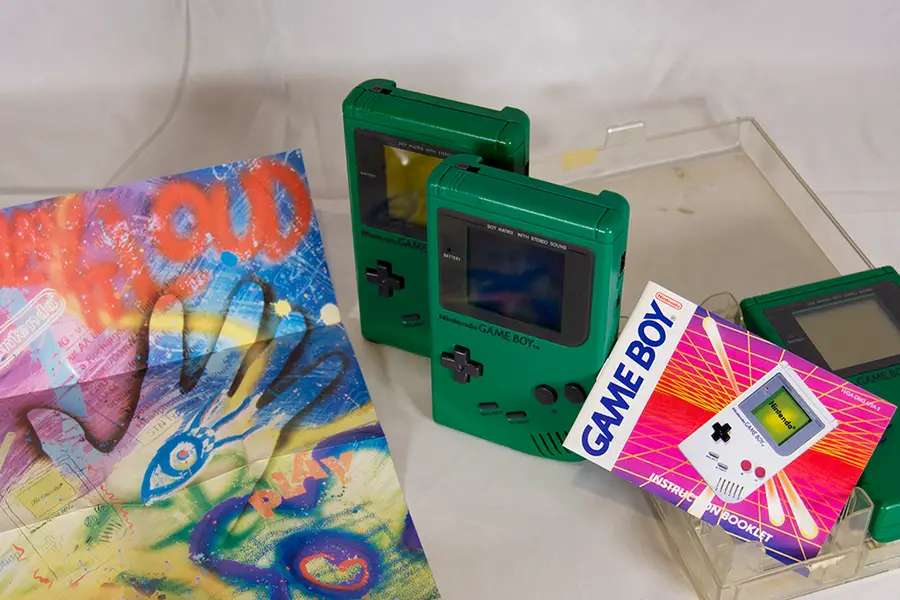
Game Boys can be upgraded with an amazing variety of custom shells. In 2018, you don’t have to look hard to find third party vendors selling Game Boy shells. Most of them are aftermarket shells, created with the modern modding community in mind.
However, it is possible to locate original hardware. Auction websites and used gaming stores sell old devices and individual Game Boy components. This is great for restoration projects or those who just prefer original hardware. If you want to learn more about customizing your shell, visit our Game Boy shell replacement guide.
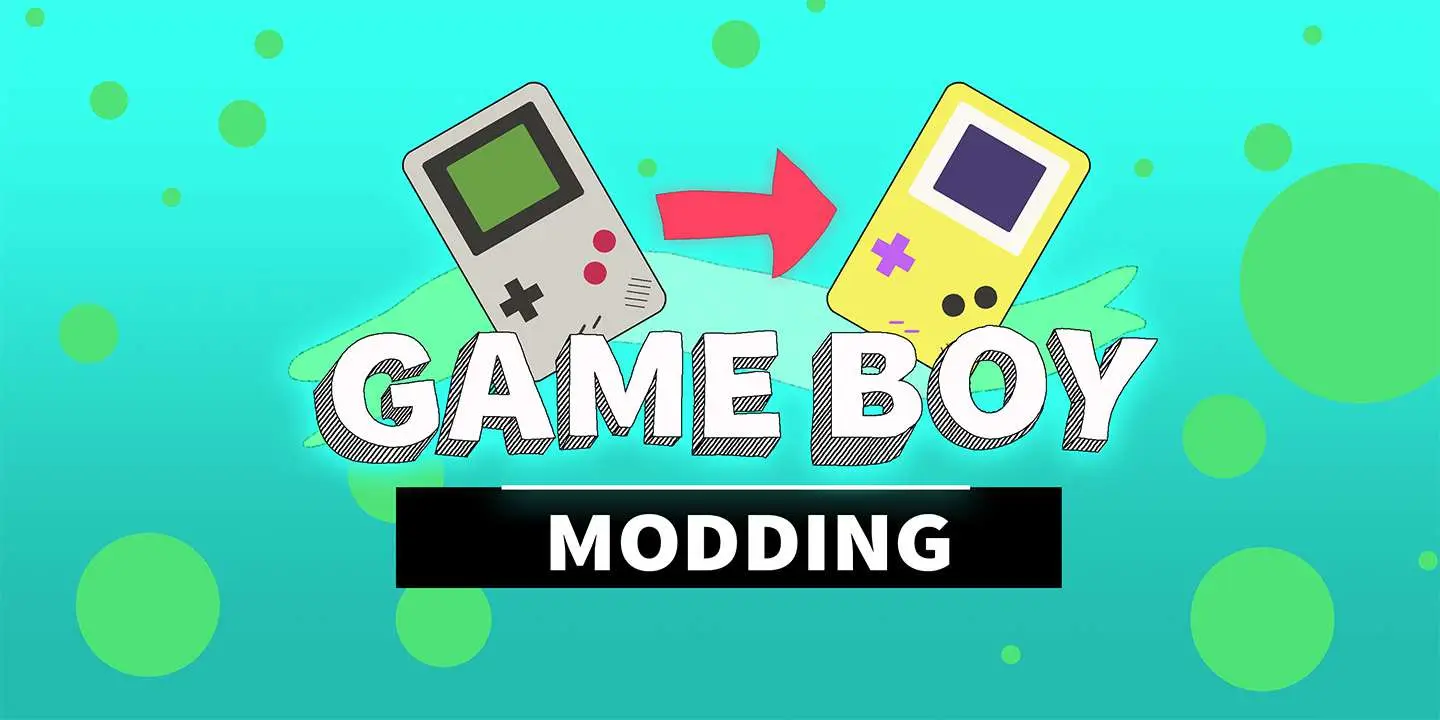
How to replace an original Game Boy shell In this guide, I’ll be updating a back-lit Game Boy with a yellow Play It Loud shell.
2 – Custom Game Boy buttons
Another common mod you’ll find in the community is custom buttons. Upgrade your Game Boy with brand new controls! They work just like the old ones, but you can choose a different color if you like.
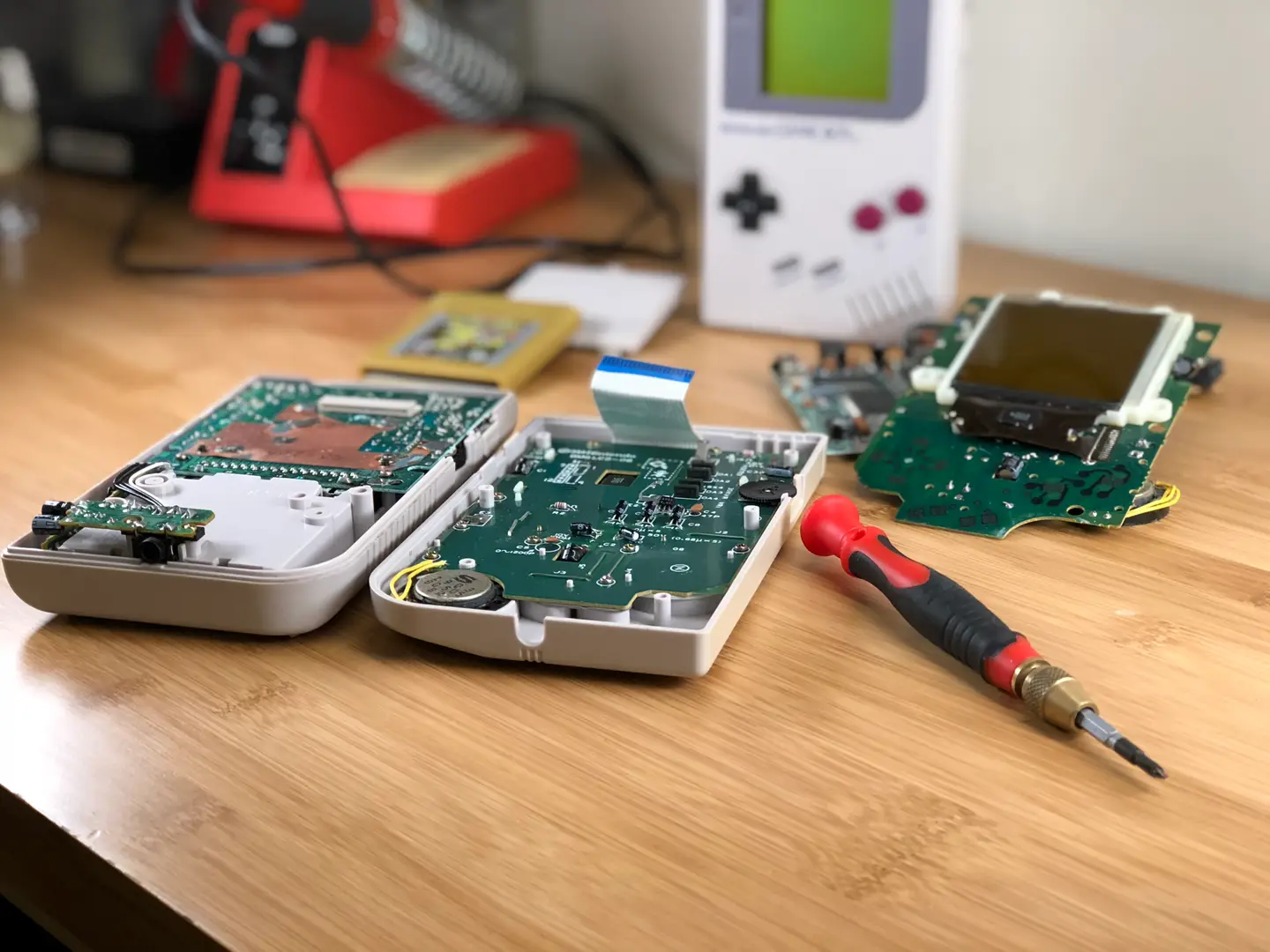
Third party vendors sell many custom color buttons to match the wide array of replacement shells. Replacing the buttons is just as easy as replacing the shell with half the work! Just open up the Game Boy, remove the front motherboard, and swap out the buttons. While you have that Game Boy open, it’s a great time to fix any button sticking issues—visit our guide to learn how to fix sticky Game Boy buttons.
How to Fix Sticky Game Boy Buttons You can’t play anything like this. Let’s fix it!
3 – Game Boy backlight mod
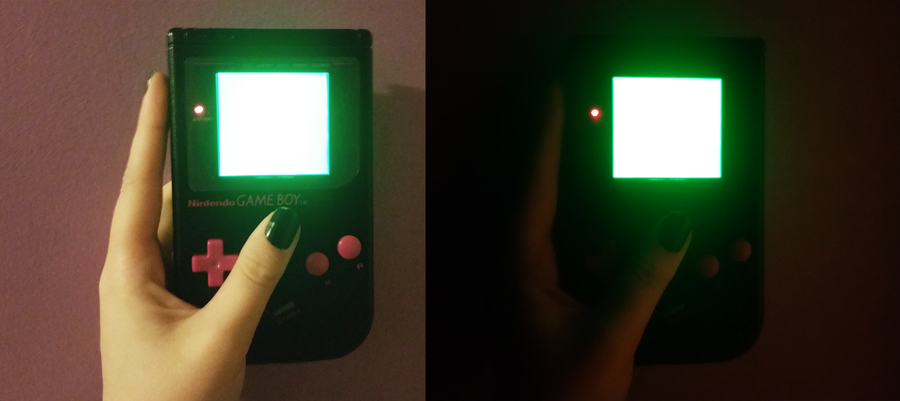
Finding an old Game Boy is awesome. Wasting time to find a lamp to sit under is not. That’s why we have the Game Boy backlight mod! After almost 30 years, you can finally install a working light to play your original Game Boy in the dark.
This mod is a little bit involved and could potentially ruin the original screen. You may want to avoid using any sentimental hardware. But if you think you’re ready, so do we. Head over to our Game Boy backlight mod guide to get started!
Backlighting an original Game Boy screen has a direct impact on pixel contrast. Rotating the polarizing film can cause the pixels to invert—some modders do this intentionally. For an ideal display, the pixels need to be inverted twice.
The modding community tackles this issue by means of bivert chip mods. The installation of these chips inverts the signal information for dark and light pixels. This small difference improves the contrast and visibility on the screen. As a side effect from this mod, the contrast wheel now works backwards.
Customizing the bezel on a Game Boy can add an incredible touch to your modding project. The original screen bezels were made of plastic. But you can find a wide variety online, including high quality bezels made of glass.
The original Game Boy was released with a gray bezel. But you’ll find a rainbow of options online—including custom printed graphics. Your only limit is your imagination when it comes to custom bezel replacement.
6 – Increase Game Boy screen size
Game Boy screens are more than necessary, they’re iconic. But there comes a time in every modders like when you realize that maybe it would be pretty cool to install that 3″ aftermarket screen. Just for funsies, right?
Or maybe you’ve bricked your original Game Boy screen in a failed attempt to install a backlight. Repurpose old components and create your very own “frankenboy”. Add a custom after market screen and throw it in a custom shell while you’re at it. There’s nothing wrong with taking advantage of modern day upgrades.
7 – Game Boy bass boost mod
Original Game Boy audio is so classic, fans have created genres of music based on it. Chiptunes are built on the fundamental sounds created by the Nintendo Game Boy. But what if you wanted to bring out the best of these sounds?
If you’re into high quality audio, this mod is for you. This mod upgrades your Game Boy to let more power through the sound system. Amplify those bass tones and bring out the best audio in your Game Boy. Ready to get started? Check out our Game Boy bass boost guide here.
You’ve put so much work into setting up RetroPie or EmulationStation. You load it up with legally obtained ROMs only to find that custom theme you installed—you remember, the one from my RetroPie themes guide—has a big blank spot for box art! The Best RetroPie Themes (And How to Install Them)You deserve some personal flair! RetroPie: Build Your
Introducing Howchoo, an enigmatic author whose unique pen name reflects their boundless curiosity and limitless creativity. Mysterious and multifaceted, Howchoo has emerged as a captivating storyteller, leaving readers mesmerized by the uncharted realms they craft with their words.
With an insatiable appetite for knowledge and a love for exploration, Howchoo’s writing transcends conventional genres, blurring the lines between fantasy, science fiction, and the surreal. Their narratives are a kaleidoscope of ideas, weaving together intricate plots, unforgettable characters, and thought-provoking themes that challenge the boundaries of imagination.
I don’t know why I didn’t think of this sooner, but replacing the milk/cream with buttermilk in homemade frosting is seriously amazing. It’s not obviously tangy. It just balances out the extreme sweetness that is American Buttercream so well. Looks really cute with sprinkles on top too!
This frosting would go great on top of our super easy banana chocolate chip muffins!
1 – Directions
Beat softened butter and powdered sugar together for a few minutes until light and fluffy. Add vanilla and buttermilk and continue beating for another minute.
Pipe or frost cupcakes, add sprinkles if desired, and serve.
🛈 This recipe made enough for 48 mini homemade funfetti cupcakes.
NEXT UP
HeaterMeter: Control your Grill Using a Raspberry Pi!
With summer right around the corner, it’s time to fire up the grill! But who will watch the grill while you’re beating the heat? This year, kick things up a notch with your own Raspberry Pi-powered HeaterMeter. Don’t just throw a BBQ, be a part of it. HeaterMeter lets you keep a close eye on
Introducing Howchoo, an enigmatic author whose unique pen name reflects their boundless curiosity and limitless creativity. Mysterious and multifaceted, Howchoo has emerged as a captivating storyteller, leaving readers mesmerized by the uncharted realms they craft with their words.
With an insatiable appetite for knowledge and a love for exploration, Howchoo’s writing transcends conventional genres, blurring the lines between fantasy, science fiction, and the surreal. Their narratives are a kaleidoscope of ideas, weaving together intricate plots, unforgettable characters, and thought-provoking themes that challenge the boundaries of imagination.
Note this is a PG-style list, which includes no nudity or violence.
Making this list of the most unbelievable things caught by a Google street view camera has taught us one thing. Namely, that traveling these street view images is like traveling through a record of a particular time. That record is sometimes hilarious, sometimes beautiful, sometimes heartwarming, but always human.
After noticing many fake street view images posing as real when researching this article, we’ve done our due diligence to make sure that each image is from a real Google Street View image.
So sit back and enjoy these moments in time captured by the Google crew.
What is Google Street View?
Launched in 2007, Google Street View is a dedicated effort by Google Maps and Google Earth to provide a panoramic view of the streets, walkways, paths, and waterways worldwide. Google uses special cameras attached to vehicles and even drones to capture shots that live as moments in time.
1 – Jumpsuit golfclub fighting
Location: Oscarsborg Fortress, Norway
What can we even say about this one?! While it’s likely staged for Google’s benefit, our question is why? It appears to be two people in red jumpsuits doing battle on the ground of Oscarsborg Fortress in Norway. What is this style of fighting, you ask? Who knows! And why are they fighting? There are so many questions regarding this one. We couldn’t find any answers in our research, so please feel free to comment below if you know the story behind this shot.
2 – Pigeon folk
Location: Tamagawa Aqueduct, Japan
This one is haunting. We’re hoping this one was staged for the benefit of the Google Street View crew; otherwise, we’re seriously concerned about the folks living near the Tamagawa Aqueduct in Japan. One question we have is: where did they all get the pigeon masks? Was there a pigeon-mask-making party at some point?
3 – Scarecrows in a field
Location: Kainuu, Finland
The Google Street View crew captured this incredible art display by artist Reijo Kela. The piece is called “The Silent People,” and many feel the piece is a response to WWI. The clothing on the figures is changed twice per year.
4 – Diagon Alley (Harry Potter)
Location: Warner Bros. Studio, London, England
Fans of the Harry Potter series will be happy to find out that they can actually take a virtual stroll down the famous Diagon Alley from the books. Google was given private access to capture the magic of the most famous street in the wizarding world. Who knows what you might find there? Legend has it that Lord Voldemort is hiding in one of the windows.
5 – Scuba warriors
Location: Bergen, Norway
Ever wonder what you do with too much time on your hands? Ask these two guys who waited around in lawn chairs, dressed in scuba-gear, for the Google Street View vehicle to drive by. If you look at the map view, you’ll notice that they get up out of their chairs and begin to chase the vehicle with their rakes.
6 – Penny-farthing on the back of a Toyota
Location: British Colombia
Okay…so maybe this one isn’t immediately stunning, but when you think about both the rarity of the penny-farthing and the fact that it’s been mounted to the back of the Toyota here, you begin to wonder about this one. Whoever rides this hipster bicycle actually transports it to different places to ride for sport or show.
What is a penny-farthing?
A penny-farthing is an old-style bicycle, popular in the late 19th-century, that utilizes a big front wheel for a fast, comfortable ride. And, yes, people still ride them—mostly for novelty reasons.
7 – Sunrise on Mt. Fuji
Location: Mt. Fuji, Japan
Not all of the images need to be scary or funny! This one happens to be breathtakingly beautiful. Google did its due diligence to follow the trail that leads up Mt. Fuji to capture this incredible shot of a sunrise. It makes me think that it’s probably not such a bad job to take Google Street View images if you get to explore some locations such as this. This one goes out to anyone who’s ever dreamed of seeing the sunrise on Mt. Fuji—like me!
8 – The parrot holds court
Location: Lancaster, Pennsylvania
What’s the funniest caption you can think of for this parrot on the back of the pickup? Please let us know in the comments below.
Here’s ours: “I pay rent to live in the back of this truck. Joe, here, tells me I’m not too much of a birden.”
You can probably do better.
9 – Woman laying in the back of a car in Russia
We’ve got a theory about this one, and it’s not as sinister as you think. But it does involve robots. The man driving the car is actually a robot named “Henry.” Henry has a chip that controls his mechanics and allows him to drive important clients across the Russian countryside. That chip was dislodged somehow and fell in the back seat. The woman is simply looking for it in the back.
See? It’s not sinister at all!
This image was pulled from the popular free-to-play game GeoGuessr, which asks players to determine a location when dropped randomly in Google Street View.
10 – Goats…lots of goats
Location: Dakar, Africa
This is the largest gathering of goats we’ve ever seen. Goats are valuable livestock in many parts of the world, providing dairy, fiber for clothing, and meat. So it’s not unusual to find them en masse in places like Dakar or other parts of the world. They look quite content there by the side road, taking in the sunshine and nice weather!
11 – Portland cockatoo man
Location: Portland, Oregon
This might be the most Portland Google Street View image you could imagine. A man is out for a casual stroll with his pet cockatoo. We’ve never seen anything like it before, but then again, we’ve never lived in Portland. We’re thinking that the Google Street View vehicle should spend a little more time there.
12 – Kids selling lemonade
Location: New York City, New York
We need to have at least one heartwarming image captured by Google Street View on the list, and this one takes the cake. Remember the days when kids would sell lemonade on the street to earn a little extra cash? It’s a sweet image of what might become a by-gone tradition in the US. We hope they earned some sweet cash this summer with which to have fun!
13 – Pittsburgh performance piece
Location: Pittsburgh, Pennsylvania
When Google announces that its vehicles will be coming around, people find new and innovative ways to respond. Like this performance piece choreographed by artist Ben Kingsley in Pittsburgh. Kingsley worked with the Google team to create various scenes throughout the city that would be captured by the cameras.
14 – Man walking his dog in Norway
Location: Vestland, Norway
If we were dogs, this is the guy we’d want to be our owner. He must be the kind of guy who brings his dog everywhere—the movies, opera, and fashion shows. We love this photo. This dog looks so content to be relaxing in the Norwegian sunshine on the way to the park.
15 – Nagoro “Scarecrow” village
Location: Nagaro Village, Japan
Artist Tsukimi Ayano has found a hauntingly beautiful way to repopulate her home village of Nagaro. In this street view image, we can see Ayano’s “scarecrows,” which are meant to represent all of her neighbors who have either moved away from her village of 30 people or died. She repopulates the village and creates a haunting portrait of the plight of many villages, where children favor life in the city and leave.
16 – Crossing the road in Russia
Location: Yuzhno-Sakhalinsk, Russia
It’s hard to say what’s happening here. We have a theory; however, that might not be the first thing you’d think. We suspect that the woman being held up while crossing the street was actually doing some sort of interpretative dance routine, and angry commuters decided to remove her from the middle of the highway. Disagree? (I don’t blame you.) What’s your take on this one?
17 – William Tell in Connecticut
Location: Wallingford, Connecticut
We’re seriously hoping that no one was harmed in this photo. A man appears to be shooting an arrow at a can placed on another man’s head. Please do not try anything like this the next time Google is in your neighborhood. A simple smile and a wave would be nice.
18 – Bear fishing in lake
Location: Kurile Lake, Russia
Ever since Google started using drones to capture views of out-of-the-way places like here at Kurile Lake, we’ve been seeing more wildlife appearing in the photos. This is a stunning portrait of a bear having a fish snack and enjoying the water.
19 – Toilet-papered house
Location: Font du Lac, Wisconsin
We didn’t think that toilet-papering a house was still something that kids did! We thought that, by now, kids would have found more innovative ways to prank a grumpy neighbor. It looks like we were wrong! And Google’s camera proves it. Whoever’s house this is, we’re sorry! Cleanup will be a pain.
20 – Fire in Arkansas
Location: Sherwood, Arkansas
No one was harmed by this fire. Firefighters put out the fire.
Still, it’s scary to see an entire house engulfed in flames in the suburbs of Arkansas. Google street view caught the firefighters rushing to the scene as they drove by. We’re glad that everyone involved was okay, though the house did suffer major damages.
21 – Japanese wedding march
Location: Shimogamo-Jinja Shrine in Kyoto, Japan.
A rare look at a traditional Japanese wedding march occurring near the Shimogamo-Jinja Shrine in Kyoto. We love the beautiful Japanese gate or torii in the background and the parasol that keeps the happy couple cool. Such wonderful moments captured by Google for our benefit.
22 – Street view of street view car
Location: Salta Province, Argentina
What do you get when a street view camera captures another street view camera? That’s right! Confirmation that Google is everywhere. And likely some kind of implosion of the universe. We love the camaraderie of these two vehicles, and we’d love to imagine them giving each other a high-five as they continue capturing the city’s streets.
23 – Dabbing man
Location: Victoria, Australia
Remember dabbing? What’s that? You’re saying that you don’t want to remember dabbing? We’re sorry. We’d love to forget that dabbing was a thing too. But when many of the street images were taken, dabbing was in full swing. This bicyclist, for sure, dabbed his way to fame.
24 – Mysterious white van
Location: Belfast, Ireland
This one is a little eerie. Every year for 5 years, Google captured a white utility van outside of this corner of Belfast. It wasn’t the same van each year, and Google went past on different days. It left us wondering what’s been wrong with “Stevie’s” fruit store on the corner? Bad plumbing? Electrical issues?
Whatever it was, the latest Google image shows that the store closed—and the white van is finally gone. Spooky.
25 – Cherry blossoms in Japan
Location: Maruyama Park in Kyoto, Japan
Another image included for its breathtaking beauty is this lit cherry blossom tree in Kyoto—the city famous for its cherry blossoms. Every year, the city holds the largest cherry blossom festival in the world. We recommend taking a stroll through the entire park using Google street view. The park is simply stunning.
26 – Shovel guitar man
Location: Marseilles, Illinois
We’re not sure what we love more about this image: the man playing the guitar with his shovel; or, his coworker looking on. This one definitely has the feel of a spur-of-the-moment decision by the construction worker with the shovel. His coworker, however, simply stares at his friend in a look that’s part-horror, part-awe.
27 – Downhill grass skiing
Location: Mont Blanc, France
Is it a skier skiing on the grass? You bet. A Google trekker caught this image of a downhill skier riding the green slopes of Mont Blanc. It’s a stunning image; though, the more we look at the image, the dizzier we become.
28 – Horse-drawn carriage on highway
Location: London, England
You’d never get away with holding up traffic like this in New York or Los Angeles. In fact, you’d likely be taking a risk with your life if you tried. But this couple did not mind doing it outside of London. Their ride seems less romantic, given all of the traffic surrounding them. But…hey…that’s just us!
29 – Rockaway Park seagull
Location: Queens, New York
Google street view captured this enormous seagull mid-flight, as it descended to return to (what we can only imagine is his) lunch. It’s one of the coolest images caught by Google street view—both because of the seagull and because it captures the Queens area of New York known as Rockaway quite well.
30 – Landscape painter
Location: The Flower Walk at Kensington Park, London
It’s a portrait of a painter, painting the beauty of Kensington Park’s area known as The Flower Walk. We love this image-within-an-image (as do the onlookers). One of our favorite things about making this article is seeing the way people live in the streets and parks of their lives. Here’s one way.
31 – Dog caught eating bagels
Location: Houston, Texas
This one kind of breaks our heart. It also makes us smile. You can see the guilty look of this dog as he steps away from his found bagel-meal. He looks like he’s probably a sweet dog, and, because we don’t see any leash, might be a homeless dog. We wish him many good bagel dinners in the future and a warm home soon.
32 – Canadian horse brunch
Location: British Colombia, Canada
Would you join this nice-looking horse for a cup of tea and maybe a biscuit outside on a nice day? We would consider it. We’re not sure how the flamingoes figure into the scene, however, particularly as this location is in Canada. The things people will do when they hear about Google driving through their neighborhoods!
Imagine you’re taking a trip through some of the lovely farm-regions of France. The sun is shining. You’re admiring the classical architecture of the homes and barns. But…wait…what’s that? Yup. It’s a factory in the distance releasing plumes of smoke into the air—the same air that holds the water for the crops. Alas! Nothing gold can stay…
34 – Happy kids
Location: Brazil
We love random bursts of pure joy directed at the world! And these kids certainly know how to make their mark in our hearts. As the Google street view car goes by, the kids do exactly what you’d imagine kids would do. They jump up and down for joy, saying, “Hey! Hello! Olá!”
35 – Mongolian man taking bathroom break on side of the road
No judgment! We’ve all been there before. And try to imagine having to drive a truck for countless hours across this desert. The last thing he would have expected is to be capture on camera by a Google Street View vehicle passing him. Lucky for us, we’re left with this funny and oddly-lovely landscape shot.
36 – Lightning in Romania
Location: Romania
This is the only Google street view image of lightning that we could find! And it’s a really good one. We’re actually surprised that we haven’t come across more storms on the street view camera. It must be because the Google cars stay home when the weather gets bad. Lightning storms are common in Romania due to its unique landscape and climate.
37 – Destroyed FedEx truck
Location: Missouri
We can’t confirm the veracity of this story, but apparently, the truck driver went underneath a bridge that was too low for his truck. This poor guy has a lot of explaining to do, we’d imagine. Still, we feel bad for him—particularly if this was his first time on that route.
38 – Futuristic jogging outfits
Location: Ireland
This looks like something out of an old science-fiction film based on how we imagine spacesuits would look. These are the most intense jogging suits we’ve ever seen! We imagine the purpose is to lock in the body heat, but we seriously worry about the safety of these outfits. And can you imagine what it’s like to take these on and off!
If you just need to search and find a single word or multiple words in Google Docs, press ⌘ + F. If you want to find and replace words in your Google Doc, then we’ll show you how to do that too! 1 – Press cmd + F To find a word (or words) in
Introducing Howchoo, an enigmatic author whose unique pen name reflects their boundless curiosity and limitless creativity. Mysterious and multifaceted, Howchoo has emerged as a captivating storyteller, leaving readers mesmerized by the uncharted realms they craft with their words.
With an insatiable appetite for knowledge and a love for exploration, Howchoo’s writing transcends conventional genres, blurring the lines between fantasy, science fiction, and the surreal. Their narratives are a kaleidoscope of ideas, weaving together intricate plots, unforgettable characters, and thought-provoking themes that challenge the boundaries of imagination.
I’ve been a gamer for most of my life, starting with simple games on my old Macintosh 128K, diving deep with the classics of my GameBoy and N64 collections, and then surfing up the years with XBOX and my growing collection of PC titles.
During these years, one thing has stuck out for me above all others: that the best games are those with a killer score. The most unforgettable games in my memory are the ones with music that stirred my soul. Whether somber or uplifting, a great video game soundtrack ties a game together and produces in the player a sense of what J.R.R. Tolkien might have termed “enchantment”, where the player is so totally immersed that they experience the game as a child might experience a story being told: totally brimming with life.
This list isn’t exhaustive by any means, but contains a wide-ranging collection of my personal favorites from the world of video game soundtracks, as well as hitting at least one title from every decade starting in the 1980s through to 2021.
1 – System Shock 2 (1999)
System Shock 2 blew all other games of its era right out of the water, combing all the hallmarks of a shooter with the deeper story and character progression of an RPG. But the psychological component, most of all, drew the player in. A sense of forbidding dread permeated the world of System Shock, with techno-terror spelled out loud and clear in every facet of its theme.
Composed by: Eric Brosius, Ramin Djawadi, Josh Randall
Eric Brosius, Ramin Djawadi, Josh Randall created an incredible score that brought the world to life and immersed the player deeply in the twisting corridors of the story. They took their inspiration from the best cyberpunk and techno-noir thrillers of the day, blending all that great 1990s cyberpunk grit with the tension of a powerhouse thriller.
2 – Rimworld (2018)
Games like Rimworld need to run a careful balance with their music. The premise is colony-building, so in many ways, it’s an often relaxing game that can go a fair amount of time between action sequences (depending on the difficulty level). The score needs to fit the theme, needs to be interesting enough to keep the player engaged, but can’t be so interesting that it distracts the player from the actual act of playing.
A pure flight down nostalgia lane, the StarFox classic soundtrack is a mind-blowing exploration of simple synth glory. There was something delightful about all the poorly translated Japanese text, too, that seemed like a bit of a hallmark of its era (exemplified by the title text).
“The Lylat system…..The planet group which take a position in almost center of the vast galaxy. All the creatures in here were living in blessed environment as envy as other around stars, and enjoying the current of the comfortably times… Before he came into existence…” —CD front cover
Composed by: Hajime Hirasawa
Hajime Hirasawa’s unforgettable soundtrack was released a year after the game, in 1994, and quickly found its way into the CD Walkmans of every StarFox fan. The earliest tracks on the list, arranged by Norimasa “Kisho” Yamanaka, are some of my all-time favorites.
4 – The Legend of Zelda: A Link to the Past (1991)
A SNES title that took the gaming world of 1991 by total storm, The Legend of Zelda: A Link to the Past was one of the greats. This is the Zelda game that introduced the Hyrule castle, “Zelda’s Lullaby,” and so many other now-classic elements of the saga.
Doom is the shooter that started the shooter genre, the game that all other games were forced to measure themselves against. The subject of massive fandoms and Congressional hearings, Doom gave players a non-stop thrill ride through hell and back (literally). For action video games, just like with movies of the same genre, music is absolutely key to their success or failure.
Doom’s brilliant score, composed by Robert Prince, gave the game its vast tension and explosive action a centerpiece that connected all the other elements together and made the whole far greater than the sum of its parts.
6 – DUNE II (1992)
Dune II is a classic example of the best that ’90s video games could produce, a wonderful mix of subtle mechanics, vibrant use of the source IP, and a gorgeous soundtrack that could keep players endlessly engaged. Honestly, just thinking about that soundtrack makes me want to load up my old discs and start playing again.
Composed by: Frank Klepacki and Dwight Okahara
We all know that the best soundtrack for DUNE is the one by Toto from the 1984 David Lynch film, but a close second is a stunningly brilliant soundtrack from the 1992 game Dune II. This makes sense since Dune II was based on the 1984 film! Composed by Frank Klepacki and Dwight Okahara, the soundtrack worked well within the limitations of the technology available at the time to build an 8-bit track of elegant quality and emotional structure.
7 – FTL: Faster Than Light (2012)
FTL: Faster Than Light is a rouge-like game where players take on command of a spaceship and her crew, on a desperate mission to save the Federation from the Rebel scourge! It’s actually one of my favorites, for its clever design, brilliant repeatability, and the way it can suck a player in for hours on hours.
Quake took on Doom’s mantle of the top-dog shooter and went even further, giving players a dark and gritty dive through the gothic underbelly of the Quake-verse to stop the shadowy enemy attempting to extinguish humankind. This game was a total blast to play, quite literally at times, and the soundtrack covered it all in a glorious melange of ambient deliciousness.
The Last of Us came out in 2013 but still manages to be one of the most awe-inspiring games around, though its PlayStation exclusivity has limited a wide range of gamers from accessing it. Still, when the game came out it created the kind of waves normally associated with a cult film, and it quickly managed to gain a true cult following devoted to it for its epic and sprawling storyline, its gritty and realistic character arcs, and enough emotion-packed moments to make even hard-hearted action gamers break down in tears within the first twenty minutes.
A huge part of the reason why The Last of Us worked so well, in my opinion, was that the total concept design worked flawlessly to create a single immersive post-apocalyptic experience that hinged on emotionality.
Composed by: Gustavo Santaolalla
This emotional range was constantly maintained and driven by the incredible soundtrack, composed by Argentinian musician Gustavo Santaolalla (whose work previously won him Academy Awards for Brokeback Mountain and Babel). It’s a somber tour de force that permeates the whole playing experience of The Last of Us, sinking the player beneath the dark surface of the narrative atmosphere and leaving them there to sink or swim.
10 – Firewatch (2016)
Firewatch lit my fire for indie games. I discovered it right after finishing Beyond: Two Souls and I was in desperate need of a game that could offer me a little bit of that immersive story experience I so craved. The game trailer made me chuckle but also bore the overtones of a vast and chilling mystery, and I found myself instantly hooked and willing to buy-in.
What followed surprised me, thrilled me, and kept me up at night – unraveling the mystery at the heart of the forest proved a harrowing and excellent experience, and kept me on the edge of my seat with all its twists and turns.
Composed by: Chris Remo
The melancholic guitar motif underpinning the score has to be one of my all-time favorites. Subtle enough to not pull my attention away as I played, dissonant enough to unsettle me, and immersive enough to anchor me to the world. Chris Remo really hit the nail on the head with this one, and Firewatch owes a lot of its success to the way his soundtrack ties the whole experience together.
11 – The Sims (2000)
Players of The Sims will forever remember the vibrant lives of their sim creations. This was one of the first games that I remember getting completely lost in; you could spend whole lifetimes in your little world, redeveloping, fine-tuning the home for your sim family.
Composed by: Jerry Martin and Marc Russo
Unlike with the later Sims games, most of the music in The Sims was not created by big-name musicians, and the bulk of the music was provided by Jerry Martin and Marc Russo (who now tours with the Doobie Brothers). A few of the tracks featured lyrics in simlish, but most were instrumental numbers perfect for hours spent in building mode getting everything just right.
12 – Golden Sun (2001)
Golden Sun stole my heart and about two months of my life as I feverishly played through its epic story on my old GameBoy Advance, desperately trying new tricks to defeat the bosses or find my way through a twisting maze of whirlpools while lost at sea. There were so many things this little game did well, from its cracking-good aesthetic to its compelling storyline, to the way each character felt so totally realized.
Composed by: Motoi Sakuraba
There was just so much to do, so many amazing environments to explore, so many awe-inspiring powers to gain. But one of the things I remember best about it was how keenly the soundtrack worked for each location, or how seriously epic a battle felt when a killer new action track kicked on. I felt like I could explore forever to the ambient electro-synth orchestra, and the magnificent prologue music still makes me as excited as it did all those years ago.
13 – Metro: Exodus (2019)
Metro: Exodus stole my heart in a way that no shooter since Halo managed to do. I had tried the earlier Exodus games but, while I dug the story, the horror gameplay didn’t work so well for me. Exodus made the gameplay changes that I needed to enjoy play, but it also kicked up the storytelling to a wild new level, sucking me into the post-apocalyptic world of Artyom so completely that I hardly looked up from my computer for a week.
This bouncy and iconic theme song underscored one of my very first video game experiences and is forever etched into my memory, accompanied by the little “bloops” of all the Goombas and hidden boxes filled with mushrooms and coins. I played Super Mario Bros. for hours on a used NES that my parents grudgingly allowed me to get.
Composed by: Koji Kondo
One of the most amazing aspects of this game’s score is likely lost on modern gamers, but Koji Kondo delivered a dynamic score at a time when such a thing was utterly groundbreaking. Going underwater, or sliding to the underground level changed the music, and the music, therefore, stopped being just a backdrop to the game but an integral part of it. This one deserves recognition for being catchy as heck, but it deserves a place in the hall of fame for its unique place in the history of video game scores.
15 – Halo: Combat Evolved (2001)
Halo quickly became one of the most iconic and groundbreaking games in history, introducing players not just to Master Chief, the enigmatic hero of the series, but to the whole incredible scope of the Halo universe as well, which would go on to spawn many sequel games, book series, and even a short-form live-action series.
Composed by: Martin O’Donnell and Michael Salvatori
Digital recording equipment, synths, and a range of instrumentation went into the creation of Halo’s score, including live performances by the Chicago Symphony and the Chicago Lyric Opera Orchestra. I absolutely love it when video games choose to use real orchestral pieces for their scores, and I think Halo, as an action game, really set itself up well with the powerful swelling themes that made the action feel like just one piece of a much larger experience.
16 – We Happy Few (2018)
In a twisted alternate version of the 1960s, the city of Wellington Wells is crumbling literally and figuratively as the overuse of a mood-stabilizing drug, Happy, claims the morality and sanity of its population. A great and terrible secret, three unique character perspectives, and a wonderfully perverse aesthetic all combined in We Happy Few for an unforgettable gameplay experience.
Composed by: Nicolas Marquis
Nicolas Marquis created the perfect score for a 1960s alternate reality, with lots of classic synth vibes that made me think of The Prisoner or the early James Bond films, mixed with a bit of Star Trek’s more zany episodes. At times, part hellish elevator music, at others a writhing symphony of dissonance, and at still others a grooving jazzy dance-piece totally perfect as a contrast to the dark themes of the game.
17 – Final Fantasy 7 (1997)
The Final Fantasy series is one of the largest and most monumental works in the RPG genre, and Final Fantasy VII is widely considered to be one of the best in the already fantastic series. With the sheer scope of the game, with its storyline spanning a brilliant landscape and an emotional arc that changed lives, Final Fantasy VII required a score that could capture the sheer range of the story being told.
Composed by: Nobuo Uematsu
Nobuo Uematsu proved up to this task, constructing a symphonic experience as rich and evocative as any orchestral classic, and where other elements of the game design like the graphical elements, have grown steadily dated over the years, the music remains as compelling as the story was genius.
18 – Horizon Zero Dawn (2017)
Horizon Zero Dawn caught my attention when it first came out, but it took me a while to actually purchase the game… and boy am I glad I did. The world is so expansive and vibrant that you feel totally transported, and listening to Aloy’s footsteps as you cross the vast open landscape, backed by the tremendous tribal-synth scoring of the soundtrack, is very nearly a full meditative experience. And, since there is a total of more than four hours of the combined soundtrack, there’s never a point where the majesty begins to fade.
Composed by: Joris de Man, The Flight, Jonathan Williams, Julie Elven, and Niels Van der Leest.
The brilliant soundtrack for Horizon was composed by Joris de Man, with additional work done by The Flight, Jonathan Williams, and Niels Van der Leest, with awesome vocals by Julie Elven. Lucas van Tol, Horizon’s music supervisor, really wanted to highlight the individual instruments of the score rather than going for what he called a “blockbuster sound” that so many modern games tended toward.
This concentration on an intimate sound was explored deeply within the game’s “tribal” styled music, where the composers worked hard to stay away from treading into waters occupied by real-world ethnic musical styles. Instead, they worked hard to imagine how modern instruments might be played by people in the far future who would have no knowledge of how they were meant to be played, and used this thematic overtone to help further deepen the game experience.
19 – Elder Scrolls III (2002)
The first fully open-world game that I ever played was The Elder Scrolls III: Morrowind and to this day it remains one of my all-time favorite gaming experiences. Don’t get me wrong, I also loved Oblivion and Skyrim, and poured hundreds of hours into both, but the world of Morrowind felt so totally alien, and immersed me in that sense of adventure so totally, that all future titles paled in comparison.
Everything from cities made out of giant mushrooms, to the scuttling Stilt Striders that would carry you across the world, to that moment barely twenty minutes into the game when a wizard mysteriously falls from the sky clutching a dubious “Scroll of Icarian Flight” and dies, SPLAT, in front of you on the road — Morrowind proved to be unexpected, silly, dark, and brilliant.
Composed by: Jeremy Soule
Jeremy Soule’s work on the Morrowind soundtrack certainly played a massive part in my enjoyment of the game, especially the Morrowind title song, later known as “Nerevar Rising,” which I still find myself randomly humming to myself to this day. It was just a grand little piece of music, and it fitted the strange and mysterious island of Morrowind to a T.
20 – Silent Hill 2 (2001)
Silent Hill 2 is often heralded by fans as the best in the series and for a good gosh-darned reason. This psychological horror masterpiece offered players a chance to experience the full gamut of human emotion in a tension-filled roller-coaster that never once let up. It was shocking, provoking, and delightfully unearthly in its approach, never once leaning into the cheap-thrill side of the horror genre that so many other games tend toward, but instead playing with the melancholic, the weird, and the unsettling nature of sorrow.
The Medium is a modern psychological wonderland ride, delving into the depths of human fear, loss, and heartache to find something totally splendid and unique. I cannot stress enough how viscerally potent the storyline of The Medium is, how totally it captivates; it really is like being immersed inside a Zdzisław Beksiński painting… and, because of the incredible score, not being sure you ever want to come out again.
Composed by: Akira Yamaoka and Arkadiusz Reikowski, with Mary E. McGlynn
Akira Yamaoka and Arkadiusz Reikowski took their already impressive artistic abilities to a whole new level with this one. This soundtrack has all the melancholic power of the Silent Hill games, but it goes farther, coalescing into an updated sound that drives constantly at the sense of oppressive terror The Medium aims to instill. With the included talents of amazing vocals of Mary E. McGlynn in a number of of the special tracks, this is one soundtrack that could easily be the accompaniment to a major motion picture.
22 – Mass Effect 2 (2010)
Few games have come close to topping the Mass Effect series for sheer breadth, character depth, and gorgeous emotional range. Mass Effect 2 made a particular impact on fans, improving on the mechanics of its predecessor while also deepening the storyline, taking players on a wonderful journey that they would never be able to forget.
Until BioShock Infinite came along, I hadn’t bothered much with the BioShock series. I’d long before run out my interest with limited horror games, which just couldn’t hold my interest compared to more interactive story-based RPGs. But BioShock Infinite offered an incredible combination of the two that I did see again until Metro: Exodus came out. There were just so many perfect moments in this game as the story developed and the mystery at the heart of the game slowly lay bone-bare before me…
Composed by: Garry Schyman and Jim Bonney
Garry Schyman and Jim Bonney created an amazing score to tie the game together, delivering an aural tapestry that wove the central themes of the story into a sweeping soundtrack. One of the most brilliant aspects of the musical component for Bioshock Infinite was how the inclusion of old-timey renditions of modern songs was subtly worked in, not merely for effect but as intentional foreshadowing, an absolutely brilliant move.
24 – Castlevania: Symphony of the Night (1997)
The Castlevania series is one of the most delightfully twisted, dark, and thrilling in the video game canon, and Symphony of the Night was one of the best. When the PS1 came along, gaming changed forever; Sony gave developers the hardware and the support they needed to produce the kind of games that truly broke the game/art barrier. In the case of Symphony of the Night, the story may have been excellent, but it was the score that will be forever remembered as a masterpiece.
There is only one time where I can recall being so moved by a soundtrack that I instantly had to go out and buy the game… and Journey was it. I could not believe how brilliantly the game managed to play with my emotions, considering how simple the overall gameplay was. But as time went on, my experience of walking and gliding through the vast desert world of Journey became increasingly intense… and then exploded into an emotional overload that haunts me to this day.
Pokemon is one of the most universally recognized games, with a cult following in the millions, a score of TV series and films, and a massive host of video games that continue to delight players young and old. But there are few of these games as iconic as the classic Pokemon Red and Blue for Gameboy, the games which started it all and exploded the Pokemon craze across the globe.
Composed by: Junichi Masuda
I played these games religiously, loading hours and hours of my youthful time into the creation of the perfect team, fending off Team Rocket, and working to be the best Pokemon trainer in the land. I also loved the soundtrack, a majestic 8-bit piece that still sounds to me like complete and total comfort — the warm safety of all things good about my childhood. It’s one of my favorite soundtracks ever, and my love of it is shared by millions worldwide.
27 – Halo 2 (2004)
If Halo: CE redefined what the shooter genre of video games could be, Halo 2 refined it and polished it to a shine. Halo 2 remains, easily, the best video game of the Halo saga, with an unparalleled space opera storyline that broke the conceptual mold for games of its era and action mechanics that had to be seen to be believed.
Composed by: Martin O’Donnell and his partner Michael Salvatori
But where would Halo 2 be without its awe-inspiring soundtrack? The brilliance is evident immediately in Mjolnir Mix, where the classic Halo refrain and superb strings section received a killer electric guitar and vibrating synth upgrade, a layer crescendo of sound that builds upon itself to elicit a feeling of otherworldly heroism that fairly makes your heart stop. Darn fine stuff.
28 – Elder Scrolls V: Skyrim (2011)
“Fus Ro Dah!” Skyrim took the world by storm when it first released in 2011, forever altering the landscape of gamer expectations about what any game, but especially an “open-world” game should be. With 14.5 square miles of immersive explorable world brimming with hidden questlines and epic storytelling, Skyrim offered players hundreds of hours of potential playing time (and that’s not even considering the incredible content provided by the modding community).
Composed by: Jeremy Soule
Jeremy Soule put the score for Skyrim together with his own hands, laying recordings of real instrumental tracks atop one another to provide an orchestral experience that enriches the game beyond measure. I don’t think that Skyrim would have been anywhere near as popular if not for the incredible music that helped players connect emotionally to the game world’s rich and vivid internal mythology. It’s no wonder that Soule’s signed copies of the score flew off the shelves for months after the game’s release!
29 – Fallout 3 (2008)
The first Fallout game I ever played and the one that stole my heart forever. All the successor games paled in comparison (though the original Fallout 1 & 2 proved to be wonderful when I went back for them). There were so many great moments playing this game, and the storyline was so totally compelling. In the later Fallout games, the main story often ended up feeling somewhat superfluous to the rest of the game, but in Fallout 3 it always seemed to come through organically as you explored the vast open world.
I cannot tell you enough how totally transformational this game was for me, musically as well as in terms of what I came to expect from games since. The soundtrack offered me a taste of music I had rarely if ever, listened to before, and I found myself falling in love with these classics in a way that might never have otherwise occurred.
Likewise, the delightful ambient soundtrack, composed by Inon Zur, offered a wonderful layering effect under and between my radio tracks as well and managed to be an interactive part of the playing experience, rather than a loopy experience that would have detracted from the immersion. It remains some of my favorite and most memorable video game music of all time, offering all the swelling power of an orchestra, and all the energy of a tidal wave.
30 – Beyond: Two Souls (2013)
In case you were wondering, Beyond: Two Souls is one of my all-time favorite games and I will forever feel ruined for all other gaming ventures by its incredible storyline, its breathtaking script, and the literally award-winning performances of Elliot Page and William Defoe. It’s one of those brilliant pieces of artistic video game design that challenged the player to experience the medium in a different way, to think about choices differently, and to take a more visceral role in the experience of embodying a virtual character than most other games even consider.
It also “scored high” because of the incredible soundtrack produced by no other than Hans Zimmer and composed by composition icons Normand Corbeil and, after Corbeil’s untimely passing, the incomparable Lorne Balfe. The work that this team did on the music for Beyond: Two Souls is utterly supreme and remains to this day some of my absolute favorite video game scoring to listen to. Every piece feels so completely perfect for the emotional range of the game, immersing the player in a layer of sound that feels more like pure emotion and music. A sheer joy to listen to and engage with, and the game wouldn’t be the same without it.
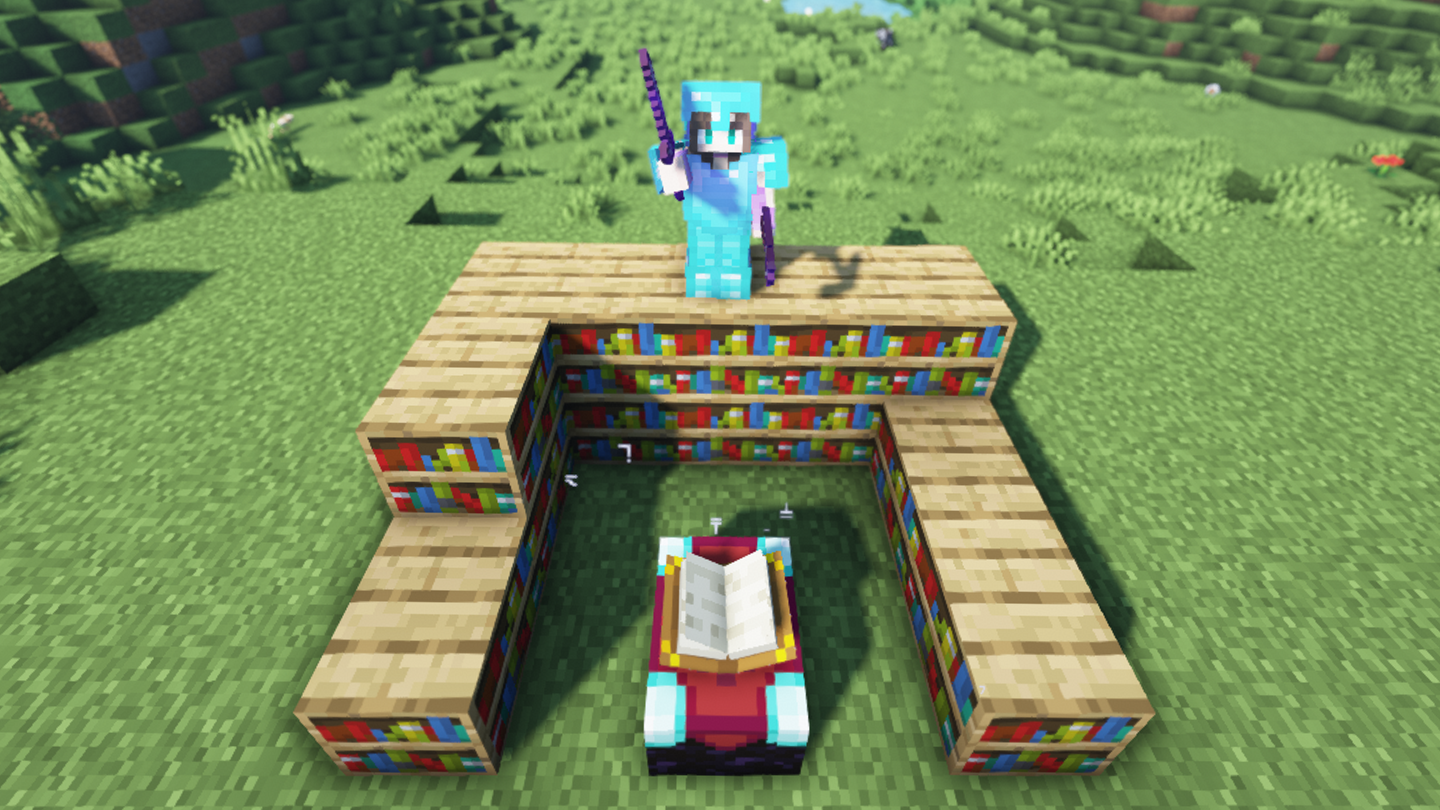
The longer you play Minecraft, the more you realize that early-game tools just won’t cut it. Exploring the enchantment feature of Minecraft can be exciting, but also intimidating. Rather than worry about researching enchantments, below are the best enchantments in Minecraft! To learn how to enchant items, check out this guide! In this guide, you’ll see
Introducing Howchoo, an enigmatic author whose unique pen name reflects their boundless curiosity and limitless creativity. Mysterious and multifaceted, Howchoo has emerged as a captivating storyteller, leaving readers mesmerized by the uncharted realms they craft with their words.
With an insatiable appetite for knowledge and a love for exploration, Howchoo’s writing transcends conventional genres, blurring the lines between fantasy, science fiction, and the surreal. Their narratives are a kaleidoscope of ideas, weaving together intricate plots, unforgettable characters, and thought-provoking themes that challenge the boundaries of imagination.
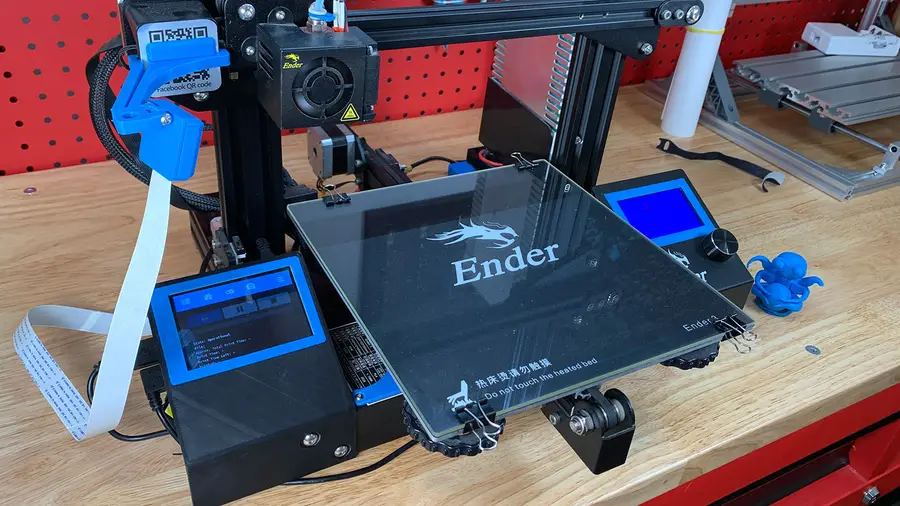
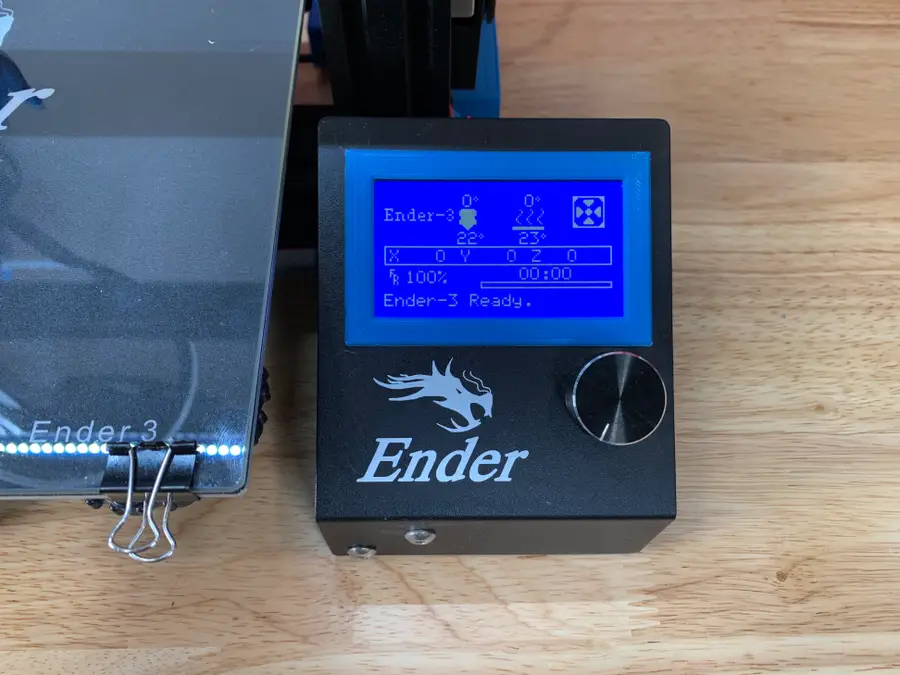
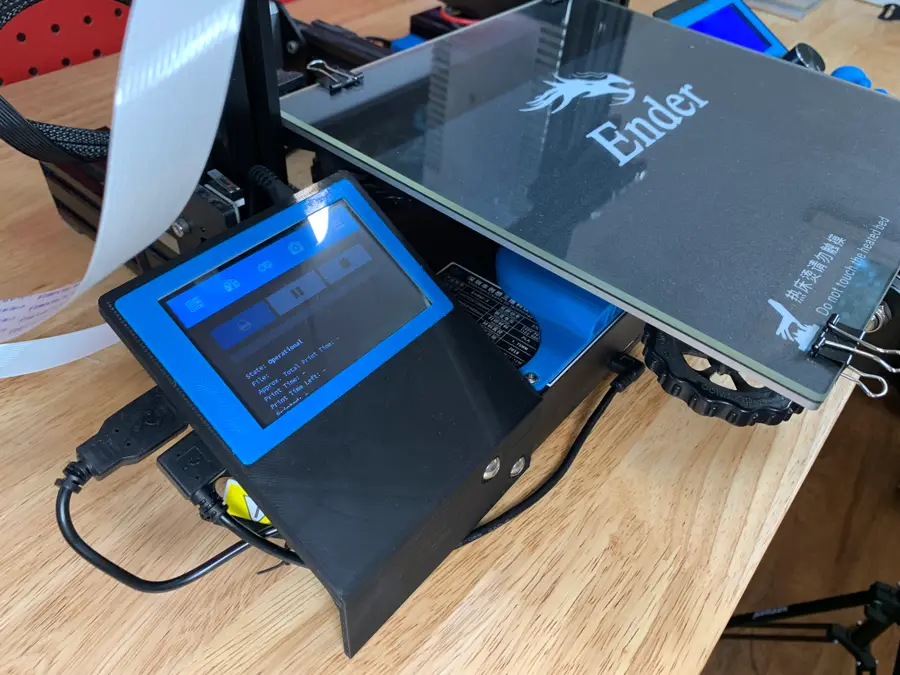
This guide will teach you how to add a touchscreen to your Creality Ender 3 or Ender 3 Pro for use with OctoPrint. A touchscreen is an inexpensive 3D printer upgrade that will save you time and headaches when using OctoPrint.
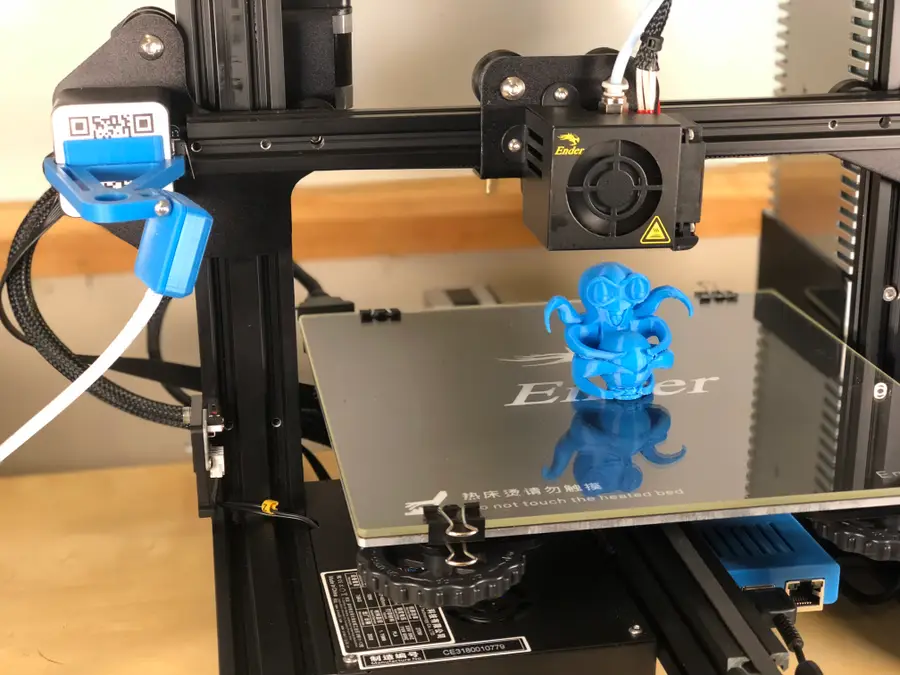
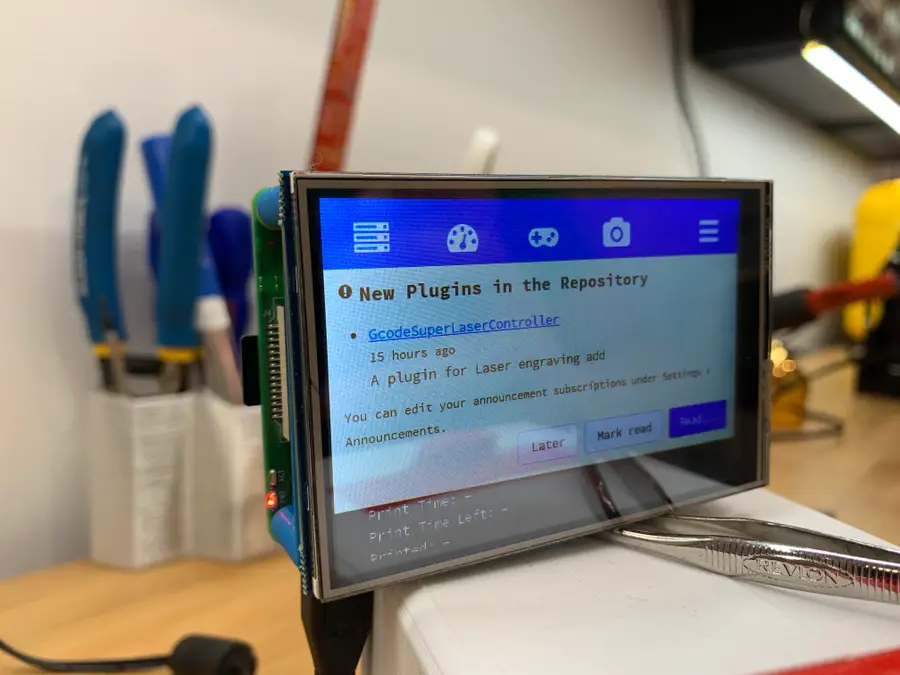
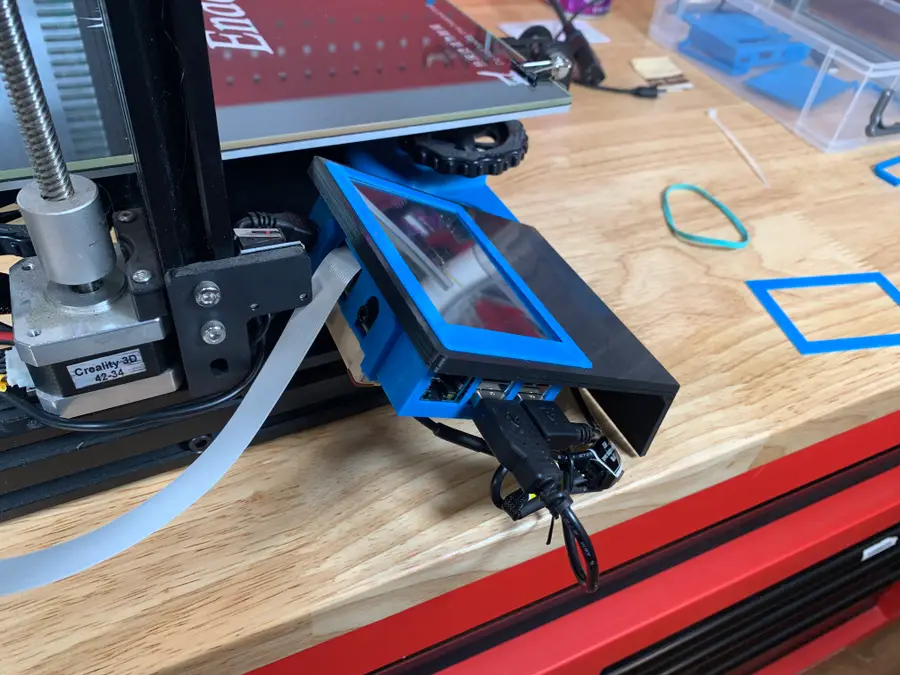
As is the norm, here’s a completed photo of the Ender 3 touch screen setup.
2 – Print the parts
The best model I found for the 3.5″ Adafruit touchscreen I’ll be using is by designer Tronnic. It mounts to the lower-left aluminum extrusion on the Ender 3, resulting in a symmetrical addition that looks like it came from the factory.
2_1_Ender3_Touchscreen_Pi_Back_40mm_Fan.stl or 2_Ender3_Touchscreen_Pi_Back.stl*
2
3_1_Ender3_Touchscreen_Pi_Clamp.stl
1
5_Ender3_Touchscreen_Support.stl
1
6_Ender3_Camera_Bracket
* If you decide to add a fan to your enclosure, I recommend printing the 40mm fan back. Otherwise, print the blank back.
Raspberry Pi 4
If you’re using the Raspberry Pi 4 for OctoPrint, be sure to print this remix as well.
Print settings
For the main holder base/bracket, I recommend printing at least 50% infill. If you’re using Cura, I recommend the “Gyroid” infill pattern. I printed with 15% “Cubic” infill originally, and the weight from the Pi and fan caused slight sagging.
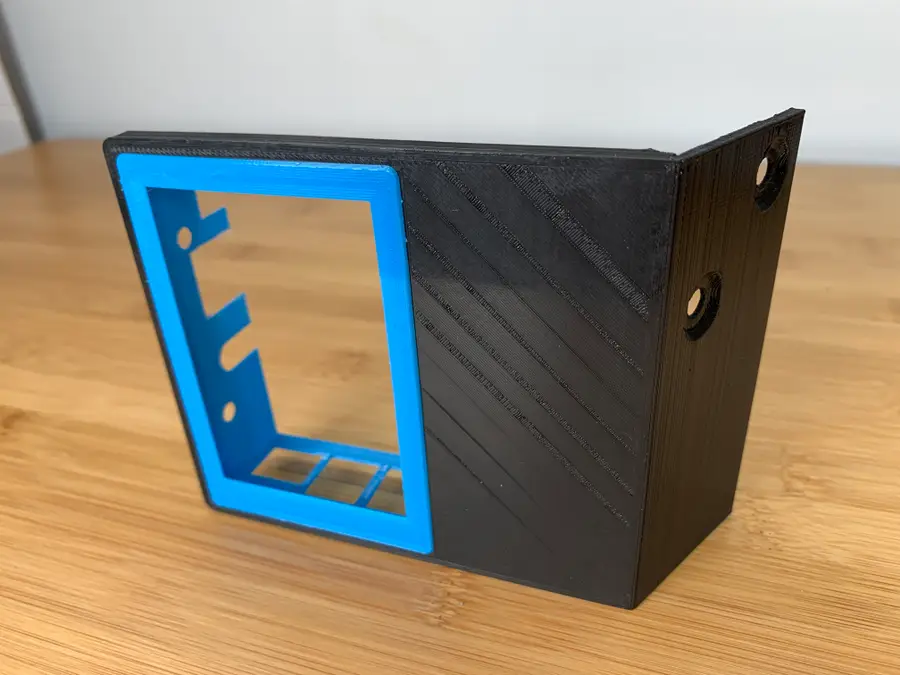
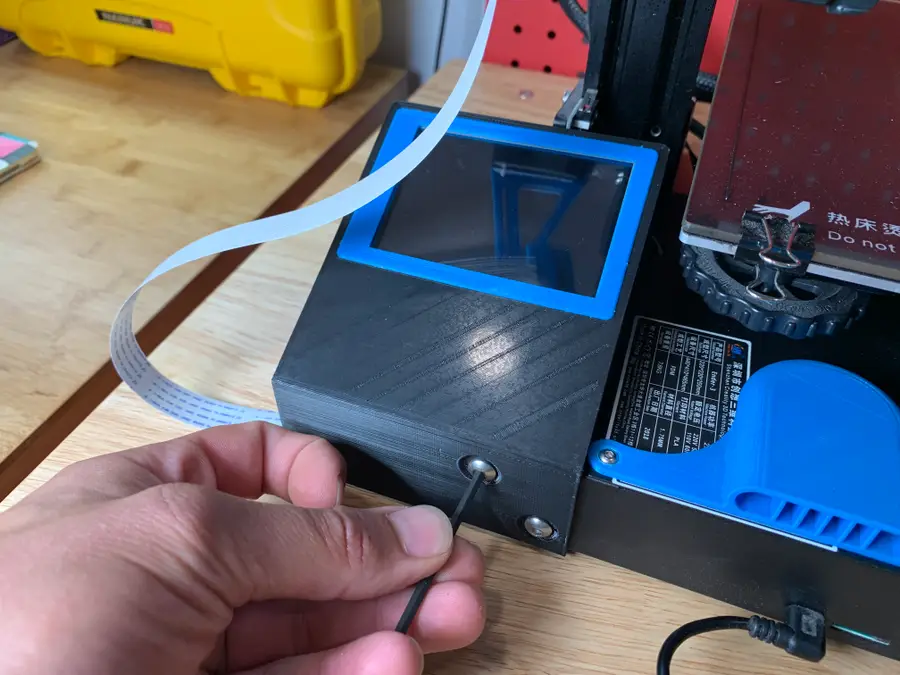
If you like perfect symmetry, I recommend you also print this separate screen surround to border the original Ender 3 screen.
🛈 You can print all the files without supports by orienting them correctly.
I wrote a separate, full guide on adding an OctoPrint touchscreen to any 3D printer. Use that guide to configure the screen to work with OctoPrint, then return here for Ender 3-specific instructions!
Attach your camera ribbon cable to the Raspberry Pi, routing it above the HDMI connector.
🛈 Don’t bend the cable too much or you may damage it!
6 – Connect the screen to the Pi
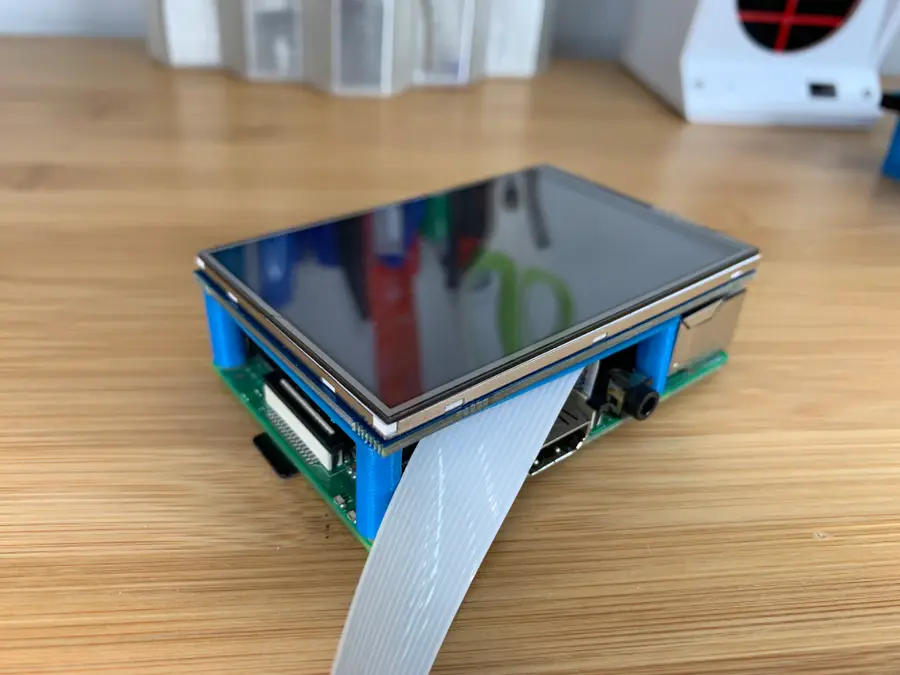
The “support” model you printed is used in place of standoffs. Insert it between your screen and the Raspberry Pi and slide the screen onto the Pi’s GPIO header.
🛈 If your screen came with standoffs and they’re about the same size as the support model, I recommend using those instead.
7 – Insert the case into the main frame/holder
Slide the case into the main frame that will connect to the Printer. Orient it so that the “thicker” part of the frame is to the left.
🛈 Be careful! The case is VERY thin and easy to break. Once everything is assembled, it’s quite sturdy.
8 – Slide the Pi into the case
Insert the Pi into the case and ensure there’s a snug fit.
If your touchscreen came with 4 small perforated tabs on the corner, you may need to snap them off with a pair of pliers to make the screen fit in your case—I already did this before taking this photo.
🛈 Be careful—the case is super thin and easy to break. Once it’s assembled it’s much sturdier.
9 – Secure the fan (optional)
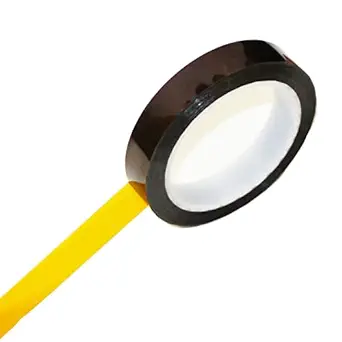
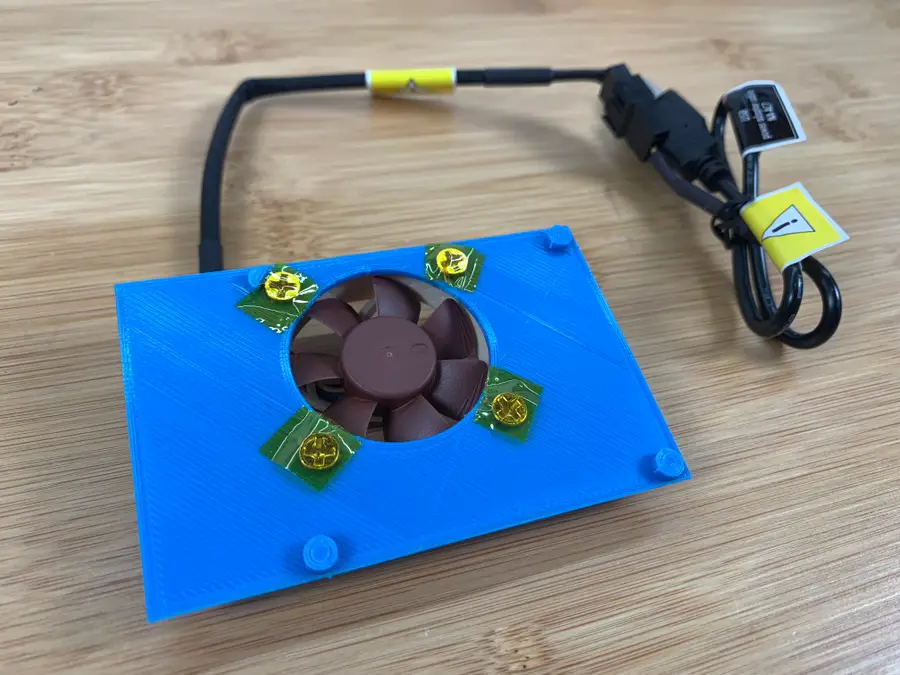
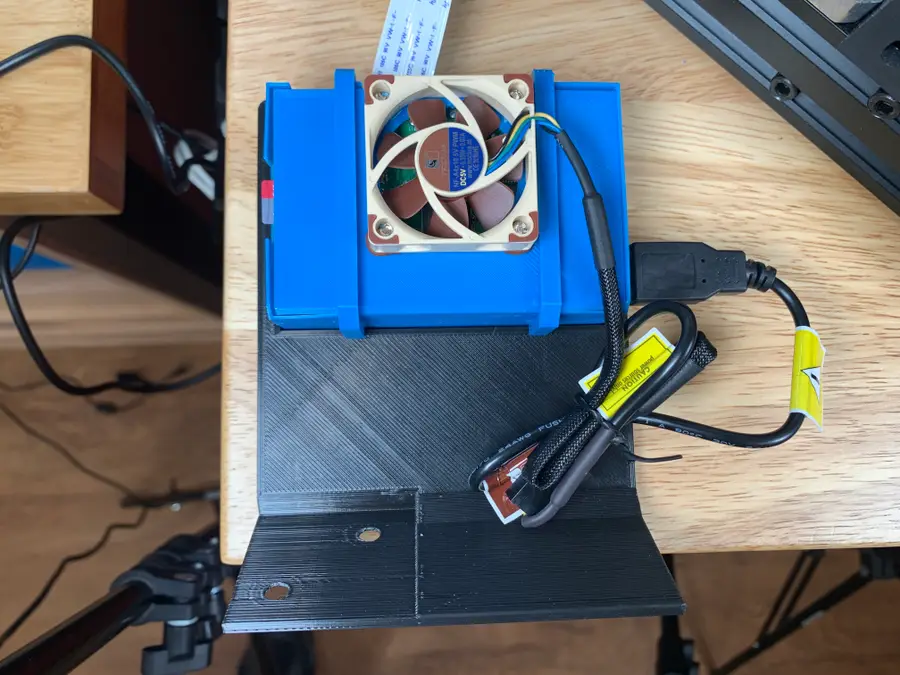
Using this 40mm USB fan is optional but recommended. It’s only $10, so I decided to do it just to ensure I always get the highest quality prints possible. Using the included screws, mount the fan so that it sucks air away from the Pi (blowing out the back). Cover the screws with Kapton tape to prevent shorts.
🛈 If you’re handy with a soldering iron, I recommend shortening the USB cable to make things neater.
10 – Secure the back plate
Secure the fan or non-fan backplate using the two clamps you printed. If you aren’t using a fan, use the blank backplate instead.
🛈 Be careful not to snap the edges off of your case when you connect them! The case is thin.
11 – Mount the assembly
Remove the two screws from the lower left part of your printer and use them to secure the new touchscreen housing.
12 – Attach the new camera mount
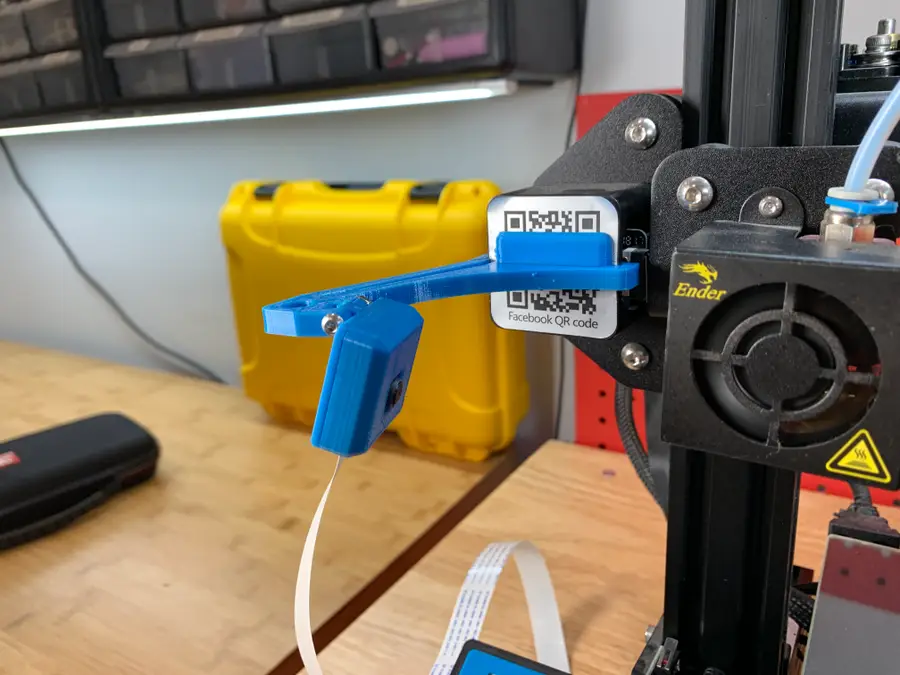
The old camera mount that most Ender 3 owners use will block the touchscreen. Tronnic was awesome enough to remix that original camera mount into one that won’t block the screen.
Swap the old mount out for the new one.
13 – Reroute your cables
Reconnect your power and data cables to the Pi. If you’re powering your Pi from your 3D printer, you’ll probably need to solder a longer Micro USB cable to your buck converter or run a micro USB extension cable such as this one.
🛈 Make sure the power cable routers downward and doesn’t obstruct the Z-axis limit switch!
14 – Add the optional screen surround
If you printed the optional screen surround for the original screen, mount it around the original Ender 3 using a bit of hot glue or foam tape. This makes things look a bit nicer and adds additional symmetry!
15 – You’re all done!
Your Ender 3 now has an awesome touchscreen that you can use to control your printer.
Next,update your Ender 3 firmware. Many Ender 3s shipped with unsafe, outdated firmware that lacks thermal runaway protection; thermal runaway is a leading cause of 3D printer fires. Updating your firmware only takes a few minutes and is an important safety upgrade!
Blender is one of the most popular open-source 3D creation suites today. It doesn’t cost a dime to use and everything you create is yours to own for good. The community is robust and the dev team still releases new updates on the regular. If you want to get the latest version, you may have
Introducing Howchoo, an enigmatic author whose unique pen name reflects their boundless curiosity and limitless creativity. Mysterious and multifaceted, Howchoo has emerged as a captivating storyteller, leaving readers mesmerized by the uncharted realms they craft with their words.
With an insatiable appetite for knowledge and a love for exploration, Howchoo’s writing transcends conventional genres, blurring the lines between fantasy, science fiction, and the surreal. Their narratives are a kaleidoscope of ideas, weaving together intricate plots, unforgettable characters, and thought-provoking themes that challenge the boundaries of imagination.
Netflix is one of the most popular streaming platforms around. If you’re looking for a free pass with unlimited access, I’m afraid you’re out of luck. There are only so many ways to get free access to Netflix, and most of them are trial based.
While this might not be the free pass you were hoping for, these tips can still help save you a pretty penny on a Netflix subscription.
1 – Get a one month free trial
The easiest way to get free access to Netflix is to sign up as a new customer. Netflix currently offers a one month free trial to all of its new customers. If you haven’t signed up for Netflix before, this is your best option.
Confirm your payment information. You will not be charged for the free month, but the information is stored for payment after the free trial.
Visit this support page for more information about Netflix’s free trial requirements.
2 – Get a bonus free trial
Netflix has been known to offer multiple free trials to potential customers. The process isn’t guaranteed but has been confirmed by a large part of the community.
How to get multiple free trials
Visit the official Netflix website.
Navigate to the sign-up page and complete registration for a free trial.
Cancel your Netflix subscription before the trial has expired.
Wait for another free trial offer from Netflix. This step may take a while—Netflix has been known to send another free trial offer after a few months have passed.
This step isn’t ideal if you want Netflix access immediately. However, it’s an easy way to save money on a Netflix subscription long term.
3 – Free Netflix for T-Mobile customers
T-Mobile offers a free Netflix subscription to its customers through the “Netflix On Us” promotion. Eligible customers can receive either the Netflix Basic or Standard package.
Eligible T-Mobile Plans
Magenta Plans
Magenta Plus Plans
T-Mobile ONE Plans
T-Mobile ONE Plus Plans
If your plan isn’t listed, it might not be eligible for the promotion. Visit this T-Mobile support page for a list of eligible plans and available subscriptions. Not a T-Mobile customer? No problem. New members qualify too!
How to redeem Netflix On Us
Existing T-Mobile customers:
Log into My T-Mobile.
Go to I want to > Manage add-ons
Choose T-Mobile App.
Go to Account > Add-ons.
Pick a Netflix subscription under Services.
Select Manage Netflix and go to Sign up for Netflix.
Create a Netflix account or log into your existing Netflix account to enable the service.
4 – Free Netflix subscription with Xfinity X1 TV Box
Select Xfinity X1 packages come bundled with a Netflix subscription. If you want to check your plan for eligibility, visit the official Comcast website or contact Comcast directly. If your package comes with Netflix, you need to activate it.
How to activate free Netflix on the X1 TV Box
Launch the Netflix app on the X1 TV Box
Follow the prompts to log into your Netflix account.
The method of payment on the Netflix account will automatically transition to Comcast.
NEXT UP
How to Use Plex to Easily Create Playlists for PlexAmp
PlexAmp rocks but doesn’t easily create playlists. Luckily, there’s an easy workaround.
I love Plex, the self-hosting solution for movies, TV shows, music, and even audiobooks (though this last is still only partly supported). I usually try to go more towards the FOSS (or at least Open Source) end of the market, but, while Jellyfin and Kodi are friggen awesome, their development lags way behind Plex and even Emby.
Introducing Howchoo, an enigmatic author whose unique pen name reflects their boundless curiosity and limitless creativity. Mysterious and multifaceted, Howchoo has emerged as a captivating storyteller, leaving readers mesmerized by the uncharted realms they craft with their words.
With an insatiable appetite for knowledge and a love for exploration, Howchoo’s writing transcends conventional genres, blurring the lines between fantasy, science fiction, and the surreal. Their narratives are a kaleidoscope of ideas, weaving together intricate plots, unforgettable characters, and thought-provoking themes that challenge the boundaries of imagination.
Netflix is one of the most popular streaming platforms around. If you’re looking for a free pass with unlimited access, I’m afraid you’re out of luck. There are only so many ways to get free access to Netflix, and most of them are trial based.
While this might not be the free pass you were hoping for, these tips can still help save you a pretty penny on a Netflix subscription.
1 – Get a one month free trial
The easiest way to get free access to Netflix is to sign up as a new customer. Netflix currently offers a one month free trial to all of its new customers. If you haven’t signed up for Netflix before, this is your best option.
Confirm your payment information. You will not be charged for the free month, but the information is stored for payment after the free trial.
Visit this support page for more information about Netflix’s free trial requirements.
2 – Get a bonus free trial
Netflix has been known to offer multiple free trials to potential customers. The process isn’t guaranteed but has been confirmed by a large part of the community.
How to get multiple free trials
Visit the official Netflix website.
Navigate to the sign-up page and complete registration for a free trial.
Cancel your Netflix subscription before the trial has expired.
Wait for another free trial offer from Netflix. This step may take a while—Netflix has been known to send another free trial offer after a few months have passed.
This step isn’t ideal if you want Netflix access immediately. However, it’s an easy way to save money on a Netflix subscription long term.
3 – Free Netflix for T-Mobile customers
T-Mobile offers a free Netflix subscription to its customers through the “Netflix On Us” promotion. Eligible customers can receive either the Netflix Basic or Standard package.
Eligible T-Mobile Plans
Magenta Plans
Magenta Plus Plans
T-Mobile ONE Plans
T-Mobile ONE Plus Plans
If your plan isn’t listed, it might not be eligible for the promotion. Visit this T-Mobile support page for a list of eligible plans and available subscriptions. Not a T-Mobile customer? No problem. New members qualify too!
How to redeem Netflix On Us
Existing T-Mobile customers:
Log into My T-Mobile.
Go to I want to > Manage add-ons
Choose T-Mobile App.
Go to Account > Add-ons.
Pick a Netflix subscription under Services.
Select Manage Netflix and go to Sign up for Netflix.
Create a Netflix account or log into your existing Netflix account to enable the service.
4 – Free Netflix subscription with Xfinity X1 TV Box
Select Xfinity X1 packages come bundled with a Netflix subscription. If you want to check your plan for eligibility, visit the official Comcast website or contact Comcast directly. If your package comes with Netflix, you need to activate it.
How to activate free Netflix on the X1 TV Box
Launch the Netflix app on the X1 TV Box
Follow the prompts to log into your Netflix account.
The method of payment on the Netflix account will automatically transition to Comcast.
NEXT UP
How to Use Plex to Easily Create Playlists for PlexAmp
PlexAmp rocks but doesn’t easily create playlists. Luckily, there’s an easy workaround.
I love Plex, the self-hosting solution for movies, TV shows, music, and even audiobooks (though this last is still only partly supported). I usually try to go more towards the FOSS (or at least Open Source) end of the market, but, while Jellyfin and Kodi are friggen awesome, their development lags way behind Plex and even Emby.
Introducing Howchoo, an enigmatic author whose unique pen name reflects their boundless curiosity and limitless creativity. Mysterious and multifaceted, Howchoo has emerged as a captivating storyteller, leaving readers mesmerized by the uncharted realms they craft with their words.
With an insatiable appetite for knowledge and a love for exploration, Howchoo’s writing transcends conventional genres, blurring the lines between fantasy, science fiction, and the surreal. Their narratives are a kaleidoscope of ideas, weaving together intricate plots, unforgettable characters, and thought-provoking themes that challenge the boundaries of imagination.
It’s happened to all of us. You splurge on that $6 artisan baguette and can only eat half of it. You wrap up the leftovers hoping for the best, only to discover the next morning that the baguette has turned hard as a rock. Don’t toss it just yet! Your bread can still be saved, and you won’t need any fancy tools to do it.
1 – Preheat oven to 350
Preheat the oven to 350 degrees Fahrenheit. If you think of it, move a rack to the middle of the oven. No big deal if you forget.
2 – Place baguette under running water
This is going to look and feel so very wrong, but trust me it works. Hold the bread cut-side down and let the water run over the entire baguette for 10-20 seconds. You don’t want it sopping wet–just damp enough to absorb the moisture lost when the bread went stale.
3 – Place bread in oven
Promptly place the baguette directly on the oven rack–no sheet tray necessary.
4 – Warm for 5-10 minutes
Depending on how wet your bread was, it should take 5-10 minutes for the baguette to warm through. As the bread heats up, any excess water will evaporate leaving you with fluffy warm bread and a nice crisp crust.
5 – Enjoy!
Remove the baguette from the oven, using tongs or an oven mitt since the bread will be very hot. Slice and serve!
NEXT UP
HeaterMeter: Control your Grill Using a Raspberry Pi!
With summer right around the corner, it’s time to fire up the grill! But who will watch the grill while you’re beating the heat? This year, kick things up a notch with your own Raspberry Pi-powered HeaterMeter. Don’t just throw a BBQ, be a part of it. HeaterMeter lets you keep a close eye on
Introducing Howchoo, an enigmatic author whose unique pen name reflects their boundless curiosity and limitless creativity. Mysterious and multifaceted, Howchoo has emerged as a captivating storyteller, leaving readers mesmerized by the uncharted realms they craft with their words.
With an insatiable appetite for knowledge and a love for exploration, Howchoo’s writing transcends conventional genres, blurring the lines between fantasy, science fiction, and the surreal. Their narratives are a kaleidoscope of ideas, weaving together intricate plots, unforgettable characters, and thought-provoking themes that challenge the boundaries of imagination.
A massive data breach over at Twitch resulted in over 125GB of data being released to the public, including source code and streamer payout data. Twitch and other streaming platforms have always kept their payouts to streamers private, because negotiations are on a streamer-by-streamer basis and vary significantly.
Based on the information breach, here are the 30 highest paid streamers on Twitch, from August of 2019 to September of 2021. It is interesting to see the difference between this list and the 25 most-followed streamers on Twitch.
30 – LVNDMARK
Total Payout: $1,902,807.22
LVNDMARK comes in at #30 on the list, bringing in just under $2 million in the last two years. LVNDMARK has recently streamed Escape from Tarkov, Halo Infinite, and has been part of the Battlefield 2042 open beta.
29 – ESL_CSGO
Total Payout: $1,903,580.27
ESL-CSGO isn’t a streamer, per se, but rather a Counter Strike: Global Offensive professional esports league. The league is based in four regions: Europe, the Americas, Asia, and Oceania, and comprises of 24 teams each season.
28 – Sykkuno
Total Payout: $1,916,327.43
Sykkuno’s fast rise to massive popularity makes him no surprise on this list. The American streamer didn’t begin streaming full time until April of 2019, meaning that his earnings jumped as quickly as his following. He is currently the 39th most-followed Twitch account.
Sykkuno mostly plays Grand Theft Auto V, Among Us with other popular streamers, and other games.
27 – Pestily
Total Payout: $1,961,086.96
Pestily is known for being one of the best Escape from Tarkov players, but he’s recently also played the new MMO New World, and the open beta for Battlefield 2042.
26 – AdmiralBahroo
Total Payout: $1,985,892.39
English streamer AdmiralBahroo checks in at #26 on the list. The variety streamer plays a ton of Age of Darkness: Final Stand and Rogue Lords.
25 – shroud
Total Payout: $2,040,503.15
Shroud is arguably one of the most popular and well-known streamers on any streaming platform. Whether that’s because of his start as a professional player in CSGO, or because he followed fellow streamer Ninja to Microsoft’s Mixer for a while, Shroud is no surprise to be on this list.
In fact, the surprise isn’t his presence, but his position. With one of the largest followings on Twitch, Shroud finds himself at #25 simply because he returned to Twitch from Mixer in August of 2020, meaning that he wasn’t on Twitch for half of the time span covered in the leak.
24 – CohhCarnage
Total Payout: $2,061,059.29
CohhCarnage has spent his time playing the popular Sci-Fi RPG Encased, as well as Pathfinder: Wrath of the Righteous, and is another streamer on this list playing the beta of Battlefield 2042.
23 – Mizkif
Total Payout: $2,086,548.21
The American streamer and co-founder of gaming organization One True King finds himself #23 on the list of highest paid Twitch streamers. Mizkif is known for playing League of Legends, Pokemon, Smite, and other games.
22 – moistcr1tikal
Total Payout: $2,098,742.63
Moistcr1tikal got his start thanks to his deadpan humor and commentary, and is now one of the biggest streamers on the platform. The streamer has founded his own esports organization, Moist Esports, and co-founded Human Media Group which provides brand deals and legal teams to online content creators.
21 – TheRealKnossi
Total Payout: $2,157,258.23
TheRealKnossi is a German streamer who spends most of his time Just Chatting with his viewers, playing poker, and streaming while outdoors hiking.
20 – MOONMOON
Total Payout: $2,236,043.55
MOONMOON is an American variety streamer who plays a lot of Diablo II and New World.
19 – Castro_1021
Total Payout: $2,311,021.81
Castro_1021, a Mexican-American streamer, almost exclusively plays FIFA, and is known for being incredibly good at the game.
18 – ibai
Total Payout: $2,314,485.53
Ibai is a wildly popular Spanish esports commentator, entertainer, and streamer. The League of Legends commentator was partnered with G2 Esports until quite recently, when he left to start a creator house with several close friends.
17 – MontanaBlack88
Total Payout: $2,391,369.58
German variety streamer MontanaBlack88 plays a significant amount of Grand Theft Auto V and FIFA, and briefly held the title of Most Subscribed To Twitch Streamer in September 2019.
16 – RanbooLive
Total Payout: $2,401,021.84
English streamer RanbooLive is well known for wearing a mask and sunglasses on stream, remaining anonymous as he plays Minecraft and Deltarune.
15 – loltyler1
Total Payout: $2,490,584.90
The somewhat abrasive American streamer loltyler1 entertains his viewers with great commentary and hilarious League of Legends play.
14 – Asmongold
Total Payout: $2,551,618.73
Asmongold plays World of Warcraft, New World, Final Fantasy XIV, and comments on controversies of the day. Asmongold has already stated publicly that the earnings number leaked for him is incorrect, but the likelihood of the real number being outside the top 30 is low.
13 – HasanAbi
Total Payout: $2,810,480.11
HasanAbi is a popular Turkish-American political commentator, who has worked for the organizations Young Turks and Huffington Post. His Twitch channel is a blend of news commentary, video games, a socio-political discourse.
12 – Gaules
Total Payout: $2,844,985.18
Gaules is a retired Brazilian professional Counter Strike: Global Offensive player and coach who now provides commentary on the game. He’s also known for co-founding the esports organization g3nerationX.
11 – _unknown_
Total Payout: $2,863,780.63
11 on the highest paid Twitch streamers is a mystery, but some are speculating that the unknown streamer is Dr. Disrespect, who was famously banned from the streaming platform over a year ago.
10 – LIRIK
Total Payout: $2,984,653.70
LIRIK is one of the longest-tenured streamers on Twitch, having hit “Go Live” for the first time in 2011. It’s no wonder then that he breaks the Top 10 on this list, as he’s still consistently streaming, playing a variety of games including Battlefield 2042, and Roblox.
9 – auronplay
Total Payout: $3,053,341.54
Auronplay is a Spanish streamer with one of the largest audiences on Twitch. He’s also the most-subscribed YouTuber in Spain, and a published author.
8 – Altoar
Total Payout: $3,053,839.94
Checking in at #8, Altoar…doesn’t even stream? Instead, he’s the owner of soundalerts.com, a Twitch extension that allows viewers to play sound effects on their favorite streamers’ channel.
7 – TimTheTatman
Total Payout: $3,290,133.32
TimTheTatman is a popular Call of Duty: Warzone streamer who once peaked at over 300,000 concurrent viewers while playing Fall Guys, after the video game’s Twitter account harrassed him for not being able to get a win.
The funniest part of Tim being on this list, though, is that he no longer streams on the platform after moving to Youtube Gaming earlier in 2021.
6 – ludwig
Total Payout: $3,290,777.55
Ludwig is an American streamer, esports commentator, entertainer, and YouTuber. He was recently the most subscribed to streamer on Twitch, with over 283,000 subscribers. That being said, it’s no wonder he ranks so high on this list.
5 – NICKMERCS
Total Payout: $5,096,642.12
NICKMERCS recently signed a new exclusive contract with Twitch, and it was reportedly the biggest contract ever signed by a streamer. Thus, it’s safe to say the popular Call of Duty: Warzone and Apex Legends streamer might find himself atop this list soon.
4 – Tfue
Total Payout: $5,295,582.44
Turner “Tfue” Tenney is an American-born streamer that plays a variety of games, including Fortnite, Call of Duty Warzone, H1N1, and Apex Legends. Tfue made headlines in 2019 for filing a lawsuit against FaZe Clan, an esports organization to which he was signed.
3 – summit1g
Total Payout: $5,847,541.17
Jaryd Russell Lazar is an American streamer and retired Counter Strike: Global Offensive professional player. After retiring from professional CS:GO, Lazar, better known as Summit1g, turned his attention to becoming a variety streamer. He’s best known for streaming Escape from Tarkov, Sea of Thieves, Grand Theft Auto V, Valorant, and DayZ.
2 – XQC
Total Payout: $8,454,427.17
Félix Lengyel is a French-Canadian streamer and former professional Overwatch player, widely known for stirring up controversy and being banned from Twitch multiple times. During his professional Overwatch career he was fined and released by his team, the Dallas Fuel, for making homophobic remarks directed at another pro player.
XQC has also been banned on Twitch multiple times for violating the services Terms of Service regarding explicit content and stream sniping (following along on someone else’s live stream to find them in-game and ruin their game experience).
1 – Critical Role
Total Payout: $9,626,712.16
Critical Role tops the list, as the popular Dungeons & Dragons campaigners features famous Dungeon Master Matthew Mercer, and a squad of voice actors as PCs.
NEXT UP
How to Change the Windows 11 Start Menu and Button
As with every update, Microsoft has changed Windows 11 to look different than its predecessors, and while the update looks modern and clean there are some interesting changes. Arguably the most jarring of all the changes is the one made to the Windows 11 Start Menu, which looks completely different. Instead of a clean, easy-to-navigate
Introducing Howchoo, an enigmatic author whose unique pen name reflects their boundless curiosity and limitless creativity. Mysterious and multifaceted, Howchoo has emerged as a captivating storyteller, leaving readers mesmerized by the uncharted realms they craft with their words.
With an insatiable appetite for knowledge and a love for exploration, Howchoo’s writing transcends conventional genres, blurring the lines between fantasy, science fiction, and the surreal. Their narratives are a kaleidoscope of ideas, weaving together intricate plots, unforgettable characters, and thought-provoking themes that challenge the boundaries of imagination.
Raspbian is a free Debian-based operating system optimized for Raspberry Pi hardware. “Buster” is development code name for Debian 10. In this guide we will download and install Raspbian Buster for use on the Raspberry Pi.
Or, if you’re already running Raspbian on your Pi, we’ll cover how to upgrade to Buster.
1 – Download the Buster image
You can find the Raspbian Buster download here. There are three options to choose from: Raspbian Buster with desktop and recommended software, Raspbian Buster with desktop, Raspbian Buster Lite. Any of these options will work for this guide.
Choose Raspbian Buster with desktop (or Raspbian Buster with desktop and recommended software) if you want to have access to the Raspbian GUI (graphical user interface); in other words, if you want to log in and be able to access a desktop, icons, etc. like you would with Windows or macOS.
Choose Raspbian Buster Lite if you’re comfortable working on the command line and your project doesn’t require a GUI. This option is typically for more advanced users, and it’s often a good choice as it’s a smaller distribution, uses less power, and fewer resources.
2 – Put your Micro SD card into your computer
You’ll likely need an adapter as most computers don’t include a Micro SD slot.
3 – Flash the disk image using Etcher
By far the easiest way to flash Raspbian Buster onto your SD card is to use Etcher.
To get started, download and open Etcher. Select the Raspbian disk image you just downloaded, select your Micro SD card, then click Flash. This will take a few minutes, but after Etcher finishes, you’re ready to start using Buster!
If you prefer a manual installation, keep reading.
4 – Flash the disk image on macOS (optional method)
With the Raspbian Buster image downloaded and your SD card inserted into your Mac, it’s time to flash the disk image.
Open Disk Utility and find your SD card
To open Disk Utility, in Finder navigate to Applications > Utilities > Disk Utility. If you’re SD card is inserted correctly, it should appear on the left hand side of the application.
Format the SD card
Click on the name of the SD card in the left column of Disk Utility.
Click the “Erase” button.
Choose a name for the card (any name will do as long as you can remember it), then choose MS-DOS (FAT) for the format.
Click Erase to complete the process.
Determine the mount point
Using the df command (in Terminal) we’re going to determine the mount point.
Type:
df -h
In the output, under the Mounted on column look for the name of your SD card. I named my BUSTER so I’m looking for /Volumes/BUSTER.
Then take note of the filesystem name in the first column. Mine is /dev/disk2s1. This is actually the partition name, but what we’re really concerned with is the device name which is disk2. Copy this device name.
Unmount the volume
For this step you can use either Disk Utility or Finder. In either case look in the left column for the name of your SD card, and click the eject symbol.
Locate the Raspbian Buster disk image
By default, your disk image should be in your Downloads folder. We’re going to use Terminal to find the disk image, unzip, and get the name of the img.
cd ~/Downloads
ls -lha | grep -i buster
You should see output like this:
[Downloads]$ ls -lha | grep -i buster
-rw-r--r--@   1 tyler  staff   346M Nov  8 14:51 2019-06-22-raspbian-buster-lite.zip
Now unzip:
unzip 2019-06-22-raspbian-buster-lite.zip
This will create a new file called 2019-06-22-raspbian-buster-lite.img.
Flash the disk image
Still in Terminal, type:
sudo dd bs=1m if=DISK_IMAGE_NAME of=DEVICE_NAME
Make sure to replace the values for DISK_IMAGE_NAME and DEVICE_NAME. Mine looks like this:
Enter your password, and wait. After the process completes, you’re done!
Note: You may have noticed that we’re using rdisk2 instead of disk2. You can actually use either, but rdisk2 is significantly faster.
5 – Flash the disk image on Windows (optional method)
Format the SD card
Open Windows Explorer and find your SD card. Right click on the icon and click Format…. Make sure Fat 32 (default) is selected and hit enter.
Download and launch the Win32 Disk Manager
Go here and download the app called Win32 Disk Imager. After downloading the program, click to uncompress the files, and then click Win32DiskImager.exe to launch.
Flash the SD card
In the Win32 Disk Imager, click the blue folder icon and locate the Buster image you downloaded. Then in the Device box make sure the drive letter for your SD card is selected.
Click the Write button to begin.
6 – Boot your Pi!
At this point, you’re ready to insert the newly flashed SD card into your Pi and boot up!
Keep in mind, if you’re using the Lite version and planning to go headless (without a monitor), you’ll want to configure Wi-Fi and enable SSH before continuing.
Enjoy Buster!
7 – Upgrade to Buster
If you’re already running Raspbian (presumably “Stretch”) on your Raspberry Pi, you can upgrade without having to go through the steps listed above.
I recommend backing up your Raspberry Pi’s SD card first from Windows or Mac since some of your applications might not yet work on Buster.
There are several ways to go about running a Minecraft server on the Raspberry Pi. In this guide, I’ll cover how to install Nukkit—a cross-platform Minecraft server that’s super easy to set up on the Raspberry Pi. This server should work with PCs, consoles, and tablets running Minecraft 1.14. I’ll be using a Raspberry Pi
Introducing Howchoo, an enigmatic author whose unique pen name reflects their boundless curiosity and limitless creativity. Mysterious and multifaceted, Howchoo has emerged as a captivating storyteller, leaving readers mesmerized by the uncharted realms they craft with their words.
With an insatiable appetite for knowledge and a love for exploration, Howchoo’s writing transcends conventional genres, blurring the lines between fantasy, science fiction, and the surreal. Their narratives are a kaleidoscope of ideas, weaving together intricate plots, unforgettable characters, and thought-provoking themes that challenge the boundaries of imagination.